
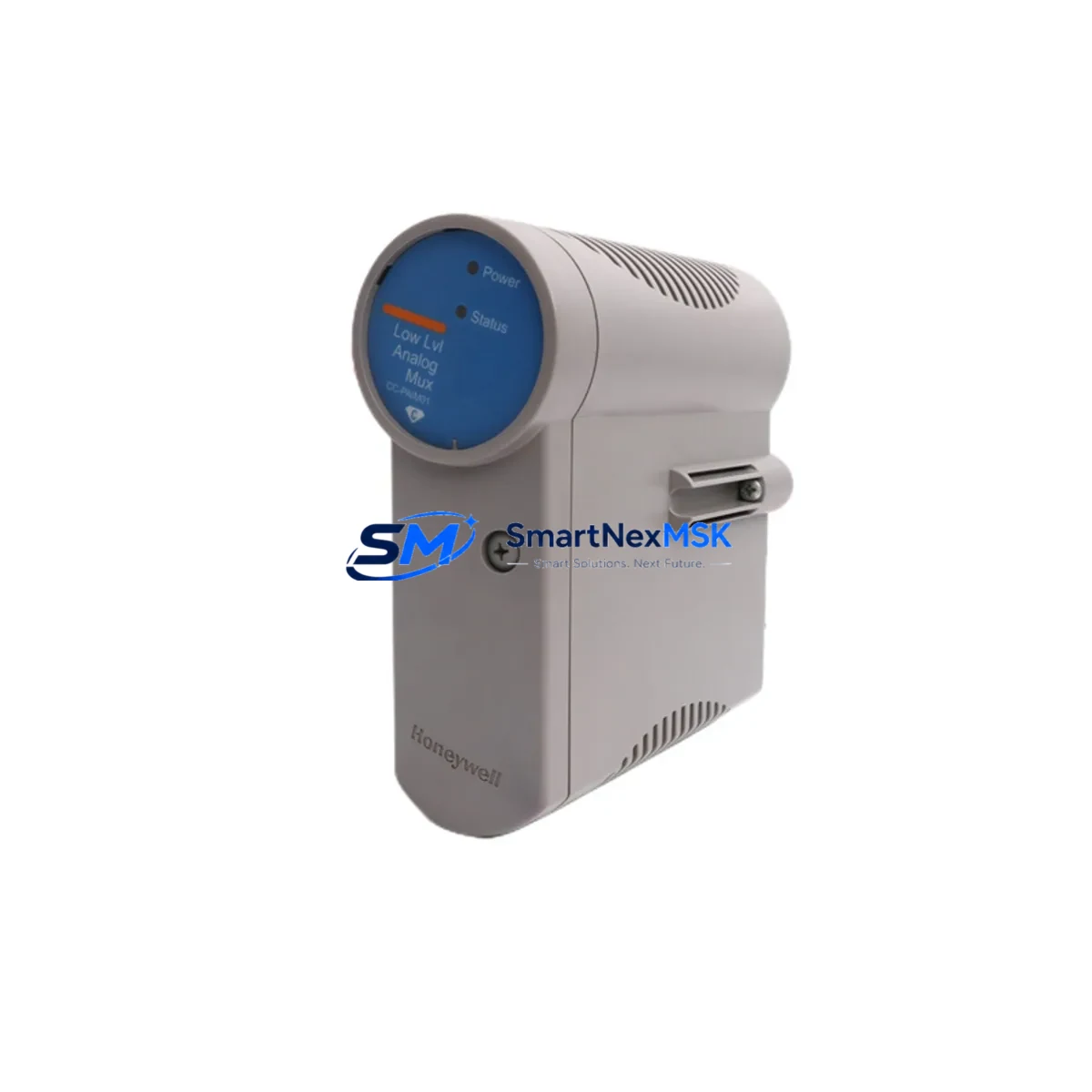
Honeywell CC-PAIM01 51405045-175 Spare Experion PKS: Spare Replacement & Industrial Downtime Risk Control
The Honeywell CC-PAIM01 (part number 51405045-175) is an original analog mux input module designed for the Experion PKS distributed control system. In process industries — including refining, petrochemical, power generation, and continuous manufacturing — this module serves as a critical signal acquisition component, converting field-level analog signals into digital data for the Experion PKS controller. When this module fails or degrades, the consequences extend beyond a single I/O point: entire process loops may go blind, triggering unplanned shutdowns, safety system interventions, or manual override operations that increase both risk and cost.
Maintaining a verified spare of the CC-PAIM01 51405045-175 in your site inventory is a foundational element of any credible maintenance strategy for Experion PKS-based control systems. This page provides maintenance engineers and procurement engineers with the technical reference, replacement workflow, and spare parts planning guidance needed to minimize mean time to repair (MTTR) and sustain continuous operation.
Spare Maintenance Table
| Parameter | Specification / Detail |
|---|---|
| Part Number / SKU | CC-PAIM01 / 51405045-175 |
| Brand | Honeywell |
| Series / Platform | Experion PKS (Process Knowledge System) |
| Module Type | Analog Mux Input Module (DCS I/O) |
| Signal Type | Analog input (multiplexed), compatible with standard 4–20 mA and thermocouple/RTD field wiring configurations |
| Compatibility | Honeywell Experion PKS C200, C300 controller families; CIOM-A backplane; standard Experion I/O chassis |
| Installation | Backplane-mounted; hot-swap capable in supported configurations; no special tools required for module extraction |
| Operating Environment | Industrial control cabinet; 0–60°C operating range; humidity per Honeywell Experion PKS environmental specifications |
| Condition | Original / New or Refurbished-to-OEM-spec; tested prior to shipment |
| Origin | USA (Honeywell OEM) |
| Warranty | 12 Months from date of shipment |
| Lead Time | In-stock units ship within 1–3 business days; contact for availability confirmation |
| Maintenance Recommendation | Inspect connector pins and backplane contacts at each planned shutdown; verify channel diagnostics via Experion Station; replace if analog accuracy drifts beyond loop calibration tolerance |
Maintenance Planning for Continuous Operation
Replacing the CC-PAIM01 51405045-175 in isolation rarely resolves the root cause of an analog input fault. Experienced maintenance engineers treat this module replacement as a trigger for a broader inspection of the associated electrical circuit and control cabinet. When pulling a CC-PAIM01 for replacement, the following components and assemblies should be inspected or tested concurrently to prevent repeat failures and ensure the restored loop performs within specification.
Begin with the field termination assembly (FTA) associated with the CC-PAIM01 slot — the Honeywell MC-TAIH02 or equivalent analog input FTA. Corroded terminals, loose screw connections, or moisture ingress at the FTA are common contributors to intermittent analog faults that are misdiagnosed as module failures. Inspect all terminal blocks and verify continuity to field instruments.
Check the 24 VDC power supply module feeding the I/O chassis — typically a Honeywell CC-PWR01 or equivalent Experion PKS power supply. Voltage sag or ripple on the DC bus can cause analog modules to report erratic readings or generate spurious diagnostics. Use a calibrated multimeter or power quality analyzer to verify output voltage under load.
Inspect the CIOM-A communication interface module and its ribbon cable connections to the controller. A degraded CIOM-A can cause selective I/O module communication failures that mimic hardware faults in the CC-PAIM01. Swap or reseat the CIOM-A if communication errors persist after module replacement.
Review the status of adjacent analog output modules (such as the CC-PAOM01) and digital I/O modules (CC-PDIL01, CC-PDOB01) in the same chassis. Shared backplane faults or power distribution issues often affect multiple module slots simultaneously. A single-module fault that appears isolated may indicate a developing backplane or chassis problem.
For loops involving thermocouple or RTD inputs, verify the integrity of the associated signal conditioners or signal isolators in the marshalling cabinet. Honeywell and third-party isolators (such as those from the Phoenix Contact MINI Analog series or equivalent) can drift or fail independently of the DCS module, producing offset errors that are incorrectly attributed to the CC-PAIM01.
If the Experion PKS system includes a redundant controller pair (C300 primary/secondary), confirm that the replacement module is recognized symmetrically by both controllers and that the redundancy switchover test passes after installation. A module that passes single-controller diagnostics may still cause issues in a redundant configuration if firmware revision mismatches exist.
Finally, document the replacement in your site’s CMMS (Computerized Maintenance Management System) and update the spare parts BOM for the affected control cabinet. Cross-reference the CC-PAIM01 51405045-175 against your site’s approved vendor list and confirm that the replacement unit’s firmware version is compatible with your current Experion PKS software release before energizing the loop.
Site Replacement Workflow
Step 1 — Pre-replacement verification: Confirm the fault is isolated to the CC-PAIM01 using Experion Station diagnostics. Check for active alarms on the affected module slot. Notify the control room operator and place affected loops in manual mode before proceeding.
Step 2 — Safe isolation: Follow site lock-out/tag-out (LOTO) procedures for the control cabinet. If the system supports hot-swap for this slot, verify the hot-swap status in the Experion configuration before removing the module without a full cabinet power-down.
Step 3 — Module extraction and inspection: Remove the CC-PAIM01 51405045-175 from the backplane. Inspect the module connector and backplane socket for bent pins, corrosion, or debris. Clean with appropriate contact cleaner if contamination is present.
Step 4 — Spare installation: Insert the replacement CC-PAIM01 51405045-175 into the backplane slot. Confirm the module LED status transitions from fault to normal within the expected initialization time (typically 30–60 seconds for Experion PKS I/O modules).
Step 5 — Loop verification: Return affected loops to automatic mode. Verify analog readings against field instrument local indicators. Perform a loop calibration check if the process permits. Confirm no residual alarms remain on the Experion Station.
Step 6 — Documentation: Record the replacement in the site maintenance log, including the removed module’s serial number, the replacement unit’s serial number, and the date of installation. Initiate a replenishment order for the consumed spare to restore site inventory levels.
This workflow applies equally to planned maintenance replacements during scheduled shutdowns and to emergency replacements during unplanned downtime events. Having a pre-staged, tested CC-PAIM01 51405045-175 spare on-site reduces the replacement cycle from days (waiting for shipment) to hours, directly reducing production loss exposure.
Spare Parts Support FAQ
Q1: Is the CC-PAIM01 51405045-175 still available as a new original part, or only as refurbished?
Both new original and professionally refurbished-to-OEM-specification units are available depending on current stock. All units — regardless of condition grade — are functionally tested prior to shipment and covered by a 12-month warranty. Contact our sales team to confirm current stock condition and availability before placing your order.
Q2: How do I verify compatibility between the CC-PAIM01 51405045-175 and my specific Experion PKS software version?
The CC-PAIM01 is compatible with Experion PKS R310 through current releases in standard configurations. Firmware compatibility is determined by the Experion PKS software release installed on your server. Provide your Experion PKS software version and controller model (C200 or C300) when ordering, and our technical team will confirm compatibility and advise on any firmware update requirements before shipment.
Q3: What pre-shipment testing is performed on the CC-PAIM01 51405045-175?
Each unit undergoes functional power-on testing, analog channel accuracy verification, and backplane communication interface testing before shipment. Units are shipped in anti-static packaging with individual test records available upon request. The 12-month warranty covers defects in materials and workmanship under normal operating conditions.
Q4: What is the recommended spare parts inventory strategy for CC-PAIM01 modules on a large Experion PKS installation?
For installations with 10 or more CC-PAIM01 modules, a minimum on-site spare holding of 1–2 units is recommended, with replenishment triggered upon consumption. For critical process units where analog input loss carries high safety or production risk, consider holding a dedicated emergency spare in addition to the standard maintenance pool. Long-term supply agreements are available for sites requiring guaranteed availability over multi-year maintenance cycles.
© 2026 SMARTNEXMSK. All rights reserved.
Original Source: https://smartnexmsk.com
Contact: [email protected] | +86 18259474341



