
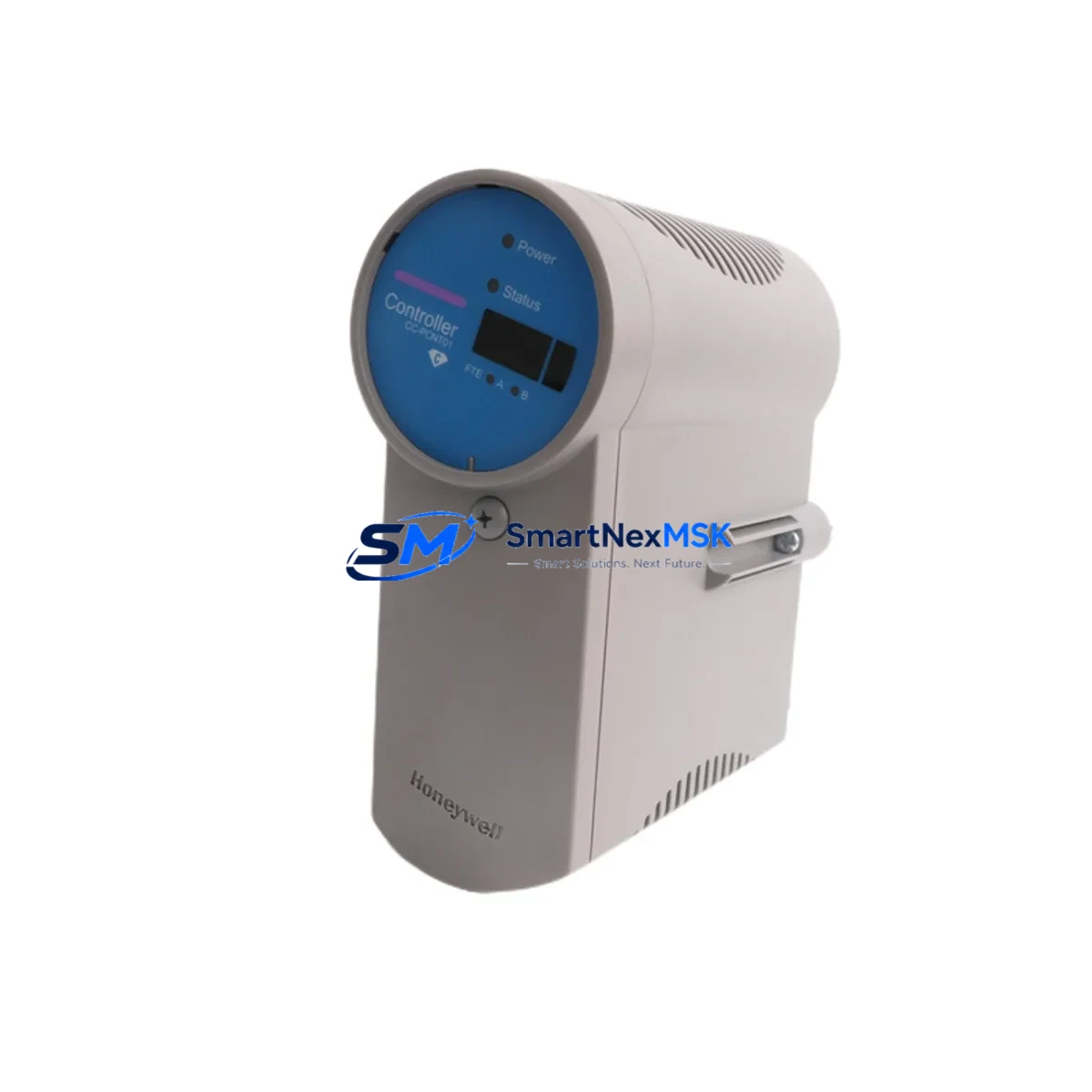
Honeywell CC-PCNT01 51405046-175 Spare for C300 Automation: Spare Replacement & Industrial Downtime Risk Control
The Honeywell CC-PCNT01 (part number 51405046-175) is a Process Controller Node module designed for the Experion PKS C300 DCS platform. As a maintenance-ready original spare, this module is sourced, inspected, and dispatched to support rapid field replacement in continuous process industries including refining, petrochemical, power generation, and advanced manufacturing. When a C300 controller node fails or degrades, every minute of unplanned downtime translates directly into production loss and safety risk. Holding a verified spare of the CC-PCNT01 in your maintenance inventory is a proven strategy for minimizing mean time to repair (MTTR) and sustaining system availability.
This unit ships with full functional verification, anti-static protective packaging, and is backed by a 12-month warranty. Each module undergoes pre-shipment testing to confirm communication integrity, I/O response, and firmware compatibility before dispatch.
Spare Maintenance Table
| Parameter | Specification / Detail |
|---|---|
| Part Number | 51405046-175 |
| Model | CC-PCNT01 |
| Brand | Honeywell |
| Series / Platform | Experion PKS C300 DCS |
| Module Function | Process Controller Node — executes control strategies, manages I/O scanning, handles peer-to-peer communication |
| Supply Voltage | 24 VDC (via C300 Controller Carrier / backplane) |
| Communication Interface | FTE (Fault Tolerant Ethernet) dual-port; supports redundant controller pairing |
| Redundancy Support | Yes — pairs with secondary CC-PCNT01 for hot-standby redundancy |
| Firmware Compatibility | Compatible with Experion PKS R310 and above (verify target revision before installation) |
| Mounting | C300 Controller Carrier (CC-PCNT01 requires CC-PCNT01 carrier slot) |
| Operating Temperature | 0°C to 60°C |
| Relative Humidity | 5% to 95% non-condensing |
| Application Environment | Industrial control rooms, DCS cabinets, process automation panels |
| Condition | Original / Genuine Honeywell — inspected and tested |
| Warranty | 12 Months from date of shipment |
| Shipping | Anti-static packaging; worldwide express available |
Maintenance Planning for Continuous Operation
Replacing a CC-PCNT01 in a live C300 system is rarely an isolated task. Experienced maintenance engineers know that a controller node fault often signals stress across adjacent components in the same control cabinet or FTE network segment. Before returning the system to full operation, a structured inspection of the surrounding hardware is essential.
Start with the C300 Controller Carrier — the backplane that seats the CC-PCNT01. Inspect the carrier for bent pins, corrosion, or signs of thermal stress. A damaged carrier will cause recurring faults even with a new controller module installed. Next, verify the 24 VDC power supply module feeding the controller cabinet; voltage ripple or marginal output is a common root cause of intermittent controller resets. If the site uses redundant power, check both the primary and secondary power distribution modules and their associated fusing.
The CC-PCNT01 communicates over FTE (Fault Tolerant Ethernet) using dual network ports. Inspect the FTE switch ports, patch cables, and SFP modules connected to this controller node. A degraded FTE link can cause the controller to drop to simplex mode or trigger unnecessary failovers. If the system runs a redundant controller pair, the secondary CC-PCNT01 should be tested simultaneously — a failed standby module provides no protection during the next primary fault.
For I/O-intensive applications, review the C300 Series I/O Link modules and associated IOTA (I/O Termination Assembly) boards connected to this controller. Loose field wiring terminations on the IOTA are a frequent source of spurious alarms following a controller swap. Check Series C I/O modules — including AI, AO, DI, and DO cards — for LED fault indicators before re-enabling control loops.
Communication health should also be verified at the Experion Server level. Confirm that the replacement CC-PCNT01 is recognized by the Experion PKS station and that all control strategies download correctly. If the plant uses HART pass-through for field device diagnostics, verify that HART communication is restored after the module swap. For sites with Safety Manager integration, confirm that the safety peer-to-peer links are re-established and that no safety function has been inadvertently inhibited during the maintenance window.
Finally, inspect the cabinet’s terminal blocks and marshalling panels. Vibration over time can loosen screw terminals, and a controller replacement is the ideal opportunity to perform a torque check on all field wiring connections. Document the replacement in your CMMS and update the spare parts register to trigger a replenishment order for the CC-PCNT01 unit consumed.
Site Replacement Workflow
The CC-PCNT01 is designed for hot-swap replacement in redundant C300 configurations, significantly reducing planned downtime. For simplex (non-redundant) installations, a brief controlled shutdown of the affected controller is required. The following workflow reflects best practice for field replacement:
Step 1 — Pre-replacement verification: Confirm the replacement CC-PCNT01 carries the correct firmware revision for your Experion PKS release. Mismatched firmware will prevent the module from loading its control database. Cross-reference the part number 51405046-175 against your system’s hardware compatibility matrix in the Experion Engineering Guide.
Step 2 — Redundancy check: If operating in redundant mode, initiate a controlled switchover to the secondary controller before removing the primary. Verify the secondary CC-PCNT01 has assumed primary control and all loops are stable. This eliminates process disruption during the physical swap.
Step 3 — Module removal and installation: Power down the controller slot if required (simplex only). Remove the faulty CC-PCNT01 by releasing the module latch and sliding it from the carrier. Insert the replacement unit, ensuring full seating on the carrier connector. Restore power and observe the module status LEDs — a solid green RUN indicator confirms successful initialization.
Step 4 — Database download and loop verification: From the Experion PKS Engineering Station, download the control strategy to the replacement module. Verify all control loops return to AUTO mode and that process values are within expected ranges. Check FTE network status in the Experion Network Manager to confirm dual-path communication is restored.
Step 5 — Documentation and spare replenishment: Record the replacement in the plant CMMS, including the failed module’s serial number, fault symptoms, and replacement date. Initiate a purchase order for a new CC-PCNT01 spare to restore your maintenance inventory buffer.
Spare Parts Support FAQ
Q1: Is this CC-PCNT01 (51405046-175) an original Honeywell module or a third-party replacement?
This is an original Honeywell CC-PCNT01 module bearing part number 51405046-175. It is not a clone, aftermarket reproduction, or refurbished unit from an unknown source. Each unit is inspected prior to shipment to confirm physical integrity and functional performance consistent with Honeywell’s original manufacturing specification.
Q2: How do I verify firmware compatibility before installing this module in my C300 system?
Firmware compatibility is determined by your installed Experion PKS release. Refer to the Honeywell Experion PKS Hardware Compatibility Matrix for your specific R-release (e.g., R310, R400, R501). If you are unsure of your system’s release level, contact our technical team with your Experion Server version and we will confirm compatibility before shipment.
Q3: What does the 12-month warranty cover, and what is the replacement process?
The 12-month warranty covers manufacturing defects and functional failures under normal operating conditions. It does not cover damage caused by incorrect installation, overvoltage events, or physical mishandling. In the event of a warranty claim, contact [email protected] with the order reference and a description of the fault. We will arrange a replacement dispatch or credit resolution within a commercially reasonable timeframe.
Q4: Can I order multiple CC-PCNT01 units for long-term spare inventory, and do you offer volume pricing?
Yes. We support bulk spare parts procurement for maintenance planners and MRO purchasing teams. Volume pricing is available for orders of 2 or more units. Long-term supply agreements can also be arranged for sites with multiple C300 systems or extended plant lifecycles. Contact [email protected] or call +86 18259474341 to discuss your inventory requirements.
© 2026 SMARTNEXMSK. All rights reserved.
Original Source: https://smartnexmsk.com
Contact: [email protected] | +86 18259474341



