
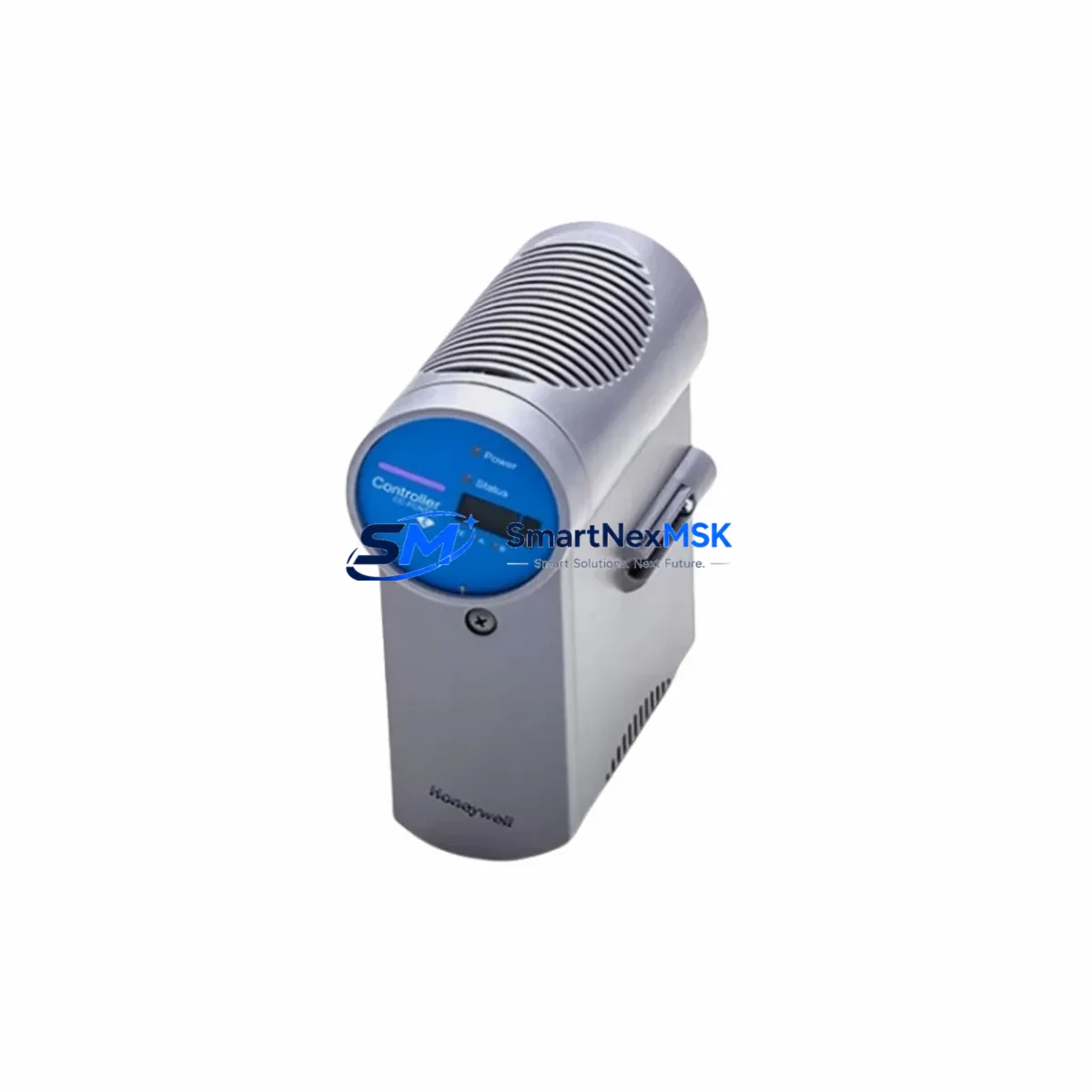
Honeywell CC-PCNT01 Retrofit-Ready I/O Module for C300 Control Systems: Compatible Modernization and Smooth Legacy Upgrade
The Honeywell CC-PCNT01 is a process control I/O module designed for the Experion PKS C300 distributed control system platform. As industrial facilities face increasing pressure to extend the operational life of legacy automation infrastructure while maintaining process reliability, the CC-PCNT01 has become a critical retrofit component for engineers managing aging DCS architectures. Whether you are replacing a failed CC-PDIL01 digital input module, retiring an end-of-life CC-PAON01 analog output module, or consolidating spare parts inventory across a multi-unit C300 rack system, the CC-PCNT01 provides a verified, drop-in compatible solution backed by 12 months of warranty coverage and pre-shipment functional testing.
This module is engineered to integrate directly into the C300 controller chassis without requiring firmware re-flashing or backplane reconfiguration in most standard retrofit scenarios. Engineers working on Experion PKS R400 through R501 environments will find that the CC-PCNT01 maintains full compatibility with the FIM4 (Field Interface Module) communication architecture, preserving existing tag assignments and I/O channel mappings. This is particularly valuable when the goal is to minimize engineering hours during a planned turnaround or emergency replacement event.
Upgrade Compatibility Table
| Parameter | CC-PCNT01 | CC-PDIL01 (Legacy) | CC-PAON01 (Legacy) |
|---|---|---|---|
| Module Type | Process Control I/O | Digital Input | Analog Output |
| Platform Compatibility | Experion PKS C300 | Experion PKS C300 | Experion PKS C300 |
| Backplane Interface | C300 Standard Rack | C300 Standard Rack | C300 Standard Rack |
| Communication Protocol | FTE (Fault Tolerant Ethernet) | FTE | FTE |
| Installation Requirement | Slot-compatible, no tools required | Standard slot mount | Standard slot mount |
| Firmware Compatibility | Experion PKS R400–R501+ | R400–R501 | R400–R501 |
| Terminal Wiring | Compatible with existing field termination assemblies | FTA-specific wiring | FTA-specific wiring |
| Replacement Recommendation | Direct retrofit for CC-PDIL01 and CC-PAON01 | End-of-life, replace with CC-PCNT01 | End-of-life, replace with CC-PCNT01 |
| Commissioning Focus | Module address verification, tag re-binding, loop test | — | — |
| Warranty | 12 Months | As-is / no support | As-is / no support |
Retrofit Planning for Existing Automation Systems
A successful CC-PCNT01 retrofit begins well before the module arrives on site. Engineers should start by auditing the existing C300 rack configuration, confirming available slot positions within the C300 controller chassis and verifying that the associated C300 controller module itself is operating within its rated load capacity. In multi-rack installations, the CC-PCNT01 must be assigned a unique module address consistent with the existing I/O map to avoid address conflicts that can cause controller faults during startup.
Field termination assembly (FTA) compatibility is a key checkpoint. The CC-PCNT01 is designed to work with Honeywell’s standard FTA wiring infrastructure, meaning that in most cases the existing terminal block wiring from the CC-PDIL01 or CC-PAON01 can be reused without re-termination. However, engineers should verify the FTA model number — for example, the CC-TAIX11 or CC-TAOX11 — against the new module’s I/O channel specification to confirm signal type and range alignment before powering up.
Power budget verification is equally important. The C300 rack power supply, such as the CC-PWR001 or CC-PWR002, must have sufficient headroom to support the CC-PCNT01 alongside other installed modules including communication modules like the CC-TCF901 or CC-TCNT01. A rack power audit should be completed as part of the pre-installation checklist, particularly in high-density I/O configurations where multiple modules share a single power rail.
For facilities running Honeywell’s Experion PKS HMI environment, the CC-PCNT01 replacement does not typically require HMI display reconfiguration if the original tag names and I/O channel assignments are preserved. The Experion Station displays and operator graphics will continue to reference the same process variable tags, provided the module address and channel mapping are correctly restored in the Control Builder engineering environment. In cases where the original program logic was built around the CC-PAON01’s analog output characteristics, engineers should verify the output signal range (4–20 mA or 0–10 V) and confirm that the new module’s output configuration matches the field device requirements.
Communication link integrity should be validated after module installation. The C300 platform uses Fault Tolerant Ethernet (FTE) for controller-to-module communication, and the CC-PCNT01 must be visible on the FTE network before the controller will accept it as an active I/O resource. Network switch port assignments and FTE cable routing should be confirmed prior to the maintenance window to avoid unexpected communication faults during commissioning. In systems that also include legacy Series C I/O or ControlNet-based modules, the migration path may involve additional protocol bridging steps that should be documented in the retrofit plan.
Downtime Control During System Migration
Minimizing unplanned downtime is the primary operational concern during any DCS I/O module replacement. For the CC-PCNT01 retrofit, the recommended approach is to pre-stage the replacement module in a bench test environment using a spare C300 controller or a portable Experion PKS test rack before the scheduled maintenance window. This allows the engineering team to verify module recognition, firmware compatibility, and basic I/O channel response without impacting the live process.
During the actual replacement, the C300 controller should be placed in a controlled state — typically with the affected I/O channels set to manual mode or last-value hold — before the legacy module is removed. This protects the original program logic from generating spurious alarms or driving field outputs to unsafe states during the hot-swap interval. The CC-PCNT01 supports warm insertion in most C300 rack configurations, allowing the replacement to be completed without a full controller restart, which is critical for maintaining process continuity in continuous manufacturing or utility environments.
After insertion, the module initialization sequence should be monitored through the Experion PKS System Display or the Control Builder diagnostic interface. Engineers should confirm that the CC-PCNT01 achieves a healthy status indication, that all configured I/O channels report valid process values, and that no FTE communication faults are present before returning the affected loops to automatic control. A structured loop test — verifying each field signal from the transmitter or actuator through to the HMI display — should be completed and documented before the maintenance window is closed. All units supplied by SMARTNEXMSK are pre-tested prior to shipment to reduce on-site commissioning risk and support rapid return to service.
Retrofit Support FAQ
Q1: Can the CC-PCNT01 directly replace a CC-PDIL01 or CC-PAON01 without modifying the existing Control Builder configuration?
In most standard retrofit scenarios, yes. The CC-PCNT01 is designed to occupy the same rack slot and communicate over the same FTE network as the legacy modules. However, engineers should verify that the module type definition in the Control Builder project matches the CC-PCNT01’s hardware revision and that the I/O channel configuration — including signal type, range, and engineering units — is correctly assigned before downloading to the controller. Minor configuration adjustments may be required if the original module was configured with non-default parameters.
Q2: What pre-shipment testing is performed on the CC-PCNT01 before delivery?
Every CC-PCNT01 unit supplied by SMARTNEXMSK undergoes functional verification testing prior to shipment. This includes power-on self-test, communication interface check, and I/O channel signal verification. Units are shipped with a test report confirming operational status. The 12-month warranty covers hardware defects identified during installation and normal operation, with direct technical support available through [email protected].
Q3: How should terminal wiring be handled when replacing a CC-PAON01 with the CC-PCNT01?
The existing field termination assembly wiring connected to the CC-PAON01 can typically be reused with the CC-PCNT01, provided the FTA model is compatible with the new module’s I/O channel type. Engineers should document the existing terminal assignments before removal and verify continuity after reconnection. If the FTA uses a different connector format, an adapter or re-termination may be required. SMARTNEXMSK’s technical team can assist with wiring compatibility questions prior to ordering.
Q4: Is the CC-PCNT01 compatible with Experion PKS systems running older firmware versions?
The CC-PCNT01 is compatible with Experion PKS R400 through R501 and later releases. For systems running firmware versions earlier than R400, compatibility should be verified against the specific hardware revision of the CC-PCNT01 being supplied. SMARTNEXMSK recommends providing your current Experion PKS release version when placing an order so that the correct hardware revision can be confirmed before shipment.
© 2026 SMARTNEXMSK. All rights reserved.
Original Source: https://smartnexmsk.com
Contact: [email protected] | +86 18259474341



