
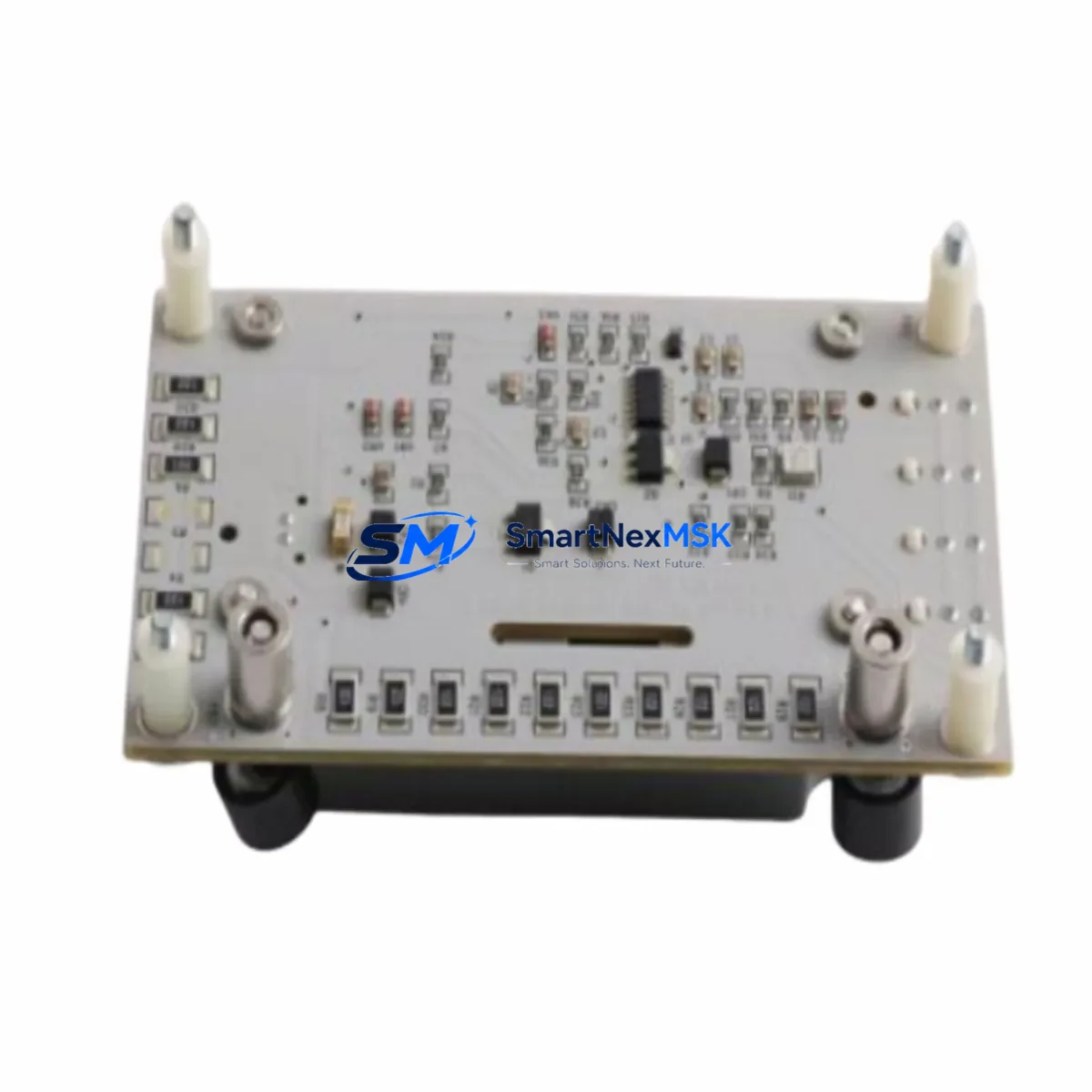
Honeywell CC-SCMB02 51199942-300: Retrofit-Ready Memory Backup for C300 Series Control Systems
The Honeywell CC-SCMB02 (Part No. 51199942-300) is a dedicated memory backup module engineered for the Experion PKS C300 Controller platform. As legacy DCS installations age and OEM support windows close, the CC-SCMB02 has become a critical retrofit component for facilities seeking to extend the operational life of their C300-based control architecture without committing to a full platform migration. Whether you are replacing a failed unit, building a cold-standby spare inventory, or executing a phased modernization of your distributed control system, this module delivers verified compatibility, reliable data retention, and a straightforward drop-in installation profile.
The CC-SCMB02 provides non-volatile memory backup for the C300 Controller, preserving configuration data, control strategies, and runtime parameters during power interruptions or planned shutdowns. In retrofit scenarios, this function is especially valuable: when migrating from older Honeywell TDC 3000 or PlantScape controllers to the Experion PKS architecture, retaining controller memory integrity across the cutover window is essential to protecting years of tuned loop parameters and sequence logic. The module mounts directly into the CC-PCNT01 or CC-PCNT02 controller chassis and interfaces with the C300 backplane without requiring firmware modification or additional configuration tools beyond the standard Experion Control Builder environment.
Upgrade Compatibility Table
| Parameter | Detail |
|---|---|
| Part Number | CC-SCMB02 / 51199942-300 |
| Compatible Controller | Honeywell Experion PKS C300 Series |
| Chassis Compatibility | CC-PCNT01, CC-PCNT02 Controller Chassis |
| Backplane Interface | C300 Series Standard Backplane (direct slot insertion) |
| Communication Protocol | Internal C300 backplane bus; no external network configuration required |
| Replacement Compatibility | Direct replacement for failed or end-of-life CC-SCMB02 units |
| Installation Requirement | Controller power-down recommended; no special tools required |
| Configuration Tool | Honeywell Experion Control Builder (standard) |
| Commissioning Note | Verify memory restore sequence via Control Builder after installation |
| Warranty | 12-Month Warranty — covers manufacturing defects and functional failure |
Retrofit Planning for Existing Automation Systems
Successful integration of the CC-SCMB02 into an existing C300 control system requires a structured pre-installation review. Before removing the failed or obsolete module, engineers should document the current controller configuration using Experion Control Builder and export a full backup of the C300 control strategy. This ensures that if the replacement module requires a memory restore, the reference dataset is current and complete.
In systems where the C300 controller operates alongside a CC-SCMR01 redundancy module, the retrofit sequence must account for the redundancy switchover logic. It is recommended to disable automatic failover temporarily during the module swap to prevent unintended controller switchover. Similarly, if the installation includes a CC-PWRR01 or CC-PWRR02 redundant power supply module, verify that the power rail feeding the controller chassis is stable and within specification before proceeding — the CC-SCMB02 is sensitive to voltage transients during the initialization phase.
For facilities running mixed I/O architectures, the C300 controller typically interfaces with FOUNDATION Fieldbus H1 links via the CC-FCD201 Fieldbus Interface Module, as well as with HART-enabled analog I/O through modules such as the CC-TAIX01 or CC-TAOX01. During a memory backup module replacement, none of these I/O modules require reconfiguration — the C300 backplane maintains I/O addressing independently of the memory backup slot. However, field engineers should confirm that all I/O module status indicators return to normal (green) following controller restart, as a precaution against any address resolution anomalies.
In retrofit projects involving communication protocol migration — for example, transitioning legacy serial Modbus RTU links to Ethernet-based Modbus TCP or OPC UA — the CC-SCMB02 plays a supporting role by ensuring that the updated communication configuration is retained across power cycles. Pairing the memory backup module replacement with an upgrade of the CC-SCMR01 redundancy module and a review of the Experion PKS server historian tags is a common best practice in phased modernization projects.
For HMI continuity, verify that the Experion PKS Station or any third-party HMI connected via the Honeywell FTE (Fault Tolerant Ethernet) network retains its display point bindings after the controller restarts. In most cases, HMI graphics and alarm configurations are stored server-side and are unaffected by a memory backup module swap, but a post-restart HMI scan is recommended as part of the commissioning checklist. If the facility uses a CC-PDOB01 digital output module or similar discrete output modules for critical interlock functions, confirm that all output states are in the safe (de-energized) position before initiating the controller restart sequence.
Downtime Control During System Migration
Minimizing unplanned downtime is the primary operational concern when replacing a memory backup module in a live production environment. The recommended approach is to schedule the swap during a planned maintenance window and to pre-stage the replacement CC-SCMB02 unit with a bench-level functional test before bringing it to the field. Our units ship pre-tested and include a functional verification report, reducing the risk of installing a defective spare.
To protect the original control logic, export the full C300 controller configuration from Experion Control Builder and store it on a secure engineering workstation before beginning the physical swap. This export preserves all function block parameters, loop tuning values, sequence logic, and I/O assignments. If the controller must be restarted as part of the replacement procedure, the memory restore from the new CC-SCMB02 will reload the saved configuration automatically, provided the backup was current at the time of the last controller checkpoint.
For systems with redundant C300 controllers, the switchover to the secondary controller can maintain field control continuity during the primary controller’s maintenance window, effectively reducing process-impacting downtime to near zero. Coordinate with the DCS system integrator or Honeywell service team to confirm that the redundancy switchover has been tested and validated prior to the maintenance event. After reinstalling and restarting the primary controller with the new CC-SCMB02, perform a controlled switchback and verify that both primary and secondary controllers report healthy status in the Experion system status display before returning the unit to automatic redundancy management.
Retrofit Support FAQ
Q1: Is the CC-SCMB02 51199942-300 a direct drop-in replacement for my existing unit?
Yes. The CC-SCMB02 (51199942-300) is a direct slot-compatible replacement for any existing CC-SCMB02 installed in a C300 controller chassis. No firmware changes, backplane modifications, or additional configuration steps are required beyond the standard memory restore procedure in Experion Control Builder.
Q2: What wiring or terminal changes are needed during installation?
None. The CC-SCMB02 is a backplane-mounted module with no external field wiring connections. Installation consists solely of powering down the controller chassis, removing the existing module, inserting the replacement unit into the same slot, and restoring power. All electrical connections are made through the backplane connector.
Q3: How do I verify compatibility with my specific C300 firmware version?
The CC-SCMB02 is compatible with all standard Experion PKS C300 firmware releases. Before installation, note the current firmware version displayed in Experion Control Builder under the controller properties. If your system is running a firmware version older than R310, contact our technical support team for a compatibility confirmation prior to ordering.
Q4: What does the 12-month warranty cover, and what is the shipping lead time?
Our 12-month warranty covers all manufacturing defects and functional failures under normal operating conditions. Units are shipped from stock with a functional test report included. Standard lead time is 3–7 business days for international destinations, with expedited options available. Warranty claims are processed directly through our sales team at [email protected].
© 2026 SMARTNEXMSK. All rights reserved.
Original Source: https://smartnexmsk.com
Contact: [email protected] | +86 18259474341



