
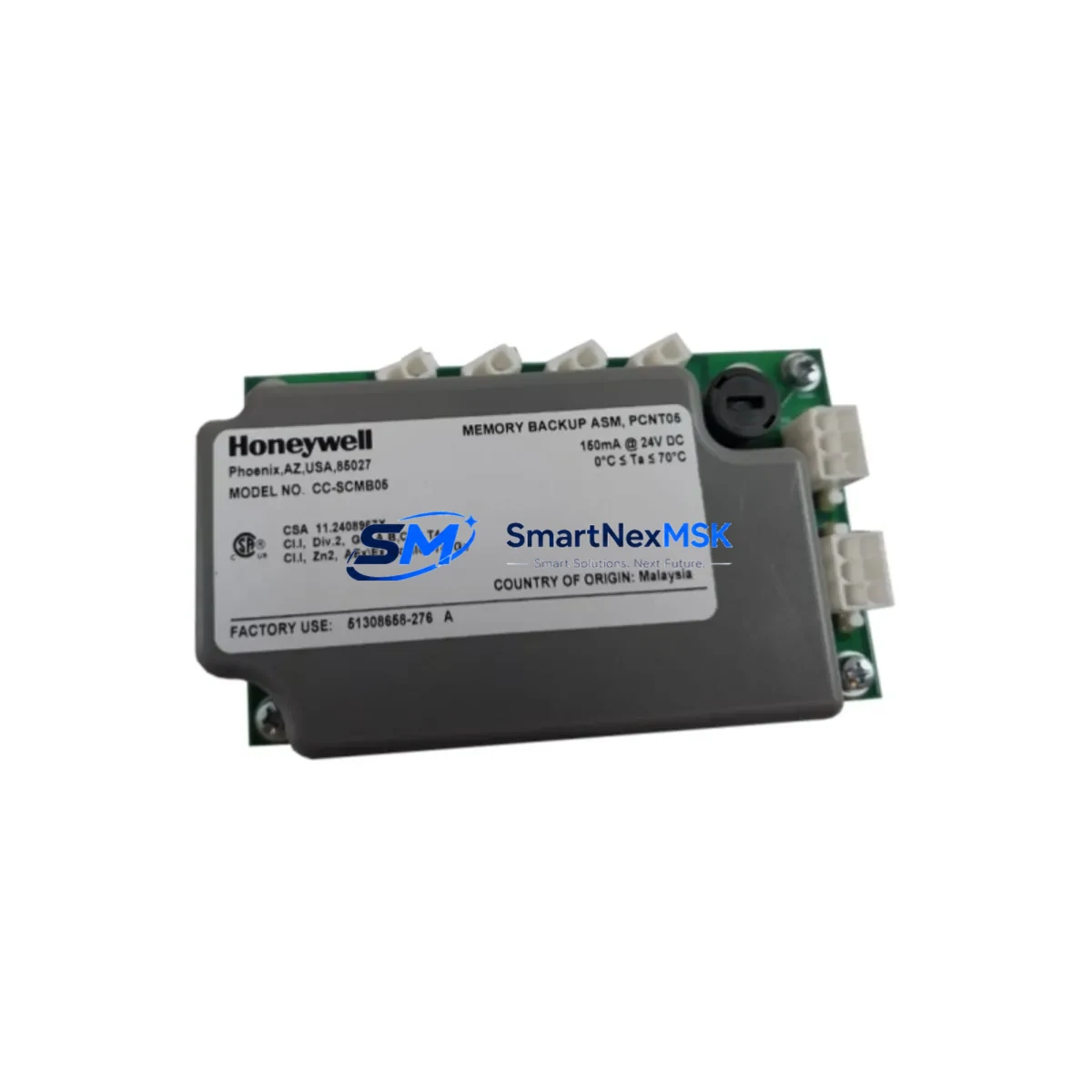
Honeywell CC-SCMB05 Retrofit-Ready FF H1 Module for Experion PKS C300 Control Systems
The Honeywell CC-SCMB05 is a Foundation Fieldbus H1 Communication Module engineered for seamless integration within the Experion PKS distributed control system architecture. As legacy DCS installations age and original spare parts become increasingly scarce, the CC-SCMB05 serves as a direct retrofit-ready replacement for end-of-life or discontinued H1 communication modules in C300 controller-based control cabinets. Whether you are managing a planned system upgrade, responding to an unplanned module failure, or executing a phased migration from an older Honeywell TDC 3000 or PlantScape platform, the CC-SCMB05 provides the compatibility, reliability, and field-proven performance that industrial automation engineers demand.
Each unit is sourced from verified supply channels, undergoes pre-shipment functional testing, and is backed by a 12-month warranty covering manufacturing defects and operational failures under normal service conditions. Stock is maintained in Xiamen for rapid dispatch to customers across Asia-Pacific, the Middle East, and global project sites.
Upgrade Compatibility Table
| Parameter | CC-SCMB05 Specification | Retrofit Notes |
|---|---|---|
| Communication Protocol | Foundation Fieldbus H1 | Direct protocol match; no gateway required |
| Host Controller Compatibility | Experion PKS C300 / C200E | Verify firmware revision on C300 controller |
| Backplane Interface | Series C Universal I/O Chassis | Confirm chassis slot assignment before installation |
| Power Consumption | Supplied via backplane (no external PSU) | Verify IOLIM power budget on existing chassis |
| Terminal Wiring | Standard FF H1 two-wire segment | Existing field wiring reusable; check segment loading |
| Module Address | Configured via Experion Control Builder | Re-assign node address after hot-swap if required |
| HMI Integration | Experion Station / HMIWeb Display Builder | Existing display faceplates remain valid |
| Installation Format | Plug-in module, Series C chassis | No mechanical modification required |
| Warranty | 12 Months | Covers manufacturing defects under normal operation |
Retrofit Planning for Existing Automation Systems
Successful integration of the CC-SCMB05 into an operating plant begins with a thorough pre-retrofit audit. Engineers should document the existing FF H1 segment topology, including the number of field devices per segment, cable lengths, terminator positions, and current segment loading against the power conditioner capacity. In most Experion PKS installations, the CC-SCMB05 resides in a Series C Universal I/O chassis alongside other I/O modules such as the CC-PAIH01 analog input module, CC-PAOH01 analog output module, and CC-PDIL01 digital input module. The chassis itself is powered by a dedicated chassis power supply — typically a CC-PWR001 or equivalent — and the overall power budget must be recalculated whenever a new communication module is added or replaced.
Before removing the legacy module, technicians should export the full controller configuration from Experion Control Builder, including all function block assignments, device tags, and FF H1 link schedules. This backup protects against configuration loss during the physical swap. The C300 controller, connected to the chassis via the Series C backplane, will detect the new CC-SCMB05 upon restart and may require a module re-commission step within Control Builder to re-establish the H1 link and re-download the link active scheduler (LAS) configuration.
For sites migrating from older Honeywell platforms such as the TDC 3000 with HPM (High-Performance Process Manager) or the SpectraLink fieldbus interface, the CC-SCMB05 provides a clear upgrade path. The FF H1 field devices — including HART-to-FF converters, pressure transmitters, and control valves with FF positioners — can typically be retained on the existing two-wire segment, significantly reducing field rewiring costs. Where the legacy system used a separate fieldbus interface module or a standalone FF linking device, the CC-SCMB05 consolidates that function directly into the C300 chassis, simplifying the control cabinet layout and reducing the number of discrete components requiring maintenance.
Communication continuity during migration is further supported by the Experion PKS redundancy architecture. Sites running redundant C300 controllers with mirrored chassis can perform a staged replacement — swapping the module in the secondary chassis first, validating FF H1 link integrity, then failing over and replacing the primary chassis module — without interrupting process control. This approach is strongly recommended for continuous process industries where any loss of field device communication carries significant operational risk.
Downtime Control During System Migration
Minimizing unplanned downtime is the primary concern for any control system retrofit. When replacing the CC-SCMB05 or any FF H1 communication module in an operating Experion PKS system, the recommended procedure is to pre-stage the replacement module, verify its firmware version against the current Experion PKS release compatibility matrix, and prepare a full configuration backup before the maintenance window begins.
During the physical swap, the C300 controller should be placed in a controlled state — with critical regulatory loops transferred to manual or local control at the field device level — to prevent process upsets caused by temporary loss of FF H1 communication. Once the CC-SCMB05 is seated in the chassis and powered, Control Builder will automatically detect the module. The H1 link re-establishment typically completes within two to three minutes, after which field device communication status should be verified in the Experion Station process display before returning loops to automatic control.
For sites without redundant controllers, a cold-swap procedure during a scheduled shutdown remains the safest approach. Pre-testing the replacement CC-SCMB05 on a bench chassis or spare rack — using a laptop running Experion Control Builder with a test configuration — confirms module functionality before it enters the live system, reducing the risk of introducing a second fault during an already critical maintenance event. All replacement modules shipped by SMARTNEXMSK are pre-tested prior to dispatch to support this validation workflow.
Retrofit Support FAQ
Q1: Is the CC-SCMB05 a direct drop-in replacement for the original Honeywell module?
Yes. The CC-SCMB05 is mechanically and electrically compatible with the Series C Universal I/O chassis used in Experion PKS C300 and C200E systems. No chassis modification or additional adapter is required. Firmware compatibility should be verified against your current Experion PKS release using the Honeywell compatibility matrix.
Q2: Can I reuse existing FF H1 field wiring and devices after installing the CC-SCMB05?
In the majority of retrofit scenarios, yes. The CC-SCMB05 uses the standard two-wire FF H1 segment interface. Existing field cables, terminators, and FF-compatible field devices — including transmitters, valve positioners, and FF junction boxes — can be retained provided the segment loading remains within specification. A segment audit is recommended before commissioning.
Q3: What commissioning steps are required after installation?
After physical installation, open Experion Control Builder and perform a module re-commission to re-establish the H1 link. Re-download the link active scheduler (LAS) configuration and verify all field device tags are communicating correctly in the Experion Station display. If the module address has changed, update the Control Builder configuration accordingly and re-download to the C300 controller.
Q4: What does the 12-month warranty cover?
The 12-month warranty covers manufacturing defects and component failures under normal operating conditions from the date of shipment. It does not cover damage resulting from incorrect installation, overvoltage, physical impact, or operation outside the module’s rated environmental specifications. Warranty claims are processed through SMARTNEXMSK with replacement or repair at our discretion.
© 2026 SMARTNEXMSK. All rights reserved.
Original Source: https://smartnexmsk.com
Contact: [email protected] | +86 18259474341



