
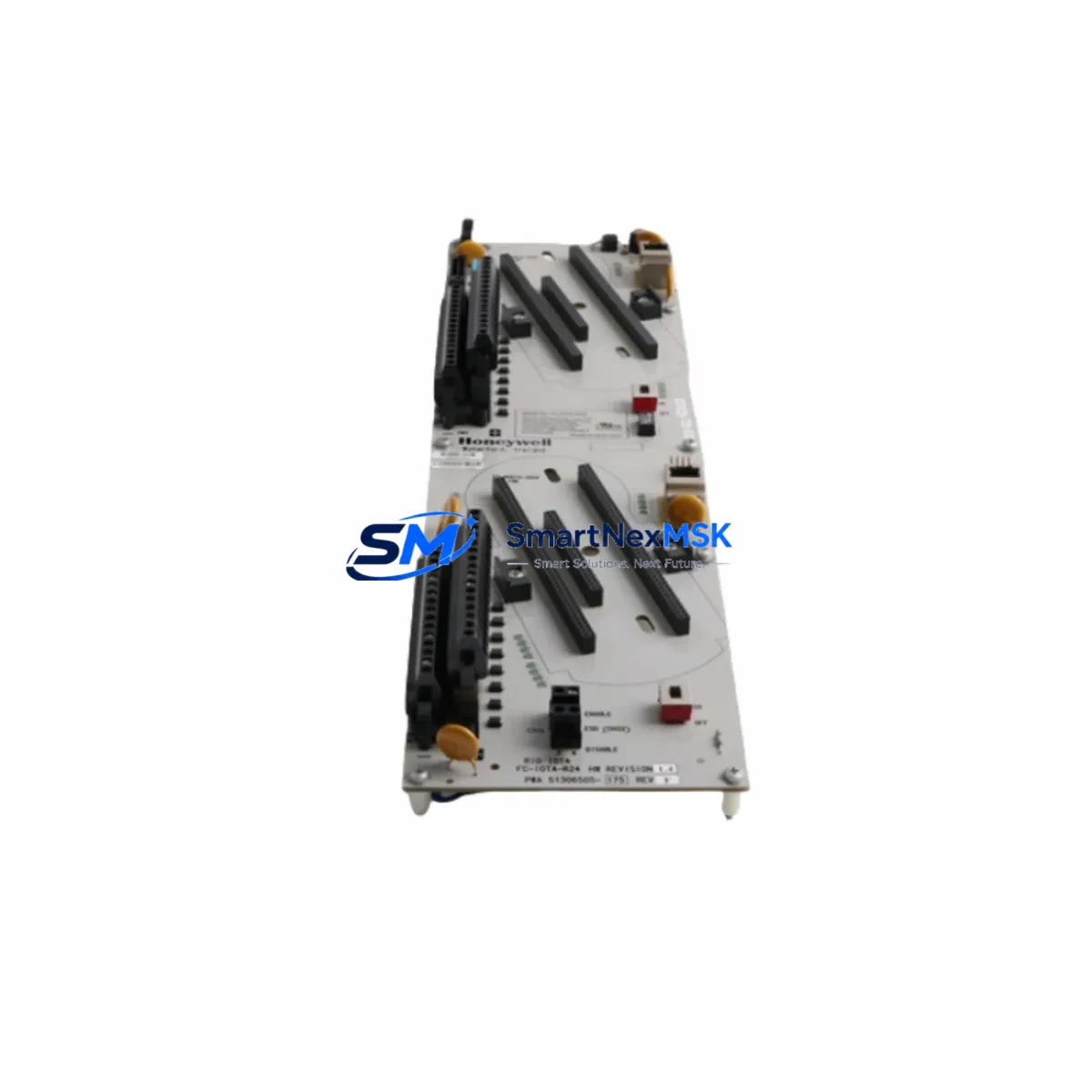
Honeywell CC-TDOR11 Retrofit-Ready Digital Output Relay for TPS Control Systems
The Honeywell CC-TDOR11 is a Digital Output Relay IOTA (I/O Termination Assembly) module designed for use within the Honeywell TotalPlant Solution (TPS) Distributed Control System platform. As legacy TPS installations continue to operate across refineries, chemical plants, and power generation facilities worldwide, the CC-TDOR11 remains a critical spare and retrofit component for engineers managing aging control infrastructure. Whether you are replacing a failed module, upgrading a control cabinet, or executing a phased migration from an older High-Performance Process Manager (HPPM) or Advanced Process Manager (APM) configuration, the CC-TDOR11 provides a verified, drop-in compatible solution that minimizes engineering rework and unplanned downtime.
Sourced from authorized channels and rigorously tested prior to shipment, each CC-TDOR11 unit supplied by SMARTNEXMSK is backed by a 12-month warranty and ships with full traceability documentation. Our inventory is maintained to support urgent replacement scenarios, with expedited dispatch available for critical plant shutdowns and emergency maintenance windows.
Upgrade Compatibility Table
| Parameter | Details |
|---|---|
| Module Type | Digital Output Relay IOTA (I/O Termination Assembly) |
| Compatible Platform | Honeywell TPS (TotalPlant Solution) DCS |
| Compatible Controllers | HPPM, APM, HPM — High-Performance Process Manager series |
| Backplane / Rack Interface | Standard TPS I/O Link backplane; compatible with existing FTA mounting rails |
| Terminal Wiring | Screw-terminal field wiring; existing field cables can be reused without re-termination in most retrofit scenarios |
| Communication Compatibility | I/O Link protocol; no firmware reconfiguration required for like-for-like replacement |
| Output Type | Relay contact outputs; suitable for discrete on/off control of field devices |
| Replacement Recommendation | Direct replacement for failed or end-of-life CC-TDOR11 units; verify relay contact ratings against field load specifications before installation |
| Commissioning Notes | Confirm module address assignment in the UCN node configuration; validate output channel mapping in the Control Builder or equivalent engineering tool before energizing outputs |
| Warranty | 12 months from date of shipment; covers manufacturing defects and functional failures under normal operating conditions |
Retrofit Planning for Existing Automation Systems
Successful retrofit of the CC-TDOR11 into an operating TPS system requires careful pre-engineering to avoid configuration conflicts and field wiring errors. Before removing the existing module, engineers should document the current channel assignments using the Honeywell Control Builder or Station HMI environment, capturing all active point tags, alarm limits, and interlock references tied to the digital output channels.
In most TPS cabinets, the CC-TDOR11 is mounted alongside complementary modules such as the CC-TDIL01 Digital Input IOTA and the CC-TAIX11 Analog Input IOTA, sharing a common backplane within the I/O carrier assembly. The CC-PCF901 or equivalent power conditioner module supplies regulated DC power to the I/O bus; verifying that the existing power budget accommodates the replacement module is a mandatory pre-installation step, particularly in densely populated cabinets where additional I/O expansion has occurred over the years.
For sites migrating from older TDC 3000 or PM/APM architectures toward a modernized TPS or Experion PKS platform, the CC-TDOR11 can serve as an interim I/O solution while the broader migration is staged across planned outage windows. In these scenarios, the CC-LINK I/O Link interface card and the CC-SCMB01 Serial Communication Module may also require attention to ensure that the upgraded I/O subsystem communicates correctly with the new controller node. Engineers should also confirm that the UCN Interface Module (UIM) firmware version is compatible with the replacement module’s hardware revision.
Field wiring to the CC-TDOR11 relay outputs typically connects to motor starters, solenoid valves, and discrete actuators via the screw-terminal block on the IOTA faceplate. In retrofit scenarios where the original FTA (Field Termination Assembly) cable harness is reused, inspect the cable for insulation degradation and verify continuity before reconnecting. If the site uses marshalling cabinets with Honeywell MC-TAIH02 or similar analog/discrete signal conditioners upstream of the I/O module, confirm that the signal conditioning range remains appropriate for the replacement relay output specifications.
Where the retrofit involves I/O expansion — for example, adding new discrete output points to an existing control loop — the CC-TDOR11 can be installed in an available slot within the existing I/O carrier, provided the backplane address space has not been fully allocated. Use the engineering workstation’s I/O configuration utility to assign the new module address and download the updated configuration to the controller before performing any field wiring connections.
Downtime Control During System Migration
Minimizing production impact during a CC-TDOR11 replacement or TPS I/O retrofit requires a structured approach to outage planning. The recommended practice is to perform all pre-engineering, configuration backup, and spare module testing during normal operations, reserving the physical swap for a planned maintenance window — ideally coordinated with the site’s existing turnaround or preventive maintenance schedule.
Before initiating the physical replacement, export a full backup of the TPS database from the Honeywell Engineering Workstation (EWS), including all controller configurations, point databases, and HMI graphic bindings. This backup serves as the recovery baseline if the replacement introduces unexpected behavior. Where the control system supports online module replacement without a full controller restart, confirm this capability with the site’s DCS engineer before proceeding — not all TPS configurations support hot-swap I/O without momentary output interruption.
During the swap, place all affected output channels in manual mode at the operator station to prevent unintended field device actuation. After installing the CC-TDOR11 replacement, perform a channel-by-channel output verification test using the Control Builder force function or equivalent diagnostic tool, confirming that each relay contact operates correctly before returning the channels to automatic control. Document the as-found and as-left states for each channel as part of the site’s management of change (MOC) record. Once all outputs are verified, restore automatic control incrementally, monitoring process variables for any anomalies during the first 30 minutes of resumed operation.
For multi-cabinet migrations where several CC-TDOR11 modules are being replaced simultaneously, stage the work across sequential outage windows rather than attempting a single large-scope replacement. This approach limits the blast radius of any configuration error and allows the operations team to validate each cabinet section before proceeding to the next.
Retrofit Support FAQ
Q1: Is the CC-TDOR11 a direct replacement for the original module without any configuration changes?
In most like-for-like replacement scenarios, the CC-TDOR11 can be installed in the same backplane slot without changes to the controller configuration, provided the hardware revision is compatible with the installed TPS software version. However, it is always recommended to verify the module’s hardware revision against the site’s qualified spare list and to perform a functional output test before returning the system to automatic operation.
Q2: What wiring checks are required before installing the replacement module?
Before installation, verify that all field wiring connected to the IOTA terminal block is de-energized and that the relay contact load specifications (voltage, current, and load type) are within the CC-TDOR11’s rated limits. Inspect the terminal screws for corrosion or loose connections, and re-torque to the manufacturer’s specification. If the original FTA cable harness is being reused, perform a continuity and insulation resistance check on each conductor.
Q3: How is the module address configured after installation?
The CC-TDOR11 does not have a user-configurable hardware address switch; the module address is assigned through the TPS engineering software during the I/O configuration download. If replacing a failed module in an existing slot, the address assignment is inherited from the existing configuration and no software change is required. For new slot installations, use the Control Builder or equivalent tool to assign the module address and download the updated configuration to the controller before energizing the module.
Q4: What does the 12-month warranty cover, and what is the process for warranty claims?
The 12-month warranty covers manufacturing defects and functional failures under normal operating conditions from the date of shipment. It does not cover damage resulting from incorrect installation, overvoltage, or environmental conditions outside the module’s rated specifications. To initiate a warranty claim, contact SMARTNEXMSK at [email protected] with the order reference, module serial number, and a description of the observed failure. Replacement or repair will be arranged within the warranty terms.
© 2026 SMARTNEXMSK. All rights reserved.
Original Source: https://smartnexmsk.com
Contact: [email protected] | +86 18259474341



