
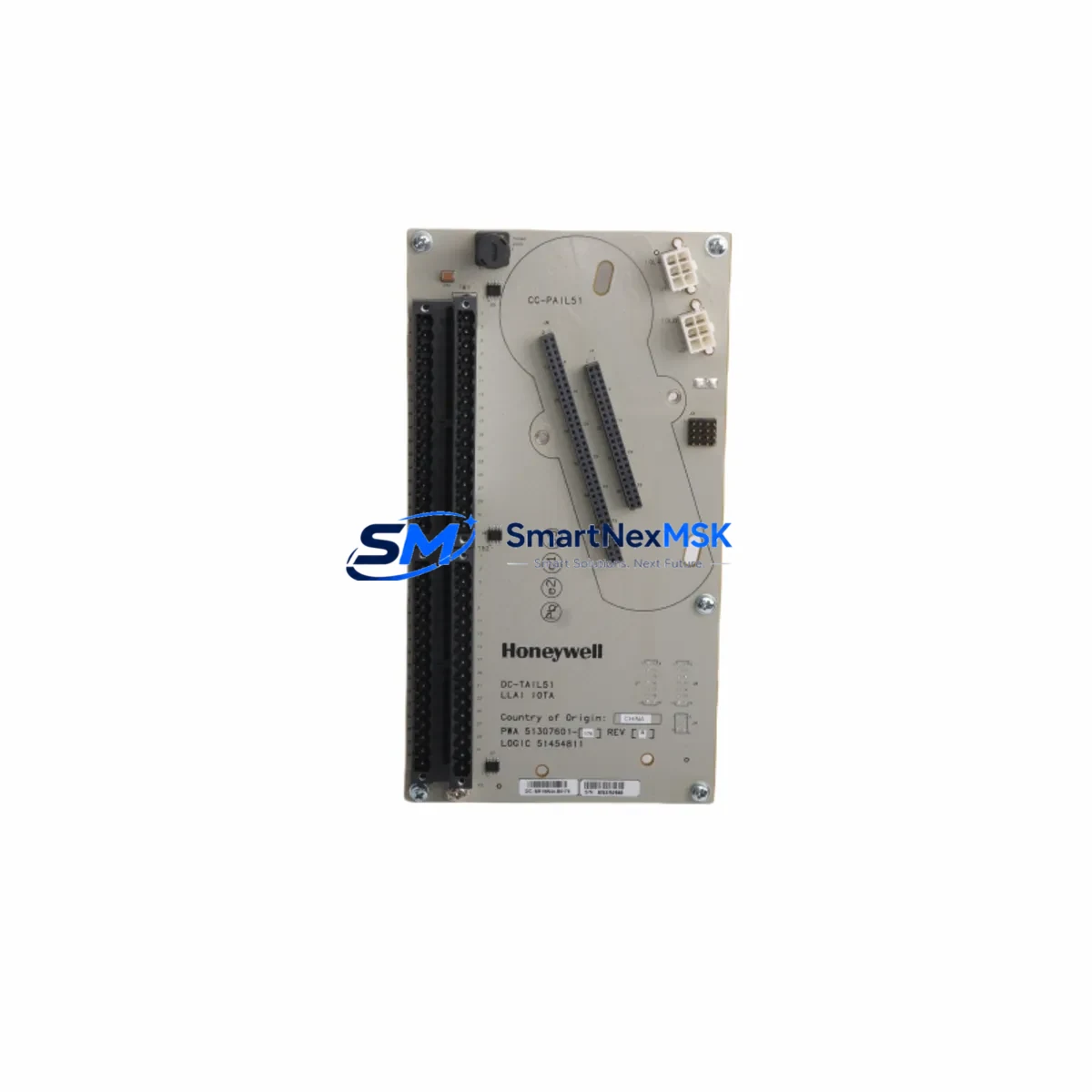
Honeywell DC-TAIL51 51307601-176 Spare for TPS Automation: Spare Replacement & Industrial Downtime Risk Control
The Honeywell DC-TAIL51 (51307601-176) is an Analog Output Field Termination Assembly (FTA) designed for the TotalPlant Solution (TPS) Distributed Control System platform. As a critical interface between the DCS controller and field instrumentation, this FTA handles analog output signal conditioning and termination for process control loops in continuous manufacturing, refining, petrochemical, and power generation environments. When this component fails or degrades, the consequences extend beyond a single loop — entire control cabinets can lose output integrity, triggering unplanned shutdowns and costly production interruptions.
Sourced as an original Honeywell spare, the DC-TAIL51 51307601-176 is pre-tested prior to shipment and backed by a 12-month warranty. Stocking this FTA as a maintenance-ready spare is a proven strategy for reducing mean time to repair (MTTR) and sustaining long-term system availability on aging TPS installations.
Spare Maintenance Table
| Parameter | Specification / Detail |
|---|---|
| Part Number / SKU | DC-TAIL51 / 51307601-176 |
| Manufacturer | Honeywell Process Solutions |
| Series / Platform | TotalPlant Solution (TPS) DCS |
| Module Type | Analog Output Field Termination Assembly (FTA) |
| Signal Type | Analog Output (4–20 mA) |
| Compatible Controllers | TPS HPM (High-Performance Process Manager) and compatible I/O subsystems |
| Mounting | DIN rail / cabinet panel mount, standard TPS FTA form factor |
| Operating Temperature | 0°C to 60°C (typical industrial cabinet environment) |
| Application Environment | Process industries: refining, petrochemical, power, pulp & paper |
| Condition | Original spare, pre-shipment tested |
| Warranty | 12 months from date of shipment |
| Lead Time | In-stock; ships within 2–5 business days |
| Maintenance Recommendation | Inspect wiring terminals, verify loop calibration, check for corrosion on I/O connectors annually |
Maintenance Planning for Continuous Operation
When scheduling a planned replacement of the DC-TAIL51 51307601-176, maintenance engineers should treat the intervention as a broader cabinet health check rather than a single-component swap. The FTA sits at the intersection of the DCS controller bus and field wiring, meaning any degradation in adjacent components can accelerate wear or mask the root cause of output signal faults.
Begin by auditing the HPM I/O Link cable and associated I/O Link terminator — a damaged or improperly terminated link can cause intermittent analog output errors that are frequently misdiagnosed as FTA failure. Next, inspect the DC-TAIX51 or DC-TAIX52 analog input FTAs in the same cabinet; input and output FTAs often share the same power rail and grounding bus, so a ground fault on one can affect the other. Verify the DC-PSCN power supply module output voltage is within specification, as low rail voltage is a common cause of analog output drift on TPS systems.
Check the marshalling cabinet terminal blocks and field wiring for insulation breakdown, particularly in high-humidity or high-vibration environments. Corroded or loose terminals on the FTA’s field-side connector are a leading cause of 4–20 mA signal instability. If the plant uses signal isolators or loop-powered barriers between the FTA and field transmitters, inspect these for leakage current or impedance drift that could affect output accuracy.
For systems with HLAI (High-Level Analog Input) cards or LLAI (Low-Level Analog Input) cards in the same HPM chassis, confirm that the chassis backplane connectors are seated correctly and free of oxidation. A loose backplane connection can cause sporadic I/O faults across multiple FTAs simultaneously. Also review the HPM controller module firmware version — some older TPS firmware revisions have known issues with analog output calibration that are resolved by patch updates.
Finally, if the plant operates Honeywell FSC (Fail-Safe Controller) safety loops in parallel with TPS process loops, verify that the safety relay outputs and voting logic are not affected by the FTA replacement. Coordinate with the safety instrumented system (SIS) engineer before any live replacement on safety-critical loops.
Site Replacement Workflow
Step 1 — Pre-replacement verification: Confirm the replacement DC-TAIL51 51307601-176 matches the installed revision level. Check the label on the existing FTA for any hardware revision suffix and cross-reference with the spare. Honeywell TPS FTAs are generally backward-compatible within the same series, but revision mismatches on output FTAs can cause calibration offsets.
Step 2 — Loop isolation: Place all affected analog output loops in manual mode at the DCS operator station before disconnecting the FTA. Notify field operators to monitor final control elements (control valves, variable speed drives) during the swap to prevent process upsets.
Step 3 — Physical replacement: Disconnect field wiring from the FTA terminal block, noting wire labels and positions. Remove the FTA from the DIN rail or panel mount. Install the replacement DC-TAIL51 51307601-176, reconnect field wiring in the original configuration, and verify terminal torque to manufacturer specification.
Step 4 — Loop checkout: Return loops to automatic mode one at a time. Verify 4–20 mA output signal at the field device using a calibrated loop calibrator. Confirm DCS faceplate readings match field measurements. Document the replacement in the plant maintenance management system (CMMS).
Step 5 — Spare replenishment: Immediately initiate a purchase order for a replacement spare to restore your on-hand buffer. For TPS systems with 10 or more analog output FTAs, maintaining a minimum of two DC-TAIL51 spares on the shelf is recommended to cover simultaneous failures during peak production periods.
Spare Parts Support FAQ
Q1: Is the DC-TAIL51 51307601-176 compatible with all TPS HPM configurations?
The DC-TAIL51 is designed for the Honeywell TPS HPM platform and is compatible with standard analog output I/O subsystem configurations. Compatibility should be verified against your specific HPM I/O card type (e.g., AO card model) and cabinet wiring layout before installation. Our technical team can assist with compatibility confirmation based on your system documentation.
Q2: What pre-shipment testing is performed on this spare?
Each DC-TAIL51 51307601-176 unit undergoes functional verification prior to shipment, including terminal continuity checks and visual inspection for physical damage. Units are packaged in anti-static protective packaging to prevent ESD damage during transit. A 12-month warranty covers defects in materials and workmanship from the date of shipment.
Q3: How should this FTA be stored if not immediately installed?
Store the DC-TAIL51 in its original anti-static packaging in a dry, temperature-controlled environment (10°C–40°C, relative humidity below 80% non-condensing). Avoid storage near strong magnetic fields or corrosive atmospheres. Inspect the unit annually if stored long-term, and verify terminal and connector condition before installation.
Q4: Can this spare be used to replace an older revision of the DC-TAIL51?
Honeywell TPS FTAs are generally designed with backward compatibility in mind within the same product family. However, if your installed unit carries a significantly older revision, we recommend consulting the Honeywell TPS hardware documentation or contacting our technical support team to confirm interchangeability before committing to installation in a live process environment.
© 2026 SMARTNEXMSK. All rights reserved.
Original Source: https://smartnexmsk.com
Contact: [email protected] | +86 18259474341



