
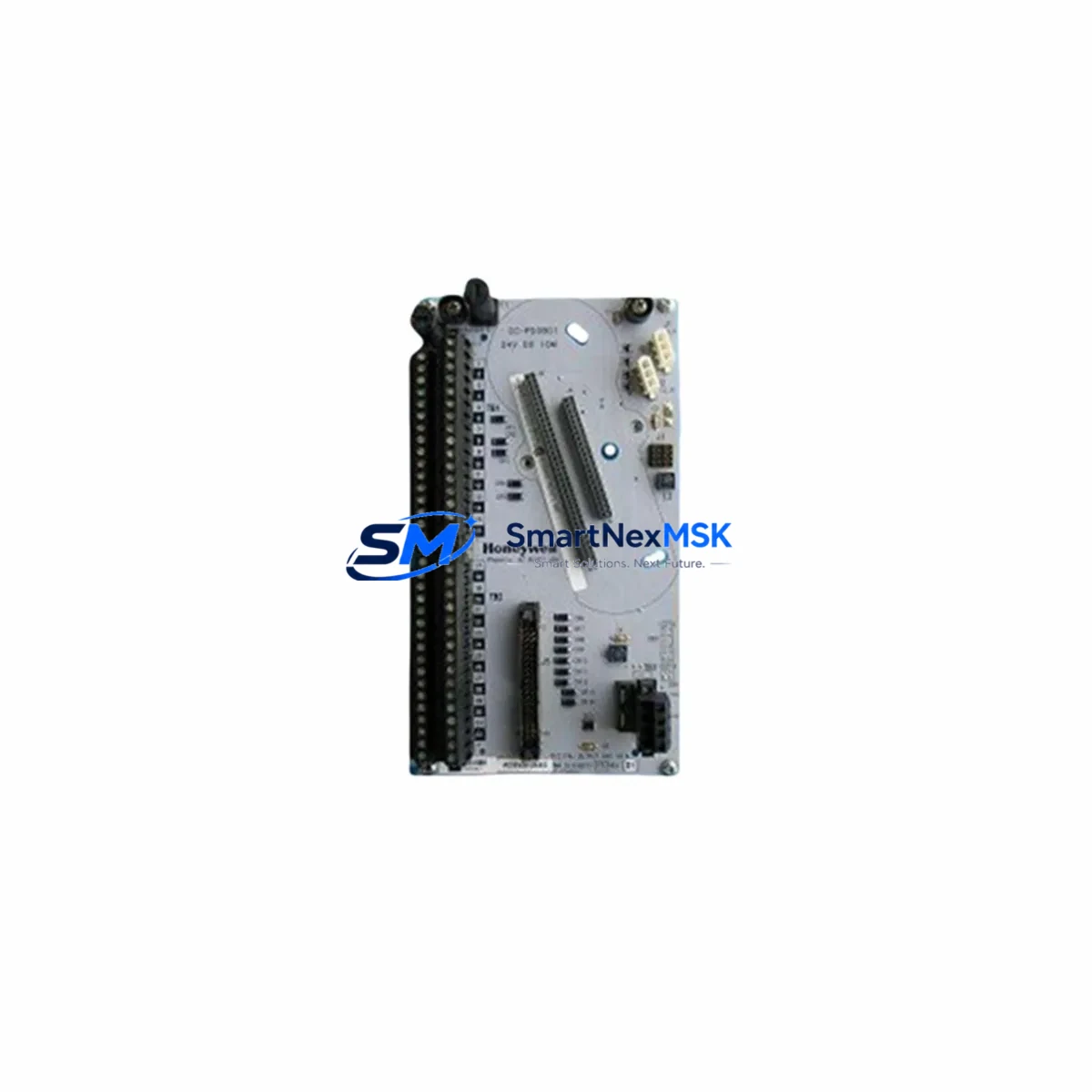
Honeywell DC-TUIO31 Retrofit-Ready Universal I/O for Experion PKS Control Systems
The Honeywell DC-TUIO31 is a Universal I/O Termination Module engineered for seamless integration into Experion PKS distributed control system architectures. Designed with retrofit and upgrade projects in mind, this module provides a drop-in compatible solution for facilities migrating away from legacy Honeywell TDC 3000, PlantScape, or early-generation Experion R100/R200 platforms. Whether you are replacing a discontinued termination assembly, expanding an existing I/O cabinet, or rebuilding a control loop after a hardware failure, the DC-TUIO31 delivers the electrical compatibility, signal integrity, and firmware alignment required for a controlled, low-risk cutover.
Industrial sites operating Experion PKS C200, C200E, or C300 controllers frequently encounter the challenge of sourcing compatible I/O termination hardware as original equipment reaches end-of-life. The DC-TUIO31 addresses this directly by maintaining full compatibility with the standard Honeywell Universal I/O backplane, preserving existing field wiring terminations and eliminating the need for panel rewiring during replacement. This is particularly valuable in continuous process environments — refineries, chemical plants, power generation facilities, and pharmaceutical production lines — where unplanned downtime carries significant operational cost.
When planning a retrofit using the DC-TUIO31, engineers should verify several key parameters before cutover. Power supply capacity must be confirmed against the total I/O load on the affected backplane; the DC-TUIO31 draws from the standard Experion PKS 24 VDC field power bus, and any shared power module such as the MC-PDOX02 or MC-PDOX03 should be load-checked prior to installation. Terminal block wiring should be mapped against the existing loop drawings — the DC-TUIO31 uses the standard 32-point field terminal layout, and field cables connected to the predecessor module can typically be transferred without modification.
Backplane interface compatibility is a critical checkpoint. The DC-TUIO31 is designed for use with the standard Honeywell Universal I/O backplane (MC-TAIH02 or equivalent), and the slot address must be confirmed in the Experion PKS Control Builder configuration before the module is seated. Incorrect slot addressing will prevent the controller — whether a C200E or C300 — from recognizing the new module and may generate a hardware fault alarm in the Experion Station HMI. Address assignment is performed in the hardware tree within Control Builder and must match the physical backplane slot position.
Program compatibility should be reviewed at the function block level. Existing control strategies referencing the replaced module’s I/O points will continue to execute without modification, provided the new DC-TUIO31 is assigned the same hardware address and channel configuration. HART pass-through functionality, if previously enabled on the replaced module, must be re-enabled in the channel configuration of the DC-TUIO31 using the Experion PKS Field Device Manager or Control Builder channel properties. Instruments communicating via HART — such as smart transmitters or positioners wired to the I/O channels — should be re-polled after module replacement to confirm device recognition.
HMI display continuity is maintained automatically when the hardware address is preserved, as Experion Station operator displays reference tag names rather than physical hardware paths. However, if the replacement is part of a broader system upgrade that includes a controller migration from C200 to C300, or a network topology change involving the FTE (Fault Tolerant Ethernet) switch infrastructure, HMI faceplates and alarm configurations should be reviewed and tested in a staging environment before live cutover.
Communication link verification is the final pre-commissioning step. The DC-TUIO31 communicates with the Experion PKS controller over the standard Control Firewall Bus (CFB) or Universal I/O link, depending on the backplane configuration. After physical installation, the module status should be confirmed as Healthy in the Experion PKS System Display before field loop testing begins. Any communication fault at this stage typically indicates a backplane seating issue, an address conflict, or a firmware version mismatch between the module and the controller.
Upgrade Compatibility Table
| Parameter | DC-TUIO31 Specification | Retrofit Notes |
|---|---|---|
| Compatible Controllers | Experion PKS C200, C200E, C300 | Verify controller firmware revision supports Universal I/O |
| Backplane Interface | Universal I/O Backplane (MC-TAIH02) | Confirm backplane slot count and available positions |
| Field Wiring Terminals | 32-point standard terminal layout | Existing field cables transfer without rewiring |
| Power Supply | 24 VDC field power bus | Verify MC-PDOX02/03 load capacity before installation |
| HART Communication | HART pass-through supported | Re-enable per channel in Control Builder after replacement |
| Communication Protocol | CFB / Universal I/O Link | Confirm FTE switch topology if upgrading to C300 |
| HMI Compatibility | Experion Station (all versions) | Tag-based display — no HMI remap required if address preserved |
| Replaces | Legacy TDC 3000 / PlantScape I/O termination assemblies | Cross-reference original part number before ordering |
| Commissioning | Control Builder hardware tree configuration | Confirm module status Healthy before field loop test |
| Warranty | 12-Month Warranty | Covered from date of shipment; includes functional test certificate |
Retrofit Planning for Existing Automation Systems
A successful DC-TUIO31 retrofit begins with a thorough audit of the existing control cabinet. Technicians should document the current backplane layout, noting the position of all installed I/O modules, power modules, and communication modules. In a typical Experion PKS cabinet, the backplane may host a mix of analog input modules, digital output modules, and the Universal I/O termination assemblies that the DC-TUIO31 is designed to replace or supplement.
The power distribution architecture deserves particular attention. Cabinets running multiple backplanes often share a common MC-PDOX03 redundant power module pair, and adding or replacing I/O termination modules changes the aggregate current draw. A load calculation should be performed using the published current consumption figures for each installed module before the DC-TUIO31 is added to the configuration.
For sites migrating from older Honeywell hardware, the I/O channel mapping process is the most labor-intensive phase of the retrofit. Field instruments — including pressure transmitters, temperature elements, control valves, and motor starters — are wired to the termination module’s field terminals. The DC-TUIO31’s standard 32-point layout is compatible with the wiring conventions used across the Experion PKS platform, which means that in most cases, the existing marshalling panel connections and field cable labels remain valid after replacement.
Communication module continuity is equally important. If the control system includes a Honeywell HC900 hybrid controller or a remote I/O node connected via Modbus RTU or PROFIBUS DP, the DC-TUIO31 retrofit must be coordinated with the communication module configuration to ensure that the remote node remains visible to the Experion PKS server after cutover. In some architectures, a CC-PAIX01 analog input module or a CC-PDOB01 digital output module may be installed in adjacent backplane slots, and their channel assignments must be preserved during the replacement sequence.
Programming cable access is required during the commissioning phase. A standard Honeywell USB-to-serial programming cable or Ethernet-connected engineering workstation running Experion PKS Control Builder R500 or later is needed to download the updated hardware configuration to the controller. The engineering workstation should be connected to the FTE network segment associated with the target controller before the module is replaced, so that the configuration download can proceed immediately after the DC-TUIO31 is seated and powered.
Finally, the retrofit plan should include a pre-shipment functional test report for the DC-TUIO31. Each unit supplied by SMARTNEXMSK is tested against its published specification before dispatch, and a test certificate is included with the shipment. This documentation supports the site acceptance test (SAT) process and provides traceability for maintenance records.
Downtime Control During System Migration
Minimizing process interruption during a DC-TUIO31 replacement requires a structured cutover sequence. The recommended approach is to perform the replacement during a planned maintenance window, with the affected control loops placed in manual mode at the Experion Station operator console before the module is removed. This preserves the last known output state on all connected field devices and prevents uncontrolled process excursions during the hardware swap.
Before removing the existing termination module, the technician should capture a screenshot or printout of the current channel configuration from Control Builder, including channel type assignments, engineering unit ranges, HART enable flags, and alarm limits. This record serves as the reference for verifying that the DC-TUIO31 is configured identically after installation.
The physical replacement of the module — unseating the old assembly, inserting the DC-TUIO31, and securing the backplane latch — typically takes less than five minutes. The controller will detect the new module within one scan cycle and begin executing the associated control strategy, provided the hardware address and channel configuration match the previous module exactly. If a firmware download is required, the Control Builder download sequence adds approximately two to five minutes to the cutover window, during which the affected I/O channels will be in a faulted state.
Once the module reports a Healthy status in the Experion PKS System Display, field loop checks should be performed on a representative sample of connected instruments before the control loops are returned to automatic mode. For HART-enabled channels, a quick poll using Field Device Manager confirms that all smart instruments are communicating correctly. The entire cutover sequence — from manual mode engagement to automatic mode restoration — can typically be completed within 30 minutes for a single backplane slot replacement, making the DC-TUIO31 one of the most time-efficient retrofit options available for the Experion PKS platform.
SMARTNEXMSK maintains in-stock inventory of the DC-TUIO31 to support emergency replacement scenarios. Same-day dispatch is available for orders confirmed before 14:00 CST, with express freight options to major industrial hubs in Asia, the Middle East, and Europe. All units are shipped with a functional test certificate and are covered by a 12-month warranty from the date of shipment.
Retrofit Support FAQ
Q: Can the DC-TUIO31 directly replace a legacy Honeywell TDC 3000 I/O termination assembly without rewiring?
A: In most cases, yes. The DC-TUIO31 uses the standard Experion PKS Universal I/O terminal layout, which is electrically compatible with the field wiring conventions used in TDC 3000 and PlantScape installations. A wiring cross-reference check against the original loop drawings is recommended before installation to confirm terminal-by-terminal compatibility.
Q: What commissioning steps are required after installing the DC-TUIO31?
A: After seating the module, confirm the hardware address in Control Builder matches the backplane slot position, download the hardware configuration to the controller, verify the module status is Healthy in the Experion PKS System Display, re-enable HART pass-through on any applicable channels, and perform field loop checks on connected instruments before returning control loops to automatic mode.
Q: Is the DC-TUIO31 compatible with both C200E and C300 controllers?
A: Yes. The DC-TUIO31 is compatible with the Experion PKS C200, C200E, and C300 controller families when used with the appropriate Universal I/O backplane. For C300 installations, confirm that the FTE network topology and controller firmware revision support the Universal I/O link configuration used in your system.
Q: What does the 12-month warranty cover?
A: The 12-month warranty covers manufacturing defects and functional failures under normal operating conditions, effective from the date of shipment. Each unit is dispatched with a pre-shipment functional test certificate. Warranty claims are processed through SMARTNEXMSK’s after-sales support team; contact [email protected] with the order reference and test certificate number to initiate a claim.
© 2026 SMARTNEXMSK. All rights reserved.
Original Source: https://smartnexmsk.com
Contact: [email protected] | +86 18259474341



