
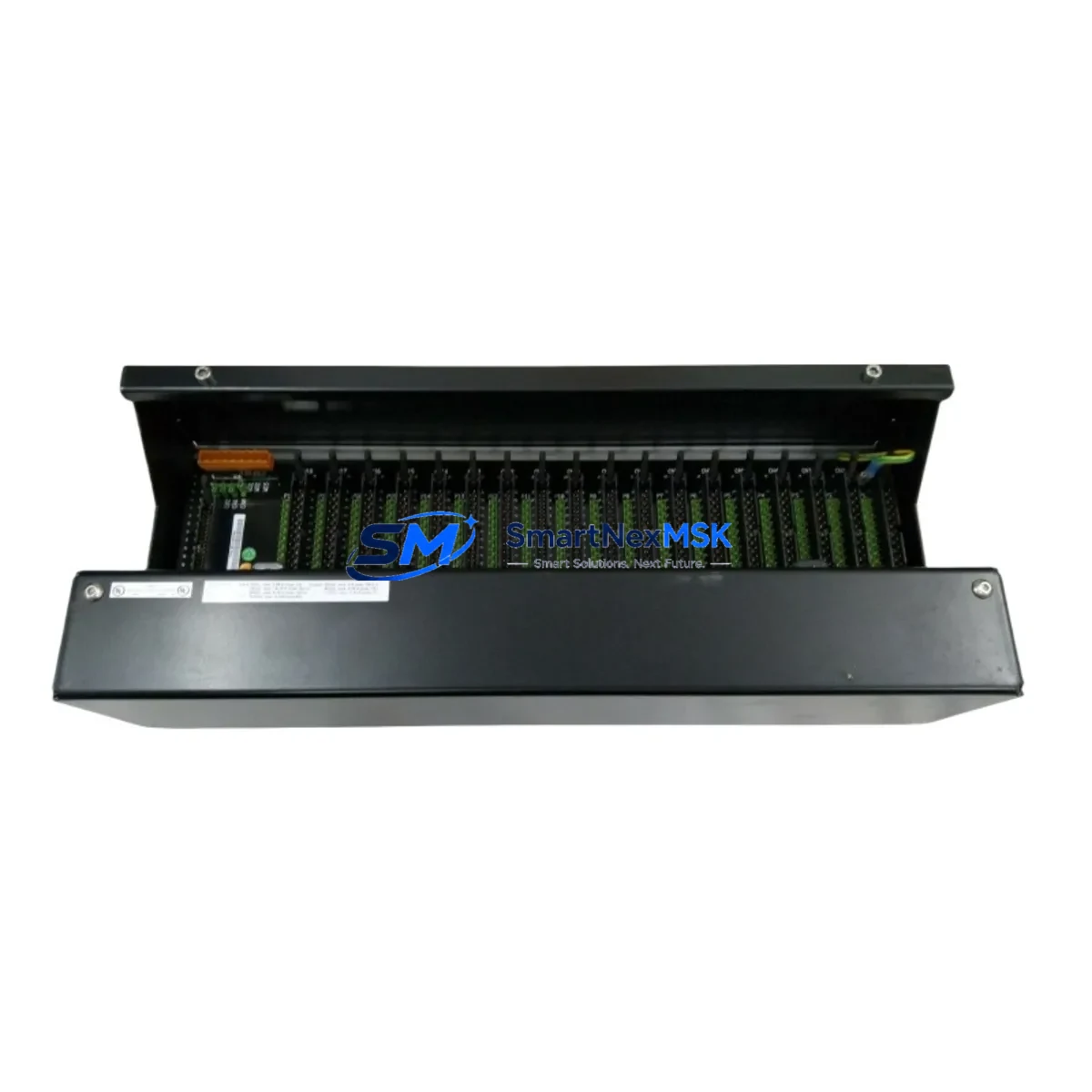
Honeywell EM9118B2-6 Spare for Experion PKS Automation: Spare Replacement & Industrial Downtime Risk Control
The Honeywell EM9118B2-6 is a 6-channel analog input module designed for the Experion PKS distributed control system platform. As a critical signal acquisition component within the C300 controller cabinet architecture, this module handles 4–20 mA and voltage-based process signals from field transmitters — covering temperature, pressure, flow, and level loops across continuous process industries including refining, petrochemical, power generation, and pharmaceutical manufacturing.
When an EM9118B2-6 fails or degrades in service, the consequences extend beyond a single loop. Analog input faults can cascade into controller alarms, process deviations, and unplanned shutdowns. Maintaining a verified original spare in your on-site inventory is the most reliable strategy for minimizing mean time to repair (MTTR) and protecting production continuity. This listing provides a tested, original Honeywell EM9118B2-6 spare, shipped with a 12-month warranty and pre-dispatch functional verification.
Spare Maintenance Table
| Parameter | Specification |
|---|---|
| SKU / Part Number | EM9118B2-6 |
| Brand | Honeywell |
| Series / Platform | Experion PKS (Process Knowledge System) |
| Module Type | DCS Analog Input Module |
| Channel Count | 6 Channels |
| Signal Type | 4–20 mA / Voltage Analog Input |
| Compatibility | Honeywell Experion PKS C300 Controller Cabinet |
| Installation | DIN-rail / backplane slot mount, hot-swap capable |
| Operating Environment | Industrial control room / DCS cabinet, 0–60°C |
| Condition | Original, tested, functional verified |
| Maintenance Recommendation | Replace on signal drift >0.1%, channel fault alarm, or scheduled 3-year PM cycle |
| Warranty | 12 Months from date of shipment |
| Origin | United States |
| Shipping | ESD-safe packaging, insured international freight |
Maintenance Planning for Continuous Operation
Replacing the EM9118B2-6 in an Experion PKS cabinet is rarely an isolated task. Maintenance engineers and procurement teams should treat this module swap as an opportunity to audit the surrounding electrical environment and confirm system-wide integrity before returning the loop to service.
Begin with the C300 Controller Module itself — verify firmware revision compatibility with the replacement EM9118B2-6 and confirm no pending controller faults exist prior to hot-swap. Inspect the IOLIM (I/O Link Interface Module) that bridges the C300 to the I/O subsystem; a degraded IOLIM can cause intermittent channel errors that mimic analog input module failure. Check the FIM (Field Interface Module) or equivalent marshalling termination assembly for corroded terminals, loose field wiring, or moisture ingress — common root causes of analog signal degradation in humid or coastal plant environments.
Review the 24 VDC power supply module feeding the I/O cabinet rail. Voltage sag or ripple on the supply bus can induce offset errors across all analog channels simultaneously, making a power supply fault appear as a module fault. If the cabinet uses a redundant power supply pair, test the automatic switchover function during the maintenance window. Inspect terminal blocks and field cable shields at the marshalling panel — ungrounded shields on 4–20 mA loops are a frequent source of noise that shortens module service life.
For plants running Honeywell Safety Manager or Safety Builder alongside Experion PKS, confirm that any safety-rated analog input modules in adjacent slots are not affected by the maintenance activity and that SIL loop integrity is maintained throughout the replacement procedure. Where the process uses HART-enabled transmitters, verify that HART pass-through functionality is restored and tested after module replacement — particularly for smart positioners, multivariable transmitters, and Coriolis flow meters that rely on secondary HART variables for advanced diagnostics.
Finally, update your spare parts register to reflect the consumed EM9118B2-6 and initiate a replenishment order. Best practice for Experion PKS sites is to maintain a minimum of one spare analog input module per controller cluster, alongside spares for the C300 controller, IOLIM, and the site’s most common I/O types. This ensures that any single-point failure in the I/O subsystem can be resolved within one shift without waiting for international freight.
Site Replacement Workflow
Step 1 — Pre-replacement verification: Confirm the replacement EM9118B2-6 SKU matches the installed module label exactly. Cross-reference the Experion PKS hardware compatibility matrix for your controller firmware version. Photograph the existing wiring and channel assignments before disconnection.
Step 2 — Loop isolation: Place all affected analog input loops in manual mode at the DCS operator station. Notify the control room operator and obtain a permit-to-work if required by site safety procedures. For SIL-rated loops, follow the site’s functional safety bypass procedure.
Step 3 — Module removal and installation: The EM9118B2-6 supports hot-swap on Experion PKS platforms — confirm this is enabled in your system configuration before proceeding without a full controller shutdown. Remove the faulty module, insert the replacement, and allow the C300 to auto-configure the new module. Monitor the system status display for channel initialization confirmation.
Step 4 — Loop restoration and verification: Return each analog input channel to automatic mode sequentially. Verify live process values against field transmitter readings using a HART communicator or loop calibrator. Confirm alarm setpoints, engineering unit scaling, and HART device descriptors are correctly loaded from the Experion PKS database.
Step 5 — Documentation: Record the replacement in the plant CMMS (Computerized Maintenance Management System), update the spare parts inventory, and file the 12-month warranty certificate for the installed module.
Spare Parts Support FAQ
Q1: Is this EM9118B2-6 an original Honeywell part or a third-party compatible replacement?
This is an original Honeywell EM9118B2-6 module — not a clone, refurbished third-party unit, or compatible substitute. All units are sourced from authorized supply chains and undergo functional verification prior to dispatch. A 12-month warranty is provided from the date of shipment.
Q2: How do I confirm compatibility with my installed Experion PKS system version?
The EM9118B2-6 is compatible with Experion PKS C300-based I/O subsystems. To confirm compatibility with your specific controller firmware and IOLIM revision, reference the Honeywell Experion PKS Hardware Compatibility Matrix (available from Honeywell Process Solutions support) or contact our technical team with your system version details before ordering.
Q3: What pre-shipment testing is performed on this module?
Each EM9118B2-6 unit undergoes power-on functional verification, channel continuity testing, and visual inspection for physical damage or component degradation before packaging. Units are shipped in ESD-safe anti-static bags with foam cushioning to prevent transit damage. A test report is available upon request.
Q4: What is the recommended spare inventory strategy for Experion PKS analog input modules?
For continuous process plants, we recommend maintaining a minimum of one EM9118B2-6 spare per controller cluster, with additional spares proportional to the number of installed modules and the criticality of the loops served. Sites with long international lead times or remote locations should consider holding two units. Pairing this spare with a C300 controller module spare and an IOLIM spare provides comprehensive coverage for the most common Experion PKS I/O subsystem failure modes.
© 2026 SMARTNEXMSK. All rights reserved.
Original Source: https://smartnexmsk.com
Contact: [email protected] | +86 18259474341



