
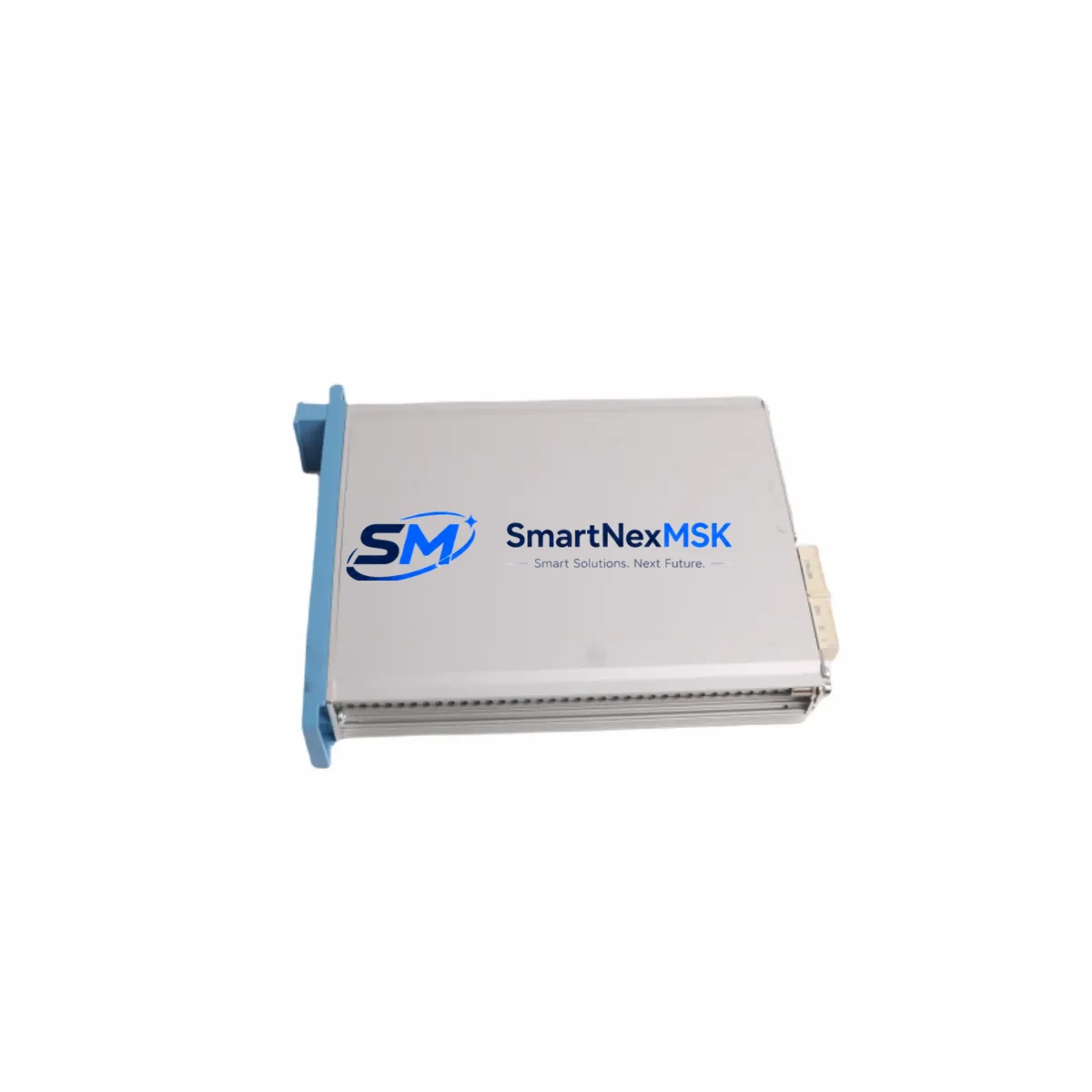
Honeywell FC-FE-USI-0002 V1 Maintenance-Ready Spare for Safety Manager
The Honeywell FC-FE-USI-0002 V1 is a Universal Safety Interface (USI) Module designed for the Honeywell Safety Manager (SM) Safety Instrumented System (SIS). As a critical field interface component, this module bridges the Safety Manager controller with field-level sensors, actuators, and safety loops in process automation environments including oil & gas, petrochemical, power generation, and chemical processing plants. Holding a verified original spare of the FC-FE-USI-0002 V1 in your maintenance inventory is a proven strategy for minimizing unplanned downtime and ensuring rapid restoration of SIS functionality during emergency shutdowns or scheduled turnarounds.
Maintenance engineers and procurement teams managing aging Safety Manager installations rely on the FC-FE-USI-0002 V1 as a direct, plug-compatible replacement for failed or degraded USI modules. The module supports the Safety Manager’s redundant architecture and is compatible with both simplex and redundant SM configurations. Each unit shipped by SMARTNEXMSK undergoes pre-shipment functional verification and is backed by a 12-month warranty, giving your maintenance team confidence in every replacement cycle.
Spare Maintenance Table
| Parameter | Specification / Detail |
|---|---|
| Part Number | FC-FE-USI-0002 V1 |
| Module Type | Universal Safety Interface (USI) Module |
| Compatible System | Honeywell Safety Manager (SM) SIS |
| Series | Safety Manager (SM) — FC Series Field Electronics |
| Form Factor | Plug-in module, DIN-rail / backplane mounted |
| Communication Interface | Safety Manager internal bus (FC-series backplane) |
| I/O Compatibility | Analog and digital field signals; sensor/actuator interfacing |
| Operating Voltage | 24 VDC (nominal, supplied via SM backplane) |
| Operating Temperature | 0°C to +60°C (industrial control room / marshalling cabinet) |
| Certification | SIL 2 / SIL 3 capable (per Safety Manager system certification) |
| Origin | USA — Honeywell Process Solutions |
| Condition | Original, new or refurbished-to-spec; pre-shipment tested |
| Warranty | 12 Months — covers functional failure under normal operating conditions |
| Lead Time | In-stock: ships within 2–5 business days; DHL / FedEx express available |
| Maintenance Interval | Inspect every 12–24 months; replace on proof-test or fault indication |
| Application Environment | Oil & Gas, Petrochemical, Power, Chemical, Refining |
Maintenance Planning for Continuous Operation
When a FC-FE-USI-0002 V1 module is flagged for replacement during a proof test, routine inspection, or fault alarm, experienced maintenance engineers know that the USI module rarely fails in isolation. A thorough site assessment should accompany every USI swap to prevent repeat failures and ensure the restored safety loop meets its required SIL performance.
Begin by inspecting the FC-FE-PSU-0001 or equivalent Safety Manager power supply module feeding the backplane — a marginal power supply is a common root cause of USI module degradation. Check the FC-SDIL-0001 digital input module and FC-SAOL-0001 analog output module in the same chassis for signs of overheating or connector wear, as these share the same backplane bus and are subject to similar environmental stresses.
Inspect field wiring terminations at the FC-FE-MUX-0001 marshalling panel or equivalent terminal blocks — loose or corroded terminals are a leading cause of intermittent USI faults. Verify the integrity of the FC-FE-CBL series field cables connecting the USI module to the marshalling cabinet; cable insulation degradation in high-temperature or chemically aggressive environments can induce signal errors that mimic module failure.
For plants running the Safety Manager in a redundant configuration, confirm that the FC-FE-USI-0002 V1 replacement is synchronized with its redundant partner module before returning the loop to service. Review the Safety Manager Communication Module (FC-FE-COM) status to ensure the SIS network link is healthy post-replacement. If the plant uses a Honeywell Experion PKS DCS alongside the Safety Manager, verify that the SIS gateway or Safety Builder configuration reflects the updated module slot assignment.
Procurement engineers building a resilient spare parts inventory for Safety Manager installations should consider stocking the FC-FE-USI-0002 V1 alongside complementary items such as the FC-FE-RLY relay output module, FC-FE-ISO signal isolator cards, and FC-FE-FUS fuse assemblies for the marshalling cabinet. A well-structured spare parts kit — covering the USI interface, power distribution, I/O modules, and field wiring accessories — reduces mean time to repair (MTTR) and supports the plant’s functional safety management system (FSMS) requirements under IEC 61511.
Site Replacement Workflow
Step 1 — Permit and Isolation: Obtain a hot-work or maintenance permit per your site’s Management of Change (MOC) procedure. Confirm the affected safety loop is in bypass mode in the Safety Manager and that the process is in a safe state before proceeding.
Step 2 — Module Identification: Confirm the slot address and revision of the installed FC-FE-USI-0002 module using the Safety Manager Engineering Station or Safety Builder software. The V1 revision is directly interchangeable within the FC-FE-USI-0002 product family; no firmware re-flash is required for like-for-like replacement.
Step 3 — Physical Replacement: Power down the affected backplane segment if required by site procedure. Remove the faulty module by releasing the front-panel locking lever. Insert the replacement FC-FE-USI-0002 V1, ensuring the backplane connector is fully seated. Re-engage the locking lever and restore backplane power.
Step 4 — Functional Verification: Using the Safety Manager diagnostic interface, confirm the new module is recognized and reporting healthy status. Perform a loop check on all field signals connected through the USI module. Verify that analog input readings and digital output states match expected values before releasing the loop from bypass.
Step 5 — Documentation: Update the plant’s maintenance management system (CMMS) with the replacement date, module serial number, and proof-test result. Archive the removed module for failure analysis if required by your FSMS audit trail.
This workflow supports rapid recovery from unplanned outages and aligns with IEC 61511 proof-test documentation requirements, helping plants maintain SIL certification continuity without extended downtime.
Spare Parts Support FAQ
Q1: Is the FC-FE-USI-0002 V1 still available as a new original spare, or only as refurbished stock?
SMARTNEXMSK maintains inventory of both new original and professionally refurbished-to-specification FC-FE-USI-0002 V1 modules. All units — regardless of condition grade — undergo pre-shipment functional testing on a Safety Manager-compatible test bench. The condition grade is clearly stated on the product listing and shipping documentation. Contact [email protected] to confirm current stock status and condition availability.
Q2: How do I verify compatibility between the FC-FE-USI-0002 V1 and my installed Safety Manager version?
The FC-FE-USI-0002 V1 is compatible with Honeywell Safety Manager systems using the FC-series field electronics backplane. Compatibility is determined by the backplane revision and Safety Builder software version installed at your site. Provide your Safety Manager system revision and Safety Builder version to our technical team at [email protected], and we will confirm compatibility before shipment. We recommend cross-referencing the Honeywell Safety Manager Hardware Manual (document SM-HW-xxx) for slot and revision compatibility matrices.
Q3: What does the 12-month warranty cover, and what is the RMA process?
The 12-month warranty covers functional failure of the FC-FE-USI-0002 V1 under normal operating conditions as defined in the Honeywell hardware specification. Physical damage caused by incorrect installation, overvoltage, or environmental exposure beyond rated limits is excluded. To initiate a warranty claim, contact [email protected] with your order number, a description of the fault symptom, and any available diagnostic logs from the Safety Manager engineering station. SMARTNEXMSK will arrange return shipping and provide a replacement or repair within the agreed lead time.
Q4: Can SMARTNEXMSK support long-term supply of FC-FE-USI-0002 V1 modules for a multi-year maintenance contract?
Yes. SMARTNEXMSK specializes in long-term spare parts supply for legacy and active Honeywell Safety Manager installations. We can support blanket purchase orders, consignment stock arrangements, and annual supply agreements for the FC-FE-USI-0002 V1 and related Safety Manager field electronics. This is particularly valuable for plants extending the operational life of Safety Manager systems beyond Honeywell’s standard product support window. Contact our sales team to discuss volume pricing and supply continuity terms.
© 2026 SMARTNEXMSK. All rights reserved.
Original Source: https://smartnexmsk.com
Contact: [email protected] | +86 18259474341



