
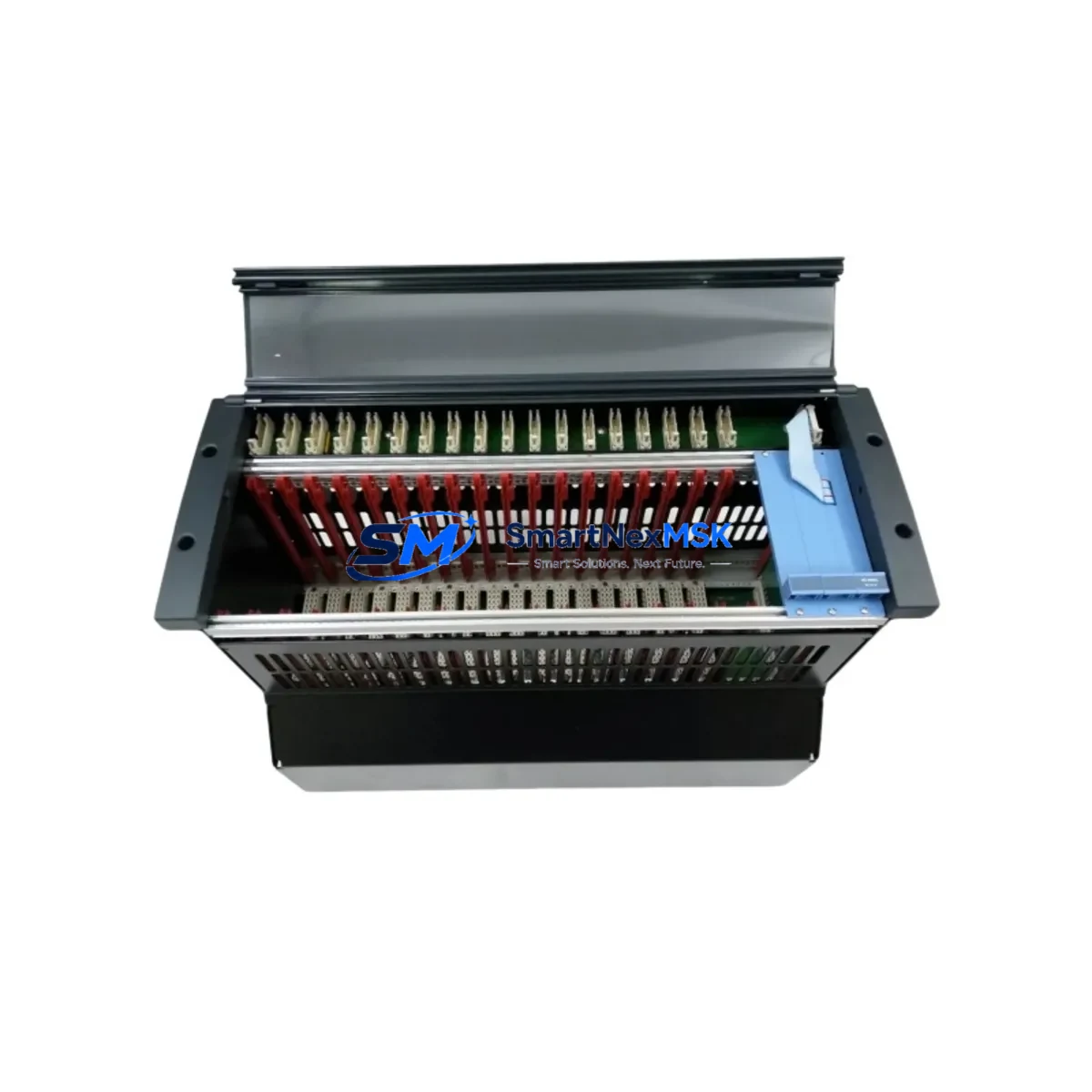
Honeywell FC-IOCHAS-0001S Retrofit-Ready I/O Chassis for Safety Manager Control Systems
The Honeywell FC-IOCHAS-0001S is a non-redundant I/O chassis designed for the Honeywell Safety Manager (SM) series — one of the most widely deployed safety instrumented systems (SIS) in process industries including oil & gas, petrochemical, power generation, and specialty chemicals. As legacy Safety Manager installations approach end-of-life or require capacity expansion, the FC-IOCHAS-0001S serves as the primary structural and electrical backbone for I/O module integration, making it an essential component in any retrofit, upgrade, or system restoration project.
Whether you are replacing a failed chassis in an emergency shutdown (ESD) panel, expanding I/O capacity in an existing safety loop, or migrating from an older SM50 or SM100 platform to a current-generation Safety Manager SC architecture, the FC-IOCHAS-0001S provides the mechanical mounting, backplane bus connectivity, and power distribution infrastructure required to maintain system integrity throughout the transition.
Upgrade Compatibility Table
| Parameter | FC-IOCHAS-0001S Specification | Retrofit Notes |
|---|---|---|
| Chassis Type | Non-Redundant I/O Chassis | Verify redundancy architecture before replacement; pair with FC-IOCHAS-0002S for redundant configurations |
| Compatible Platform | Honeywell Safety Manager (SM) Series | Compatible with SM50, SM100, and Safety Manager SC; confirm firmware revision of FC-SDNM-0001 network module |
| Backplane Interface | Proprietary SM backplane bus | Slot alignment and backplane connector must match existing cabinet rail; inspect for corrosion or pin damage before installation |
| Module Slots | Up to 8 I/O module positions | Map existing FC-AI01, FC-DI01, FC-DO01, and FC-AO01 module addresses before removal; re-enter addresses post-installation |
| Power Input | 24 VDC via chassis power connector | Verify FC-PSU-0001 or equivalent power supply output capacity; measure rail voltage under load before energizing new chassis |
| Communication Compatibility | FTE (Fault Tolerant Ethernet) / Modbus | Retain existing FTE switch configuration; no protocol migration required for same-generation SM replacement |
| Installation Standard | DIN rail / panel mount | Confirm cabinet rail spacing matches chassis footprint; torque terminal screws to specification |
| Replacement Scope | Drop-in for same-series chassis | No logic changes required for direct chassis swap; full program download recommended after hardware replacement |
| Warranty | 12-Month Warranty | Covers manufacturing defects; includes pre-shipment functional test and burn-in verification |
Retrofit Planning for Existing Automation Systems
A successful FC-IOCHAS-0001S retrofit begins well before the chassis arrives on site. During the planning phase, engineers should extract a full I/O list from the existing Safety Manager configuration using the Safety Builder engineering tool, documenting every module slot assignment, channel address, and cause-and-effect matrix entry that references I/O points housed in the target chassis. This documentation becomes the baseline for post-installation verification.
The chassis interfaces directly with Honeywell Safety Manager I/O modules including the FC-AI01 analog input module, FC-DI01 digital input module, FC-DO01 digital output module, and FC-AO01 analog output module. Each of these modules must be removed from the old chassis in sequence, tagged with their slot position, and re-installed in the identical slot of the new FC-IOCHAS-0001S to preserve module addressing without requiring a full I/O remapping exercise in Safety Builder.
Power distribution is a critical checkpoint. The FC-PSU-0001 power supply module feeds the chassis backplane, and its output capacity must be validated against the aggregate current draw of all installed I/O modules. Adding new I/O modules during the same retrofit window — for example, expanding digital outputs for additional ESD valve actuators — requires recalculating the power budget before commissioning. If the existing power supply is operating near its rated capacity, a parallel power supply or upgraded unit should be specified in the retrofit bill of materials.
Communication continuity is maintained through the FC-SDNM-0001 Safety Data Network Module, which manages FTE network connectivity between the I/O chassis and the Safety Manager controller. During chassis replacement, the SDNM should be the last module removed and the first reinstalled, minimizing the window during which the safety loop is offline. Where the plant operates a Honeywell Experion PKS DCS in parallel, the FTE switch configuration and node addresses must remain unchanged to avoid disrupting the integrated alarm and event management interface.
For sites migrating from older SM50 hardware to current Safety Manager SC architecture, the retrofit scope expands to include the FC-SCMB-0001 system cabinet backplane and potentially the FC-CONT-0001 controller module. In these cross-generation upgrades, a full program conversion and simulation in Safety Builder is mandatory before any live system cutover. The FC-IOCHAS-0001S is compatible with the current SM SC I/O module family, making it the preferred chassis for staged migration strategies where I/O hardware is upgraded ahead of the controller.
Terminal wiring adaptation is another common retrofit consideration. If the existing field wiring terminates on marshalling cabinets connected to the old chassis via multi-conductor cables, verify that the cable pinout and terminal block assignments are documented before disconnection. Where field wiring connects directly to I/O module terminal blocks, photograph and label each connection before removal. The FC-TERM-0001 termination panel, where used, should be inspected for terminal corrosion and re-torqued to specification during the same maintenance window.
Downtime Control During System Migration
Minimizing unplanned downtime during a Safety Manager chassis replacement requires a structured pre-outage preparation protocol. Before the maintenance window opens, the engineering team should perform a full online backup of the Safety Manager application using Safety Builder, saving the compiled logic, I/O configuration, cause-and-effect matrix, and diagnostic settings to a secure offline location. This backup is the recovery baseline if any issue arises during hardware replacement.
Where the process safety requirements permit, a partial bypass strategy can be employed: individual safety loops associated with the target chassis are placed in manual bypass or inhibit mode through the Honeywell Experion operator station, allowing the remainder of the safety system to remain in automatic protection mode while the chassis is swapped. This approach limits the scope of the safety system outage to only the loops served by the FC-IOCHAS-0001S being replaced, rather than requiring a full system shutdown.
After the new chassis is installed and all I/O modules are reseated in their original slot positions, a controlled power-up sequence should be followed: energize the FC-PSU-0001 power supply first, confirm backplane bus voltage is within specification, then allow the FC-SDNM-0001 to re-establish FTE network communication with the Safety Manager controller before releasing any bypassed loops. The controller will perform an automatic I/O scan and flag any module that fails to respond — this is the primary diagnostic step for confirming successful chassis installation.
A full functional test of every I/O channel served by the new chassis — including analog input loop checks, digital input continuity tests, and digital output actuator stroke tests — should be completed before the maintenance window is closed and bypasses are lifted. This field verification, combined with the pre-shipment functional test performed on the FC-IOCHAS-0001S before dispatch, provides dual-layer assurance of hardware integrity. Total chassis swap time for a prepared team with documented procedures is typically 2–4 hours, making the FC-IOCHAS-0001S retrofit compatible with standard planned turnaround windows.
Retrofit Support FAQ
Q: Is the FC-IOCHAS-0001S a direct drop-in replacement for my existing Safety Manager I/O chassis?
A: Yes, for same-generation Safety Manager installations. The FC-IOCHAS-0001S uses the same backplane connector, DIN rail mounting footprint, and module slot layout as the original chassis. No wiring changes or logic modifications are required for a direct chassis swap, provided all I/O modules are reinstalled in their original slot positions and module addresses are verified post-installation.
Q: What pre-shipment testing is performed on the FC-IOCHAS-0001S before delivery?
A: Each unit undergoes a functional burn-in test covering backplane bus integrity, power distribution rail verification, and slot connector inspection before shipment. Units are supplied with a test report and are covered by a 12-month warranty against manufacturing defects from the date of delivery.
Q: Do I need to re-download the Safety Manager application after replacing the chassis?
A: A full program download is recommended as best practice after any chassis replacement, even when module slot positions are preserved. This ensures the controller’s I/O image is synchronized with the physical hardware configuration and eliminates any residual diagnostic flags from the hardware change event.
Q: Can the FC-IOCHAS-0001S be used in a cross-generation migration from SM50 to Safety Manager SC?
A: The FC-IOCHAS-0001S is compatible with the Safety Manager SC I/O module family and can be used as part of a staged migration strategy. However, cross-generation migrations require a full application conversion in Safety Builder and must be validated in a simulation environment before live cutover. Contact our technical team for migration planning support specific to your site configuration.
© 2026 SMARTNEXMSK. All rights reserved.
Original Source: https://smartnexmsk.com
Contact: [email protected] | +86 18259474341



