
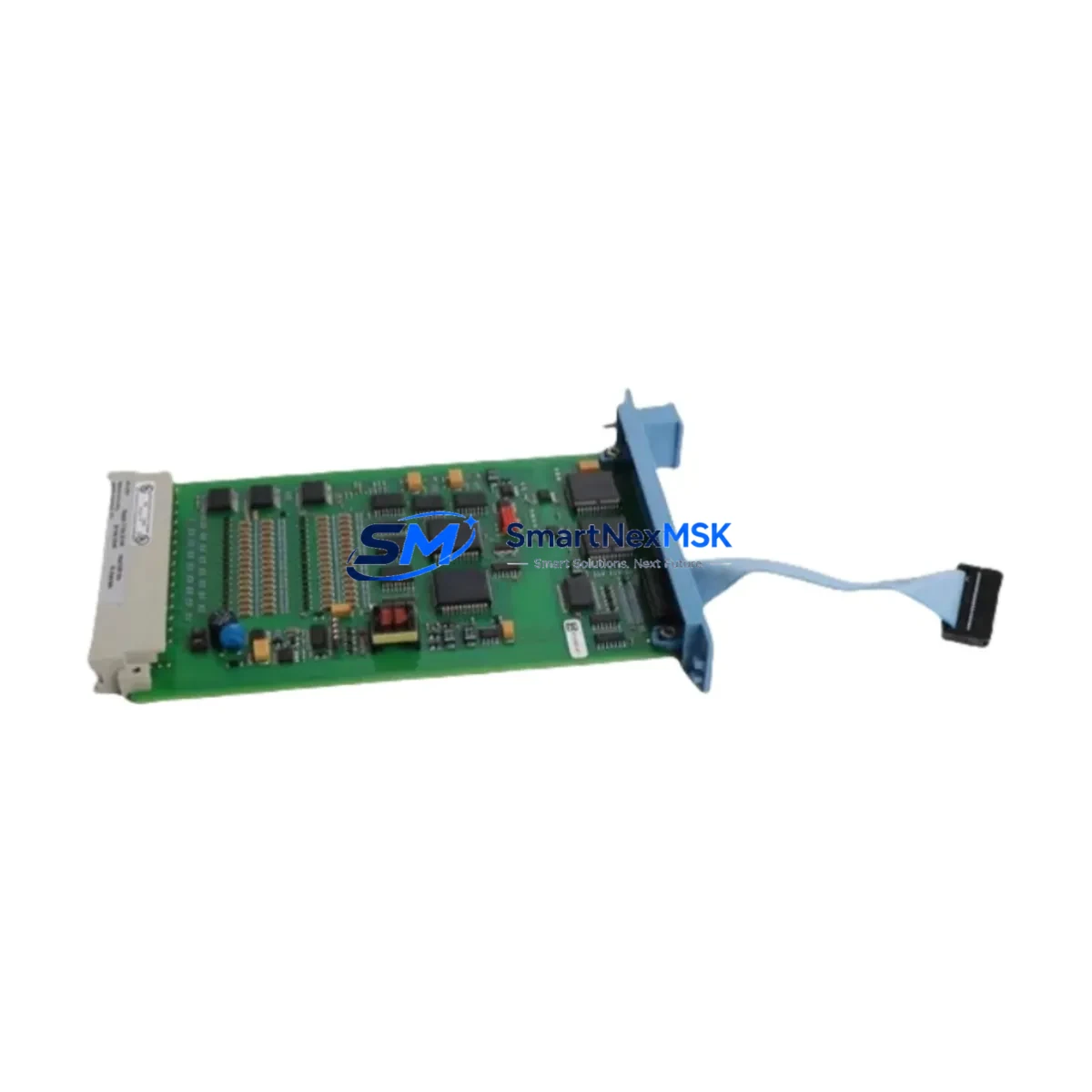
Honeywell FC-PDB-IO05 Retrofit-Ready I/O Power Board for Experion PKS FS Control Systems
The Honeywell FC-PDB-IO05 is an I/O Power Distribution Board engineered for the Experion PKS Fault Tolerant Safety (FS) series platform. As legacy Experion PKS FS installations approach end-of-support milestones, plant engineers and system integrators increasingly rely on verified replacement modules like the FC-PDB-IO05 to sustain operational continuity without committing to a full DCS overhaul. This module provides regulated DC power distribution across the I/O subsystem, supporting the fault-tolerant architecture that Honeywell’s Safety Manager and Experion FS controllers depend on for SIL-rated loop integrity.
Whether you are replacing a failed board in an emergency shutdown system, upgrading a degraded power rail in a legacy control cabinet, or executing a planned lifecycle refresh across multiple I/O chassis, the FC-PDB-IO05 delivers the electrical compatibility and mechanical fit required for a low-risk, minimum-downtime swap. Our inventory is sourced from verified supply channels, and each unit undergoes pre-shipment functional testing before dispatch from our Xiamen facility.
Upgrade Compatibility Table
| Parameter | FC-PDB-IO05 Specification | Retrofit Notes |
|---|---|---|
| Platform Compatibility | Honeywell Experion PKS FS Series | Verify chassis generation (FS or FSC) before ordering |
| Module Form Factor | Standard Experion FS I/O backplane slot | Direct drop-in; no bracket modification required |
| Power Input | 24 VDC nominal (field-side distribution) | Confirm upstream FC-PSU power supply capacity before swap |
| Terminal Wiring | Compatible with existing field wiring harness | Photograph and label all terminal connections before removal |
| Communication Interface | Passive distribution board; no protocol stack | No firmware or address configuration required |
| Backplane Interface | Experion FS I/O chassis backplane connector | Inspect backplane pins for corrosion before insertion |
| Replacement Candidates | Worn, failed, or EOL FC-PDB-IO05 units | Cross-reference with Honeywell PM/FS series I/O chassis BOM |
| Commissioning Requirement | Power-cycle and I/O loop verification | Use Experion Station or Safety Builder for post-swap validation |
| Warranty | 12 Months | Covers manufacturing defects; DOA replacement within 7 days |
Retrofit Planning for Existing Automation Systems
A successful FC-PDB-IO05 replacement begins well before the module arrives on site. During the planning phase, engineers should audit the full I/O chassis assembly, which typically includes the FC-PSIO power supply module, the FC-RPSIO redundant power supply, and the FC-TSDI or FC-TSDO terminal assembly boards that interface directly with field instruments. Understanding how the power distribution board interacts with these adjacent components is essential for predicting the scope of the outage window.
In Experion PKS FS installations, the I/O subsystem is often paired with a C300 Controller or a Safety Manager SM controller, both of which maintain their own internal diagnostics and will flag power anomalies at the I/O level. Before initiating the swap, confirm that the controller’s fault log does not indicate upstream issues with the FC-PSU24 power supply unit or the chassis backplane itself. A failing power distribution board can mask deeper backplane degradation, and replacing only the FC-PDB-IO05 without inspecting the backplane connector integrity may result in recurring faults.
For sites running Profibus DP or FOUNDATION Fieldbus H1 segments through the same control cabinet, verify that the communication modules — such as the FC-PBIM Profibus Interface Module or the FF-HSE linking device — are not sharing a power rail that will be interrupted during the swap. Coordinate with the DCS engineer to place the affected I/O group in manual mode or transfer control to a redundant I/O path before de-energizing the board. If the installation includes an Experion HS (High Speed) I/O chassis alongside the FS chassis, ensure that the maintenance window accounts for both subsystems if they share a common power distribution architecture.
HMI screens connected to the Experion Station should be reviewed prior to the outage. Tag suppression or out-of-service flagging for the affected I/O points will prevent nuisance alarms from propagating to the alarm management system during the swap. After reinstalling the FC-PDB-IO05 and restoring power, perform a full I/O loop check using the Experion Control Builder or Safety Builder environment to confirm that all field signals are reading correctly before returning the system to automatic control.
Downtime Control During System Migration
Minimizing unplanned downtime during an FC-PDB-IO05 replacement requires a structured approach to pre-staging, execution, and post-swap verification. Begin by pre-staging the replacement module in the control room at least 24 hours before the maintenance window, confirming that the unit has passed pre-shipment testing and that the serial number is logged in your spare parts management system.
During the outage, follow a strict sequence: isolate the I/O group at the controller level, de-energize the chassis slot, extract the failed board using the module ejector levers, and insert the replacement FC-PDB-IO05 with firm, even pressure until the backplane connector seats fully. Restore power incrementally — first to the chassis, then to the field-side terminals — and monitor the Experion Station for module health status before releasing the I/O group back to automatic control.
For sites with redundant I/O configurations, the swap can often be performed online by failing over to the redundant I/O path, replacing the primary board, and then re-synchronizing. This approach eliminates the need for a full process shutdown and is the preferred method for continuous-process industries such as refining, petrochemicals, and power generation. Retain the original program logic backup and HMI faceplates in a version-controlled archive before beginning any hardware change, ensuring that a rollback path exists if unexpected compatibility issues arise during commissioning.
Retrofit Support FAQ
Q1: Is the FC-PDB-IO05 a direct drop-in replacement for the original Honeywell board?
Yes. The FC-PDB-IO05 is designed to the same mechanical and electrical specification as the original Honeywell production unit. It installs into the same backplane slot, uses the same terminal wiring layout, and requires no firmware configuration. Confirm the chassis generation (FS vs. FSC) matches before installation.
Q2: What pre-commissioning checks are required after installation?
After seating the module, restore chassis power and verify the module health LED status on the Experion Station. Perform a full I/O loop verification for all field points connected to the affected chassis. For safety-rated loops, re-execute the proof test procedure as defined in your site’s SIL maintenance plan before returning the loop to automatic control.
Q3: How do I verify wiring compatibility before removing the old board?
Photograph all terminal connections and cross-reference against the as-built wiring diagram for the I/O chassis. The FC-PDB-IO05 uses the same terminal block layout as the original board, so no rewiring is required. If the existing wiring harness shows signs of insulation degradation, replace the affected conductors during the same maintenance window to avoid a repeat outage.
Q4: What does the 12-month warranty cover?
The 12-month warranty covers manufacturing defects and functional failures under normal operating conditions. Dead-on-arrival (DOA) units are eligible for express replacement within 7 business days of confirmed receipt. The warranty does not cover damage resulting from incorrect installation, overvoltage events, or environmental exposure beyond the module’s rated operating range. Contact [email protected] with your order number and fault description to initiate a warranty claim.
© 2026 SMARTNEXMSK. All rights reserved.
Original Source: https://smartnexmsk.com
Contact: [email protected] | +86 18259474341



