
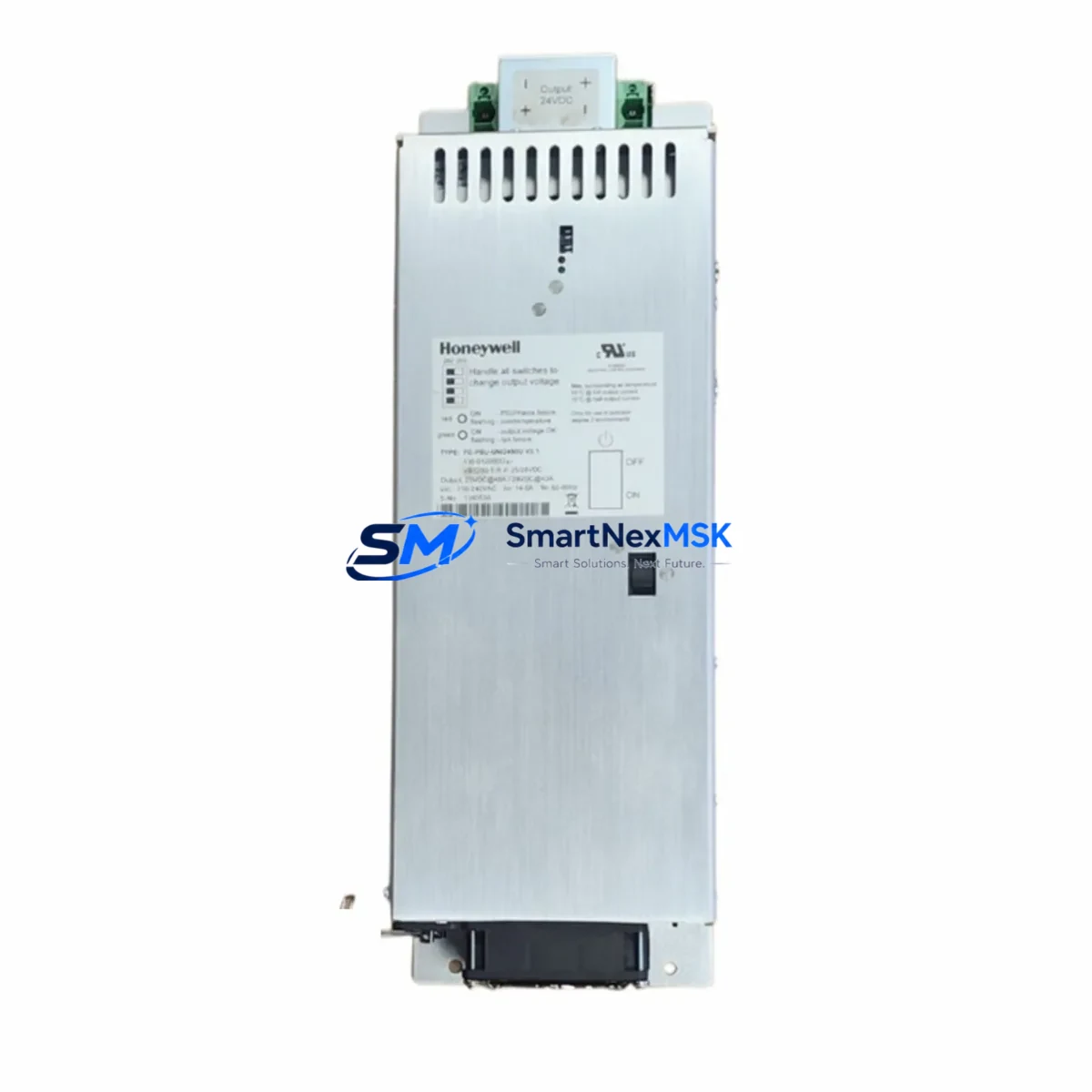
Honeywell FC-PSU-UNI2450U V2.1 Retrofit-Ready Power Supply for Experion PKS Control Systems
The Honeywell FC-PSU-UNI2450U V2.1 is a universal 24/50W redundant power supply module engineered for seamless integration into Experion PKS (Process Knowledge System) and Safety Manager control architectures. As legacy DCS installations age and OEM support windows close, this module has become a critical retrofit component for facilities managing end-of-life power infrastructure across process automation, oil & gas, chemical, and power generation sectors.
Whether you are replacing a failed unit on an active production line, upgrading a control cabinet to extend system life by 10–15 years, or migrating from an older Honeywell TDC 3000 or PlantScape platform, the FC-PSU-UNI2450U V2.1 provides a verified drop-in solution with full backward compatibility across the Experion PKS C200, C300, and Safety Manager SM controller families.
Upgrade Compatibility Table
| Parameter | FC-PSU-UNI2450U V2.1 | Notes / Retrofit Guidance |
|---|---|---|
| Output Power | 24V DC / 50W | Verify total rail load before replacement; sum all module draw on the backplane |
| Input Voltage Range | 85–264V AC / 100–370V DC | Universal input — no tap adjustment required; compatible with both 110V and 220V plant supplies |
| Backplane Interface | Experion PKS Standard Chassis Connector | Direct fit into C200/C300 chassis; verify chassis revision for SM series |
| Redundancy Support | Yes — Hot-swap capable | Pair with a second FC-PSU-UNI2450U V2.1 for 1+1 redundancy; no controller restart required |
| Communication Compatibility | FTE (Fault Tolerant Ethernet), ControlNet | No protocol migration needed; existing FTE switch and ControlNet cabling remain unchanged |
| Replaces / Supersedes | FC-PSU-UNI2450U V1.x, FC-PSU-0024 | Firmware-compatible; no Experion Builder reconfiguration required for direct swap |
| Installation Requirement | DIN rail or chassis slot mount | Confirm slot position in chassis; update module address in Experion Builder if slot changes |
| Commissioning / Debug | LED status indicators (PWR, FAULT, REDUN) | Verify REDUN LED after hot-swap; use Experion Station diagnostics to confirm power health |
| Warranty | 12 Months | Covered from date of shipment; includes DOA replacement and functional test certificate |
Retrofit Planning for Existing Automation Systems
Successful integration of the FC-PSU-UNI2450U V2.1 into an aging control system requires a structured pre-replacement audit. Begin by documenting the total power budget of the target chassis. In a typical Experion PKS C300 cabinet, the chassis may house a combination of the C300 Controller Module, multiple FC-AI-0808 analog input modules, FC-DO-0808 digital output modules, and FC-SDO-0824 safety digital output modules. Each of these draws current from the shared 24V backplane rail, and the aggregate load must not exceed the 50W rating of a single FC-PSU-UNI2450U V2.1 unit.
For systems running redundant power configurations, the second power supply slot should be populated with an identical FC-PSU-UNI2450U V2.1 unit. This ensures that if one supply enters fault state, the standby unit assumes full load without interrupting the C300 Controller scan cycle or triggering a Safety Manager trip. The hot-swap design allows field engineers to replace a degraded supply during live operation — a critical advantage in continuous-process environments where planned shutdowns are scheduled months in advance.
Terminal wiring for the AC input should be verified against the original cabinet drawings. The universal input range (85–264V AC) eliminates the need for external step-down transformers in most plant environments, but the incoming feed should be protected by a dedicated MCB rated at 2A minimum. Confirm that the existing cable cross-section (typically 1.5mm² for 24V DC distribution) is adequate for the output current at full load.
If the retrofit involves migrating from a Honeywell TDC 3000 or early PlantScape platform to Experion PKS, the power supply replacement is typically performed in conjunction with chassis and backplane upgrades. In these scenarios, the Experion PKS Universal I/O Chassis and associated IOLIM (I/O Link Interface Module) are installed alongside the new power supply. The FTE Network Switch (Fault Tolerant Ethernet) must also be verified for compatibility with the updated chassis firmware before the migration cutover.
For Safety Manager installations, confirm that the SM chassis revision supports the V2.1 hardware. The Safety Manager SM Controller and associated FC-SDIL-0824 safety digital input modules must be running compatible firmware versions. Consult the Honeywell Safety Manager System Release Notes for the minimum firmware baseline required for V2.1 power supply hardware.
Programming cable connections (typically via Experion Builder over FTE or a dedicated engineering workstation port) should be maintained throughout the swap to allow real-time monitoring of controller health. Do not disconnect the ControlNet coax or fiber trunk during the power supply exchange, as this may cause I/O modules to enter fault state and trigger process alarms.
Downtime Control During System Migration
Minimizing unplanned downtime is the primary operational concern when replacing power supply modules in a live DCS environment. The FC-PSU-UNI2450U V2.1‘s hot-swap capability is the single most important feature for downtime reduction: the module can be extracted and reinserted while the chassis remains energized, provided the redundant supply is healthy and carrying full load.
Before initiating the swap, use Experion Station (the operator HMI) to verify that all process control loops are in cascade or manual mode where appropriate, and that no Safety Manager proof tests are scheduled within the maintenance window. Capture a full controller checkpoint using Experion Builder to preserve the current program logic, setpoints, and I/O configuration. This checkpoint serves as the recovery baseline if the replacement triggers an unexpected controller restart.
HMI screen continuity should be maintained throughout the procedure. Operators at the Experion Operator Station should see no change in display state during a successful hot-swap. If the REDUN LED on the new module does not illuminate within 30 seconds of insertion, perform a visual inspection of the backplane connector seating before escalating to a controller diagnostic cycle.
Post-replacement, run a 15-minute soak period with all I/O modules active and verify that the FAULT LED remains off. Log the replacement in the plant maintenance management system (CMMS) with the module serial number, slot position, and date. All units shipped by SMARTNEXMSK include a functional test certificate confirming pre-shipment burn-in and output voltage verification, reducing the risk of DOA failures in the field.
Retrofit Support FAQ
Q1: Is the FC-PSU-UNI2450U V2.1 a direct replacement for V1.x units without any configuration changes?
Yes. The V2.1 hardware revision maintains full backward compatibility with V1.x chassis slots and backplane connectors. No changes to the Experion Builder project or module address assignments are required for a like-for-like slot replacement. If the module is being installed in a different chassis slot, update the module address in Experion Builder and perform a download to the controller before returning loops to automatic.
Q2: What wiring checks are required before installing the replacement unit?
Verify the AC input terminal block for correct phase and neutral polarity, confirm the MCB upstream is rated at 2A or higher, and inspect the 24V DC output terminals for corrosion or loose crimps. The output connector is a standard Experion PSU terminal block — no rewiring is required if the original wiring is intact. Torque all terminals to 0.5 Nm after insertion.
Q3: How is compatibility with Safety Manager confirmed before installation?
Cross-reference the SM chassis hardware revision label (located on the chassis side panel) against the Honeywell Safety Manager Hardware Compatibility Matrix. The FC-PSU-UNI2450U V2.1 is compatible with SM chassis revisions B and later. For revision A chassis, contact SMARTNEXMSK for a compatibility assessment before ordering.
Q4: What does the 12-month warranty cover, and what is the replacement process?
The 12-month warranty covers all manufacturing defects and functional failures under normal operating conditions from the date of shipment. Each unit ships with a functional test certificate. In the event of a warranty claim, contact [email protected] with the order number and fault description. DOA replacements are dispatched within 2 business days. The warranty does not cover damage resulting from incorrect installation, overvoltage events, or unauthorized modification.
© 2026 SMARTNEXMSK. All rights reserved.
Original Source: https://smartnexmsk.com
Contact: [email protected] | +86 18259474341



