
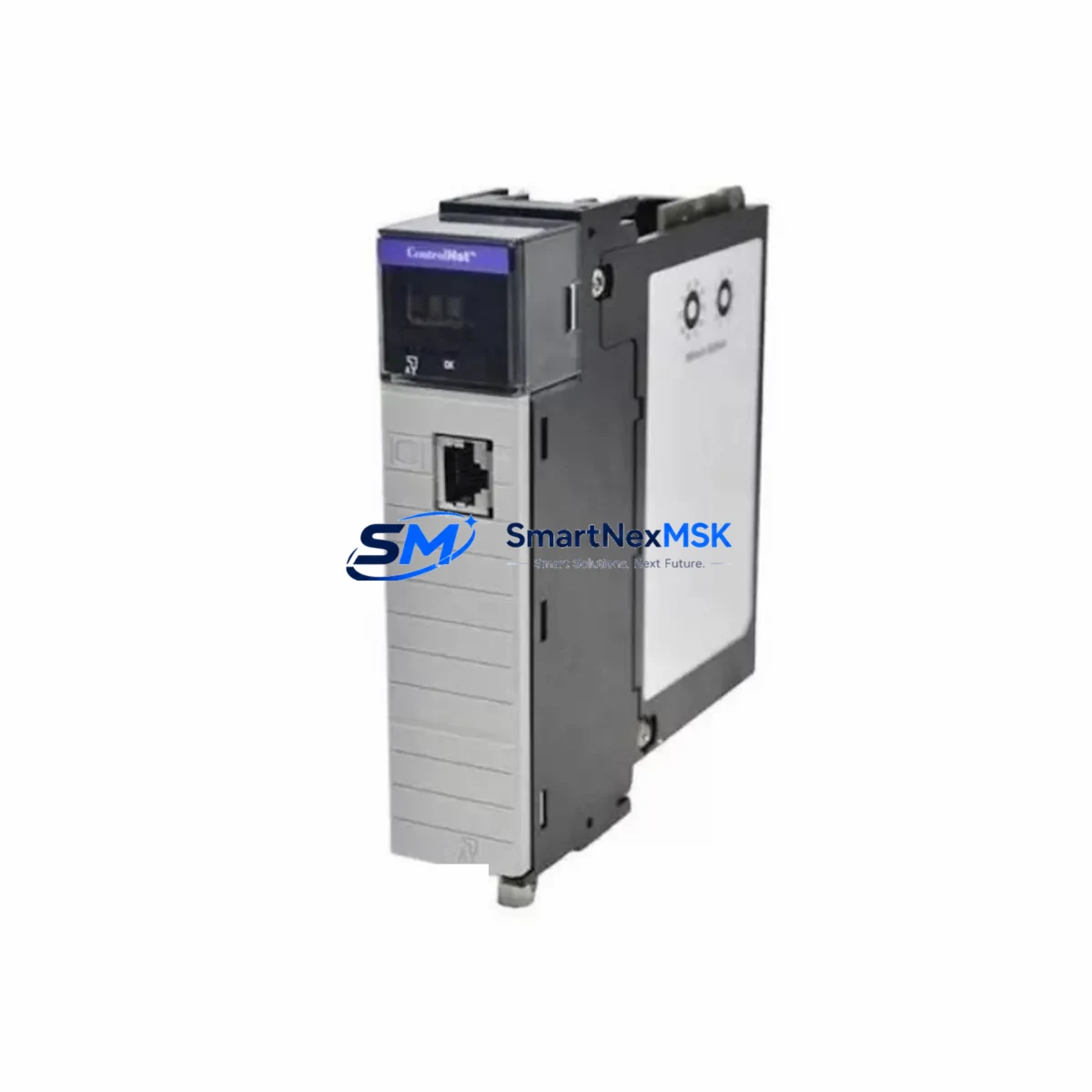
Honeywell FC-QPP-0002 Spare for Safety Manager SC: Precision Replacement for Industrial Safety Systems
The Honeywell FC-QPP-0002 is the Quad Processor Module at the heart of the Safety Manager SC safety instrumented system (SIS). In process industries — oil & gas, petrochemical, power generation, and chemical manufacturing — this module executes the safety logic that prevents hazardous events and protects personnel, assets, and the environment. When this processor fails or degrades, the entire safety loop is at risk. Sourcing a verified, original spare is not optional — it is a fundamental requirement of any responsible maintenance strategy.
At SMARTNEXMSK, every FC-QPP-0002 unit is sourced from authorized supply chains, subjected to pre-shipment functional testing, and dispatched with full traceability documentation. Our inventory is maintained specifically to support emergency replacement, planned turnaround, and long-term lifecycle extension for Safety Manager SC installations worldwide.
Spare Maintenance Table
| Parameter | Specification |
|---|---|
| Part Number | FC-QPP-0002 |
| Description | Quad Processor Module |
| Platform | Honeywell Safety Manager SC |
| Series | Safety Manager SC (SMS) |
| Processor Architecture | Quad-redundant safety processor |
| Safety Integrity Level | SIL 3 capable |
| Communication Interface | Safety network backplane, FTE (Fault Tolerant Ethernet) |
| Power Requirement | Supplied via chassis backplane (FC-BKM-0001 base) |
| Operating Temperature | 0°C to 60°C |
| Mounting | DIN-rail chassis / Safety Manager SC cabinet |
| Compatibility | FC-BKM-0001, FX-USI-0002, FC-PSU-240516, FC-SDO-0824, FC-SDI-1624 |
| Origin | USA (Honeywell Process Solutions) |
| Condition | Original, new or refurbished-tested |
| Pre-shipment Test | Yes — functional verification before dispatch |
| Warranty | 12 Months |
| Lead Time | In stock — ships within 24–48 hours |
| Application | Oil & Gas, Petrochemical, Power, Chemical, Offshore SIS |
Maintenance Planning for Continuous Operation
Replacing the FC-QPP-0002 is rarely an isolated task. Maintenance engineers and reliability teams working on Safety Manager SC systems understand that a processor replacement is an opportunity — and a responsibility — to inspect the entire safety cabinet for latent faults and aging components.
Begin with the FC-BKM-0001 Base Module, which provides the mechanical and electrical foundation for the FC-QPP-0002. Inspect backplane connectors for oxidation, mechanical stress, or contamination. A degraded base module can cause intermittent processor faults that are difficult to diagnose without physical inspection.
Next, verify the FC-PSU-240516 Power Supply Module. Processor instability is frequently traced to marginal power supply output — particularly in aging cabinets where capacitors have drifted. Measure output voltage under load and compare against specification. If the PSU is more than five years old and has not been replaced, treat it as a preventive replacement candidate alongside the FC-QPP-0002.
The FX-USI-0002 Universal Safety Interface should be inspected for firmware version compatibility with the replacement FC-QPP-0002. Mismatched firmware between the processor and interface modules is a known source of post-replacement communication faults. Confirm version alignment before energizing the system.
For I/O integrity, inspect the FC-SDI-1624 Digital Input Module and FC-SDO-0824 Digital Output Module. These modules carry the field signals that the FC-QPP-0002 processes. Loose terminal connections, failed field barriers, or degraded signal isolators can introduce noise that the new processor will flag as faults — leading to unnecessary diagnostic alarms during commissioning.
Communication infrastructure deserves equal attention. The FC-FTEB-0002 Fault Tolerant Ethernet Bridge connects the Safety Manager SC to the DCS and historian. Verify that both FTE ports are active and that no single-point-of-failure condition exists in the network path. If the system uses FC-SCMB-0002 Safety Communication Module for peer-to-peer safety messaging, confirm that the module’s configuration is backed up before the processor swap.
Finally, review the cabinet’s terminal blocks, fuse holders, and surge protection devices. Fuses protecting 24 VDC I/O circuits should be tested for continuity, and any discolored or heat-stressed terminals should be replaced. These low-cost components are frequently overlooked but are a common root cause of field-side faults that appear as processor errors.
Stocking the FC-QPP-0002 as a critical spare — alongside the FC-BKM-0001, FC-PSU-240516, and FX-USI-0002 — is the minimum recommended spare parts inventory for any Safety Manager SC installation operating in a continuous process environment.
Site Replacement Workflow
The FC-QPP-0002 is designed for hot-standby replacement in redundant Safety Manager SC configurations, but the replacement procedure must be executed with discipline to avoid spurious trips or safety system impairment.
Step 1 — Pre-replacement verification: Confirm that the standby processor is healthy and that the system is in a safe state for maintenance. Download and archive the current processor configuration, logic, and diagnostic logs. Verify that the replacement FC-QPP-0002 firmware version matches the installed system baseline.
Step 2 — Isolation and removal: Follow the site-specific safety management of change (MOC) procedure. In non-redundant configurations, coordinate with operations to place the safety function in bypass or manual mode per the site’s bypass management procedure. Remove the faulty FC-QPP-0002 from the FC-BKM-0001 base, taking care to avoid electrostatic discharge.
Step 3 — Installation and configuration: Insert the replacement FC-QPP-0002 into the base module. The system will initiate an automatic configuration download if the Safety Manager SC is configured for auto-restore. In manual configurations, load the archived configuration via the engineering workstation.
Step 4 — Functional verification: Execute the site’s post-maintenance functional test procedure. Verify that all I/O channels are reading correctly, that safety logic is executing as expected, and that no diagnostic alarms are active. Confirm FTE communication to the DCS is restored.
Step 5 — Return to service: Remove any bypasses, confirm system status with the control room, and update the maintenance management system (CMMS) with the replacement record, including the new module’s serial number and firmware version.
This workflow minimizes downtime, maintains system integrity, and ensures full auditability — critical requirements for SIL 3 safety systems subject to functional safety audits.
Spare Parts Support FAQ
Q1: Is the FC-QPP-0002 available as a new original part, or only as refurbished?
We stock both new original and refurbished-tested units. All refurbished units undergo full functional testing on a Safety Manager SC test bench and are supplied with a test report. New original units are sourced from authorized Honeywell distribution channels. Both options carry a 12-month warranty.
Q2: How do I verify firmware compatibility before ordering?
Provide us with your current Safety Manager SC system version and the firmware revision of your existing FC-QPP-0002 (visible on the module label or via the engineering workstation). Our technical team will confirm compatibility and, where required, supply a unit pre-loaded with the correct firmware version.
Q3: What is your lead time for emergency orders?
In-stock units ship within 24–48 hours of order confirmation. For emergency plant shutdowns, contact our sales team directly at [email protected] or +86 18259474341 to arrange priority dispatch and expedited freight.
Q4: Does the 12-month warranty cover field installation failures?
Yes. Our 12-month warranty covers manufacturing defects and functional failures under normal operating conditions. If a unit fails during or after installation, contact us with the failure description and we will arrange a replacement or repair. We recommend retaining the original packaging and test documentation for warranty claims.
© 2026 SMARTNEXMSK. All rights reserved.
Original Source: https://smartnexmsk.com
Contact: [email protected] | +86 18259474341



