
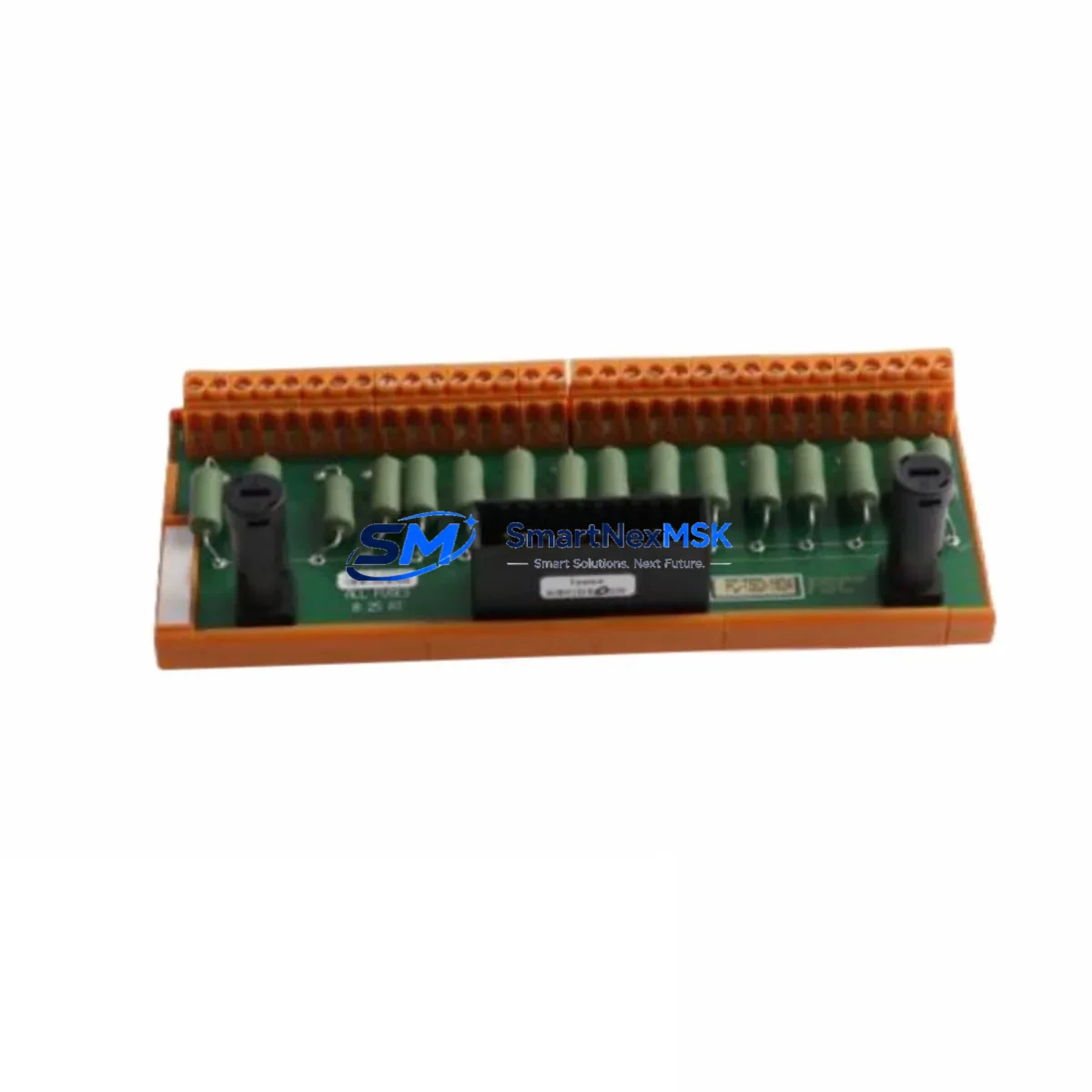
Honeywell FC-SAI-1620M Spare for FSC Safety Automation: Minimize Downtime with Certified Replacement
The Honeywell FC-SAI-1620M (also catalogued as FC-TSAI-1620M) is a 16-channel safety analog input module designed for the Honeywell FSC (Fail-Safe Controller) platform — one of the most widely deployed SIL 2/3-rated safety systems in oil & gas, petrochemical, power generation, and heavy process industries. Maintaining a verified spare of this module is a critical element of any plant’s functional safety maintenance strategy. Unplanned failure of a safety analog input module can trigger a full safety instrumented function (SIF) demand, leading to unplanned shutdowns, production loss, and regulatory non-compliance.
This listing provides a maintenance-ready, tested spare of the FC-SAI-1620M, sourced to support rapid field replacement, planned turnaround maintenance, and long-term lifecycle extension of legacy FSC systems. Each unit is inspected, function-tested, and shipped with a 12-month warranty.
Spare Maintenance Table
| Parameter | Specification |
|---|---|
| Part Number | FC-SAI-1620M / FC-TSAI-1620M |
| Brand | Honeywell |
| Series | FSC (Fail-Safe Controller) |
| Module Type | Safety Analog Input Module |
| Channels | 16 Analog Input Channels |
| Signal Range | 4–20 mA / 0–20 mA (HART compatible) |
| Safety Integrity Level | SIL 2 / SIL 3 (IEC 61508) |
| Backplane Compatibility | Honeywell FSC Rack / Backplane |
| Power Supply Compatibility | FSC 24 VDC System Power (FC-PSU series) |
| Operating Temperature | 0°C to +60°C |
| Mounting | DIN Rail / FSC Rack Slot |
| Certifications | TÜV, IEC 61508, SIL 2/3 |
| Condition | Original / Refurbished-Tested |
| Warranty | 12 Months |
| Lead Time | In Stock — Ships within 1–3 Business Days |
| Origin | USA |
Maintenance Planning for Continuous Operation
When a maintenance or reliability engineer schedules replacement of the FC-SAI-1620M, the scope of inspection should extend beyond the module itself. The FSC safety system is an integrated architecture — a fault in one component often places stress on adjacent modules and field wiring. A disciplined replacement workflow should include the following checks:
Power Supply Integrity: Verify the FC-PSU series power supply modules supplying the FSC rack. Voltage ripple or transient spikes are a leading cause of premature analog input module failure. Confirm output voltage is within the 24 VDC ±10% tolerance before installing the replacement FC-SAI-1620M.
Backplane and Rack Condition: Inspect the FSC backplane bus connectors for oxidation, bent pins, or contamination. A degraded backplane connection can cause intermittent channel faults that are misdiagnosed as module failure. Clean connector surfaces with approved contact cleaner before seating the new module.
Field Wiring and Terminal Blocks: Check all field terminal assemblies (FC-FTA series) connected to the analog input channels. Loose terminations, corroded screw terminals, or damaged cable shields are common sources of 4–20 mA signal drift. Re-torque all terminals to specification and verify cable shield grounding at a single point.
HART Communicator and Signal Isolators: If HART-enabled field instruments are connected, verify that HART signal isolators or multiplexers in the loop are functioning correctly. A failed isolator can inject noise into the analog input channel, causing nuisance alarms or SIF demands even after the module is replaced.
I/O Companion Modules: In redundant FSC configurations, the FC-SAI-1620M may operate alongside a paired redundant analog input module. Confirm the companion module’s diagnostic status via the FSC engineering workstation. If the companion module shows latent faults, replace it concurrently to restore full redundancy.
Communication and Processor Modules: After module replacement, verify communication integrity between the new FC-SAI-1620M and the FSC Central Processing Unit (FC-CPU series). Check the system event log for any configuration mismatch alarms. Re-download the I/O configuration if required by the FSC engineering tool.
Fusing and Protection: Inspect field-side fusing on each analog input loop. Blown fuses on individual channels are often overlooked during module replacement and will cause persistent open-circuit faults post-installation. Replace any suspect fuses with rated equivalents.
HMI and Alarm Rationalization: After replacement and loop testing, coordinate with the control room to verify that all 16 channels are reading correctly on the Honeywell Experion PKS HMI or connected DCS/SCADA display. Confirm that no spurious alarms remain active and that all SIF logic is in the correct operational state before returning the system to service.
Site Replacement Workflow
Step 1 — Pre-Replacement Authorization: Obtain a Management of Change (MOC) permit and coordinate with the safety officer. Place the affected SIF in bypass or inhibit mode per site procedures before removing the module.
Step 2 — Module Removal: Power down the FSC rack slot if hot-swap is not supported by your FSC revision. Carefully extract the FC-SAI-1620M using the module ejector levers. Label and photograph all field wiring connections before disconnection.
Step 3 — Spare Verification: Confirm the replacement FC-SAI-1620M part number and firmware revision match the installed base. Cross-reference with the FSC system documentation and the site’s approved spare parts register.
Step 4 — Installation and Configuration: Seat the replacement module firmly into the rack slot. Reconnect all field wiring per the as-built drawings. Power up the slot and allow the FSC CPU to perform automatic module recognition and self-test diagnostics.
Step 5 — Loop Testing and Validation: Perform a full 16-channel loop test using a calibrated 4–20 mA signal source. Verify each channel reads correctly at 0%, 25%, 50%, 75%, and 100% of span. Document results in the maintenance management system (CMMS).
Step 6 — Return to Service: Remove the SIF bypass, confirm all diagnostic indicators are green, and obtain sign-off from the responsible engineer. Update the spare parts inventory record and initiate procurement of a replacement spare to restore stock levels.
Spare Parts Support FAQ
Q1: Is this FC-SAI-1620M compatible with all FSC rack generations?
The FC-SAI-1620M is designed for the Honeywell FSC platform and is compatible with standard FSC rack configurations. Compatibility with specific rack revisions and firmware versions should be verified against your site’s FSC system documentation. Contact our technical team with your FSC CPU firmware version for confirmation before ordering.
Q2: What pre-shipment testing is performed on each unit?
Every FC-SAI-1620M spare undergoes functional power-on testing, channel-level analog signal verification across the full 4–20 mA range, and diagnostic self-test validation before shipment. Units that do not pass all test criteria are not dispatched. A test report is available upon request.
Q3: How should this spare be stored in a plant spare parts inventory?
Store the FC-SAI-1620M in its original anti-static packaging in a climate-controlled environment (10°C–40°C, <85% RH non-condensing). Avoid proximity to strong electromagnetic fields or vibration sources. Inspect and re-test the spare annually if it remains in long-term storage. Rotate stock on a first-in, first-out basis.
Q4: What does the 12-month warranty cover?
The 12-month warranty covers manufacturing defects and functional failures under normal operating conditions. It does not cover damage resulting from incorrect installation, overvoltage events, or unauthorized modification. Warranty claims are processed with a replacement unit dispatched within 5 business days of fault confirmation. Contact [email protected] to initiate a warranty claim.
© 2026 SMARTNEXMSK. All rights reserved.
Original Source: https://smartnexmsk.com
Contact: [email protected] | +86 18259474341



