
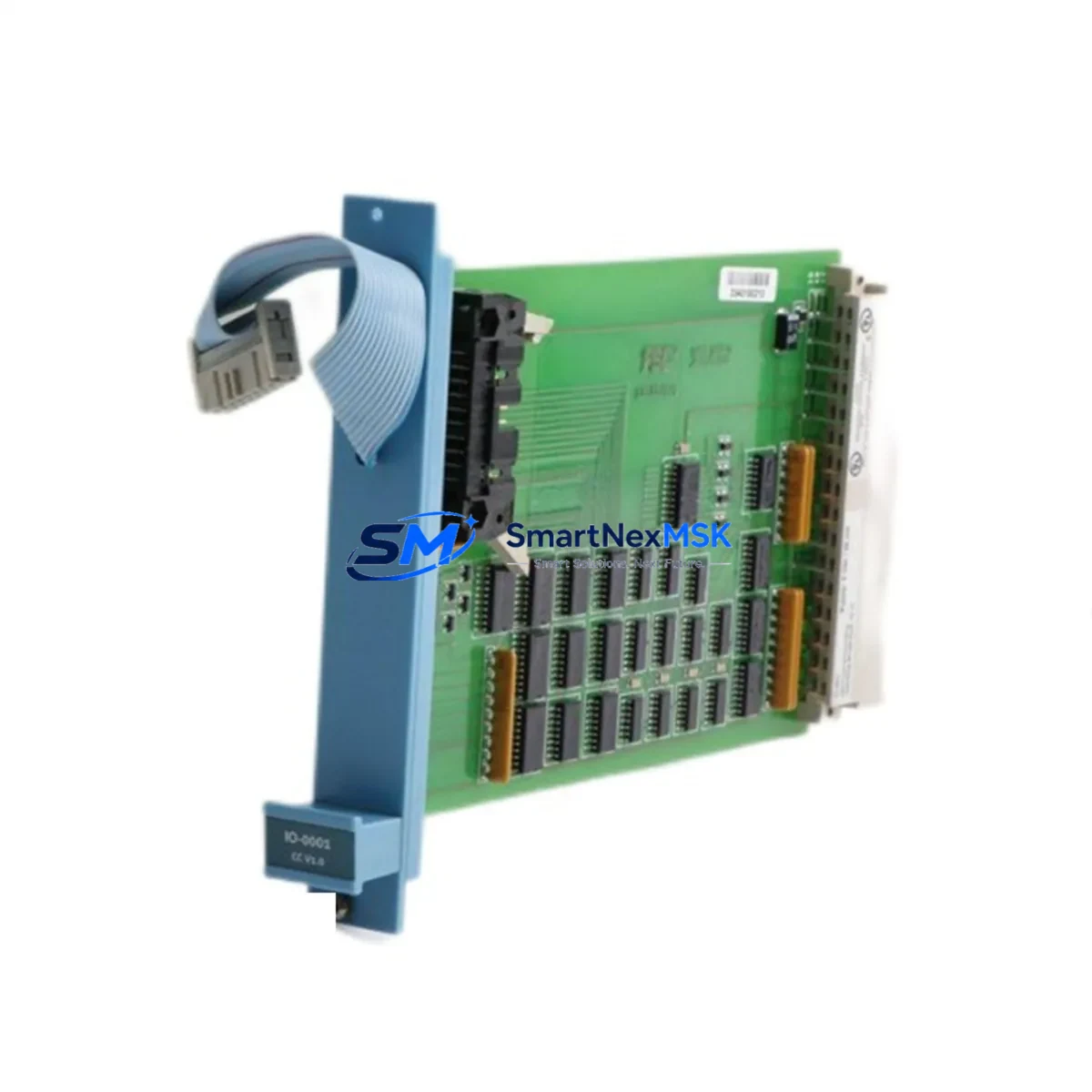
Honeywell FC-SAI-1620M V1.5 Retrofit-Ready Safe Analog Input for Experion PKS Control Systems
The Honeywell FC-SAI-1620M V1.5 is a SIL2-certified 16-channel safe analog input module engineered for seamless integration into Experion PKS Safety Manager architectures. As legacy safety I/O infrastructure reaches end-of-life, this module serves as the primary retrofit solution for facilities migrating away from discontinued Honeywell SM-series I/O cards, enabling a controlled, low-risk upgrade path without requiring full system replacement. Whether you are replacing a failed unit on an operating line, upgrading a control cabinet during a planned shutdown, or expanding I/O capacity on an existing Safety Manager rack, the FC-SAI-1620M V1.5 delivers verified compatibility, documented wiring continuity, and a 12-month warranty backed by pre-shipment functional testing.
Industrial facilities running Honeywell Experion PKS R400 through R501 environments will find this module fully compatible with the standard SM Rack backplane, accepting both 4–20 mA and 1–5 V analog input signals across all 16 channels. Each channel supports HART pass-through for field device diagnostics, preserving existing instrument loops without rewiring. The module communicates over the Safety Manager FTE (Fault Tolerant Ethernet) network, meaning no protocol migration is required when replacing an older FC-SAI-1620M revision. Engineers should confirm the firmware revision of the Safety Manager Controller — typically the FC-SDIL-0002 or FC-SDIL-0004 — to ensure compatibility with V1.5 module firmware before installation.
During retrofit planning, the power budget of the existing SM Rack must be verified. The FC-SAI-1620M V1.5 draws power from the rack’s FC-PSU-0024 or FC-PSU-0048 power supply module. If the existing rack is already near capacity due to co-installed FC-SDO-0824 safe digital output modules or FC-SDI-1220 safe digital input modules, a supplementary power supply may be required before the new analog input card is seated. Terminal block wiring from the existing FC-TBIO-0001 or FC-TBIO-0002 field termination assemblies is directly compatible, eliminating the need for field rewiring in most standard installations.
Module address configuration is handled through the Safety Manager Engineering Environment (SMEE). When replacing a failed FC-SAI-1620M, the replacement module inherits the slot address automatically upon rack insertion, provided the Safety Manager Controller is in run mode and the replacement module carries the same hardware revision. For installations where the revision differs, a brief controller download cycle is required — typically completed within 15 minutes using the existing project database without modifying any safety logic. HMI faceplates built on Experion Station or third-party SCADA systems referencing the original I/O tags remain unaffected, as tag mapping is preserved at the controller level.
Upgrade Compatibility Table
| Parameter | FC-SAI-1620M V1.5 (This Module) | Legacy / Replaced Model |
|---|---|---|
| Channel Count | 16 Safe Analog Input Channels | 16 (FC-SAI-1620M V1.0 / V1.2) |
| Signal Type | 4–20 mA / 1–5 V, HART Pass-Through | 4–20 mA / 1–5 V (no HART on V1.0) |
| Safety Rating | SIL2 (IEC 61508) | SIL2 |
| Backplane Interface | SM Rack Standard Backplane | SM Rack Standard Backplane |
| Communication Protocol | FTE (Fault Tolerant Ethernet) | FTE |
| Field Termination | FC-TBIO-0001 / FC-TBIO-0002 Compatible | FC-TBIO-0001 / FC-TBIO-0002 |
| Power Supply Compatibility | FC-PSU-0024 / FC-PSU-0048 | FC-PSU-0024 / FC-PSU-0048 |
| Controller Download Required | Only if hardware revision differs | N/A |
| Commissioning Time (Typical) | 15–30 minutes per module | — |
| Warranty | 12 Months (Pre-Shipment Tested) | — |
Retrofit Planning for Existing Automation Systems
A successful retrofit begins with a complete audit of the existing SM Rack configuration. Before ordering the FC-SAI-1620M V1.5, engineers should document the current slot assignments across the rack, noting the positions of any FC-SDI-1220 safe digital input modules, FC-SDO-0824 safe digital output modules, and FC-SAO-0820 safe analog output modules. This audit prevents slot conflicts and confirms that the rack’s FC-PSU-0048 power supply has sufficient headroom for the new module’s load.
Field wiring connected to the existing FC-TBIO-0002 termination assembly should be photographed and labeled before any module removal. In most Experion PKS installations, the termination assembly remains mounted in the control cabinet while only the I/O module is extracted from the backplane — a significant advantage that eliminates field rewiring entirely. Engineers should verify that the HART multiplexer, if present, is configured to poll the new module’s channel addresses after replacement, as HART device descriptors may need to be refreshed in the asset management system.
For facilities also upgrading their Safety Manager Controller from an FC-SDIL-0002 to an FC-SDIL-0004, the FC-SAI-1620M V1.5 is fully compatible with both controller generations. The SMEE project database can be migrated using the standard export/import procedure, preserving all cause-and-effect logic, bypass configurations, and I/O channel assignments. Communication links to the Experion PKS server via the FTE switch infrastructure — typically a Cisco IE 3000 or equivalent industrial Ethernet switch — require no reconfiguration during a module-level replacement.
Where I/O expansion is the primary objective rather than direct replacement, additional SM Racks can be added to the existing FTE network segment. Each rack supports up to 12 I/O module slots, and a single Safety Manager Controller can manage multiple racks simultaneously. The FC-SAI-1620M V1.5 is the recommended analog input module for new rack expansions, providing forward compatibility with Experion PKS R501 and later software releases.
Downtime Control During System Migration
Minimizing process downtime during a safety I/O module replacement requires a structured sequence that protects both personnel safety and production continuity. The recommended approach is to place the affected I/O channels into bypass mode within the Safety Manager before extracting the module. Bypass status should be logged and approved through the facility’s Management of Change (MOC) process prior to any hardware intervention.
With channels in bypass, the FC-SAI-1620M V1.5 can be inserted into the vacated slot while the Safety Manager Controller remains in run mode. The controller will detect the new module within seconds and begin a self-test sequence. If the hardware revision matches the previous module, the controller will automatically restore the channels from bypass and resume normal safety monitoring — the entire hot-swap sequence typically completes in under five minutes for a direct revision-matched replacement.
Where a controller download is required due to a revision mismatch, the Safety Manager Controller must be placed in program mode briefly. During this window, the redundant controller (if a redundant FC-SDIL-0004 pair is installed) maintains safety monitoring, ensuring no gap in protection. Single-controller installations require a coordinated shutdown of the affected process section during the download window — typically 10 to 15 minutes. All original program logic, including interlock configurations and HMI tag references, is preserved throughout this process, as the download updates only the I/O module firmware mapping without altering the safety application logic.
Post-replacement commissioning includes a channel-by-channel loop check against the field instruments, verification of HART communication on each channel, and confirmation that all Experion Station alarm displays reflect correct engineering unit values. A final pre-startup safety review should confirm that all bypasses have been cleared and that the Safety Manager diagnostic summary shows no active faults on the new module before the process is returned to normal operation.
Retrofit Support FAQ
Q1: Is the FC-SAI-1620M V1.5 a direct drop-in replacement for earlier V1.0 and V1.2 revisions?
Yes. The V1.5 uses the same backplane connector, slot form factor, and field termination interface as V1.0 and V1.2. The primary differences are the addition of HART pass-through on V1.5 and updated firmware. In most installations, no wiring changes are required. A controller download is only needed if the Safety Manager Controller firmware does not natively support V1.5 module firmware — this can be confirmed in the SMEE compatibility matrix before ordering.
Q2: What commissioning steps are required after installing the replacement module?
After seating the module, verify that the Safety Manager Controller recognizes the module in the SMEE rack view. Perform a channel-by-channel loop check to confirm 4–20 mA signal integrity on all active channels. If HART is in use, refresh the HART device list in the asset management system. Clear all channel bypasses, confirm no diagnostic faults are active, and document the replacement in the facility’s maintenance log before returning the process to service.
Q3: Can this module be used in a non-safety (standard) Experion PKS rack?
No. The FC-SAI-1620M V1.5 is designed exclusively for the Honeywell Safety Manager SM Rack and requires the SM backplane for power and communication. It is not compatible with standard Experion PKS C300 or EPKS I/O Link racks. For standard analog input applications in Experion PKS, the HC-RAIL-0100 series I/O modules are the appropriate selection.
Q4: What does the 12-month warranty cover, and how is it validated?
Every FC-SAI-1620M V1.5 unit shipped by SMARTNEXMSK undergoes pre-shipment functional testing, including power-on self-test, channel signal verification, and backplane communication check. The 12-month warranty covers manufacturing defects and functional failures under normal operating conditions. Warranty claims are supported by the test report issued with each shipment. Units showing physical damage from incorrect installation or overvoltage conditions are not covered under the standard warranty terms.
© 2026 SMARTNEXMSK. All rights reserved.
Original Source: https://smartnexmsk.com
Contact: [email protected] | +86 18259474341



