
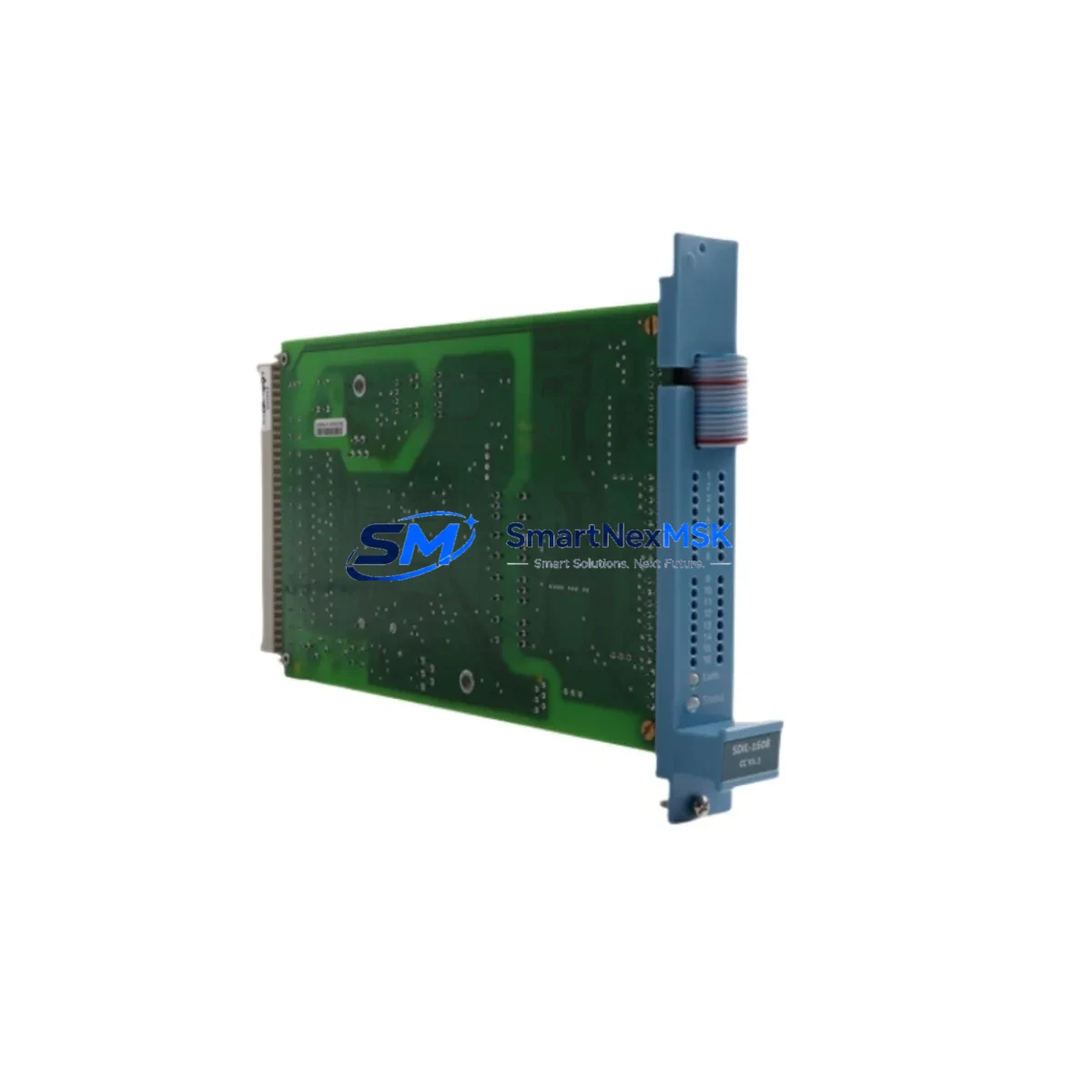
Honeywell FC-SDIL-1608 V1.3 Spare for Safety Manager: Rapid Replacement & Downtime Risk Control
The Honeywell FC-SDIL-1608 V1.3 is a 16-channel digital input module designed for the Honeywell Safety Manager (SM) safety instrumented system (SIS). As a critical I/O component in SIL-rated safety loops, this module handles discrete field signal acquisition from sensors, switches, and transmitters in process plants, refineries, chemical facilities, and power generation environments. Maintaining a verified spare of the FC-SDIL-1608 V1.3 in your on-site inventory is a fundamental requirement for any maintenance strategy aimed at minimizing unplanned downtime and sustaining functional safety compliance.
When this module fails or requires replacement during a planned turnaround, the ability to swap in a tested, original unit within minutes — rather than waiting weeks for procurement — is the difference between a controlled maintenance window and a costly production halt. Our FC-SDIL-1608 V1.3 units are sourced as original Honeywell components, individually inspected, and shipped with a 12-month warranty covering manufacturing defects and functional performance.
Spare Maintenance Table
| Parameter | Specification |
|---|---|
| Part Number | FC-SDIL-1608 V1.3 |
| Brand | Honeywell |
| Series | Safety Manager (SM) / FSC |
| Module Type | 16-Channel Digital Input (DI) Safety I/O Module |
| Safety Integrity Level | SIL 2 / SIL 3 capable (per IEC 61508) |
| Input Voltage Range | 24 VDC nominal field input |
| Channel Count | 16 discrete input channels |
| Backplane Compatibility | Honeywell Safety Manager I/O backplane / chassis |
| Communication Interface | Internal SM backplane bus |
| Operating Temperature | 0°C to 60°C (32°F to 140°F) |
| Mounting | DIN rail / rack-mount chassis slot |
| Application Environment | Process safety, ESD, F&G, BMS systems |
| Condition | Original, new or refurbished-tested |
| Pre-shipment Testing | Functional I/O verification performed |
| Warranty | 12 Months — manufacturing defects & functional performance |
| Origin | USA |
| Lead Time | In stock — ships within 1–3 business days |
Maintenance Planning for Continuous Operation
Replacing the FC-SDIL-1608 V1.3 in a live Safety Manager system is rarely an isolated task. Experienced maintenance engineers know that a digital input module failure often signals stress on adjacent components sharing the same I/O chassis, power rail, or field wiring loop. A thorough site inspection during any FC-SDIL-1608 replacement should include the following checks and component reviews:
Power Supply Integrity: Verify the Honeywell FC-PSU-1620 or equivalent SM-series power supply module is delivering stable 24 VDC to the I/O chassis. Voltage sags or ripple can cause intermittent DI channel faults that mimic module failure. Inspect the power supply’s status LEDs and measure output under load before condemning the DI module.
I/O Backplane and Chassis: Inspect the SM I/O backplane for bent connector pins, corrosion, or thermal discoloration. A faulty backplane slot can damage replacement modules. If the chassis has been in service for more than 10 years, consider stocking a spare backplane assembly alongside the FC-SDIL-1608.
Digital Output Modules: In ESD and F&G applications, DI modules work in tandem with digital output modules such as the FC-SDOL-0824. If a DI channel is reading incorrectly, cross-check the corresponding DO channel and field device to isolate whether the fault is in the input path, output path, or field wiring.
Field Wiring and Terminal Blocks: Inspect field-side terminal blocks and cable shields connected to the FC-SDIL-1608 input channels. Loose terminations, corroded terminals, or damaged cable insulation are common root causes of spurious input signals. Phoenix Contact or Weidmüller-style terminal blocks used in SM marshalling cabinets should be torque-checked during any planned maintenance.
Signal Isolators and Barriers: Where intrinsically safe (IS) field devices are connected, Zener barriers or galvanic isolators (e.g., MTL or Pepperl+Fuchs IS barriers) sit between the field and the FC-SDIL-1608 input channels. A degraded isolator can cause channel faults without any visible module alarm. Always test IS barriers when troubleshooting persistent DI channel errors.
Communication and Processor Modules: The Honeywell FC-CPU-0014 or equivalent Safety Manager CPU/communication module governs I/O scanning and diagnostics. If multiple DI channels across different modules show faults simultaneously, the issue may originate at the processor or communication bus level rather than the individual DI module.
Fuses and Protection Devices: Check field-side fuses protecting each DI input group. Blown fuses are a frequent cause of channel loss and are often overlooked during rapid fault diagnosis. Maintain a stock of appropriate fuse ratings (typically 0.5A–2A fast-blow) alongside your FC-SDIL-1608 spare.
HMI and Operator Station: After module replacement, verify that the Honeywell Safety Manager HMI (or integrated Experion PKS operator station) correctly reflects the restored channel status. Confirm that no latched alarms or bypasses remain active from the fault period before returning the safety loop to service.
Site Replacement Workflow
Replacing the FC-SDIL-1608 V1.3 follows a structured procedure to ensure system integrity and minimize exposure time:
1. Pre-Replacement Verification: Confirm the replacement module’s firmware version and hardware revision (V1.3) match the installed unit. Mismatched hardware revisions can cause configuration download failures in the Safety Manager engineering station. Document the existing module’s channel configuration, bypass status, and any active diagnostics before removal.
2. Safe State Confirmation: Place the affected safety loop in a defined safe state or bypass per your site’s Management of Change (MOC) and Permit to Work (PTW) procedures. Never hot-swap a safety I/O module without confirming the process is in a safe condition or the loop is properly bypassed and documented.
3. Module Removal and Installation: Power down the I/O chassis slot if required by your site procedure. Remove the FC-SDIL-1608 by releasing the module locking mechanism and sliding it from the backplane. Insert the replacement module firmly until the backplane connector is fully seated. Restore power and observe the module’s diagnostic LEDs for normal startup indication.
4. Configuration Download and Verification: Using the Honeywell Safety Manager engineering tool, download the existing I/O configuration to the replacement module. Perform a channel-by-channel functional test by stimulating each field input and verifying correct status indication at the HMI. Document test results per your site’s functional safety management system.
5. Return to Service: Remove all bypasses, confirm alarm annunciation is restored, and update the maintenance record with the replacement date, module serial number, and test results. Retain the removed module for failure analysis or refurbishment evaluation.
This workflow is applicable to both planned turnaround replacements and emergency corrective maintenance scenarios. Having a pre-tested FC-SDIL-1608 V1.3 spare on-site eliminates procurement lead time from the critical path and allows maintenance teams to execute the above procedure within a single shift.
Spare Parts Support FAQ
Q1: How long is the warranty on the FC-SDIL-1608 V1.3, and what does it cover?
All FC-SDIL-1608 V1.3 units supplied by SMARTNEXMSK carry a 12-month warranty from the date of shipment. The warranty covers manufacturing defects and verified functional failures under normal operating conditions. Each unit undergoes pre-shipment functional testing to confirm I/O channel integrity before dispatch. Warranty claims are supported by our technical team with replacement or repair at no additional cost.
Q2: Is this module compatible with all versions of the Honeywell Safety Manager system?
The FC-SDIL-1608 V1.3 is designed for the Honeywell Safety Manager (SM) platform and is compatible with standard SM I/O chassis and backplane configurations. Hardware revision V1.3 should be matched to your existing installed base to ensure configuration compatibility with the Safety Manager engineering software. If you are unsure of your system’s hardware revision requirements, contact our technical team with your SM system version and we will confirm compatibility before shipment.
Q3: What is your recommended spare parts inventory strategy for Safety Manager I/O modules?
For critical process safety applications, we recommend maintaining a minimum of one spare FC-SDIL-1608 V1.3 per installed chassis, with additional spares proportional to the number of installed units and your site’s mean time to repair (MTTR) targets. For facilities with extended procurement lead times or remote locations, a two-unit buffer stock is advisable. Pair your DI module spares with corresponding power supply and CPU module spares to ensure full system recoverability in a major fault scenario.
Q4: Can you supply the FC-SDIL-1608 V1.3 on a long-term or scheduled replenishment basis?
Yes. SMARTNEXMSK supports long-term spare parts supply agreements for industrial automation components including Honeywell Safety Manager modules. We maintain stock of high-demand SM I/O modules and can arrange scheduled replenishment aligned with your annual maintenance planning cycle or turnaround schedule. Contact our sales team to discuss volume pricing, lead time commitments, and consignment stock options.
© 2026 SMARTNEXMSK. All rights reserved.
Original Source: https://smartnexmsk.com
Contact: [email protected] | +86 18259474341



