
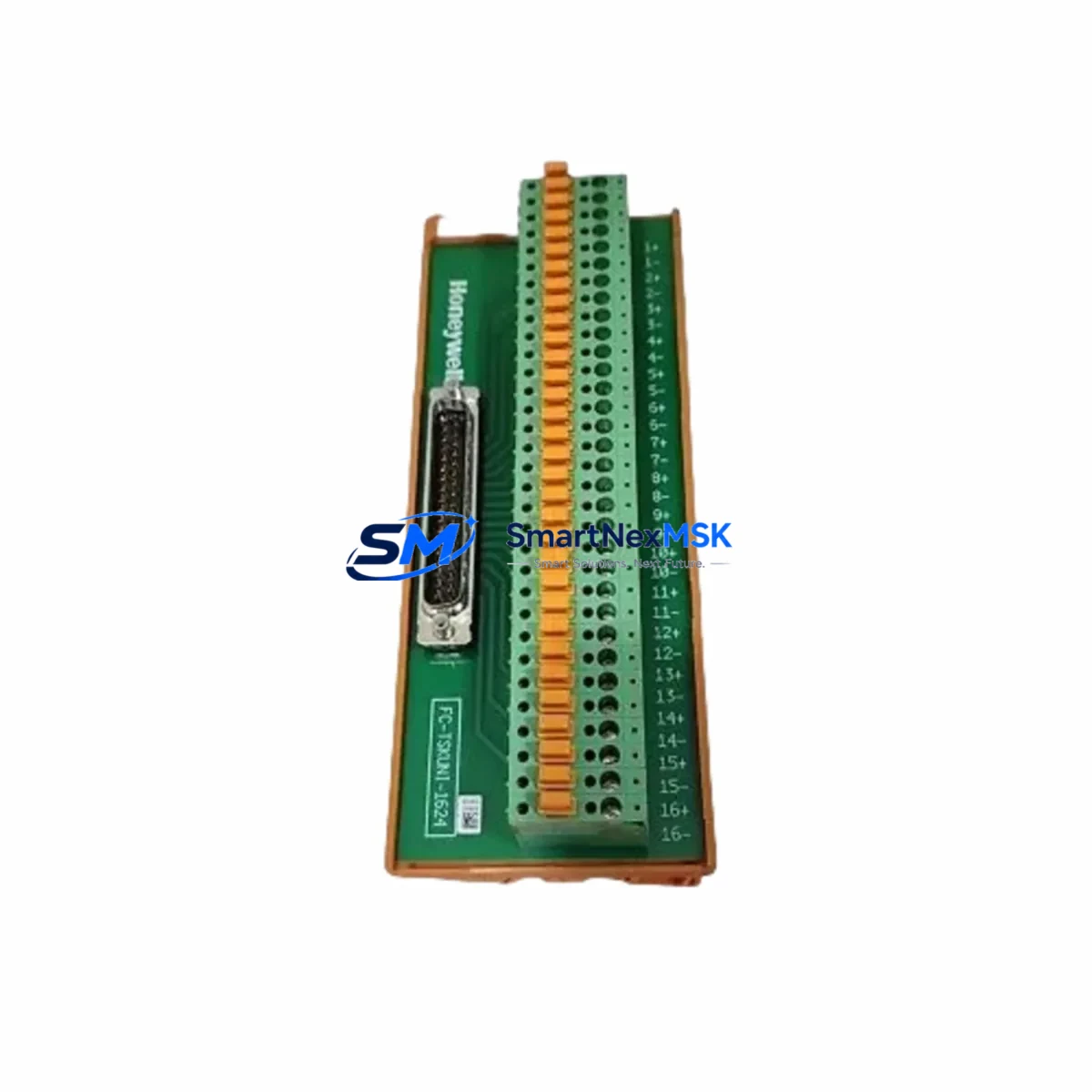
Honeywell FC-TDIO52 Spare for Safety Manager Automation
The Honeywell FC-TDIO52 is a certified Digital I/O Termination Module designed for the Honeywell Safety Manager (SM) safety instrumented system. As a maintenance-ready original spare, the FC-TDIO52 supports SIL 2 and SIL 3 applications in process industries including oil & gas, petrochemical, power generation, and chemical manufacturing. Holding a verified stock of this module is a proven strategy for minimizing unplanned downtime and protecting the integrity of safety loops during corrective and preventive maintenance cycles.
For maintenance engineers managing aging Safety Manager installations, the FC-TDIO52 serves as a direct field replacement for failed or degraded I/O termination assemblies. Its plug-and-play compatibility with the Safety Manager chassis eliminates the need for re-engineering during emergency shutdowns. Procurement engineers sourcing this module should confirm the firmware revision of the target SM controller to ensure seamless integration without additional configuration overhead.
Each unit shipped by SMARTNEXMSK undergoes pre-shipment functional verification, is packaged in anti-static ESD-safe materials, and is backed by a 12-month warranty covering manufacturing defects. Long-term supply continuity is maintained through established sourcing channels, making SMARTNEXMSK a reliable partner for both emergency spot buys and planned annual spare parts replenishment programs.
Spare Maintenance Table
| Parameter | Specification |
|---|---|
| Part Number | FC-TDIO52 |
| Brand | Honeywell |
| Series | Safety Manager (SM) |
| Module Type | Digital I/O Termination Module |
| Safety Integrity Level | SIL 2 / SIL 3 (IEC 61508) |
| I/O Channels | 52 Digital I/O Points |
| Supply Voltage | 24 VDC (nominal) |
| Operating Temperature | 0°C to +60°C |
| Mounting | Safety Manager Chassis / Backplane |
| Communication Interface | Internal Safety Manager Bus |
| Certifications | TÜV, IEC 61508, SIL 2/3 |
| Compatibility | Honeywell Safety Manager SM Series Controllers |
| Origin | USA |
| Condition | Original, New / Surplus New |
| Pre-Shipment Test | Yes — Functional verification performed |
| Warranty | 12 Months |
| Lead Time | In Stock — Ships within 3–5 business days |
Maintenance Planning for Continuous Operation
When replacing the FC-TDIO52 in a Safety Manager cabinet, a thorough inspection of the surrounding electrical environment is essential to prevent repeat failures and ensure the safety loop is fully restored. Maintenance engineers should begin by verifying the 24 VDC power supply feeding the SM chassis — a degraded or undersized power module such as the FC-PSU1 or FC-PSU2 can cause intermittent I/O faults that mimic module failure. Confirm that the power rail voltage is within tolerance before installing the replacement FC-TDIO52.
Next, inspect the FC-SDIO52 safety digital I/O module that interfaces with the FC-TDIO52 termination assembly. These two components operate as a matched pair; a fault in the SDIO module may have contributed to the termination module failure. Similarly, review the condition of the FC-SM-PROC Safety Manager processor module for any logged diagnostic alarms that could indicate upstream communication issues.
Field wiring connected to the FC-TDIO52 should be inspected for insulation degradation, loose terminal connections, and correct shielding. The FC-TBIO52 terminal block assembly, if installed, should be checked for corrosion and proper torque on all screw terminals. In high-vibration environments, terminal loosening is a common root cause of I/O signal loss.
For installations using redundant safety loops, verify that the FC-RLYDO08 relay output module and associated relay coil circuits are functioning correctly. Relay contacts in safety shutdown circuits should be tested for contact resistance and proper dropout timing. Additionally, inspect any signal isolators or barriers (such as Zener barriers or galvanic isolators) installed between field instruments and the FC-TDIO52 inputs — degraded isolators can introduce signal offset errors that trigger nuisance trips.
If the Safety Manager system communicates with a DCS or SCADA platform via Modbus, PROFIBUS, or OPC, verify that the FC-CNET or equivalent communication module is operating normally after the I/O module replacement. A module swap can occasionally trigger a communication timeout that requires a soft reset of the communication interface. Finally, confirm that the Safety Manager Engineering Station (SMES) software reflects the updated module configuration and that all safety function tests (proof tests) are re-executed per the site’s Safety Instrumented Function (SIF) test plan before returning the loop to service.
Site Replacement Workflow
Step 1 — Permit and Isolation: Obtain a valid work permit and isolate the affected safety loop per site MOC (Management of Change) procedures. Notify the control room and document the bypass activation in the Safety Manager bypass log.
Step 2 — Module Removal: Power down the affected SM chassis slot if hot-swap is not supported for this configuration. Carefully disconnect field wiring from the FC-TDIO52 termination assembly, labeling each conductor. Remove the module from the chassis backplane using the ejector levers.
Step 3 — Inspection and Comparison: Compare the replacement FC-TDIO52 part number, revision label, and firmware compatibility against the removed unit. Confirm the replacement is approved for the installed Safety Manager firmware version. Check the backplane connector pins for damage or contamination.
Step 4 — Installation: Seat the replacement FC-TDIO52 firmly into the chassis slot until the ejector levers lock. Reconnect field wiring in the correct terminal sequence per the as-built wiring diagram. Restore power to the chassis slot.
Step 5 — Verification and Proof Test: Confirm the Safety Manager diagnostic display shows the module as healthy with no fault codes. Perform a channel-by-channel I/O verification test. Execute the required SIF proof test per the site’s functional safety management plan. Remove the bypass and return the safety loop to automatic mode. Update maintenance records and spare parts inventory.
Spare Parts Support FAQ
Q1: Is the FC-TDIO52 compatible with all Safety Manager chassis revisions?
The FC-TDIO52 is designed for the Honeywell Safety Manager SM series. Compatibility depends on the chassis hardware revision and installed SM firmware version. We recommend providing your SM system version details when ordering so our technical team can confirm compatibility before shipment.
Q2: What does the 12-month warranty cover?
The 12-month warranty covers manufacturing defects and functional failures under normal operating conditions. Each unit is functionally tested prior to shipment. Warranty claims are supported with replacement or full refund, subject to inspection of the returned unit.
Q3: Can the FC-TDIO52 be used as a direct replacement for an older revision of the same module?
In most cases, yes — Honeywell maintains backward compatibility within the Safety Manager I/O family. However, if the installed system is running a legacy SM firmware version, a firmware upgrade may be required. Contact our sales team at [email protected] to verify cross-revision compatibility for your specific installation.
Q4: What is your typical lead time and do you maintain long-term stock?
We maintain standing inventory of the FC-TDIO52 to support both emergency replacement orders and planned annual spare parts programs. Standard lead time is 3–5 business days for in-stock units. For customers requiring guaranteed stock reservation for multi-year maintenance contracts, please contact us to discuss a dedicated inventory agreement.
© 2026 SMARTNEXMSK. All rights reserved.
Original Source: https://smartnexmsk.com
Contact: [email protected] | +86 18259474341



