
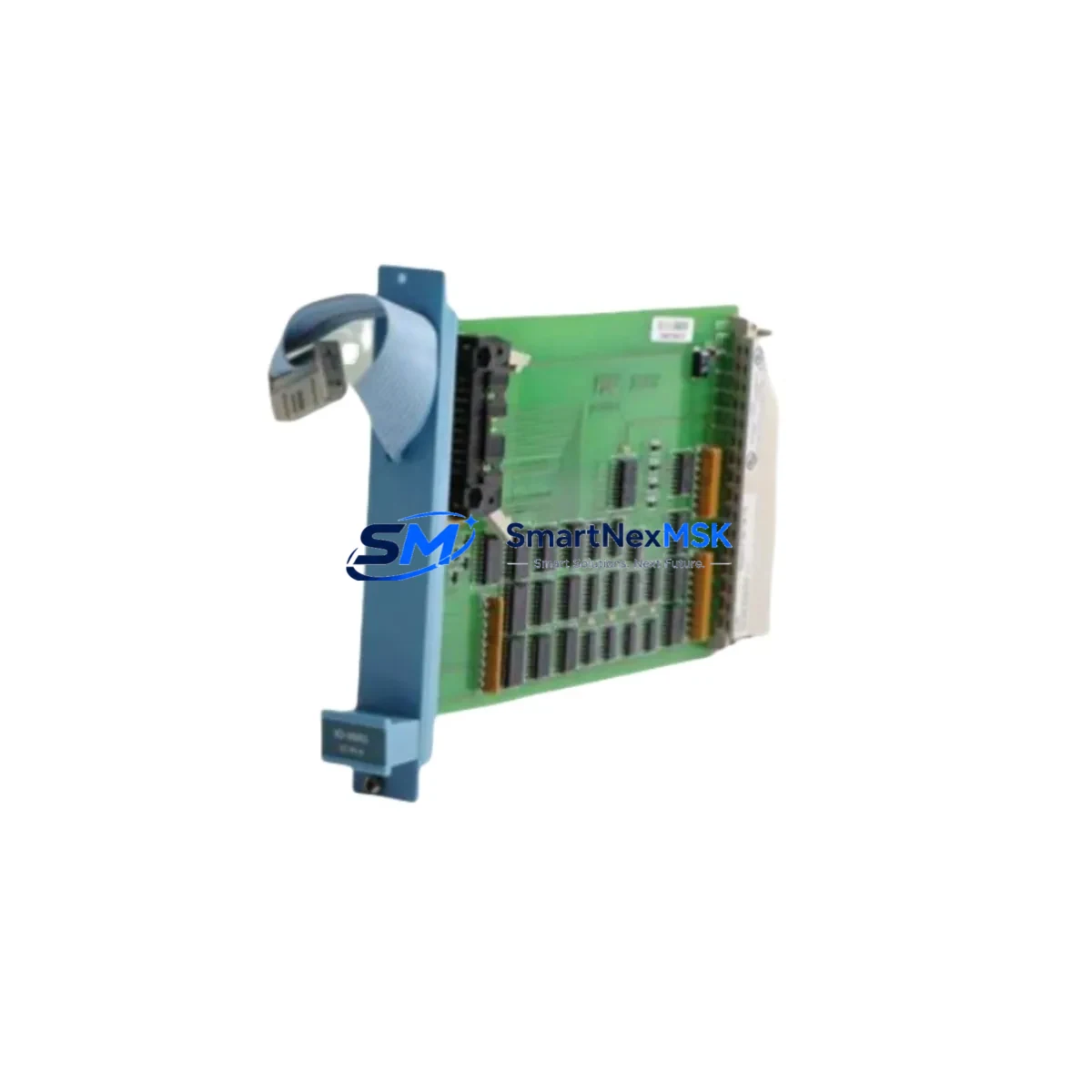
Honeywell FC-TRO-1024 Retrofit-Ready DO Module for Safety Manager: Compatible Modernization for Legacy Safety Control Systems
The Honeywell FC-TRO-1024 is a SIL 2/3-rated Digital Output Module designed for the Honeywell Safety Manager platform — one of the most widely deployed safety instrumented systems (SIS) in petrochemical, refining, power generation, and process manufacturing facilities worldwide. As original FC-TRO-1024 units reach end-of-life or become increasingly difficult to source through standard distribution channels, plant engineers and automation integrators are actively seeking verified retrofit-ready replacements that preserve system integrity without requiring a full safety system overhaul.
This listing provides a fully tested, wiring-compatible FC-TRO-1024 Digital Output Module suitable for direct installation into existing Honeywell Safety Manager cabinets. Each unit undergoes pre-shipment functional verification and is backed by a 12-month warranty covering manufacturing defects and operational failures under normal service conditions.
Upgrade Compatibility Table
| Parameter | FC-TRO-1024 Specification | Retrofit Notes |
|---|---|---|
| Module Type | Digital Output (DO), SIL 2/3 | Direct slot replacement in Safety Manager chassis |
| Output Channels | 24 channels (typical) | Verify channel count against existing I/O map before installation |
| Backplane Interface | Safety Manager proprietary backplane bus | Compatible with standard Safety Manager rack; no adapter required |
| Power Supply Compatibility | 24 VDC field power; backplane logic power from chassis | Confirm field power rail capacity before hot-swap; de-energize field wiring first |
| Terminal Wiring | Screw-terminal field wiring via marshalling cabinet | Existing cable looms and terminal blocks are reusable; no rewiring required |
| Communication Protocol | Internal Safety Manager bus (not Modbus/Profibus direct) | No protocol reconfiguration needed; module address assigned by Safety Manager controller |
| Module Address Assignment | Automatic via Safety Manager configuration database | Confirm slot address in Safety Manager Engineering Workstation before power-up |
| Program Compatibility | Fully compatible with existing Safety Manager application logic | No logic changes required; existing SIL-certified application remains valid |
| HMI Integration | Status visible via Safety Manager HMI / DCS gateway | HMI faceplates and alarm tags require no modification |
| Replacement Category | Drop-in retrofit for discontinued / end-of-life FC-TRO-1024 | Suitable for emergency sparing, planned maintenance, and system life extension |
| Pre-Shipment Testing | Functional output verification on all channels | Test report available on request |
| Warranty | 12-Month Warranty — covers manufacturing defects and operational failures under normal service conditions | |
Retrofit Planning for Existing Automation Systems
Replacing an FC-TRO-1024 in a live Safety Manager installation requires careful pre-work to avoid unplanned shutdowns and to maintain SIL certification continuity. The Safety Manager platform is typically integrated with a broader distributed control system — often a Honeywell Experion PKS or a legacy TDC 3000 — through a dedicated safety gateway or hardwired interlock interface. Before initiating any module swap, the engineering team should retrieve the current I/O assignment list from the Safety Manager Engineering Workstation and cross-reference it against the physical slot position of the failed or aging FC-TRO-1024.
Power capacity is a critical first checkpoint. The Safety Manager chassis power supply — commonly an FC-PSU-0824 or equivalent redundant power module — must have sufficient headroom to support the replacement DO module without triggering an under-voltage condition on the backplane. In redundant power configurations, one supply should be verified independently before the swap begins.
Field wiring connected to the FC-TRO-1024 typically routes through a marshalling cabinet equipped with terminal blocks and fuse assemblies. These terminal connections are standardized across Safety Manager generations, meaning the existing cable looms can be disconnected cleanly and reconnected to the replacement module without modification. Engineers should photograph or document the terminal layout before disconnection as a precaution.
The Safety Manager controller — whether an FC-CPU-0014 single controller or a redundant FC-CPU-0014R pair — manages module recognition automatically upon power-up. Once the replacement FC-TRO-1024 is seated in the correct backplane slot, the controller will detect the module, assign the pre-configured I/O address, and resume normal scan cycle operation. No manual address configuration is required at the module level.
For facilities running Profibus DP or Modbus RTU communication links between the Safety Manager and remote I/O panels or third-party DCS nodes, the FC-TRO-1024 replacement has no impact on those communication links — the DO module operates entirely within the internal Safety Manager bus architecture. Communication modules such as the FC-COM-0024 or FC-COM-0048 remain unaffected and do not require reconfiguration.
In systems where the Safety Manager interfaces with a Honeywell Experion PKS station via an SCNM or FTE network node, the DCS historian and alarm management system will continue to receive DO status data without interruption once the replacement module is online. HMI graphics, alarm priorities, and interlock logic displayed on Experion operator stations require no modification.
For older installations that include legacy FC-SDO-0824 or FC-TDO-0824 output modules in adjacent slots, the FC-TRO-1024 replacement does not affect their operation. The Safety Manager backplane architecture supports mixed module populations, and the replacement can be performed on a single slot without disturbing neighboring I/O modules.
Where the retrofit scope extends beyond a single module — for example, when upgrading an entire I/O subsystem or migrating from an older Safety Manager chassis generation — it is advisable to also audit the FC-AI-0808 analog input modules and FC-DI-0824 digital input modules in the same rack. Aging input modules in the same vintage as a failed FC-TRO-1024 are statistically likely to require replacement within the same maintenance window, and addressing them together minimizes total downtime exposure.
Downtime Control During System Migration
Minimizing process downtime during an FC-TRO-1024 replacement is achievable with disciplined pre-planning. The Safety Manager platform supports online module replacement in certain configurations — consult the site-specific Safety Manager System Manual and the applicable functional safety assessment to confirm whether hot-swap is permitted for your installation’s SIL rating and proof-test interval.
Where a planned shutdown window is required, the recommended sequence is: (1) place the affected safety function in bypass via the Safety Manager Engineering Workstation, documenting the bypass activation in the site management of change (MOC) system; (2) de-energize field wiring to the FC-TRO-1024 at the marshalling cabinet; (3) remove the module from the backplane; (4) seat the replacement FC-TRO-1024 and reconnect field wiring; (5) power up and confirm module status via the Safety Manager diagnostic display; (6) perform a channel-by-channel output verification against the I/O list; (7) remove the bypass and restore the safety function to active monitoring.
The entire sequence, when pre-staged with a tested replacement unit and a documented work package, can typically be completed within a two-to-four hour maintenance window — well within the proof-test intervals specified for most SIL 2 safety functions. Pre-shipment testing of the FC-TRO-1024 replacement unit eliminates the risk of installing a defective module, which is the most common cause of extended unplanned downtime during safety system maintenance.
Preserving the original application logic is straightforward: the Safety Manager controller retains the application program in non-volatile memory and does not require re-downloading after a module swap. The existing SIL-certified logic, interlock setpoints, and cause-and-effect matrix remain intact and active throughout the replacement process.
Retrofit Support FAQ
Q: Is this FC-TRO-1024 a direct drop-in replacement for the original Honeywell part?
A: Yes. The replacement FC-TRO-1024 is dimensionally and electrically compatible with the original Honeywell Safety Manager DO module. It installs into the same backplane slot, uses the same terminal wiring, and is recognized by the Safety Manager controller without any configuration changes. No modifications to the existing application program or I/O database are required.
Q: What pre-shipment testing is performed, and can I receive a test report?
A: Each FC-TRO-1024 unit undergoes functional output verification across all channels prior to shipment. A test report documenting channel status and output verification results is available upon request. Contact [email protected] to request documentation before or after your order.
Q: How do I confirm the correct wiring configuration before installation?
A: Refer to the Safety Manager I/O wiring diagram for your specific cabinet, which should be available in your site engineering documentation package. The FC-TRO-1024 uses a standard screw-terminal field wiring interface consistent across Safety Manager generations. If your site documentation is incomplete, our technical team can assist with wiring verification based on your cabinet layout and I/O list.
Q: What does the 12-month warranty cover, and what is the claims process?
A: The 12-month warranty covers manufacturing defects and operational failures under normal service conditions from the date of shipment. It does not cover damage resulting from incorrect installation, overvoltage, or physical mishandling. To initiate a warranty claim, contact [email protected] with your order reference, a description of the fault, and any available diagnostic output from the Safety Manager Engineering Workstation. Replacement units are dispatched upon fault confirmation.
© 2026 SMARTNEXMSK. All rights reserved.
Original Source: https://smartnexmsk.com
Contact: [email protected] | +86 18259474341



