
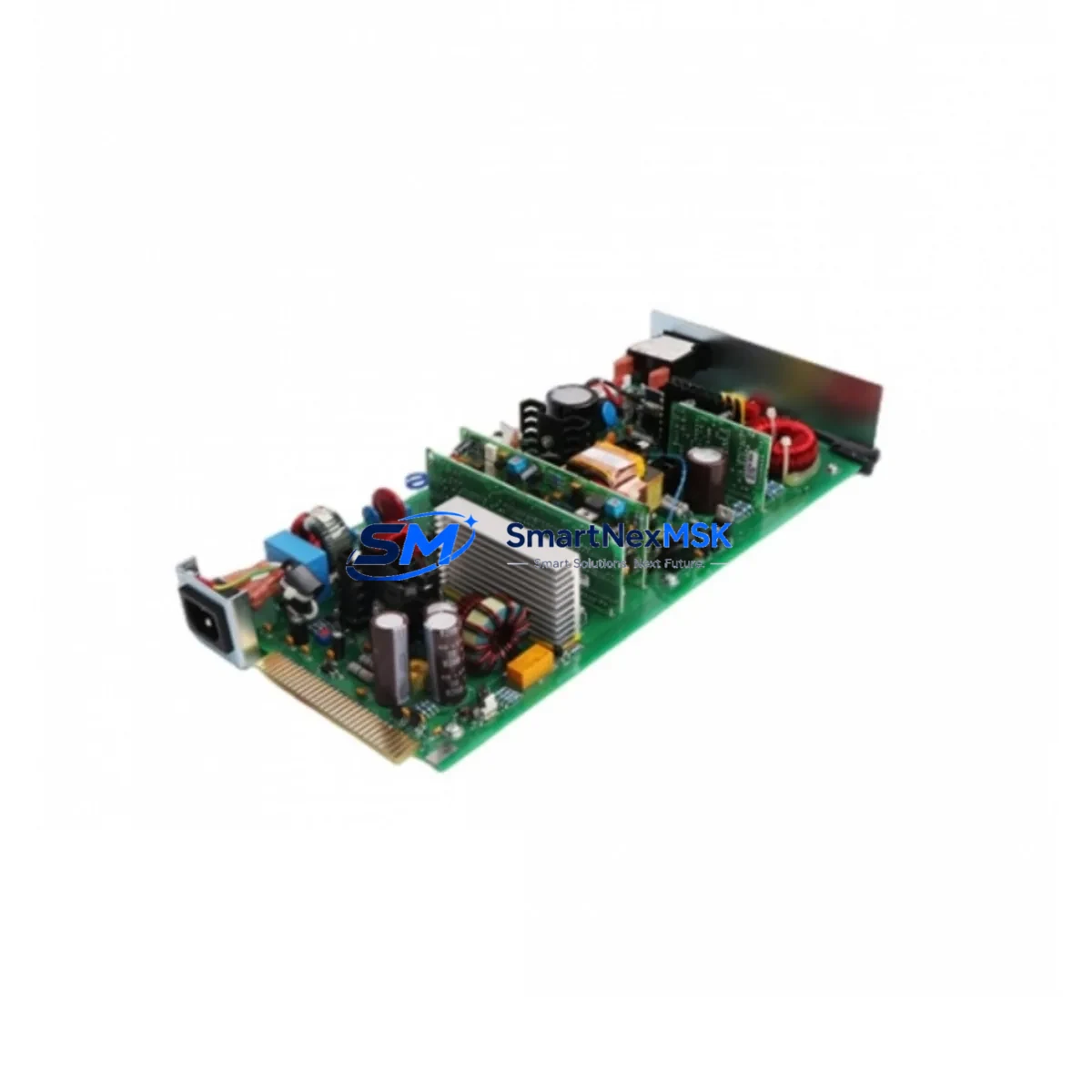
Honeywell FC-TSAI-0410 Retrofit-Ready Analog Input for FSC Safety Systems
The Honeywell FC-TSAI-0410 is a fail-safe analog input module engineered for the Honeywell Safety Manager FSC (Fail-Safe Controller) platform — one of the most widely deployed safety instrumented systems (SIS) in the process automation and oil & gas industries. As legacy FSC installations age and OEM support windows close, the FC-TSAI-0410 has become a critical retrofit component for engineers tasked with extending system life, replacing discontinued modules, and maintaining SIL 2/SIL 3 compliance without a full DCS migration.
This module accepts four analog input channels (0–10 V or 4–20 mA configurable), provides galvanic isolation, and integrates directly into the FSC backplane via the standard FSC rack connector. It is fully compatible with the FSC Hardware Configuration Tool (HCT) and requires no firmware changes when replacing an identical or functionally equivalent predecessor module. Engineers performing a like-for-like swap can retain existing I/O addresses, channel assignments, and safety function logic without modifying the application program in FSC Safety Builder.
Upgrade Compatibility Table
| Parameter | FC-TSAI-0410 (This Module) | Notes / Retrofit Guidance |
|---|---|---|
| Platform | Honeywell Safety Manager FSC | Direct backplane fit; no adapter required |
| Input Channels | 4 × Analog (0–10 V / 4–20 mA) | Verify field wiring polarity before insertion |
| Backplane Interface | FSC standard rack connector | Compatible with FSC 6-slot and 12-slot racks |
| Communication | Internal FSC safety bus | No external fieldbus configuration required |
| Module Address | Set via HCT slot assignment | Must match original HCT project file slot mapping |
| SIL Rating | SIL 2 / SIL 3 capable | Confirm SIL level in safety requirements spec |
| Power Consumption | Supplied via FSC backplane (5 VDC / 24 VDC) | Verify rack PSU capacity before adding modules |
| Replacement Scope | Like-for-like or functional upgrade | Retain I/O address; no program recompile needed |
| Installation | Hot-swap capable (rack-dependent) | Confirm hot-swap support with site safety officer |
| Commissioning | HCT download + channel verification | Perform loop test on all 4 channels post-swap |
| Warranty | 12 Months | Covers manufacturing defects; includes test report |
Retrofit Planning for Existing Automation Systems
Successful integration of the FC-TSAI-0410 into an aging FSC installation begins well before the module arrives on site. A structured retrofit plan must account for the full control architecture — from the field instrument wiring through the FSC rack, across the safety network, and up to the operator interface.
Start by auditing the existing FSC rack configuration. Identify the slot position of the module being replaced and cross-reference it against the active HCT project file. The FC-TSAI-0410 must occupy the same slot to preserve the I/O address mapping used in the safety application. If the rack is a mixed-module chassis also housing the FC-TSDO-0824 digital output module or the FC-TSDI-0808 digital input module, confirm that the total backplane power budget — typically supplied by the FC-PSU-0100 or FC-PSU-0200 power supply module — is not exceeded after the swap.
Terminal wiring is the next critical checkpoint. The FC-TSAI-0410 uses a standard FSC field terminal block. Before disconnecting the existing module, photograph and document all field wiring connections. Verify that the 4–20 mA transmitters connected to each channel are loop-powered correctly and that cable shielding is grounded at one end only to prevent ground loops. If the site uses FC-TBU terminal base units with pre-wired marshalling, the physical swap is straightforward — but always confirm signal polarity and channel-to-tag mapping against the P&ID.
For sites running the FSC over a Modbus RTU or PROFIBUS DP communication link to a supervisory DCS or SCADA system, the analog input values from the FC-TSAI-0410 are mapped through the FSC communication processor — typically the FC-SDNV-0100 or FC-ELNK-0100 Ethernet link module. No changes to the communication configuration are required for a like-for-like module replacement, but engineers should verify that the data block addresses used by the DCS historian or Honeywell Experion PKS operator station remain consistent after the HCT download.
If the retrofit involves upgrading from an older FSC generation to a current-production FC-TSAI-0410, review the HMI faceplate assignments in the Experion PKS or third-party SCADA system. Analog input tags tied to the replaced module may require a point re-scan or tag refresh to confirm live data flow. This step is often overlooked and can cause false bad-quality alarms on the operator display during the first hours after restart.
Downtime Control During System Migration
Minimizing process downtime during an FSC module replacement requires a disciplined sequence of pre-outage, outage, and post-outage activities. The goal is to complete the physical swap, HCT download, and channel verification within a single planned maintenance window — typically 2 to 4 hours for a single analog input module replacement.
Before the outage window opens, prepare a complete backup of the active HCT project file and the FSC application program from FSC Safety Builder. Store the backup on an isolated engineering workstation — not on the FSC controller itself. Confirm that the replacement FC-TSAI-0410 has passed pre-shipment functional testing (a test report is included with every unit we supply) and that the firmware revision matches the version recorded in the HCT project.
During the outage, follow the FSC module removal procedure: inhibit the safety function associated with the affected channels in the application logic (if the process safety plan permits), remove the module from the rack, insert the FC-TSAI-0410, and perform an HCT configuration download. Do not power-cycle the entire FSC rack unless required — most FSC installations support per-slot module replacement without a full rack restart, which protects the program state of all other modules, including the FC-CPU-0100 central processing unit and any co-processor modules in the chassis.
Post-swap, perform a four-channel loop test: inject a known 4 mA, 12 mA, and 20 mA signal at each field terminal and verify that the FSC application reads the correct engineering-unit value. Confirm that the DCS or SCADA system receives live, good-quality data on all four tags before releasing the safety function from inhibit. Document the as-found and as-left readings for the site maintenance record and SIS proof-test log.
Retrofit Support FAQ
Q1: Is the FC-TSAI-0410 a direct drop-in replacement for older FSC analog input modules?
Yes. The FC-TSAI-0410 is designed as a form-fit-function replacement for compatible FSC analog input modules. It uses the same backplane connector, occupies the same rack slot, and is recognized by the HCT without requiring a new module type definition. In most cases, no changes to the FSC application program or I/O address table are needed.
Q2: What commissioning steps are required after installing the FC-TSAI-0410?
After physical installation, perform an HCT configuration download to the FSC controller, then execute a four-channel loop test using a calibrated current source. Verify engineering-unit readings in the FSC diagnostic display and confirm data quality in the connected DCS or SCADA system. If the site uses a Honeywell Experion PKS or third-party historian, perform a tag refresh to confirm live data flow on all four channels.
Q3: How do I verify wiring compatibility before swapping the module?
Document all field wiring connections before removing the existing module. Confirm that each channel field device is a 4–20 mA two-wire or four-wire transmitter compatible with the FC-TSAI-0410 input specification. Check cable shielding, grounding, and terminal torque values against the FSC field wiring manual. If the site uses FC-TBU terminal base units, the wiring remains connected to the terminal base during the module swap, eliminating the risk of miswiring.
Q4: What does the 12-month warranty cover, and is a test report included?
Every FC-TSAI-0410 unit we supply is covered by a 12-month warranty against manufacturing defects, including component failure and firmware corruption. A pre-shipment functional test report is included with each unit, documenting channel accuracy, isolation resistance, and backplane communication verification. Warranty claims are processed within 5 business days, and a replacement unit is dispatched before the defective module is returned, minimizing site downtime.
© 2026 SMARTNEXMSK. All rights reserved.
Original Source: https://smartnexmsk.com
Contact: [email protected] | +86 18259474341



