
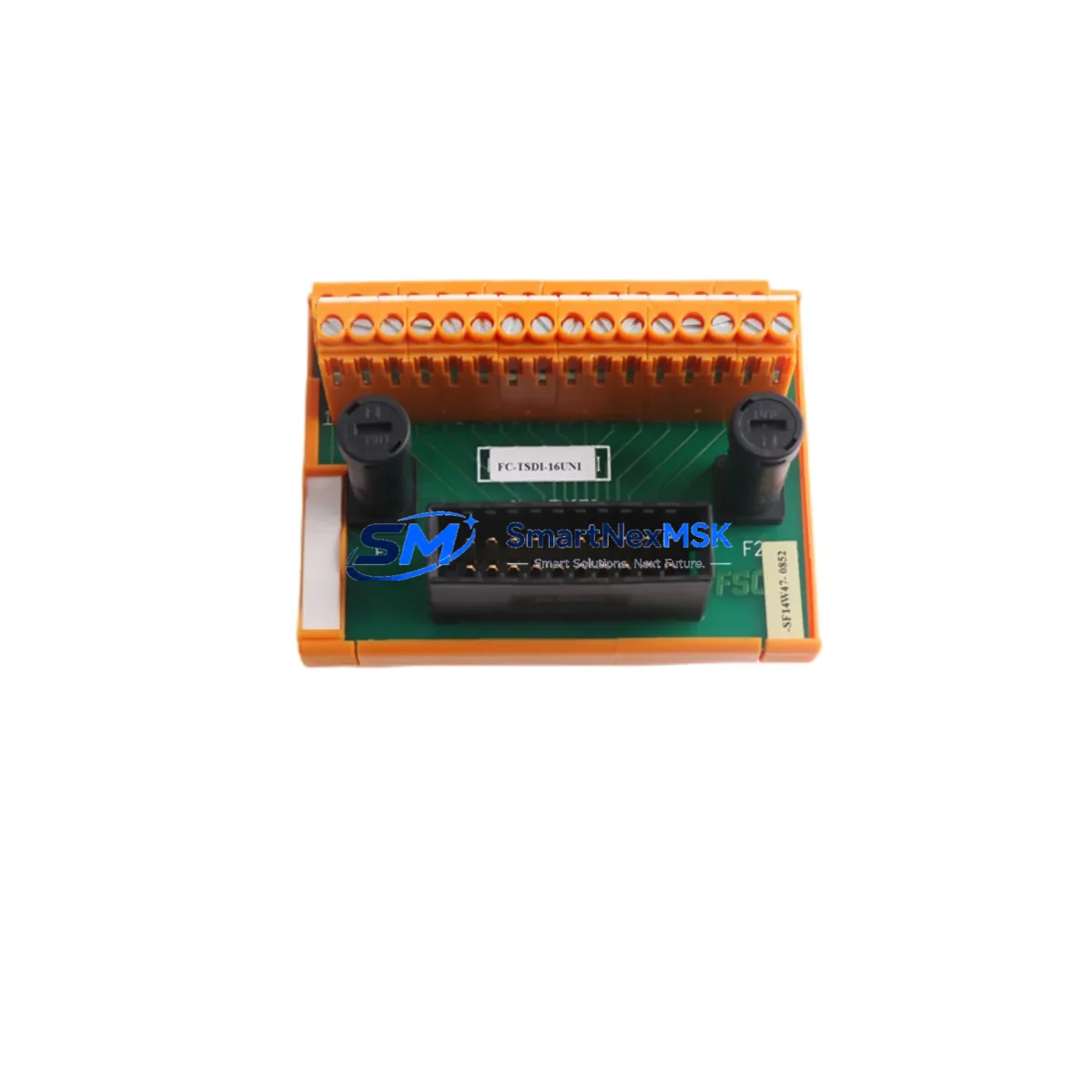
Honeywell FC-TSAO-0220M Spare for Safety Manager Automation: Minimize Downtime with a Verified Replacement
The Honeywell FC-TSAO-0220M is an 8-channel HART-capable analog output module designed for the Honeywell Safety Manager (SM) safety instrumented system. In process industries — including oil & gas, petrochemical, power generation, and chemical manufacturing — this module serves as a critical interface between the safety logic solver and field actuators such as control valves, positioners, and current-to-pneumatic converters. When this module fails or reaches end-of-life, the consequences extend beyond a single I/O channel: the entire safety function loop may be compromised, triggering a plant shutdown or forcing a bypass that increases operational risk.
Sourced as an original Honeywell spare, the FC-TSAO-0220M offered here is inspected, function-tested, and shipped with a 12-month warranty. Whether you are executing a planned turnaround, responding to an unplanned trip, or building a strategic spare parts inventory for your Safety Manager cabinet, this module is ready for immediate deployment.
Spare Maintenance Table
| Parameter | Specification / Detail |
|---|---|
| Part Number | FC-TSAO-0220M |
| Manufacturer | Honeywell Process Solutions |
| Module Type | 8-Channel HART Analog Output (AO) |
| Compatible System | Honeywell Safety Manager (SM) — SM6000 / SM12000 series |
| Output Signal | 4–20 mA with HART communication (revision 5/6/7) |
| Channel Count | 8 channels per module |
| Isolation | Channel-to-channel and channel-to-backplane isolation |
| Power Supply | Supplied via Safety Manager backplane (FC-PSHP series) |
| Mounting | Safety Manager I/O chassis / backplane slot |
| Operating Temperature | 0°C to 60°C (32°F to 140°F) |
| Humidity | 5% to 95% RH, non-condensing |
| Certifications | SIL 2 capable (IEC 61508); FM, ATEX references per SM system cert |
| Compatibility | Direct replacement for FC-TSAO-0220M in existing SM cabinets; no firmware change required for like-for-like swap |
| Installation | Hot-swap capable per SM system configuration; verify with site safety procedures |
| Maintenance Recommendation | Inspect every 12–24 months; replace on first sign of output drift or HART communication fault |
| Warranty | 12 months from date of shipment |
| Pre-shipment Test | Function-tested and verified before dispatch |
| Condition | Original spare (new or refurbished-to-spec, clearly stated at order confirmation) |
Maintenance Planning for Continuous Operation
Replacing the FC-TSAO-0220M in a live Safety Manager system is rarely an isolated task. Experienced maintenance engineers know that an analog output fault often signals stress on adjacent components in the same I/O chassis or electrical loop. During any planned or corrective maintenance event involving this module, the following components should be inspected or tested concurrently to avoid repeat callouts:
Power and backplane integrity: The FC-PSHP-0024 power supply module feeds the SM I/O chassis. A degraded power supply can cause intermittent AO faults that mimic module failure. Verify output voltage stability and ripple before condemning the FC-TSAO-0220M. Similarly, inspect the SM I/O backplane connector pins for corrosion or mechanical damage caused by repeated module insertions.
Field wiring and terminal blocks: HART analog output loops are sensitive to loop resistance. Check the marshalling cabinet terminal blocks (typically Phoenix Contact or Weidmüller series used in Honeywell SM installations) for loose terminations, oxidized contacts, or moisture ingress. A high-resistance termination can cause the 4–20 mA signal to saturate or drift, generating false diagnostics against a healthy module.
Safety logic solver and I/O link: The FC-SDIL-0008 digital input module and other I/O modules sharing the same chassis communicate over the SM internal bus. If the bus shows communication errors, replacing only the AO module will not resolve the root cause. Inspect the SM controller module (FC-SMSC-0001 or equivalent) for firmware health and diagnostic logs before and after the swap.
HART multiplexer and asset management: If your site uses a HART multiplexer (such as the Honeywell HART MUX or a third-party equivalent) connected to this AO module, verify that the multiplexer channel assignments are intact after module replacement. HART device descriptors for connected positioners or valve controllers may need to be re-polled.
Signal isolators and barriers: For installations where the AO loop passes through Zener barriers or galvanic isolators (common in Zone 1/Zone 2 hazardous area installations), test the isolator output after module replacement. A failing isolator can absorb enough loop current to make a new module appear faulty during commissioning.
Fusing and loop protection: Verify the loop fuses on the marshalling panel. A blown fuse on one channel is often overlooked when the module itself is replaced, leading to a no-output condition on an otherwise healthy spare. Document fuse ratings against the original design basis.
Building a structured spare parts kit around the FC-TSAO-0220M — including at minimum one spare power supply module, a set of terminal block inserts, and a tested HART communicator — reduces mean time to repair (MTTR) from hours to minutes during an unplanned event.
Site Replacement Workflow
Step 1 — Pre-replacement verification: Confirm the installed module part number matches FC-TSAO-0220M. Check the SM diagnostic display or Safety Builder engineering station for active faults on the module. Document all channel assignments, HART device tags, and current output values before de-energizing the loop.
Step 2 — Safety of work: Follow your site’s Management of Change (MOC) and Permit to Work (PTW) procedures. For SIL-rated loops, a bypass or inhibit must be applied in the safety logic before physical removal. Coordinate with the control room to confirm the bypass is active and logged.
Step 3 — Module removal and inspection: Remove the faulty FC-TSAO-0220M from the chassis slot. Inspect the backplane connector for bent pins or debris. Clean with approved contact cleaner if required. Retain the faulty module for failure analysis — do not discard until root cause is confirmed.
Step 4 — Spare installation: Insert the replacement FC-TSAO-0220M into the same chassis slot. The Safety Manager system will perform automatic module recognition. Verify that the SM diagnostic display shows the module as healthy with no faults within 60 seconds of insertion.
Step 5 — Loop verification: Using a HART communicator or the Safety Builder station, poll each of the 8 channels. Confirm that output values match the controller demand signal. Perform a loop check on at least the critical channels before removing the bypass.
Step 6 — Bypass removal and return to service: Remove the safety bypass in the correct sequence per your site procedures. Confirm the safety function is restored and the SIS is back in its normal operating state. Update the maintenance management system (CMMS) with the replacement record, module serial number, and test results.
This workflow applies equally to planned turnaround replacements and emergency corrective maintenance. Keeping a pre-configured spare FC-TSAO-0220M on the shelf — already tagged with its destination slot and tested — reduces the replacement cycle to under 30 minutes for a trained technician.
Spare Parts Support FAQ
Q1: Is this FC-TSAO-0220M a direct drop-in replacement for the module currently installed in my Safety Manager cabinet?
Yes. The FC-TSAO-0220M is a like-for-like replacement for the same part number installed in Honeywell Safety Manager SM6000 and SM12000 series systems. No firmware changes or reconfiguration are required for a same-revision swap. If your installed module carries a different revision suffix, contact us before ordering so we can confirm compatibility with your specific SM software version.
Q2: What pre-shipment testing is performed on this module?
Every FC-TSAO-0220M is function-tested prior to dispatch. Testing includes power-on self-test verification, channel output accuracy check across the 4–20 mA range, and HART communication handshake confirmation. A test report is available upon request. The module ships with a 12-month warranty covering manufacturing defects and functional failures under normal operating conditions.
Q3: How should I manage FC-TSAO-0220M inventory for a multi-unit plant with several Safety Manager systems?
Industry best practice for SIS spare parts recommends holding a minimum of one spare module per four installed modules of the same type, with a floor of one spare per plant regardless of installed count. For plants with more than eight SM I/O chassis, consider holding two spares and establishing a rotation policy where the oldest spare is tested annually and returned to stock or sent for refurbishment. Coordinate with your SIS vendor’s lifecycle team to confirm the module’s production status — obsolete modules should trigger an accelerated stocking strategy.
Q4: What is the warranty coverage and what happens if the module fails after installation?
The FC-TSAO-0220M carries a 12-month warranty from the date of shipment. If the module fails within the warranty period under normal operating conditions, we will provide a replacement unit or full refund after failure analysis confirms a manufacturing or functional defect. Warranty claims require the original order reference and a brief description of the failure mode. Modules damaged by incorrect installation, overvoltage, or environmental conditions outside the rated specification are not covered under warranty but may be eligible for repair assessment.
© 2026 SMARTNEXMSK. All rights reserved.
Original Source: https://smartnexmsk.com
Contact: [email protected] | +86 18259474341



