
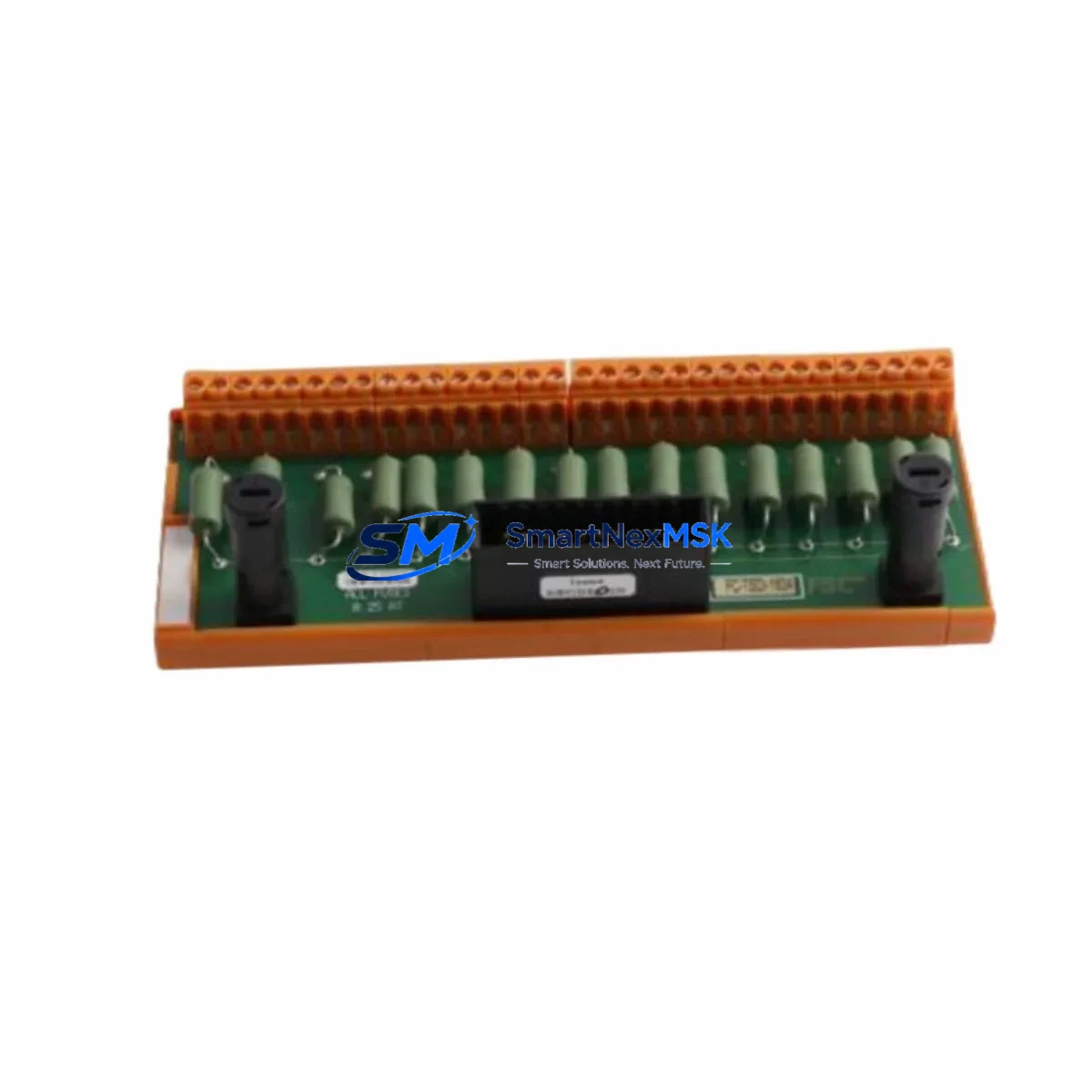
Honeywell FC-TSDI-16115 Maintenance-Ready Spare for FSC Automation
The Honeywell FC-TSDI-16115 is a Safe Digital Input Field Termination Assembly (FTA) designed for the Honeywell FSC (Fail-Safe Controller) Safety Manager platform — a proven SIL 2/3-rated safety system widely deployed in oil & gas, petrochemical, power generation, and process industries. As a maintenance-ready original spare, the FC-TSDI-16115 enables maintenance and reliability engineers to execute rapid field replacements, minimize unplanned downtime, and sustain the functional safety integrity of their safety instrumented systems (SIS).
In safety-critical environments, the FTA serves as the critical interface between field-mounted sensors and the FSC safety controller. The FC-TSDI-16115 specifically handles safe digital input signals — including emergency shutdown (ESD) pushbuttons, pressure switches, level switches, and valve position feedback — routing them through galvanically isolated, SIL-rated input channels to the FSC processor. When this module degrades or fails, the entire input loop is compromised, potentially triggering spurious trips or, worse, masking genuine process hazards. Maintaining a certified replacement unit in your spare parts inventory is not optional — it is a fundamental requirement of any credible SIS maintenance strategy.
Spare Maintenance Table
| Parameter | Specification |
|---|---|
| Part Number | FC-TSDI-16115 |
| Manufacturer | Honeywell Process Solutions |
| Module Type | Safe Digital Input Field Termination Assembly (FTA) |
| Compatible Platform | Honeywell FSC Safety Manager (Fail-Safe Controller) |
| Safety Integrity Level | SIL 2 / SIL 3 (IEC 61508 / IEC 61511) |
| Input Channels | 16 safe digital input channels |
| Input Voltage Range | 24 VDC nominal (field-side) |
| Signal Isolation | Galvanic isolation, channel-to-channel and field-to-system |
| Mounting | DIN rail / FSC termination panel |
| Operating Temperature | 0°C to +60°C |
| Compatibility | FSC Safety Manager, FC-SDI-1611 input module, FSC backplane |
| Application Environment | Process plant, offshore platform, power station, chemical facility |
| Maintenance Recommendation | Inspect wiring terminations annually; replace on first sign of channel fault or SIL proof-test failure |
| Condition | Original, tested, ready-to-ship |
| Warranty | 12 Months |
| Lead Time | Ships within 3–5 business days |
Maintenance Planning for Continuous Operation
Replacing the FC-TSDI-16115 in the field is rarely an isolated task. A disciplined maintenance engineer will treat this FTA replacement as an opportunity to inspect the entire safety input loop and associated control cabinet infrastructure. During the same maintenance window, the following components should be verified or replaced as part of a comprehensive inspection:
Begin with the FC-SDI-1611 Safe Digital Input module — the processor-side counterpart to this FTA. If the FTA is showing channel faults, the input module itself may have sustained damage from field-side transients or wiring faults. Inspect the module’s LED diagnostics and run a channel-by-channel proof test before returning the loop to service.
Check the FSC power supply modules (such as the FC-PSU series) feeding the safety controller rack. Degraded or out-of-tolerance DC bus voltage is a leading cause of spurious FTA faults and should be measured at the backplane connectors. If the power supply is approaching its rated service life, schedule a proactive replacement alongside the FTA swap.
Inspect all field wiring terminations on the FTA’s screw terminals. Loose, corroded, or incorrectly torqued terminals are a primary source of intermittent digital input faults. Use a calibrated torque screwdriver and verify continuity on each channel before re-energizing. Pay particular attention to cable shields and grounding continuity to the cabinet earth bar.
Review the status of FSC communication modules (such as the FC-ELCN Ethernet or FC-HLINK Highway Link modules) that relay safety system diagnostics to the DCS or SCADA layer. A healthy communication path ensures that any future FTA faults are immediately visible to the control room operator, enabling faster response.
If the plant uses signal isolators or safety barriers (Zener barriers or galvanic isolators) between field instruments and the FTA input terminals, verify their isolation resistance and output signal levels. Degraded barriers can introduce leakage currents that corrupt digital input states, leading to misdiagnosis of FTA faults.
Check the FSC backplane and rack assembly for signs of corrosion, connector oxidation, or mechanical damage. The backplane carries both power and communication signals between the FTA, input module, and FSC processor — any degradation here can manifest as intermittent or systematic channel faults across multiple modules.
For plants running Honeywell Safety Manager SC or legacy FSC systems, also verify the firmware revision of the FC-SDI-1611 module against the current Honeywell-approved compatibility matrix. Mismatched firmware between the input module and the safety controller can cause diagnostic suppression or incorrect fault classification.
Finally, inspect the cabinet thermal management — cooling fans, filter mats, and thermostat-controlled heaters. Elevated ambient temperatures inside the control cabinet accelerate FTA aging and increase the probability of early failure. Ensure cabinet door seals are intact and that the HVAC or cooling unit is functioning within specification.
Site Replacement Workflow
The FC-TSDI-16115 is a direct replacement for legacy Honeywell FSC safe digital input FTAs. Before beginning the replacement, obtain the plant’s SIS bypass and inhibit authorization, and confirm with the safety engineer that the affected input loop can be safely inhibited for the duration of the maintenance window without compromising process safety.
Step 1 — Inhibit and document: Place the affected input channels into bypass/inhibit mode via the FSC Safety Manager engineering workstation. Document the pre-replacement channel states and any active diagnostics.
Step 2 — De-energize and disconnect: Isolate field-side power to the FTA. Photograph the existing wiring layout before disconnecting any terminals. Label each wire with its channel number to prevent mis-termination during reinstallation.
Step 3 — Remove and inspect: Remove the faulty FC-TSDI-16115 from the termination panel. Inspect the backplane connector and mounting hardware for damage. Clean the mounting surface before installing the replacement unit.
Step 4 — Install and re-terminate: Mount the new FC-TSDI-16115 and reconnect all field wiring according to the documented layout. Verify terminal torque and cable shield continuity. Restore field-side power.
Step 5 — Proof test and release: With the FSC engineering workstation, perform a channel-by-channel proof test on all 16 input channels. Verify that all channels report correct states before removing the bypass/inhibit. Update the SIS maintenance log with the replacement date, part serial number, and proof test results.
This structured workflow minimizes the risk of wiring errors, reduces total maintenance time, and ensures full traceability for SIS audit purposes — a requirement under IEC 61511 for safety-critical installations.
Spare Parts Support FAQ
Q1: What is the recommended spare parts holding strategy for the FC-TSDI-16115?
For plants with multiple FSC safety controller racks, we recommend holding a minimum of one FC-TSDI-16115 per four installed units as a cold standby spare. For critical ESD or fire-and-gas systems with no redundancy, consider holding one-for-one spares. Long lead times on legacy Honeywell FSC components make proactive stocking essential for maintaining SIS availability targets.
Q2: How is the FC-TSDI-16115 tested before shipment?
Each unit undergoes functional verification prior to dispatch, including power-on self-test, channel continuity checks, and isolation resistance measurement. Units are shipped with individual test records and are packaged in anti-static, moisture-resistant materials to preserve integrity during transit.
Q3: Is the FC-TSDI-16115 compatible with both legacy FSC and current Safety Manager SC platforms?
The FC-TSDI-16115 is designed for the Honeywell FSC (Fail-Safe Controller) platform. Compatibility with Safety Manager SC should be verified against Honeywell’s current hardware compatibility matrix and the specific firmware revision of your safety controller. Contact our technical team with your system configuration details for a pre-purchase compatibility confirmation.
Q4: What does the 12-month warranty cover?
Our 12-month warranty covers manufacturing defects and functional failures under normal operating conditions. If a unit fails within the warranty period, we will provide a replacement or full refund. The warranty does not cover damage resulting from incorrect installation, overvoltage events, or use outside the module’s rated environmental specifications.
© 2026 SMARTNEXMSK. All rights reserved.
Original Source: https://smartnexmsk.com
Contact: [email protected] | +86 18259474341



