
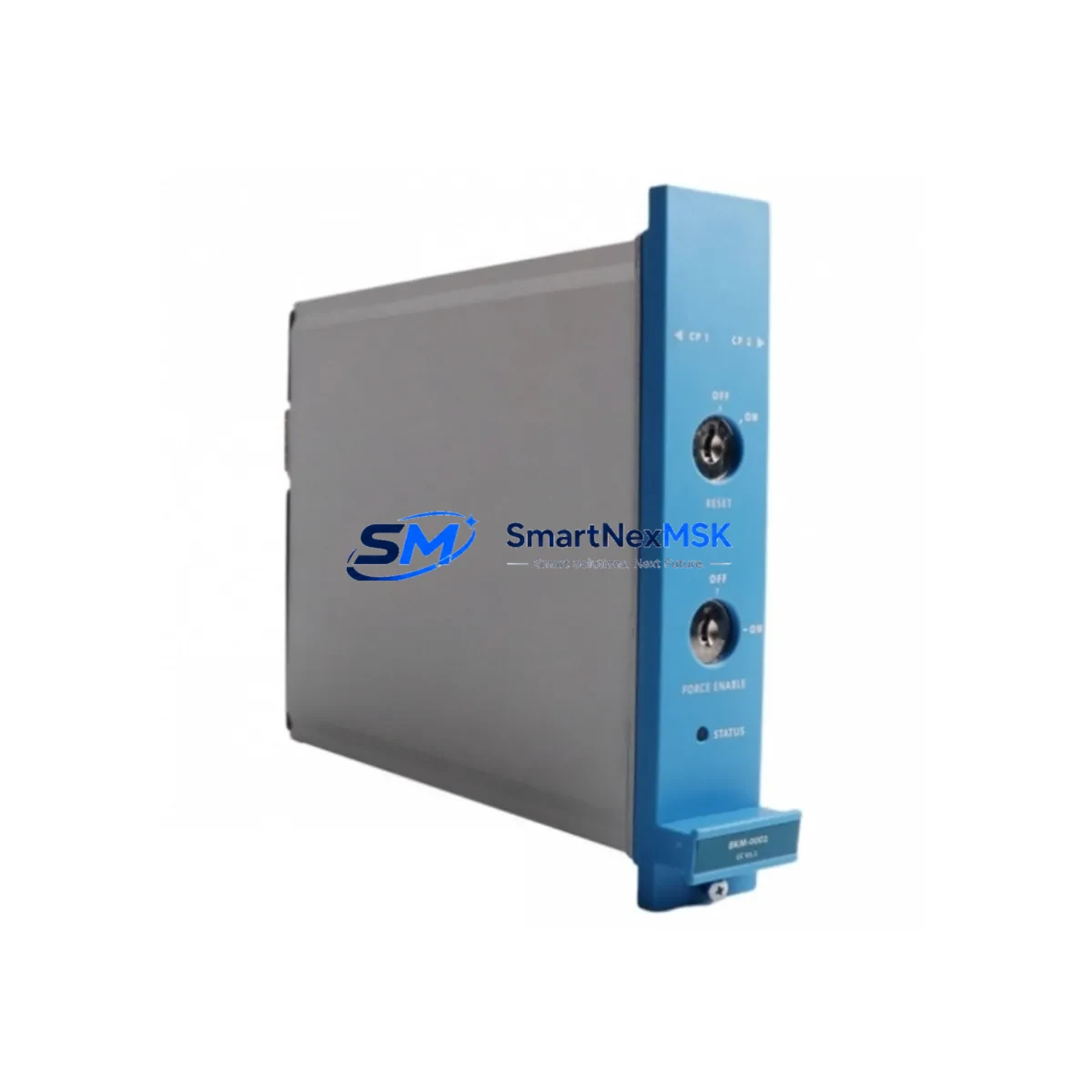
Honeywell FC-USI-0001 Retrofit-Ready Safety Interface for Safety Manager Control Systems
The Honeywell FC-USI-0001 Universal Safety Interface (USI) module is a SIL-2 rated, retrofit-ready replacement designed for seamless integration into existing Honeywell Safety Manager and Safety Manager SC control architectures. As legacy safety systems approach end-of-life or face discontinued spare-parts availability, the FC-USI-0001 provides a validated, drop-in upgrade path that preserves original wiring topology, backplane addressing, and certified safety logic — minimizing engineering rework and unplanned downtime during modernization projects.
This module interfaces directly with the Safety Manager chassis and communicates over the FTE (Fault Tolerant Ethernet) network, maintaining full compatibility with existing Experion PKS supervisory layers and Safety Builder application programs. Engineers replacing a failed or obsolete USI module can retain their existing I/O wiring, terminal block assignments, and module slot addressing without modifying the certified safety application — a critical advantage in SIL-validated environments where re-validation carries significant cost and schedule risk.
Procurement teams sourcing the FC-USI-0001 as a long-term spare or immediate replacement will find this unit fully tested, serialized, and shipped with a 12-month warranty covering manufacturing defects and functional performance. Stock is maintained in Xiamen for rapid dispatch to petrochemical, refining, power generation, and offshore platform customers across Asia-Pacific and the Middle East.
Upgrade Compatibility Table
| Parameter | FC-USI-0001 Specification | Retrofit Notes |
|---|---|---|
| Module Type | Universal Safety Interface (USI) | Direct slot replacement in Safety Manager chassis |
| Safety Rating | SIL-2 (IEC 61508) | Maintains existing SIL certification; re-validation scope minimal |
| Backplane Interface | Safety Manager proprietary backplane bus | Compatible with SM and SM SC chassis; verify slot position per engineering drawing |
| Communication Protocol | FTE (Fault Tolerant Ethernet) | Retains existing FTE node address; no network reconfiguration required |
| Power Consumption | Confirm from chassis power budget (typically 3.3 V / 5 V backplane) | Verify chassis PSU capacity before hot-swap; recommend PSU audit if chassis age >10 years |
| Terminal Wiring | Compatible with existing field wiring via marshalling cabinet | No rewiring required if original terminal block layout is preserved |
| Software Compatibility | Safety Builder R210 and above | Upload existing certified application; confirm firmware revision match |
| HMI Integration | Experion PKS / Safety Supervisory Display | No display reconfiguration required; module tag auto-recognized |
| Commissioning | Functional test via Safety Builder diagnostics | Perform proof test per site SIL maintenance plan after replacement |
| Warranty | 12 Months | Covers manufacturing defects and functional performance from ship date |
Retrofit Planning for Existing Automation Systems
Successful replacement of the FC-USI-0001 in a live or recently shut-down safety system requires a structured pre-outage engineering review. Begin by auditing the Safety Manager chassis configuration — confirm the number of occupied slots, the installed FC-SDO-0824 digital output modules, FC-SDI-1624 digital input modules, and any FC-SAI-1620 analog input modules that share the backplane. The USI module’s slot address is fixed in the Safety Builder configuration; swapping to a different slot without a configuration change will cause a module mismatch fault and prevent the safety system from entering the RUN state.
Power budget verification is essential before any module swap. The FC-PSU-0024 power supply module feeding the chassis must have sufficient headroom to support the replacement USI without triggering an under-voltage condition on the backplane. If the chassis has been in service for more than a decade, consider replacing the PSU simultaneously to eliminate a secondary failure risk during the retrofit window.
Communication continuity depends on the integrity of the FTE switch infrastructure. Confirm that the FTE node address assigned to the FC-USI-0001 in the Safety Builder project matches the physical network configuration. If the site uses a Cisco IE 3000 or equivalent managed switch for FTE segmentation, verify VLAN assignments and port configurations before bringing the replacement module online.
For sites migrating from an older Safety Manager R100/R110 platform to a current-generation Safety Manager SC architecture, the FC-USI-0001 serves as a bridging component during phased migration. In this scenario, the existing FC-TSDI-1624 terminal boards and FC-TSDO-0824 terminal boards can typically be retained, preserving field wiring and reducing marshalling cabinet rework. The Safety Builder project must be re-compiled against the new chassis configuration, but the certified application logic — including cause-and-effect matrices, voting logic, and bypass management — can be carried forward with minimal modification.
HMI integration with Experion PKS Station or a standalone Safety Supervisory Display does not require screen reconfiguration after a like-for-like USI replacement. The module tag structure is preserved, and alarm and event historian continuity is maintained through the FTE network without operator intervention.
Downtime Control During System Migration
Minimizing process downtime during a safety system module replacement requires pre-staging the FC-USI-0001 as a tested, ready-to-install spare before the maintenance window opens. Confirm the replacement unit’s firmware revision against the installed Safety Builder version — a firmware mismatch will delay commissioning and extend the outage window. Request a factory acceptance test (FAT) report or bench-test certificate with the shipment to eliminate on-site diagnostic time.
Where the process safety time (PST) permits, a hot-swap procedure may be feasible if the chassis supports redundant USI configurations. Consult the Safety Manager Engineering Guidelines (document SM-EG-001) to confirm whether the installed chassis revision supports online module replacement without de-energizing the backplane. For non-redundant configurations, coordinate the replacement with the site’s permit-to-work system and ensure bypass authorization is in place for all affected safety functions before removing the failed module.
Preserve the original Safety Builder project archive — including the certified application, I/O configuration, and module addressing — on a secured engineering workstation before beginning any hardware change. After installing the FC-USI-0001, perform a controlled download of the certified application, execute the module proof test sequence defined in the site’s SIL maintenance plan, and obtain sign-off from the functional safety engineer before returning the safety system to the RUN state. This sequence typically completes within a 4–8 hour maintenance window for a single USI replacement, assuming pre-staged hardware and pre-approved documentation.
Retrofit Support FAQ
Q1: Is the FC-USI-0001 a direct drop-in replacement for all Safety Manager chassis variants?
The FC-USI-0001 is compatible with the standard Safety Manager and Safety Manager SC chassis. Compatibility with earlier R100/R110 chassis variants depends on the installed firmware and backplane revision. Provide your chassis part number and Safety Builder version when ordering to confirm compatibility before shipment.
Q2: Can I retain my existing field wiring and terminal boards during replacement?
Yes. The FC-USI-0001 interfaces with the backplane, not directly with field wiring. Existing FC-TSDI and FC-TSDO terminal boards remain in place. No rewiring is required for a like-for-like slot replacement, provided the module slot address and I/O configuration are unchanged in the Safety Builder project.
Q3: What commissioning steps are required after installing the replacement module?
After physical installation, download the certified Safety Builder application to the module, verify FTE communication link status, confirm all I/O channel diagnostics are clear, and execute the site proof test procedure. A functional safety engineer should witness and sign off the proof test before the system is returned to service. Total commissioning time is typically 2–4 hours for a prepared team.
Q4: What does the 12-month warranty cover, and what is the return process?
The 12-month warranty covers manufacturing defects and functional performance failures under normal operating conditions from the date of shipment. Units that fail within the warranty period are replaced or repaired at no charge. Contact [email protected] with the serial number, failure description, and purchase reference to initiate a warranty claim. Return shipping instructions will be provided within 2 business days.
© 2026 SMARTNEXMSK. All rights reserved.
Original Source: https://smartnexmsk.com
Contact: [email protected] | +86 18259474341



