
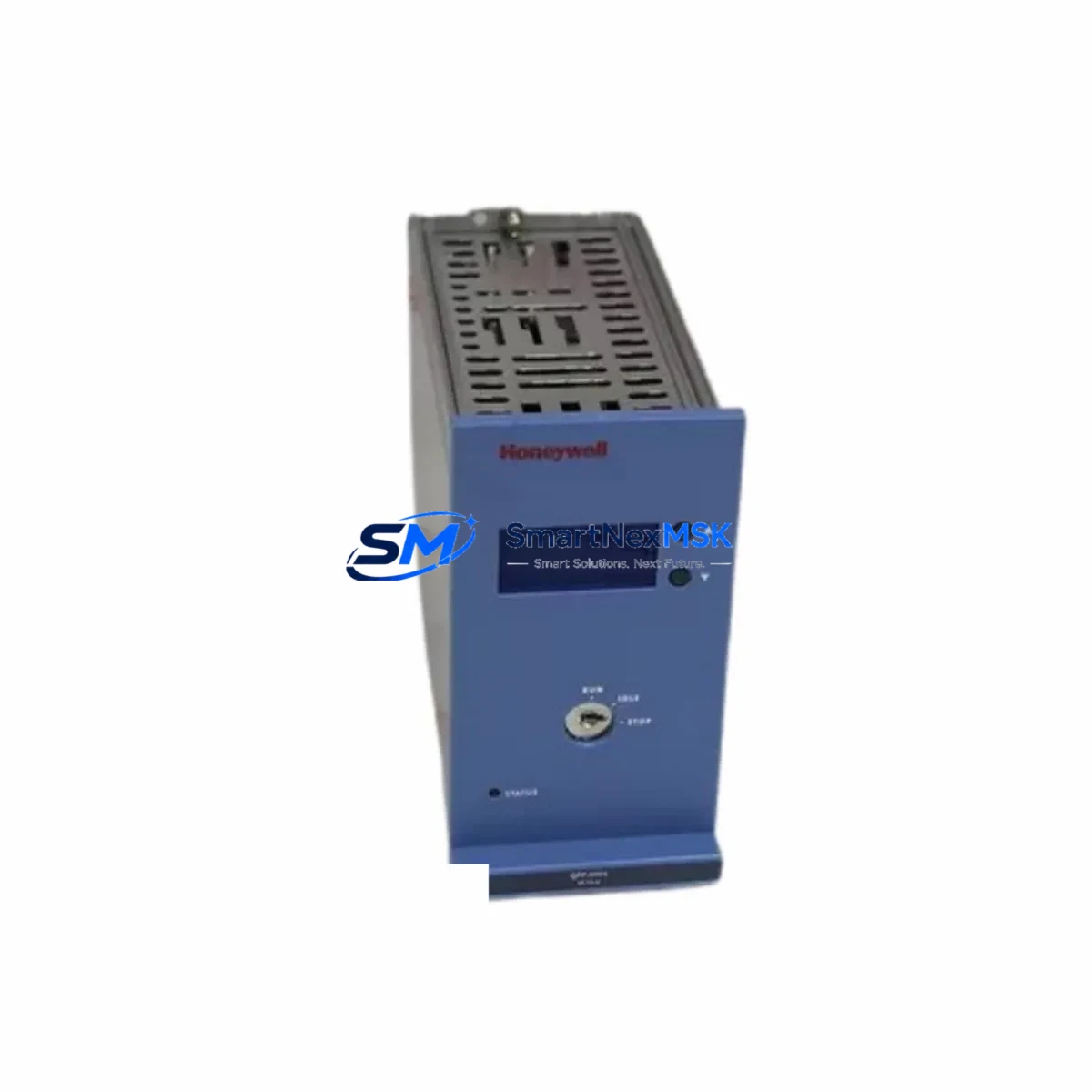
Honeywell FS-BLIND-CHAS4HE Retrofit-Ready Chassis Cover: Compatible Modernization for FS Series Control Systems
The Honeywell FS-BLIND-CHAS4HE is a chassis blank cover panel engineered for the Honeywell FS Series fire and gas safety control platform. As legacy FS Series installations age and original spare parts become increasingly difficult to source, the FS-BLIND-CHAS4HE provides a verified drop-in replacement that maintains chassis integrity, EMI shielding continuity, and rack airflow management — all critical factors in sustaining a compliant, operational safety system without triggering a full panel redesign.
For facilities running aging FS Series cabinets — including configurations built around the FS-CONTROLLER main processing unit, FS-POWER redundant power supply modules, and FS-AI or FS-AO analog I/O cards — maintaining physical chassis completeness is a non-negotiable requirement. Open slots in a safety-rated enclosure compromise both thermal management and regulatory compliance. The FS-BLIND-CHAS4HE fills those slots precisely, preserving the original rack geometry and allowing engineers to defer or phase a broader system upgrade.
Upgrade Compatibility Table
| Parameter | Details |
|---|---|
| SKU | FS-BLIND-CHAS4HE |
| Compatible Platform | Honeywell FS Series Fire & Gas Safety Controllers |
| Slot Form Factor | 4-slot horizontal chassis blank panel |
| Installation Requirement | Tool-free snap-fit; compatible with standard FS Series backplane chassis |
| Communication Compatibility | Passive component — no protocol dependency; compatible with all FS Series communication configurations including Modbus RTU, HART, and proprietary FS bus |
| Replacement Recommendation | Direct drop-in for any open 4-slot position in FS Series chassis; no firmware or configuration change required |
| Commissioning Notes | Verify chassis slot alignment before insertion; confirm EMI gasket seating; no software commissioning required |
| Warranty | 12-Month Warranty — covers manufacturing defects and fitment issues |
Retrofit Planning for Existing Automation Systems
When planning a retrofit or partial upgrade of an FS Series safety cabinet, the FS-BLIND-CHAS4HE is typically one of the first components sourced — not because it is complex, but because open chassis slots are often the visible symptom of a deeper parts-availability problem. Engineers arriving on-site to replace a failed FS-DI discrete input module or a degraded FS-DO discrete output module frequently discover that adjacent slots have been left open after previous emergency extractions, with no blanks reinstalled.
A structured retrofit plan for an FS Series cabinet should account for the following component categories in sequence:
Power Infrastructure: Confirm that the FS-POWER redundant power supply module is delivering stable 24 VDC rail voltage before any module swap. Voltage sag during a hot-swap sequence can corrupt the non-volatile memory in the FS-CONTROLLER and force a full program reload from the engineering workstation.
Backplane and Rack Integrity: Inspect the FS Series backplane connector pins for oxidation or mechanical damage before reseating any I/O module. The FS-BLIND-CHAS4HE protects unused backplane connectors from contamination during the interim period between module removal and replacement arrival. This is particularly important in petrochemical or offshore environments where airborne particulates can degrade connector contact resistance within weeks.
I/O Module Replacement: When replacing FS-AI analog input cards that interface with 4–20 mA field transmitters, verify that the new module’s channel-to-channel isolation rating matches the original. Mismatched isolation can introduce ground loops that manifest as spurious alarms in the FS-CONTROLLER event log — a diagnostic that is easy to miss during initial commissioning but becomes apparent under full field load.
Communication Module Migration: If the retrofit includes upgrading from legacy serial communication to Ethernet-based supervision, the FS-COMM communication module slot assignment must be updated in the controller configuration. Slots vacated by removed serial modules should be covered with the FS-BLIND-CHAS4HE immediately to prevent accidental reinsertion of incompatible hardware.
HMI and Operator Interface: Facilities using a dedicated FS-HMI operator panel or a third-party SCADA system connected via OPC-DA should validate that all tag addresses remain consistent after any slot reassignment. The FS Series controller maps I/O addresses to physical slot positions; moving a module without updating the HMI tag database will result in stale or inverted readings on the operator display.
Programming Cable and Backup: Before any physical intervention, connect the FS-USB programming cable to the controller’s front-panel port and export a full program backup to the engineering laptop. This backup serves as the recovery baseline if the retrofit sequence encounters an unexpected fault. Store the backup file with a timestamp and site identifier before proceeding.
Downtime Control During System Migration
Minimizing unplanned downtime during an FS Series retrofit requires a disciplined sequence that separates physical hardware changes from software configuration updates. The recommended approach is to complete all chassis mechanical work — including installation of the FS-BLIND-CHAS4HE blank panels — before powering down any active module. This allows the maintenance team to verify slot alignment, gasket seating, and panel labeling under normal lighting conditions without time pressure.
When the planned maintenance window opens, the shutdown sequence should follow the FS Series controller’s documented de-energization procedure: inhibit field outputs via the FS-CONTROLLER software inhibit function, confirm all FS-DO discrete output channels are de-energized at the terminal strip, then remove power from the FS-POWER module. This sequence protects both the field devices and the controller’s internal state machine from transient faults during power removal.
After hardware replacement, restore power and allow the controller to complete its self-diagnostic cycle — typically 30 to 90 seconds for FS Series platforms — before re-enabling field outputs. Verify that the FS-HMI operator display shows all channels in their expected pre-shutdown states before releasing the system to operations. Document the as-left configuration, including the slot positions covered by FS-BLIND-CHAS4HE panels, in the site’s maintenance management system.
For facilities that cannot tolerate any control interruption, a parallel-rack strategy — building a fully configured replacement chassis offline and performing a single cutover swap — is the preferred approach. In this scenario, the FS-BLIND-CHAS4HE panels are installed in the new chassis during the offline build phase, ensuring the replacement rack is mechanically complete before it enters the control room.
Retrofit Support FAQ
Q: Is the FS-BLIND-CHAS4HE a direct replacement for the original Honeywell blank panel, or are there fitment differences I need to verify?
A: The FS-BLIND-CHAS4HE is designed as a direct drop-in replacement for the standard 4-slot blank panel position in FS Series chassis. No mechanical modification is required. Before installation, confirm the chassis generation (first-generation vs. revised FS Series backplane) by checking the chassis part number label on the rear panel, as early-generation chassis used a slightly different snap-fit retention mechanism. Contact our technical team with your chassis part number if you need fitment confirmation before ordering.
Q: Does installing a blank panel require any controller configuration change or software update?
A: No. The FS-BLIND-CHAS4HE is a passive mechanical component with no electronic interface to the backplane. Installing or removing it does not affect the controller’s I/O map, program logic, or communication configuration. No firmware update, slot reassignment, or HMI tag modification is required.
Q: What pre-shipment testing is performed on the FS-BLIND-CHAS4HE before dispatch?
A: Each unit undergoes dimensional inspection against the FS Series chassis slot specification, snap-fit retention force verification, and EMI gasket continuity check before packaging. Units are shipped in anti-static protective packaging with a test record included. Our 12-month warranty covers manufacturing defects, fitment failures, and gasket delamination under normal operating conditions.
Q: Can the FS-BLIND-CHAS4HE be used in hazardous area (Ex-rated) FS Series enclosures?
A: The FS-BLIND-CHAS4HE is rated for use in standard FS Series control room enclosures. For installations in Zone 1 or Zone 2 hazardous areas using Ex-certified FS Series variants, verify the enclosure’s Ex certification documentation to confirm that the blank panel specification is consistent with the certified enclosure configuration. Our team can provide documentation support for Ex-rated installation queries.
© 2026 SMARTNEXMSK. All rights reserved.
Original Source: https://smartnexmsk.com
Contact: [email protected] | +86 18259474341



