
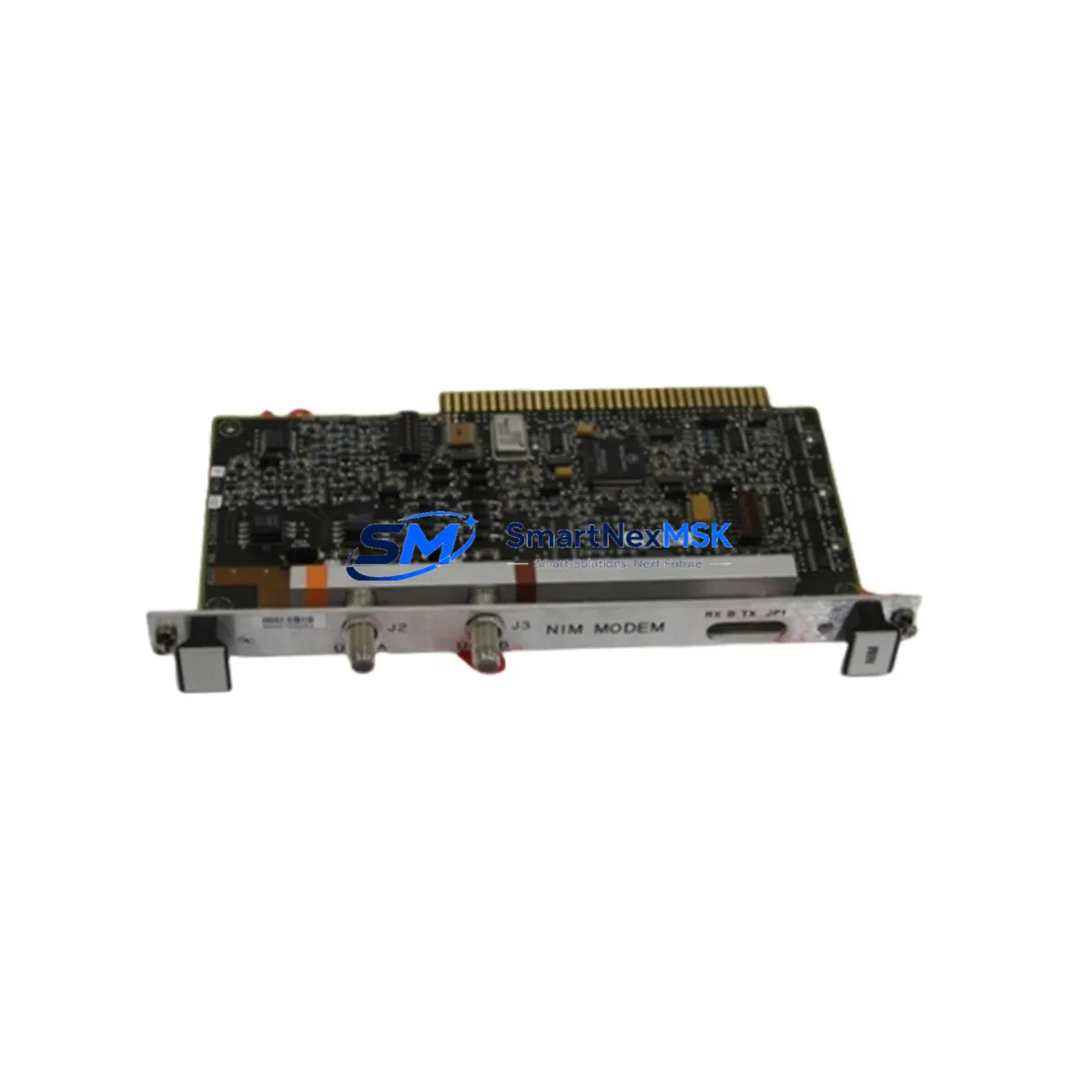
Honeywell FS-CPCHAS-0001 Spare for Safety Manager: Rapid Replacement for SIL-Rated Control Systems
The Honeywell FS-CPCHAS-0001 is the Central Processor Chassis for the Safety Manager series — a SIL 2/3-capable safety instrumented system widely deployed in oil & gas, petrochemical, power generation, and process industries. When this chassis fails or reaches end-of-service life, the entire safety loop is at risk. Unplanned downtime in SIS-critical environments carries severe operational and safety consequences. Stocking a verified original spare of the FS-CPCHAS-0001 is a fundamental element of any responsible maintenance strategy for Safety Manager installations.
This listing supplies an original, tested FS-CPCHAS-0001 CP Chassis, sourced from authorized channels, inspected prior to dispatch, and backed by a 12-month warranty. Each unit is verified for mechanical integrity, backplane connector condition, and slot alignment before shipment. Fast lead times support both planned turnaround maintenance and emergency breakdown recovery.
Spare Maintenance Table
| Parameter | Specification |
|---|---|
| Part Number | FS-CPCHAS-0001 |
| Brand | Honeywell |
| Series | Safety Manager (SM) |
| Module Type | Central Processor Chassis |
| SIL Rating | SIL 2 / SIL 3 capable |
| Backplane Slots | Compatible with Safety Manager CP and I/O module population |
| Mounting | DIN rail / panel mount per Safety Manager cabinet standard |
| Operating Temperature | 0°C to +60°C |
| Power Input | Via Safety Manager power supply module (e.g. FS-PSU series) |
| Communication Interface | Backplane bus to CP modules and I/O modules |
| Compatibility | Honeywell Safety Manager SM series; direct replacement for FS-CPCHAS-0001 |
| Condition | Original, tested, inspected |
| Origin | USA |
| Warranty | 12 Months |
| Lead Time | In stock — ships within 2 business days |
| Maintenance Recommendation | Inspect backplane connectors and slot guides annually; replace chassis if physical damage, corrosion, or connector wear is detected |
Maintenance Planning for Continuous Operation
A chassis replacement on a Safety Manager system is rarely an isolated event. Maintenance engineers performing a planned or emergency swap of the FS-CPCHAS-0001 should treat the intervention as an opportunity to audit the full control cabinet. The CP chassis interfaces directly with the Safety Manager Central Processor module (FS-CPC series), and any mechanical stress or vibration that has degraded the chassis may have equally affected the CP module seating and its firmware-loaded memory. Verifying CP module integrity after chassis replacement is standard practice.
Power delivery to the chassis is managed through the FS-PSU series power supply modules. During a chassis swap, inspect the PSU output voltage, check for capacitor aging indicators, and confirm that redundant power paths — where configured — are both functional. A degraded power supply operating within tolerance today may fall out of spec under the thermal load of a newly installed chassis.
I/O modules seated in the chassis — including digital input modules (FS-SDI series), digital output modules (FS-SDO series), and analog input modules (FS-SAI series) — should be reseated and functionally tested after chassis replacement. Backplane connector oxidation is a common cause of intermittent I/O faults that only manifest after mechanical disturbance. Each I/O module should be confirmed communicating correctly with the CP before the system is returned to service.
Communication modules responsible for Modbus, PROFIBUS, or Ethernet connectivity to the DCS or SCADA layer — such as the FS-COM series — should also be inspected. A chassis swap that disturbs communication module seating can cause loss of safety status reporting to the control room, which may trigger spurious shutdowns or mask genuine fault conditions.
Terminal blocks and field wiring connections at the I/O marshalling level should be torque-checked during the same maintenance window. Loose terminals are a leading cause of field signal faults that are misdiagnosed as module failures. Fuse holders and protection fuses in the field circuit loops should be visually inspected and replaced if discoloration or heat damage is present.
For sites running Safety Manager alongside a Honeywell Experion PKS DCS, the maintenance window is also an appropriate time to verify the FS-CPCHAS-0001 replacement has not disrupted the safety network node address or the FSC link configuration. HMI stations monitoring safety system status should be confirmed displaying correct system health after the chassis is back online.
Site Replacement Workflow
Step 1 — Pre-Replacement Preparation: Obtain a signed Management of Change (MOC) permit. Confirm the replacement FS-CPCHAS-0001 part number matches the installed chassis. Download and archive the current Safety Manager configuration and application logic using the Safety Manager Engineering Workstation before any hardware is disturbed.
Step 2 — Safe Isolation: Follow site-specific SIS bypass and inhibit procedures. Place the safety loop in manual or bypass mode per the site Safety Instrumented Function (SIF) bypass register. Notify the control room and document the bypass start time.
Step 3 — Module Extraction: Label and photograph all module positions before removal. Extract I/O modules, CP modules, and communication modules in sequence, storing them in anti-static bags. Disconnect field wiring looms at the marshalling level rather than at the module terminals where possible.
Step 4 — Chassis Swap: Remove the defective FS-CPCHAS-0001 chassis. Inspect the mounting rail and cabinet backplane area for debris, corrosion, or mechanical damage. Install the replacement chassis, confirm DIN rail engagement, and torque all mounting fasteners to specification.
Step 5 — Module Reinstatement and Testing: Reinstall all modules in their documented positions. Reconnect field wiring. Power up the system and confirm all modules achieve healthy status on the Safety Manager diagnostic display. Perform a full I/O loop check on all channels before releasing the bypass.
Step 6 — Return to Service: Remove the SIF bypass, confirm safety function response in the control room, and close the MOC. Update the maintenance record with the replaced chassis serial number, installation date, and technician sign-off.
Spare Parts Support FAQ
Q1: Is this FS-CPCHAS-0001 an original Honeywell part or a compatible aftermarket unit?
This is an original Honeywell FS-CPCHAS-0001 CP Chassis, not an aftermarket or compatible substitute. Each unit is sourced from verified supply channels and inspected before dispatch. Original parts are essential for maintaining SIL certification integrity on Safety Manager installations.
Q2: What pre-shipment testing is performed on the FS-CPCHAS-0001?
Each chassis undergoes visual inspection for backplane connector condition, slot guide alignment, mechanical integrity, and absence of physical damage or corrosion. Units that do not pass inspection are not dispatched. A 12-month warranty covers defects in materials and workmanship from the date of shipment.
Q3: Can the FS-CPCHAS-0001 be used as a direct drop-in replacement for an existing installed chassis?
Yes. The FS-CPCHAS-0001 is a direct replacement for the same part number in any Safety Manager installation. No firmware or configuration changes to the chassis itself are required. The CP modules, I/O modules, and communication modules from the original chassis are reinstalled into the replacement chassis following the standard site replacement workflow.
Q4: What is the recommended spare holding strategy for Safety Manager chassis?
For critical SIS applications, a minimum of one FS-CPCHAS-0001 chassis should be held on-site or at a regional warehouse with a target replenishment lead time of no more than 5 business days. Sites with multiple Safety Manager cabinets should consider holding one spare chassis per cabinet type. Long-term supply continuity is supported — contact us for volume pricing and consignment stock arrangements.
—
© 2026 SMARTNEXMSK. All rights reserved.
Original Source: https://smartnexmsk.com
Contact: [email protected] | +86 18259474341



