
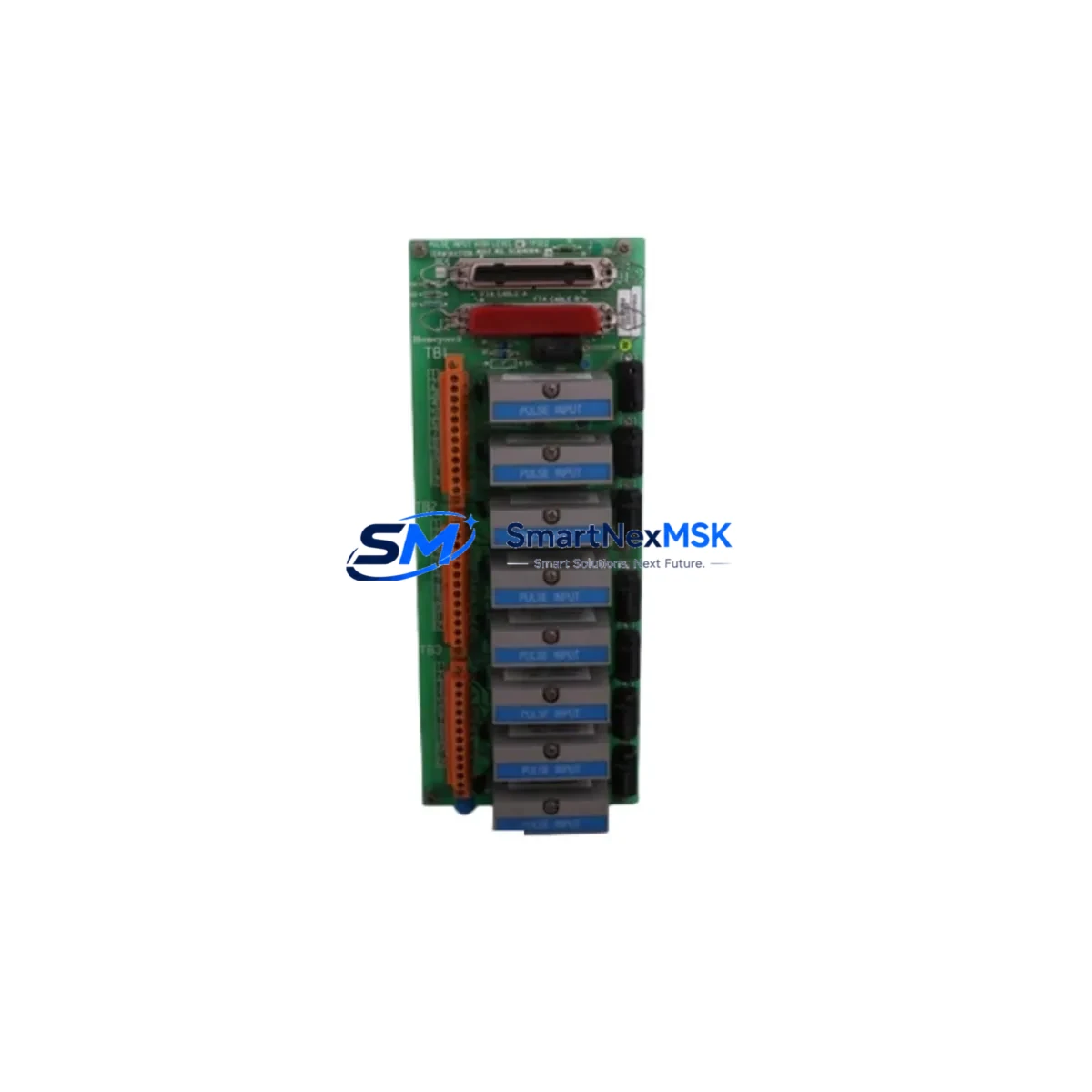
Honeywell FS-CPCHAS-0002 Retrofit-Ready Chassis for Safety Manager Control Systems
The Honeywell FS-CPCHAS-0002 is a Safety Manager series chassis designed for SIL 2 and SIL 3 functional safety applications in process automation environments. As legacy Safety Manager installations age and original chassis units reach end-of-life, the FS-CPCHAS-0002 serves as the primary retrofit and replacement solution for facilities seeking to extend system life without a full platform migration. This unit is sourced from authorized supply channels, fully tested prior to shipment, and backed by a 12-month warranty.
Whether you are replacing a failed chassis in an operating safety instrumented system (SIS), upgrading a control cabinet during a planned turnaround, or consolidating spare parts inventory for a multi-site facility, the FS-CPCHAS-0002 provides the mechanical and electrical foundation required for a reliable, code-compliant retrofit.
Upgrade Compatibility Table
| Parameter | Details |
|---|---|
| SKU / Part Number | FS-CPCHAS-0002 |
| Series | Honeywell Safety Manager (SM) |
| Chassis Slot Configuration | Compatible with standard Safety Manager backplane slot assignments |
| Communication Compatibility | FOUNDATION Fieldbus HSE, Modbus, OPC; compatible with existing SM network topology |
| Installation Requirement | DIN rail or panel mount; matches original FS-CPCHAS footprint |
| Replacement Fit | Drop-in replacement for existing FS-CPCHAS-0002 installations |
| SIL Rating | SIL 2 / SIL 3 capable (per IEC 61508 / IEC 61511) |
| Retrofit Recommendation | Verify backplane connector condition and module address assignments before swap |
| Commissioning Note | Re-validate safety logic download and I/O channel mapping post-installation |
| Warranty | 12 Months from date of shipment |
Retrofit Planning for Existing Automation Systems
Replacing the FS-CPCHAS-0002 in an active Safety Manager installation requires careful pre-work to avoid unplanned shutdowns and logic integrity issues. Begin by auditing the existing chassis for slot occupancy — typical Safety Manager cabinets house the FS-CPU-0001 or FS-CPU-0002 safety controller, paired with FS-SDO-0824 digital output modules and FS-SDI-0824 digital input modules. These modules must be documented by slot address before removal, as the Safety Manager runtime assigns I/O channel references based on physical slot position.
Power distribution within the cabinet is typically handled by the FS-PSU-0024 power supply unit. Before chassis removal, verify that the PSU output voltage and current capacity are within specification for the replacement chassis and all installed modules. Undersized power supply capacity is a common root cause of intermittent faults after chassis swaps in retrofit projects.
Communication continuity is another critical checkpoint. Safety Manager systems often interface with the plant DCS — such as Honeywell Experion PKS — via the FS-CNET-0001 communication module using FOUNDATION Fieldbus HSE or Modbus TCP. Confirm that the communication module firmware version is compatible with the replacement chassis before proceeding. In some installations, the FS-RIO-0001 remote I/O interface is used to extend the safety system across larger process units; these remote links must be re-verified after chassis replacement to confirm signal integrity and response time compliance.
For facilities running older Safety Manager revisions, the chassis swap may also be an opportunity to upgrade the FS-PROG-0001 programming cable and associated Safety Builder software to the latest supported version. This ensures that the safety application download to the new chassis proceeds without compatibility errors and that the full diagnostic coverage of the SIL-rated logic is preserved.
HMI integration should also be reviewed. If the Safety Manager is connected to an Experion Station or a third-party SCADA via OPC, confirm that the chassis replacement does not alter the controller node address or the OPC tag mapping. Any change to the controller’s network identity will require corresponding updates in the HMI configuration and alarm management system.
Downtime Control During System Migration
Minimizing process downtime during a Safety Manager chassis replacement begins with a structured pre-outage checklist. Export and archive the current safety application from the existing chassis using Safety Builder before any hardware is disturbed. Verify the exported program against the as-built documentation to confirm version consistency. This archived copy serves as the recovery baseline if the new chassis requires a clean download.
Where process conditions permit, schedule the chassis swap during a planned maintenance window rather than responding reactively to a chassis failure. Pre-stage the replacement FS-CPCHAS-0002, confirm all module slot assignments, and prepare the terminal wiring documentation in advance. Label all field wiring at the terminal blocks before disconnection to eliminate re-wiring errors during reassembly.
After the new chassis is installed and all modules are reseated in their original slot positions, perform a controlled power-up sequence. Monitor the Safety Manager diagnostic display for any slot configuration mismatch alarms before initiating the safety application download. Once the program is loaded and the system enters run mode, conduct a systematic I/O verification — energize each output channel individually and confirm field device response before returning the system to automatic control. This structured commissioning approach keeps total outage time predictable and protects the integrity of the safety function throughout the migration.
Retrofit Support FAQ
Q: Is the FS-CPCHAS-0002 a direct drop-in replacement for all Safety Manager chassis variants?
A: The FS-CPCHAS-0002 is designed as a direct mechanical and electrical replacement for the standard Safety Manager chassis configuration. However, you should verify the slot count and backplane connector revision of your existing installation against the replacement unit before ordering, particularly for older first-generation Safety Manager cabinets.
Q: Do I need to re-download the safety application after replacing the chassis?
A: Yes. After a chassis replacement, a full safety application download from Safety Builder is required to ensure the program is correctly loaded into the new hardware. Always use the archived application export taken before the swap as the source file, and verify the program checksum after download.
Q: How do I verify wiring compatibility before the chassis swap?
A: Cross-reference the existing terminal block wiring against the Safety Manager I/O module datasheets for each installed module (e.g., FS-SDI-0824, FS-SDO-0824). Confirm that field wiring gauge, terminal torque specifications, and signal types match the module input/output ratings. Any wiring modifications should be documented and reflected in the updated as-built drawings.
Q: What does the 12-month warranty cover?
A: The 12-month warranty covers manufacturing defects and functional failures under normal operating conditions from the date of shipment. Each unit undergoes pre-shipment functional testing. Warranty claims are supported by our technical team — contact [email protected] for RMA procedures and technical assistance.
© 2026 SMARTNEXMSK. All rights reserved.
Original Source: https://smartnexmsk.com
Contact: [email protected] | +86 18259474341



