
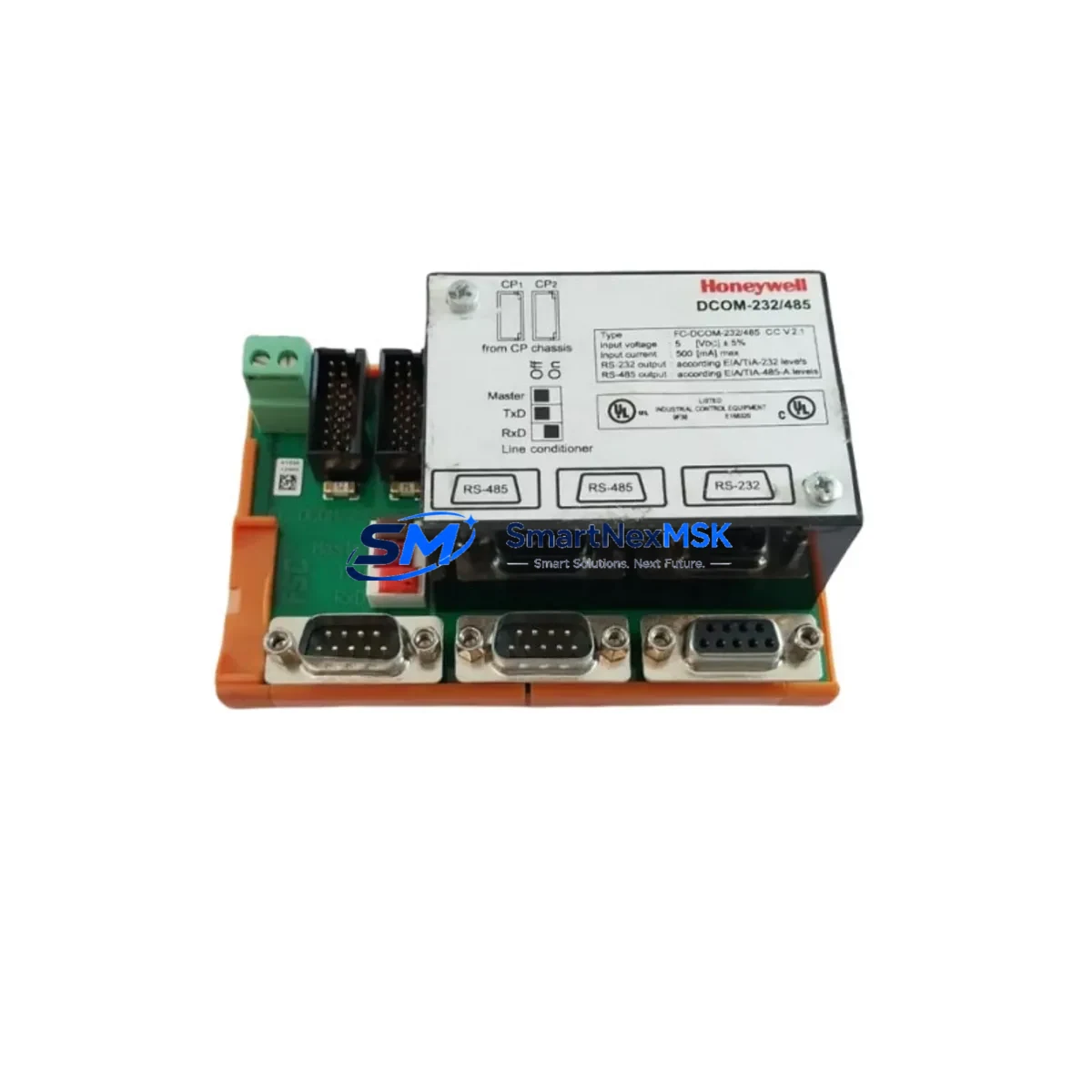
Honeywell FS-DCOM-232/485 Maintenance-Ready Spare for FS Series Automation
The Honeywell FS-DCOM-232/485 is an original OEM dual-port serial communication module engineered for the Honeywell FS Series Fire Alarm Control Panel (FACP) platform. Supporting both RS-232 and RS-485 interfaces simultaneously, this module enables reliable data exchange between the FACP and building management systems (BMS), remote annunciators, and third-party monitoring equipment. For maintenance engineers responsible for life-safety and industrial control infrastructure, holding a verified OEM-grade FS-DCOM-232/485 spare on the shelf is the most direct strategy for eliminating extended downtime when a communication fault occurs.
At SMARTNEXMSK, every FS-DCOM-232/485 unit is sourced from authorized supply channels, individually inspected, and function-tested prior to dispatch. Each unit ships with a 12-month warranty covering manufacturing defects and functional failure, along with full traceability documentation suitable for both emergency breakdown response and scheduled planned maintenance cycles.
Spare Maintenance Table
| Parameter | Specification |
|---|---|
| Part Number / SKU | FS-DCOM-232/485 |
| Brand | Honeywell |
| Series | FS Series (Fire Alarm Control Panel) |
| Module Type | Dual Serial Communication Module |
| Communication Interfaces | RS-232 & RS-485 |
| Compatible Platform | Honeywell FS Series FACP |
| Application | BMS integration, annunciator link, remote monitoring, serial data bridge |
| Installation | Direct plug-in to FS Series FACP backplane / communication slot |
| Operating Environment | Indoor industrial / commercial building automation environments |
| Origin | USA (Honeywell OEM) |
| Condition | New, original, function-tested before shipment |
| Warranty | 12 Months — covers manufacturing defects and functional failure |
| Lead Time | In-stock: ships within 1–3 business days |
| Long-Term Supply | Available for repeat orders and blanket purchase agreements |
Maintenance Planning for Continuous Operation
When a communication fault is isolated to the FS-DCOM-232/485, experienced maintenance engineers understand that the module is rarely the only component requiring attention. A disciplined inspection of the surrounding electrical circuit and control cabinet infrastructure is essential for preventing repeat failures and ensuring a durable return to service.
Start with the FS Series FACP main CPU board — upstream processor degradation can cause repeated communication module faults and must be ruled out before the module is condemned. Verify the FS Series power supply module (FS-PS series) for stable DC output; voltage sag or ripple is a primary cause of serial communication errors and unexpected module resets. Inspect the RS-485 bus wiring — shielded twisted-pair cable, termination resistors at both ends of the bus run, and all terminal block connections should be checked for corrosion, loose crimps, or insulation damage that can introduce noise mimicking module failure.
For RS-232 links to a BMS host or data logger, examine the serial cable assembly and DB9 connector pins for oxidation or mechanical damage. If the FS Series panel drives a Honeywell FS-LCD remote annunciator, confirm that baud rate, parity, and stop-bit settings on the annunciator match the replacement module’s configuration before restoring service. In multi-loop installations, check the FS Series loop controller cards and associated addressable device wiring for ground faults that inject noise onto the serial bus.
Procurement engineers assembling a comprehensive FS Series spare parts kit should also stock the FS-BATTERY backup battery assembly to maintain panel operation during mains failure, FS Series relay output modules for alarm and supervisory signal routing, and FS-ZONE zone monitor modules for conventional zone supervision. For extended RS-485 runs exceeding 1,000 metres, a dedicated RS-485 signal repeater or optical isolator should be included in the maintenance inventory to protect the communication bus from ground loops and transient surges. Facilities with multiple FS Series panels should consider holding a spare FS Series chassis or backplane assembly to support rapid panel-level swap-out in life-safety-critical environments.
All spare components should be stored in anti-static packaging within a climate-controlled environment, with periodic stock rotation to prevent shelf degradation. SMARTNEXMSK supports long-term supply agreements for facilities requiring guaranteed availability across multiple maintenance cycles.
Site Replacement Workflow
Step 1 — Pre-replacement verification: Review the FACP event log for communication trouble codes to confirm the FS-DCOM-232/485 is the active fault source. Document the existing module’s DIP switch or jumper settings — baud rate, interface selection, and address — before removal to ensure the replacement is configured identically.
Step 2 — Safe isolation: Place the FACP in test mode per site safety procedures and notify the central monitoring station and relevant building personnel before disabling communication outputs. De-energize the communication slot following the FS Series service manual; confirm whether the panel supports live insertion for this module type before proceeding.
Step 3 — Module swap: Release the retention latch and slide the faulty FS-DCOM-232/485 from the backplane slot. Insert the replacement unit, ensuring the edge connector is fully seated. Replicate the original DIP switch and jumper configuration on the new module before restoring power.
Step 4 — Functional verification: Restore power and confirm the FACP recognizes the replacement module without generating a new trouble condition. Initiate a test transaction to verify communication with the connected BMS or annunciator. Review the FACP event log to confirm no residual faults remain active.
Step 5 — Documentation and return to service: Record the replacement in the site maintenance log with the new module’s serial number, installation date, and technician ID. Remove the panel from test mode, confirm the monitoring station has restored supervision, and update the spare parts inventory to trigger reorder of a replacement FS-DCOM-232/485 for the next maintenance cycle. A prepared team should complete this workflow in under 30 minutes.
Spare Parts Support FAQ
Q1: Is the FS-DCOM-232/485 supplied by SMARTNEXMSK an original Honeywell OEM part?
Yes. All units are sourced from authorized Honeywell distribution channels and are genuine OEM components. Each unit is individually inspected and function-tested before shipment. A certificate of conformity is available upon request.
Q2: What does the 12-month warranty cover, and how is a claim processed?
The 12-month warranty covers manufacturing defects and functional failure under normal operating conditions. If a unit fails within the warranty period, contact [email protected] with the order reference and a fault description. SMARTNEXMSK will arrange a replacement shipment or full refund after fault verification — no lengthy RMA process.
Q3: Can the FS-DCOM-232/485 replace older or discontinued Honeywell FS Series communication modules?
The FS-DCOM-232/485 is the current Honeywell OEM part for RS-232/RS-485 communication on the FS Series platform. For earlier panel revisions, compatibility should be confirmed against the panel’s firmware version and slot assignment. SMARTNEXMSK’s technical team can assist with compatibility verification before order placement — contact us with your panel model and firmware revision.
Q4: Do you support blanket orders or long-term supply agreements for multi-panel facilities?
Yes. SMARTNEXMSK supports blanket purchase orders, scheduled release agreements, and consignment stock arrangements for facilities requiring guaranteed availability of critical spare parts. Contact [email protected] or call +86 18259474341 to discuss volume pricing and supply terms.
© 2026 SMARTNEXMSK. All rights reserved.
Original Source: https://smartnexmsk.com
Contact: [email protected] | +86 18259474341



