
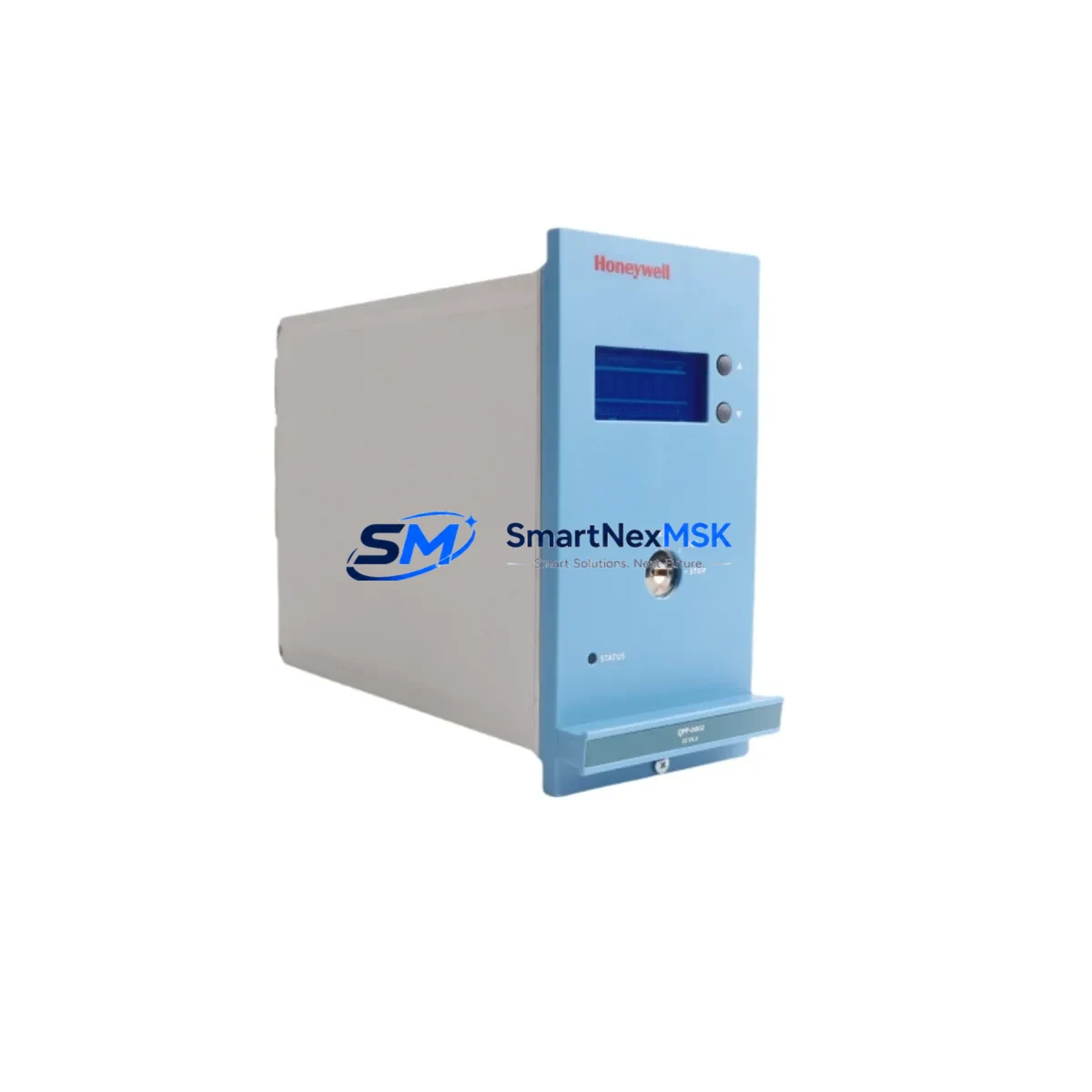
Honeywell FS-QPP-0001 Retrofit-Ready FTA Cable for SM/FSC Control Systems
When aging Safety Manager or FSC-based control systems require cable replacement or system-level modernization, the Honeywell FS-QPP-0001 FTA interconnection cable delivers a reliable, drop-in retrofit solution that preserves existing wiring infrastructure while restoring full signal integrity between field termination assemblies and the safety controller backplane. Designed specifically for the Honeywell Safety Manager SM Series and FSC (Fail-Safe Controller) platform, this cable is a critical link in the safety I/O chain — and sourcing a verified replacement is essential to maintaining SIL-rated loop integrity during any upgrade or repair campaign.
Industrial facilities running legacy Honeywell safety systems often face the challenge of locating exact-match spare cables when the original units reach end-of-life or suffer physical damage from heat, vibration, or chemical exposure. The FS-QPP-0001 addresses this directly: it is a factory-specification interconnection cable that connects the FTA (Field Termination Assembly) to the corresponding I/O module slot in the SM or FSC chassis, maintaining the precise pin-out, shielding, and connector locking geometry required for certified safety operation. Every unit shipped from our inventory undergoes pre-delivery continuity and insulation resistance testing to confirm it meets the original Honeywell specification before it leaves the warehouse.
Upgrade Compatibility Table
| Parameter | Detail |
|---|---|
| SKU / Part Number | FS-QPP-0001 |
| Compatible Platform | Honeywell Safety Manager (SM Series), FSC (Fail-Safe Controller) |
| Cable Function | FTA-to-I/O Module Interconnection |
| Connector Type | Keyed multi-pin, locking, per Honeywell SM/FSC specification |
| Shielding | Foil + braid, EMI/RFI rated for industrial cabinet environments |
| Installation Requirement | No tools required; direct plug-in to FTA and I/O module slot |
| Communication Compatibility | Supports all SM/FSC I/O signal types (DI, DO, AI, AO) |
| Retrofit Recommendation | Direct replacement; verify slot address and FTA model before installation |
| Commissioning Note | Confirm module address assignment and FTA wiring label alignment post-swap |
| Operating Temperature | 0°C to +60°C (cabinet-mounted) |
| Warranty | 12-Month Warranty — defect-free guarantee from shipment date |
Retrofit Planning for Existing Automation Systems
A successful FS-QPP-0001 replacement begins well before the cable arrives on site. Engineers planning a Safety Manager or FSC retrofit should first audit the existing cabinet layout to confirm which FTA models are installed — common pairings include the FS-TAI-0001 analog input FTA and the FS-TDI-0001 digital input FTA, both of which use the QPP-series interconnection cable family to link to their respective I/O modules in the SM chassis. Verifying the FTA model number against the cable part number prevents mismatches that could delay commissioning.
On the controller side, the Honeywell SM-SCM-0001 Safety Communication Module and the SM-SDO-0001 digital output module are frequently found in the same cabinet as the FS-QPP-0001 cable run. When replacing the cable, technicians should document the existing module slot addresses — typically configured via DIP switches or software in the Safety Manager engineering workstation — before disconnecting anything. This ensures that after the new FS-QPP-0001 is seated, the I/O module resumes communication on the correct logical address without requiring a full program download.
Power supply integrity is another pre-retrofit checkpoint. The Honeywell PS-SM-0001 redundant power supply module feeding the SM chassis must be confirmed at rated voltage (typically 24 VDC) before and after the cable swap, as voltage sag during the procedure can trigger spurious fault logs in the Safety Manager historian. If the cabinet also houses an FSC-CPU-0001 or equivalent FSC processor module, its watchdog timer should be noted — some FSC configurations will initiate a safe-state output if the I/O bus is interrupted for more than the configured timeout period.
For sites migrating from older FSC hardware to the Safety Manager platform, the FS-QPP-0001 is often part of a broader I/O migration kit that includes new FS-TDO-0001 digital output FTAs, updated FS-TAO-0001 analog output FTAs, and revised marshalling terminal blocks. HMI screens tied to the FSC tag database will require tag remapping in the SCADA or DCS historian — a step that should be completed and validated in a simulation environment before live cutover. Communication links using Modbus RTU or PROFIBUS DP between the safety controller and the DCS should be re-verified after the cable replacement to confirm that no address conflicts were introduced during the swap.
Downtime Control During System Migration
Minimizing unplanned downtime during an FS-QPP-0001 replacement requires a structured hot-swap protocol. Where the process safety plan permits, the preferred approach is to pre-stage the new cable alongside the existing installation, perform a visual and continuity check on the replacement unit, and then execute the swap during a planned maintenance window — ideally during a scheduled process hold or low-throughput period.
Before disconnecting the existing cable, capture a full screenshot or printout of the Safety Manager diagnostic display showing all I/O module statuses as HEALTHY. This baseline image serves as the acceptance criterion after reconnection: the system should return to the same healthy state within one scan cycle of the new FS-QPP-0001 being seated. If any module reports a communication fault after reconnection, the most common causes are an unseated connector latch, a mismatched FTA address, or a residual fault latch in the SM controller that requires a manual reset from the engineering workstation.
For FSC-to-SM migration projects where the FS-QPP-0001 is being introduced as part of a new FTA installation rather than a like-for-like swap, the commissioning sequence should follow the Honeywell SM Engineering Manual: install and address the I/O module first, connect the FS-QPP-0001 cable second, and power the FTA last. This sequence prevents floating inputs from generating nuisance alarms in the safety logic during the bring-up phase. Original program logic files should be backed up to a secure engineering workstation before any hardware changes begin, and a second technician should monitor the Safety Manager status display throughout the procedure to catch any unexpected safe-state transitions.
Our team maintains ready stock of the FS-QPP-0001 to support urgent retrofit and emergency replacement scenarios. All units are shipped with a pre-test certificate and are covered by a 12-month warranty from the date of shipment, giving maintenance teams confidence that the replacement cable will perform to specification for the full duration of the next planned maintenance interval.
Retrofit Support FAQ
Q1: Is the FS-QPP-0001 a direct drop-in replacement for the original Honeywell cable?
Yes. The FS-QPP-0001 is manufactured to the original Honeywell specification with identical connector geometry, pin-out, and shielding. No wiring modifications or adapter plates are required for a like-for-like swap in SM or FSC cabinets.
Q2: What pre-installation checks should be completed before replacing the cable?
Confirm the FTA model number, verify the I/O module slot address, check cabinet power supply voltage, and back up the current Safety Manager program. Document all module status indicators before disconnecting the existing cable.
Q3: Does the 12-month warranty cover field installation damage?
The warranty covers manufacturing defects and component failures under normal operating conditions. Physical damage caused by incorrect installation, over-bending, or chemical exposure is not covered. Our technical team can assist with installation guidance prior to commissioning.
Q4: Can you supply multiple units for a full cabinet retrofit or long-term spare inventory?
Yes. We maintain batch stock of the FS-QPP-0001 and can fulfill multi-unit orders for planned retrofit projects or spare parts programs. Lead time and pricing for volume orders are available upon request via [email protected].
© 2026 SMARTNEXMSK. All rights reserved.
Original Source: https://smartnexmsk.com
Contact: [email protected] | +86 18259474341



