
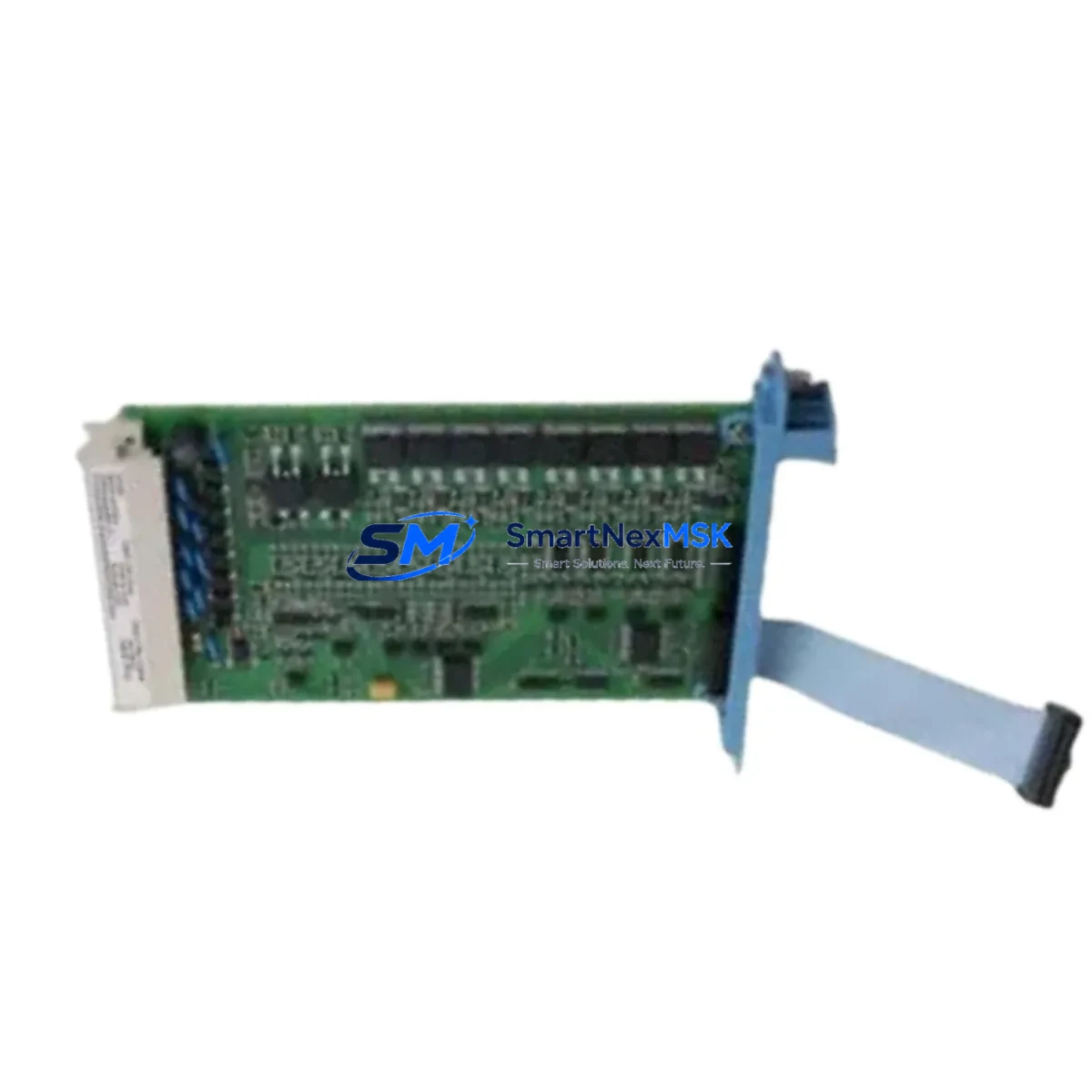
Honeywell FS-SCSIML01 Retrofit-Ready SIL Module for FS Safety Systems
The Honeywell FS-SCSIML01 is a SIL 2–certified safety logic module designed for the Honeywell Safety Manager (FS) Series — one of the most widely deployed safety instrumented systems in refining, petrochemical, and continuous process industries. As legacy FS-series hardware reaches end-of-life or becomes increasingly difficult to source, the FS-SCSIML01 serves as a critical retrofit component enabling engineers to extend system life, restore SIL-rated protection, and avoid costly full-system replacements.
At SMARTNEXMSK, we supply original FS-SCSIML01 modules with full pre-shipment functional testing, traceable documentation, and a 12-month warranty — supporting both planned upgrade projects and emergency replacement scenarios.
Upgrade Compatibility Table
| Parameter | Specification / Notes |
|---|---|
| SKU / Part Number | FS-SCSIML01 |
| Brand / Manufacturer | Honeywell Process Solutions |
| Series | Safety Manager (FS Series) |
| Safety Integrity Level | SIL 2 (IEC 61508 certified) |
| Module Function | Safety Logic / SIL Execution Module |
| Backplane Interface | FS Series rack-compatible slot interface |
| Communication Compatibility | Compatible with FS Safety Manager communication architecture |
| Power Supply Requirement | Supplied via FS rack backplane (verify rack PSU capacity before installation) |
| Replacement Fit | Direct slot-for-slot replacement within FS Safety Manager chassis |
| Firmware / Programming | Requires Safety Manager engineering station for configuration validation |
| Commissioning Note | Verify module address, I/O mapping, and SIL loop integrity after swap |
| Condition | Original, pre-shipment tested |
| Warranty | 12 Months — SMARTNEXMSK |
Retrofit Planning for Existing Automation Systems
Replacing the FS-SCSIML01 in an operating safety system requires careful pre-work across multiple subsystems. Before pulling the module, maintenance and project engineers should audit the full FS Safety Manager chassis configuration. The FS-SCPWR01 or equivalent rack power supply module must be verified to have sufficient headroom to support the replacement module without voltage sag — particularly in fully populated racks where multiple FS-SCSIML01 or FS-SCAIML01 analog input modules share the same backplane bus.
Terminal wiring connected to associated I/O modules — such as the FS-SDO801 digital output module or FS-SDI801 digital input module — should be documented and photographed before any physical work begins. If the safety loop includes HART-enabled field instruments, confirm that the HART communication pass-through configuration is preserved in the replacement module’s parameter set.
For sites running Honeywell’s Safety Manager with Experion PKS integration, the FS-SCSIML01 replacement must be coordinated with the DCS communication link. The FS-SCCOM01 communication module and associated Modbus or proprietary safety network connections should be verified for continuity after the swap. Any changes to module slot addressing within the FS chassis will require corresponding updates in the Safety Manager application program — typically managed through the Honeywell Safety Manager engineering workstation.
Where the retrofit involves migrating from an older FS-series variant to a current-generation module, engineers should also review the HMI faceplate assignments. Experion Station or third-party SCADA displays referencing specific I/O tags tied to the FS-SCSIML01 may require tag remapping if the module’s internal channel structure differs between hardware revisions. Keeping a pre-retrofit backup of the Safety Manager application database is essential before any live system modification.
For control cabinets housing both safety and basic process control functions, the retrofit window should also include inspection of terminal blocks, fuse holders, and 24 VDC distribution rails serving the FS rack — components that are frequently overlooked during module-focused maintenance but are common sources of intermittent faults in aging installations.
Downtime Control During System Migration
Minimizing process downtime during an FS-SCSIML01 replacement requires a structured migration plan. For SIL-rated systems, the replacement must typically be performed during a planned shutdown or with the safety function bypassed under a formal Management of Change (MOC) procedure — hot-swap capability depends on the specific FS chassis configuration and site safety procedures.
The recommended workflow begins with a full export of the current Safety Manager application, followed by a module-level diagnostic check using the Safety Manager engineering station to confirm which functions are assigned to the FS-SCSIML01 being replaced. Once the replacement module is physically installed and the rack is powered, the engineering station should be used to download the validated application and perform a channel-by-channel I/O verification before releasing the safety function from bypass.
For sites where the FS Safety Manager is integrated with a Honeywell Experion PKS or a third-party DCS, the communication link status should be confirmed at the SCADA level before returning the system to automatic mode. Keeping a pre-tested spare FS-SCSIML01 on the shelf — alongside matched spares for the FS-SCPWR01 power module and key I/O modules — is the most effective strategy for reducing mean time to repair (MTTR) in future fault scenarios. SMARTNEXMSK maintains ongoing inventory of FS-series modules to support both emergency and scheduled replacement programs.
Retrofit Support FAQ
Q1: Is the FS-SCSIML01 a direct drop-in replacement for older FS Safety Manager SIL modules?
In most cases, yes — the FS-SCSIML01 is designed for slot-compatible installation within the FS Safety Manager chassis. However, engineers should verify the hardware revision level and firmware compatibility with the existing Safety Manager application before installation. SMARTNEXMSK can provide documentation to support compatibility verification.
Q2: What commissioning steps are required after replacing the FS-SCSIML01?
After physical installation, the Safety Manager engineering station must be used to validate the application download, confirm module addressing, and perform a full I/O loop check. For SIL 2 loops, a proof test or partial stroke test of connected field devices may also be required per the site’s safety management plan.
Q3: How is the FS-SCSIML01 tested before shipment?
All FS-SCSIML01 modules supplied by SMARTNEXMSK undergo pre-shipment functional testing to verify power-up, communication handshake, and basic I/O response. Modules are shipped with test records and are covered by a 12-month warranty from the date of delivery.
Q4: Can SMARTNEXMSK supply matched FS-series spares for a full cabinet retrofit?
Yes. We maintain stock of multiple FS Safety Manager series components and can supply matched module sets for planned retrofit projects. Contact our team with your cabinet BOM or module list for availability confirmation and lead time.
© 2026 SMARTNEXMSK. All rights reserved.
Original Source: https://smartnexmsk.com
Contact: [email protected] | +86 18259474341



