
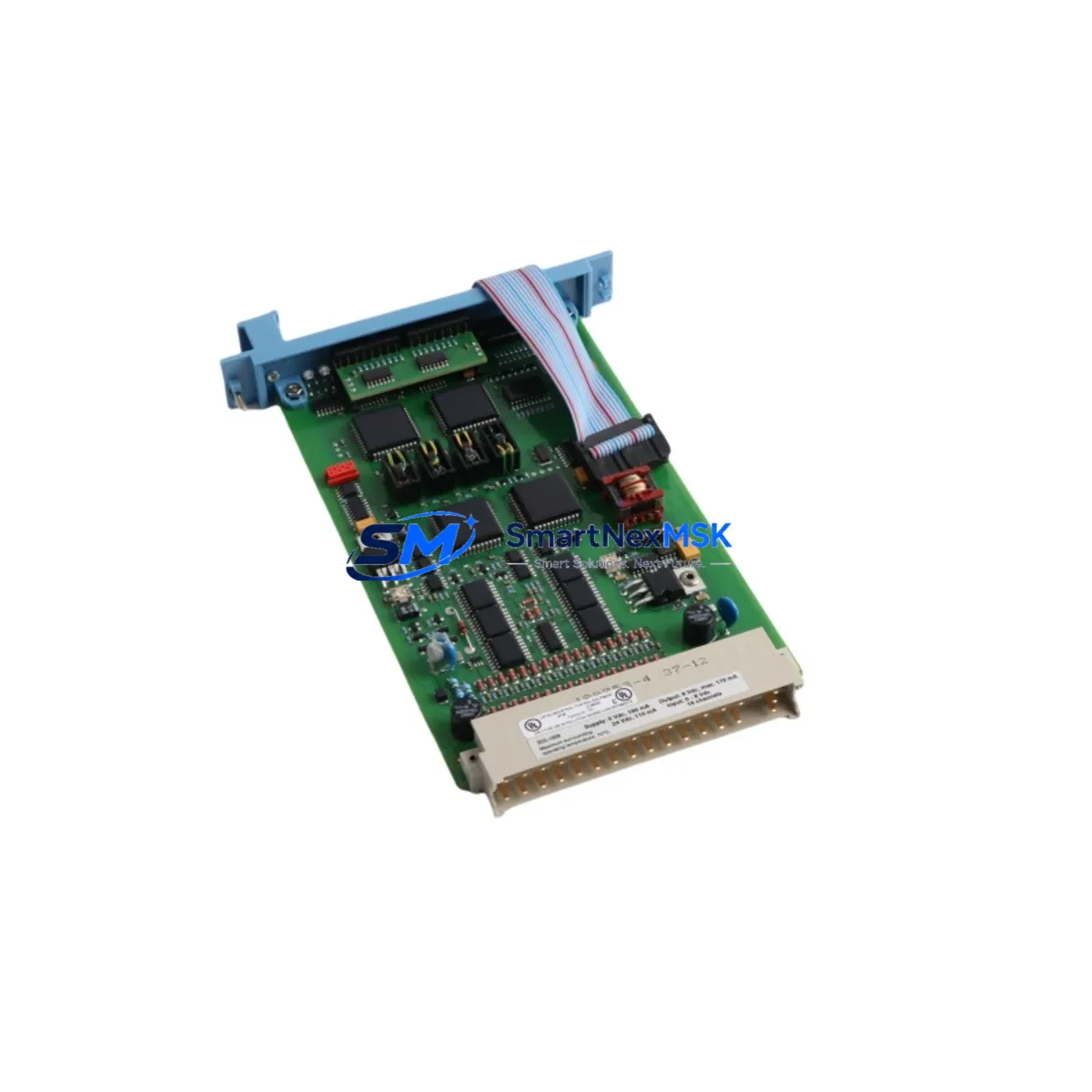
Honeywell FS-SDO-0424 Retrofit-Ready Safety Digital Output for Safety Manager SC Control Systems
The Honeywell FS-SDO-0424 is a SIL2-rated, 4-channel safety digital output module engineered for seamless integration into Safety Manager SC (SM SC) control systems. As legacy safety instrumented systems (SIS) approach end-of-life or face discontinued spare part availability, the FS-SDO-0424 serves as the authoritative retrofit and replacement solution — enabling industrial facilities to extend operational life, restore SIL compliance, and modernize output control without full system replacement.
Whether you are replacing a failed FS-SDO-0424 in a running SIS loop, upgrading from an earlier Safety Manager generation, or migrating a control cabinet from an obsolete platform, this module delivers the electrical compatibility, diagnostic coverage, and firmware alignment required for a controlled, low-risk cutover.
Upgrade Compatibility Table
| Parameter | FS-SDO-0424 Specification | Retrofit Notes |
|---|---|---|
| Output Channels | 4 × Safety Digital Output (24 VDC) | Verify field device voltage rating before wiring |
| Safety Integrity Level | SIL 2 (IEC 61508) | Confirm SIL loop calculation remains valid post-swap |
| Backplane Interface | SM SC I/O Backplane (FS-RACK series) | Slot position must match original module address |
| Power Consumption | ≤ 4 W (typical) | Verify FS-PSU-0520 or equivalent PSU capacity |
| Communication Protocol | Internal SM SC bus (proprietary) | No external protocol change required for like-for-like swap |
| Installation Format | Plug-in module, FS-RACK backplane | Hot-swap capability subject to system configuration |
| Firmware Compatibility | SM SC firmware ≥ v3.x recommended | Confirm firmware version via Safety Manager Engineering Tool |
| Replacement Scope | Direct replacement for FS-SDO-0424 (same generation) | Cross-generation upgrade requires engineering review |
| Warranty | 12-Month Warranty — covers manufacturing defects, DOA, and functional failure under normal operating conditions | |
Retrofit Planning for Existing Automation Systems
A successful FS-SDO-0424 retrofit begins well before the module arrives on site. Engineers must audit the existing FS-RACK-0800 or FS-RACK-0400 backplane to confirm available slot positions and verify that the module address assigned in the Safety Manager Engineering Tool matches the physical slot. The FS-PSU-0520 power supply unit must be assessed for remaining capacity headroom — adding or replacing output modules without verifying PSU load budget is a common cause of nuisance trips during commissioning.
Terminal wiring for the FS-SDO-0424 follows the SM SC field wiring standard. Technicians should cross-reference the existing loop drawings against the module’s terminal block pinout before disconnecting any field cables. Where the original installation used a FS-TBM-0424 terminal block module, the same termination hardware is reused, eliminating the need to re-terminate field cables — a significant advantage in time-critical shutdowns.
For facilities migrating from an older Safety Manager (non-SC) platform, the I/O module addressing scheme and backplane bus protocol differ. In these cases, the FS-COM-0200 communication module and the FS-CPU-0200 controller module must also be evaluated for compatibility. The Safety Manager Engineering Tool (SMET) is used to re-import or rebuild the I/O configuration, and the application logic compiled for the legacy platform must be reviewed for any output function block references that map to the FS-SDO-0424 channel assignments.
HMI screens connected via Modbus TCP or OPC DA/UA to the Safety Manager SC typically reference output status tags by module slot and channel index. After module replacement, verify that all HMI tag bindings remain intact and that the SCADA historian is logging the correct channel states. Where the facility uses a Honeywell Experion PKS integration, the SM SC gateway configuration should be reviewed to confirm that the DO channel mapping has not shifted.
For I/O expansion projects — where the FS-SDO-0424 is being added to an existing rack rather than replacing a failed unit — engineers must also update the FS-RACK-0800 slot configuration in SMET, assign a unique module address, and perform a full I/O checkout against the updated cause-and-effect matrix before returning the system to operational status.
Downtime Control During System Migration
Minimizing unplanned downtime during an FS-SDO-0424 swap requires a structured pre-outage preparation protocol. Before the maintenance window opens, the existing module’s diagnostic status should be captured from the Safety Manager Engineering Tool — any pre-existing faults or partial channel failures must be documented so that post-swap commissioning can confirm full restoration of output health.
Where the process allows, the affected output channels should be placed in a safe, de-energized state and the corresponding field devices (solenoid valves, motor starters, or shutdown actuators) confirmed in their safe position before the module is extracted. This protects both personnel and process equipment during the physical swap.
The FS-SDO-0424 is a plug-in module — physical replacement takes under five minutes for a trained technician. The critical time investment is in post-installation verification: confirming module recognition in SMET, clearing any initialization faults, performing a channel-by-channel output test against the field device, and verifying that the SIS loop diagnostic coverage is restored to its pre-fault state. Where the system supports partial stroke testing for valve actuators, this should be re-validated as part of the commissioning sign-off.
All replacement activities should be documented in the site’s Management of Change (MOC) system, with the module serial number, firmware version, slot address, and commissioning test results recorded. This documentation supports future audits and maintains the integrity of the SIL 2 safety case. Every FS-SDO-0424 supplied by SMARTNEXMSK ships with a 12-month warranty and a pre-shipment functional test report, reducing the risk of DOA modules extending your maintenance window.
Retrofit Support FAQ
Q1: Is the FS-SDO-0424 a direct drop-in replacement for the same part number in an existing Safety Manager SC rack?
Yes. The FS-SDO-0424 is a like-for-like replacement within the SM SC platform. The module occupies the same backplane slot, uses the same terminal block interface, and requires no changes to the application logic or I/O configuration in SMET — provided the replacement unit is the same hardware revision or a compatible successor revision. Always confirm the hardware revision label before installation.
Q2: What commissioning steps are required after installing the FS-SDO-0424?
After physical installation, power up the rack and confirm module recognition in the Safety Manager Engineering Tool. Clear any initialization faults, then perform a channel-by-channel output test: energize each DO channel individually and verify the corresponding field device response. Confirm that all SIS loop diagnostics return to healthy status and that no spurious alarms are generated on the SCADA or DCS integration. Document all test results before returning the system to operational mode.
Q3: Can the FS-SDO-0424 be used to replace output modules from an older, non-SC Safety Manager platform?
Not directly. The SM SC backplane bus and module addressing are not backward-compatible with the earlier Safety Manager (non-SC) I/O architecture. A cross-generation migration requires a full engineering review, potential backplane replacement (FS-RACK series), and re-validation of the SIL loop. Contact our technical team for a migration feasibility assessment before ordering.
Q4: What does the 12-month warranty cover, and how is a warranty claim processed?
The 12-month warranty covers manufacturing defects, dead-on-arrival (DOA) failures, and functional failures under normal operating conditions as defined in the Honeywell SM SC installation manual. It does not cover damage from incorrect installation, overvoltage, or unauthorized modification. To initiate a warranty claim, contact [email protected] with the module serial number, purchase order reference, and a description of the fault. Replacement units are dispatched after fault verification, with typical turnaround of 3–5 business days.
© 2026 SMARTNEXMSK. All rights reserved.
Original Source: https://smartnexmsk.com
Contact: [email protected] | +86 18259474341



