
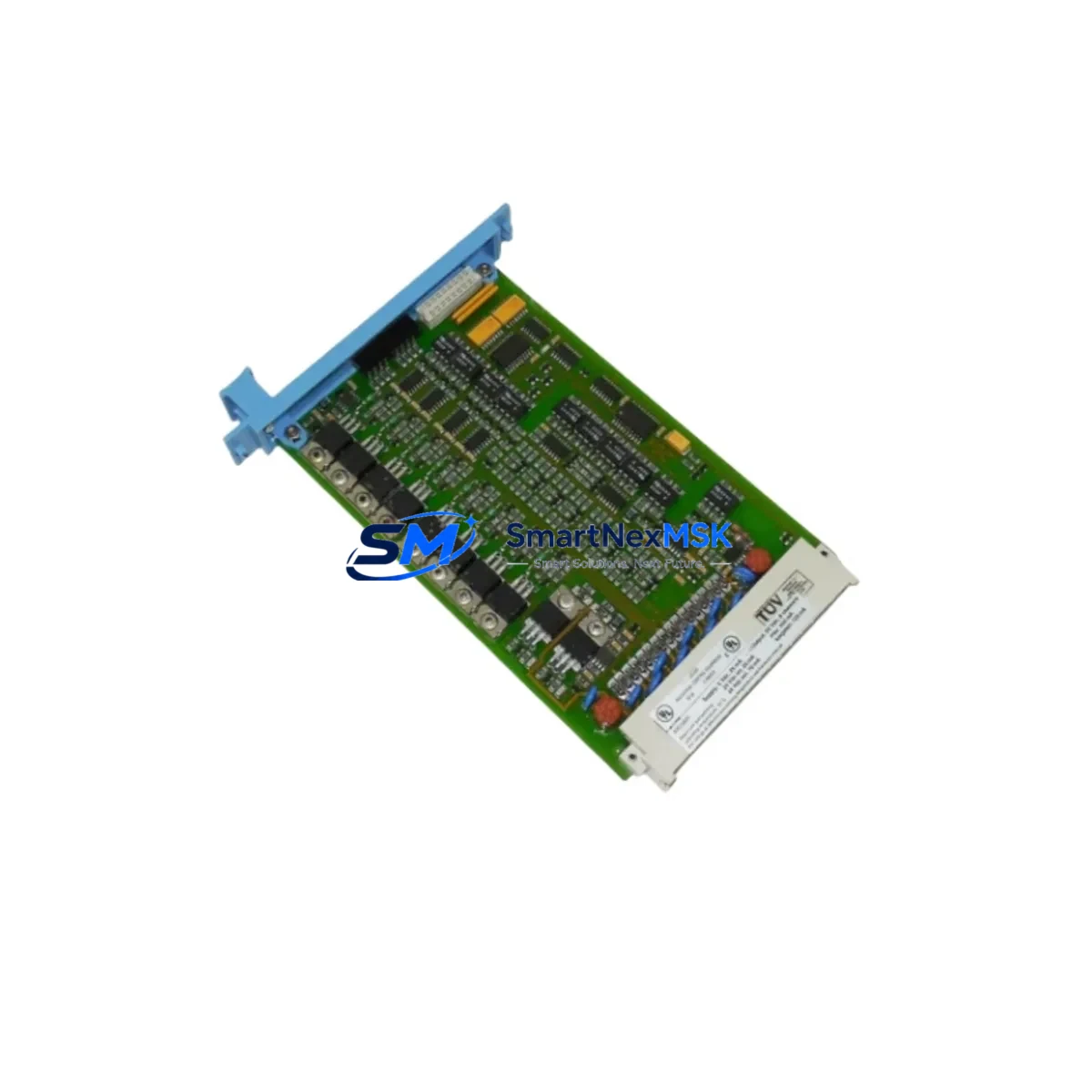
Honeywell FS-SDO-0824 Retrofit-Ready Safety Output for FSC Control Systems
The Honeywell FS-SDO-0824 is an 8-channel, 24 VDC Safe Digital Output Module engineered for the Honeywell FSC Safety Manager platform — one of the most widely deployed SIL 2 / SIL 3 safety instrumented systems in the process and energy industries. As legacy FSC installations approach end-of-life or require capacity expansion, the FS-SDO-0824 serves as the authoritative drop-in replacement and upgrade path for discontinued or worn output modules, enabling plant engineers to restore full safety-loop integrity without redesigning the control architecture.
Whether you are replacing a failed FS-SDO-0824 on a running unit, expanding I/O capacity in an existing FSC rack, or executing a phased modernization of an older safety controller cabinet, this module is stocked, pre-tested, and ready for immediate dispatch. Each unit ships with a 12-month warranty and full factory-equivalent functional verification.
Upgrade Compatibility Table
| Parameter | FS-SDO-0824 Specification | Retrofit Notes |
|---|---|---|
| Output Channels | 8 × 24 VDC Safe Digital Output | Direct channel-for-channel replacement of legacy SDO modules |
| Safety Integrity Level | SIL 2 / SIL 3 (IEC 61508) | Maintains existing SIL classification; no re-validation of loop required |
| Backplane Interface | FSC standard backplane connector | Compatible with all FSC rack generations; verify slot addressing in FSC Toolset |
| Power Consumption | Verify against FS-PSU-xxxx rack power budget | Confirm available headroom on the FS-PSU-0100 or FS-PSU-0200 power supply before installation |
| Terminal Wiring | Screw-terminal field wiring via FS-TBU termination unit | Existing field cables connect to the FS-TBU-0824 termination board; no re-wiring required |
| Module Address | Configured via FSC Toolset software | Re-use existing module address from replaced unit; confirm in I/O configuration database |
| Communication Protocol | FSC internal safety bus | No protocol migration required; compatible with FS-COM-0001 and Modbus/OPC gateway modules |
| Program Compatibility | Full compatibility with existing FSC application logic | No application program changes required; perform online download verification after swap |
| HMI Integration | Status tags mapped via FSC Toolset to DCS/HMI | Existing HMI faceplates and alarm tags remain valid; verify tag mapping in Experion PKS or third-party SCADA |
| Warranty | 12 Months — covers manufacturing defects; each unit functionally tested prior to shipment | |
Retrofit Planning for Existing Automation Systems
A successful FS-SDO-0824 retrofit begins well before the module arrives on site. The first step is a thorough audit of the existing FSC rack assembly. Identify the chassis generation — whether a standard FSC rack or an extended FS-RCK-0800 / FS-RCK-1600 chassis — and confirm the total slot count and current power budget. The FS-PSU-0100 or FS-PSU-0200 power supply modules must have sufficient headroom to support the replacement SDO without tripping the rack’s power fault logic.
Next, document the field termination arrangement. The FS-SDO-0824 interfaces with field devices through the FS-TBU-0824 termination unit. In most installations, the termination board remains in place during a hot-swap or planned-outage swap, meaning existing field cables — solenoid valve actuators, relay coils, motor starters — do not need to be disturbed. Verify terminal torque specifications and inspect for corrosion or loose conductors before re-energizing.
For sites running mixed I/O configurations, the FS-SDO-0824 often sits alongside FS-SDI-0824 safe digital input modules and FS-SAI-0800 safe analog input modules within the same rack. Confirm that the module address assigned in the FSC Toolset configuration database matches the physical slot position. Address conflicts between the SDO and adjacent modules — such as an FS-SAO-0400 safe analog output module — will generate a configuration mismatch fault and prevent the safety controller from entering RUN mode.
Communication continuity is equally critical. Many FSC installations use an FS-COM-0001 Modbus communication module or an OPC gateway to relay safety status to a distributed control system such as Experion PKS, DeltaV SIS, or a third-party SCADA platform. Confirm that the SDO’s output status tags are correctly mapped in the gateway configuration before returning the system to service. Where the FSC is integrated with a Safety Manager SC migration path, verify that the new module’s firmware revision is compatible with the target controller version.
Finally, prepare the programming cable and a laptop loaded with the correct version of FSC Toolset software. After physical installation, perform an online configuration download, verify the module’s self-test diagnostics, and confirm that all 8 output channels report healthy status before releasing the loop to automatic control.
Downtime Control During System Migration
Minimizing unplanned downtime is the primary concern for any safety system retrofit. For the FS-SDO-0824, the recommended approach is a planned bypass and swap procedure executed during a scheduled maintenance window. Before removing the failed or end-of-life module, place all affected safety loops into manual bypass using the FSC Toolset bypass function or the plant’s approved bypass management procedure. This preserves process continuity and prevents spurious trips to the final elements — typically ESD valves or motor contactors — connected to the SDO’s output channels.
With bypasses confirmed and documented, the physical swap takes under 15 minutes: release the module locking lever, withdraw the FS-SDO-0824 from the backplane, insert the replacement unit, and secure the locking mechanism. The FSC controller will detect the new module on the next scan cycle and perform an automatic self-test sequence. If the module address and configuration are unchanged, the controller will transition the module from INIT to RUN state without requiring an application program download.
Once the module is in RUN state, verify each output channel individually using the FSC Toolset force function in a controlled sequence. Confirm that field devices respond correctly — solenoid valves stroke, relay contacts close — before removing bypasses one loop at a time. This staged re-commissioning approach protects the original program logic, maintains field control continuity, and provides a clear audit trail for the site’s safety management system. Total planned outage time for a single-module swap, including pre-work and post-work verification, is typically 2 to 4 hours.
Retrofit Support FAQ
Q1: Is the FS-SDO-0824 a direct drop-in replacement for all FSC Safety Manager rack generations?
Yes. The FS-SDO-0824 uses the standard FSC backplane connector and is compatible with all FSC rack generations, including the FS-RCK-0800 and FS-RCK-1600 chassis. No mechanical or electrical modifications to the rack are required. Confirm the module address in FSC Toolset matches the slot position of the unit being replaced.
Q2: Will I need to modify my existing application program after installing the replacement module?
No application program changes are required. The FS-SDO-0824 is fully compatible with existing FSC application logic. After installation, perform an online configuration download and verify module diagnostics in FSC Toolset. If the module address is unchanged, the controller will resume normal operation without a full program reload.
Q3: How do I verify wiring compatibility before installation?
Field wiring connects to the FS-TBU-0824 termination unit, which remains in place during the module swap. Before installation, inspect all terminal connections for correct torque, insulation integrity, and absence of corrosion. Cross-reference the existing loop drawings against the FS-SDO-0824 terminal assignment diagram to confirm channel-to-field-device mapping is correct.
Q4: What does the 12-month warranty cover, and how is the unit tested before shipment?
Each FS-SDO-0824 unit undergoes full functional testing prior to dispatch, including output channel verification, self-test diagnostic confirmation, and backplane interface checks. The 12-month warranty covers manufacturing defects and functional failures under normal operating conditions. Units are shipped in anti-static packaging with test records available on request. Contact [email protected] for warranty claims or pre-shipment test documentation.
© 2026 SMARTNEXMSK. All rights reserved.
Original Source: https://smartnexmsk.com
Contact: [email protected] | +86 18259474341



