
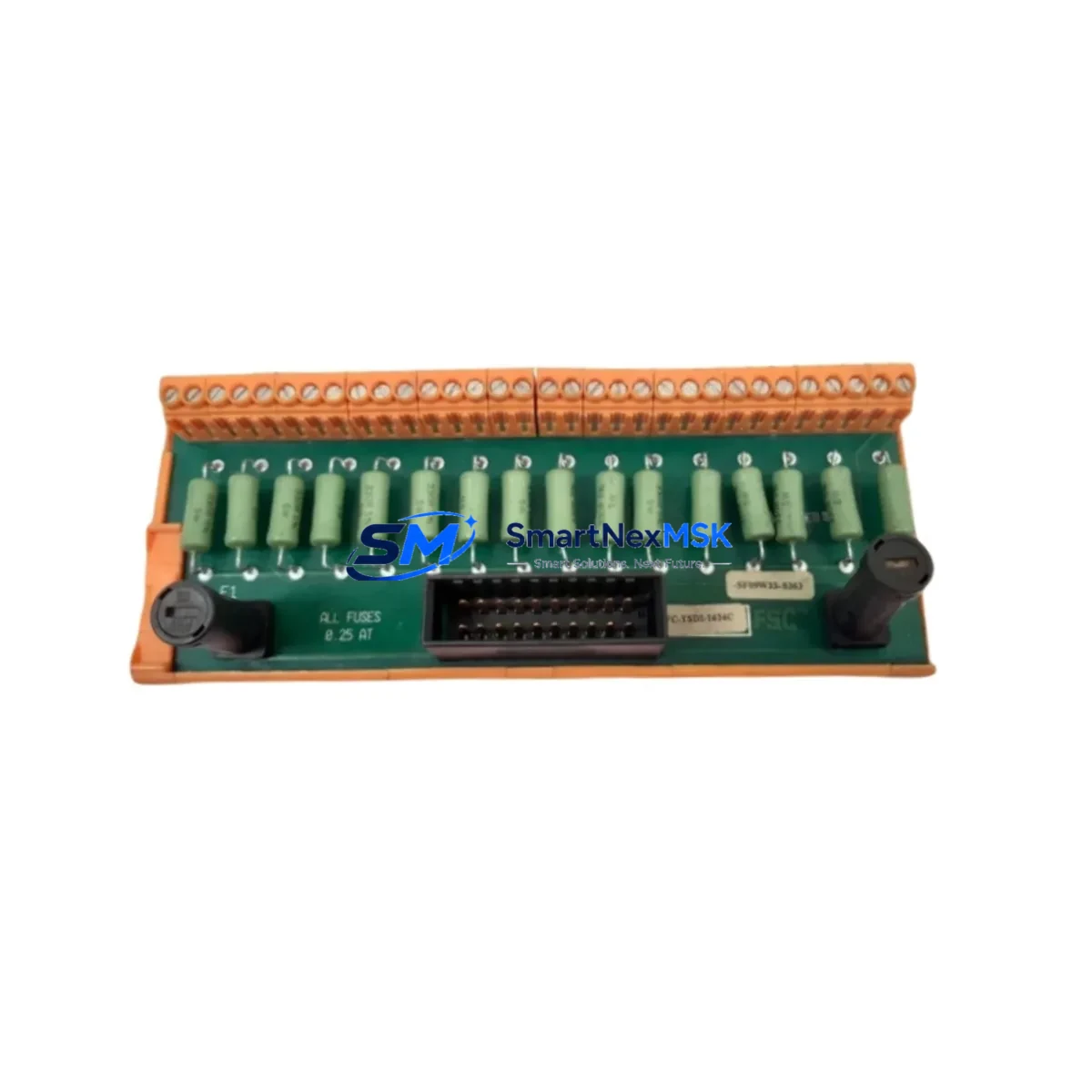
Honeywell FS-TRO-0824 Retrofit-Ready DO FTA for Safety Manager: Compatible Modernization & Smooth System Upgrade
The Honeywell FS-TRO-0824 is a Digital Output Field Termination Assembly (DO FTA) engineered for the Honeywell Safety Manager safety instrumented system platform. As legacy Safety Manager installations approach end-of-life or require capacity expansion, the FS-TRO-0824 serves as a critical retrofit component — enabling engineers to replace aging output termination assemblies without redesigning the entire safety loop architecture. Whether you are upgrading a deteriorating FTA in a refinery SIS cabinet, extending I/O capacity in a chemical plant, or restoring a failed output channel in a power generation facility, the FS-TRO-0824 delivers the electrical compatibility and mechanical fit required for a controlled, low-risk migration.
Sourced from verified supply channels and pre-tested prior to shipment, each unit is backed by a 12-month warranty covering manufacturing defects and functional failures. Stock is maintained for immediate dispatch, supporting urgent maintenance windows and planned turnaround outages alike.
Upgrade Compatibility Table
| Parameter | Details |
|---|---|
| SKU / Part Number | FS-TRO-0824 |
| Product Type | Digital Output Field Termination Assembly (DO FTA) |
| Compatible Platform | Honeywell Safety Manager (SM) |
| Series | Safety Manager FS Series |
| Output Channels | 8 Digital Output channels (24 VDC solid-state) |
| Backplane Interface | Safety Manager I/O bus — direct plug-in replacement |
| Terminal Wiring | Screw-type field terminals; existing field wiring reusable |
| Communication Compatibility | Fully compatible with SM safety bus; no protocol reconfiguration required |
| Replacement Recommendation | Direct drop-in for failed or end-of-life FS-TRO-0824 units |
| Installation Requirement | Mounts to standard Safety Manager FTA carrier; no mechanical modification |
| Commissioning Notes | Verify module address assignment in Safety Builder; confirm DO channel mapping in SIS logic |
| Warranty | 12 Months — covers manufacturing defects and functional failures |
| Origin | USA (Honeywell Process Solutions) |
| Shipping | Global express available; ESD-safe packaging |
Retrofit Planning for Existing Automation Systems
A successful FS-TRO-0824 retrofit begins well before the maintenance window opens. Engineers should start by auditing the existing Safety Manager cabinet layout, confirming the FTA carrier slot assignment and verifying that the FS-SDO-0824 Safety Digital Output module seated above the FTA is functioning correctly — since a failed FTA can mask or trigger spurious faults in the associated SDO module. If the SDO module itself shows diagnostic errors, it should be evaluated alongside the FTA replacement to avoid repeat failures.
Power budget verification is essential. The Safety Manager chassis relies on redundant FS-PSU-2410 power supply units to maintain SIL-rated availability. Before inserting the replacement FS-TRO-0824, confirm that the chassis power budget accommodates the full I/O load, particularly if additional FS-TAI-0824 analog input FTAs or FS-TDI-0824 digital input FTAs have been added to the same rack during previous expansions.
Terminal wiring on the FS-TRO-0824 uses a screw-type field terminal block. In most retrofit scenarios, the existing field cable harness can be reconnected directly to the replacement FTA without re-termination, provided the wiring was documented during the original installation. Engineers should cross-reference the as-built loop drawings against the terminal assignment table in the Safety Manager Hardware Manual before reconnecting. Pay particular attention to solenoid valve circuits and motor starter interlocks wired to the digital output channels, as incorrect terminal polarity can cause immediate process trips upon energization.
For sites running Honeywell Safety Builder as the engineering workstation, the replacement FTA does not require a new hardware configuration download in most cases — the Safety Manager recognizes the module by its backplane slot address. However, if the original FTA was removed while the system was powered, a diagnostic reset may be required through the Safety Manager Operator Station or the connected Experion PKS DCS console to clear latched fault states. Sites integrated with Experion should also verify that the FTA status points mapped in the Experion Control Builder database reflect the correct hardware revision.
Where the retrofit scope extends beyond a single FTA, it is common to simultaneously replace the FS-IOLINK-0001 I/O link cable connecting the FTA carrier to the SM controller, particularly on installations exceeding ten years of service. Degraded link cables are a frequent source of intermittent communication faults that are misdiagnosed as FTA failures. Replacing the link cable during the same maintenance window eliminates this variable and reduces the risk of a repeat callout.
Downtime Control During System Migration
Minimizing process downtime during a Safety Manager FTA replacement requires a structured approach to pre-staging, bypass management, and post-installation verification. The following practices are recommended for sites where continuous production is a priority.
Pre-stage the replacement unit. Receive and inspect the FS-TRO-0824 before the maintenance window. Confirm the part number, revision level, and physical condition. Where possible, bench-test the FTA using a Safety Manager test chassis or a portable I/O simulator to verify output channel continuity before installation.
Implement safety function bypass. In accordance with the site Safety Instrumented System Management of Change (MOC) procedure, apply a documented bypass to the safety functions associated with the affected digital output channels. Use the Safety Manager’s built-in bypass management capability or the Experion PKS bypass display to apply and track the bypass state. Ensure the bypass is time-limited and that the field operator is notified.
Preserve original program logic. The FS-TRO-0824 replacement does not require changes to the Safety Manager application program. The SIS logic, cause-and-effect matrix, and output assignments remain intact. Do not initiate a Safety Builder download unless a configuration change is explicitly required — unnecessary downloads extend the maintenance window and introduce change management risk.
Restore and verify. After installing the replacement FTA and reconnecting field wiring, perform a channel-by-channel output verification using the Safety Manager diagnostic display or the Experion operator station. Confirm that each digital output channel responds correctly to a forced test command before removing the bypass. Document the as-found and as-left conditions in the site maintenance management system.
Communication link check. If the Safety Manager is networked to a Honeywell FSC legacy controller or communicates via Modbus RTU or PROFIBUS DP to a third-party DCS, verify that the communication link status returns to normal after the FTA replacement. Latched communication errors on the network interface module may require a manual reset at the FS-NIM network interface module level.
Retrofit Support FAQ
Q1: Is the FS-TRO-0824 a direct replacement for the original Honeywell part?
Yes. The FS-TRO-0824 is the original Honeywell Safety Manager Digital Output FTA part number. Units supplied by SMARTNEXMSK are sourced from authorized distribution channels or verified surplus stock and are functionally equivalent to new factory units. Each unit undergoes pre-shipment functional testing and is shipped in ESD-safe packaging with a 12-month warranty.
Q2: Do I need to reconfigure the Safety Manager after replacing the FTA?
In most cases, no. The Safety Manager identifies the FS-TRO-0824 by its backplane slot address, and the application program does not need to be modified or re-downloaded. However, if the system logged a hardware fault during the failure period, a diagnostic reset through the Safety Manager Operator Station or Experion PKS console may be required to clear latched fault states before the system returns to normal operation.
Q3: Can the existing field wiring be reused during the FTA swap?
Yes, in the majority of retrofit scenarios. The FS-TRO-0824 uses a screw-type terminal block with the same terminal assignment as the original unit. Provided the field wiring is in good condition and was correctly documented during the original installation, it can be reconnected directly to the replacement FTA without re-termination. Always verify terminal assignments against the as-built loop drawings before reconnecting.
Q4: What warranty coverage is provided, and what does it include?
All FS-TRO-0824 units supplied by SMARTNEXMSK carry a 12-month warranty from the date of shipment. The warranty covers manufacturing defects and functional failures under normal operating conditions. Units that fail within the warranty period will be replaced or refunded at no additional cost. Warranty claims should be initiated by contacting [email protected] with the order reference and a description of the fault condition.
© 2026 SMARTNEXMSK. All rights reserved.
Original Source: https://smartnexmsk.com
Contact: [email protected] | +86 18259474341



