
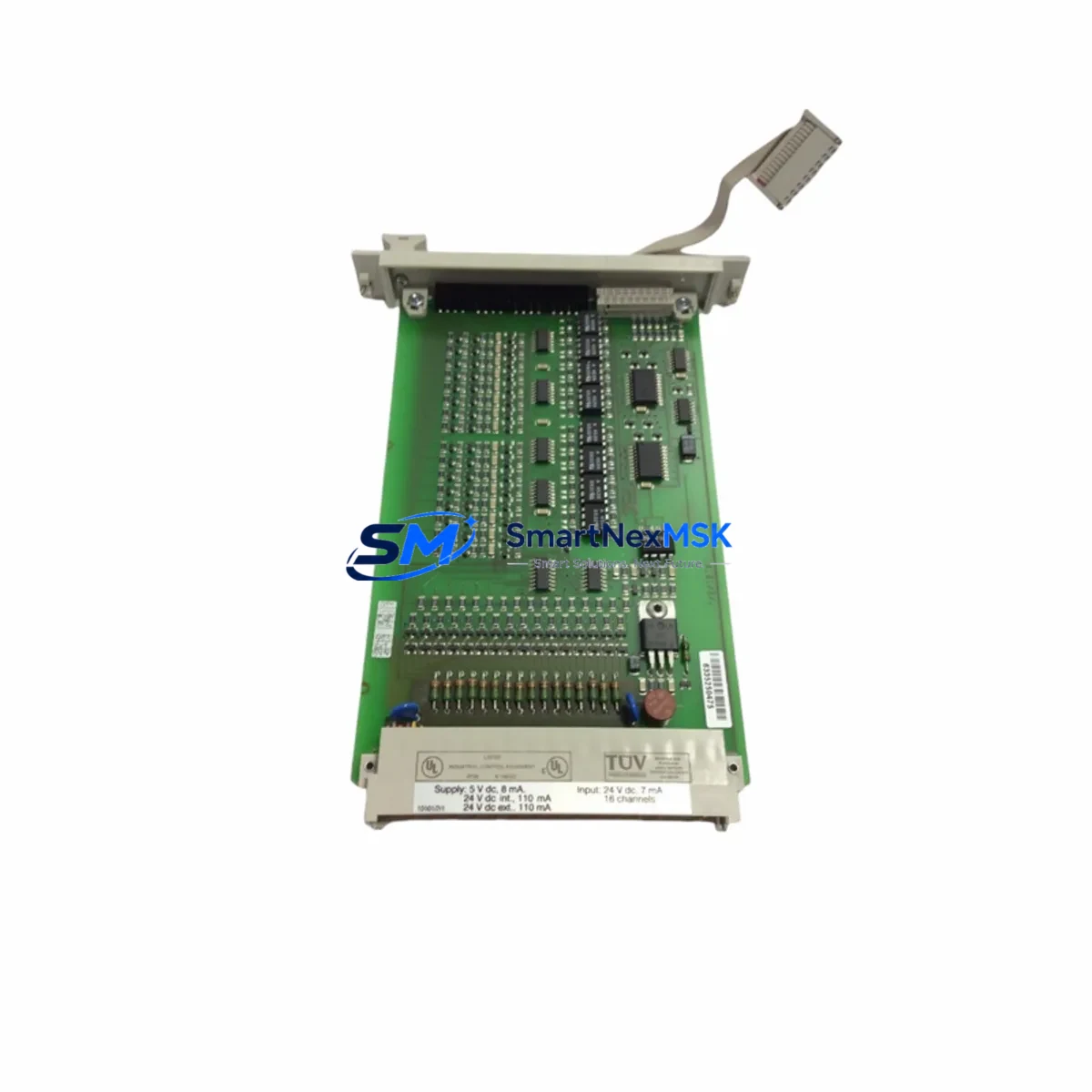
Honeywell FSC-10101/2/1 Maintenance-Ready Spare for FSC Automation
The Honeywell FSC-10101/2/1 is a 16-channel digital input module engineered for the Honeywell FSC (Fail Safe Controller) Safety PLC platform — one of the most widely deployed safety-rated control systems in oil & gas, petrochemical, power generation, and process industries. Rated to SIL 2/3 in accordance with IEC 61508, this module serves as a critical front-line component in safety instrumented systems (SIS), handling discrete field signals from emergency shutdown (ESD) valves, pressure switches, flame detectors, and gas detection transmitters.
For maintenance engineers managing aging FSC-based control cabinets, the FSC-10101/2/1 is a high-priority spare. Its failure — whether due to channel drift, internal fuse blow, or communication fault — can trigger a partial or full safety system shutdown, resulting in costly unplanned downtime. Stocking a verified original replacement unit is the most effective strategy to minimize mean time to repair (MTTR) and maintain SIL certification continuity.
Every FSC-10101/2/1 unit supplied by SMARTNEXMSK is sourced as an original Honeywell component, subjected to pre-shipment functional testing, and backed by a 12-month warranty. We support both emergency replacement orders and planned maintenance procurement cycles.
Spare Maintenance Table
| Parameter | Specification |
|---|---|
| Part Number / SKU | FSC-10101/2/1 |
| Brand | Honeywell |
| Series | FSC (Fail Safe Controller) |
| Module Type | 16-Channel Digital Input Module |
| Safety Integrity Level | SIL 2 / SIL 3 (IEC 61508) |
| Input Signal Type | Discrete / Digital (24 VDC nominal) |
| Channel Count | 16 channels |
| Backplane Compatibility | FSC Rack / FSC Backplane (standard FSC chassis) |
| Communication Interface | FSC internal bus |
| Operating Temperature | 0°C to +60°C |
| Mounting | DIN rail / rack-mount via FSC chassis |
| Weight | 1,330 g (approx.) |
| Origin | USA |
| Application Environment | Oil & Gas, Petrochemical, Power, Process Safety |
| Maintenance Recommendation | Replace on channel fault, SIL proof-test failure, or 10-year lifecycle interval |
| Warranty | 12 Months — Tested & Verified Before Shipment |
Maintenance Planning for Continuous Operation
When scheduling a planned replacement or responding to an unplanned fault on the FSC-10101/2/1, a thorough inspection of the surrounding FSC cabinet is essential to prevent repeat failures and ensure the safety system returns to full SIL-rated operation. Maintenance engineers should treat this module replacement as an opportunity for a broader cabinet health check.
Begin by verifying the FSC Power Supply Module (such as the FSC-10101/1 or equivalent redundant PSU) — input module faults are frequently caused by upstream power instability rather than the module itself. Confirm output voltage is within specification and that the redundant supply is active and balanced. Next, inspect the FSC Backplane and rack connectors for oxidation, bent pins, or loose seating, as poor backplane contact is a common root cause of intermittent channel faults on digital input modules.
Check the FSC Central Processing Unit (CPU) module for any logged diagnostic codes related to the failed input module. The FSC CPU maintains a fault history that can distinguish between a genuine field-side signal fault and an internal module hardware failure. If the CPU itself is approaching end-of-life, consider stocking an FSC CPU spare alongside the input module.
Inspect all field wiring terminal blocks and marshalling panels connected to the 16 input channels. Loose terminations, corroded terminals, or incorrect cable shielding grounding can cause false input states that mimic module failure. Verify that signal isolators or Zener barriers installed between field instruments and the FSC input channels are functioning correctly — a failed isolator can inject noise or block the signal entirely.
For systems using FSC communication modules (e.g., Modbus or PROFIBUS gateway cards) to report safety system status to a DCS or SCADA, confirm that the communication link remains healthy after the module swap. A module replacement that triggers a rack re-initialization can temporarily disrupt communication, which must be verified before returning the system to service.
If the plant uses an FSC-compatible HMI or operator workstation running Honeywell’s Safety Builder or FSC engineering software, ensure the module configuration is re-downloaded and verified after replacement. Configuration mismatch between the physical module and the loaded project can prevent the safety system from entering the RUN state.
Finally, review the status of any output relay modules, analog input modules, or watchdog timer modules sharing the same FSC rack. A failing digital input module can occasionally cause bus contention that stresses adjacent modules. A full rack-level functional test following the FSC-10101/2/1 replacement is best practice before re-energizing the safety loop.
Site Replacement Workflow
Step 1 — Pre-Replacement Verification: Confirm the replacement FSC-10101/2/1 part number matches the installed unit exactly, including hardware revision if applicable. Cross-reference with the FSC system’s bill of materials and the Honeywell FSC hardware manual.
Step 2 — Safe Isolation: Follow the plant’s Management of Change (MOC) and Permit to Work (PTW) procedures. Place the FSC safety loop in bypass or inhibit mode per the site’s SIS bypass management procedure before removing the module. Never hot-swap an FSC digital input module without confirming bypass status.
Step 3 — Module Removal and Inspection: Remove the faulty FSC-10101/2/1 from the rack. Inspect the backplane connector for damage. Label and photograph the wiring before disconnection if field cables are directly terminated to the module.
Step 4 — Installation and Configuration: Insert the replacement module into the correct rack slot. Re-terminate field wiring per the original loop drawings. Using Honeywell Safety Builder or the FSC engineering tool, download the verified project configuration to the module and confirm it enters the correct operational state.
Step 5 — Functional Test: Perform a channel-by-channel input test by simulating field signals at each of the 16 channels. Verify correct state representation on the HMI and in the FSC diagnostic display. Document test results per the site’s SIS proof-test procedure.
Step 6 — Return to Service: Remove the bypass/inhibit, confirm the safety loop is active, and update the maintenance management system (CMMS) with the replacement record, new module serial number, and next proof-test due date.
This workflow is applicable whether replacing a like-for-like FSC-10101/2/1 or upgrading from an older hardware revision. SMARTNEXMSK can provide documentation support and pre-shipment test reports upon request.
Spare Parts Support FAQ
Q1: Is the FSC-10101/2/1 you supply an original Honeywell component or a third-party replacement?
All FSC-10101/2/1 units supplied by SMARTNEXMSK are original Honeywell components. We do not supply counterfeit, refurbished-without-disclosure, or third-party substitute modules. Each unit is inspected and functionally tested prior to shipment, and a test report is available upon request.
Q2: How do I verify compatibility with my existing FSC system before ordering?
Compatibility depends on your FSC rack generation and the hardware revision of the installed modules. Please provide your FSC system’s project number, rack configuration, and the part number of the module being replaced (including any suffix or revision code). Our technical team will confirm compatibility before order confirmation.
Q3: What does the 12-month warranty cover, and what is the claims process?
The 12-month warranty covers manufacturing defects and functional failures under normal operating conditions. It does not cover damage caused by incorrect installation, overvoltage, or physical mishandling. To initiate a warranty claim, contact [email protected] with the order number, fault description, and photographic evidence. Replacement or repair will be arranged within 5 business days of claim approval.
Q4: Can you support long-term or blanket purchase orders for FSC spare parts inventory programs?
Yes. SMARTNEXMSK supports annual blanket orders, consignment stock arrangements, and multi-site spare parts programs for FSC and other safety PLC platforms. We maintain stock of high-demand FSC modules to support both emergency call-off and scheduled maintenance cycles. Contact us to discuss a tailored supply agreement.
© 2026 SMARTNEXMSK. All rights reserved.
Original Source: https://smartnexmsk.com
Contact: [email protected] | +86 18259474341



