
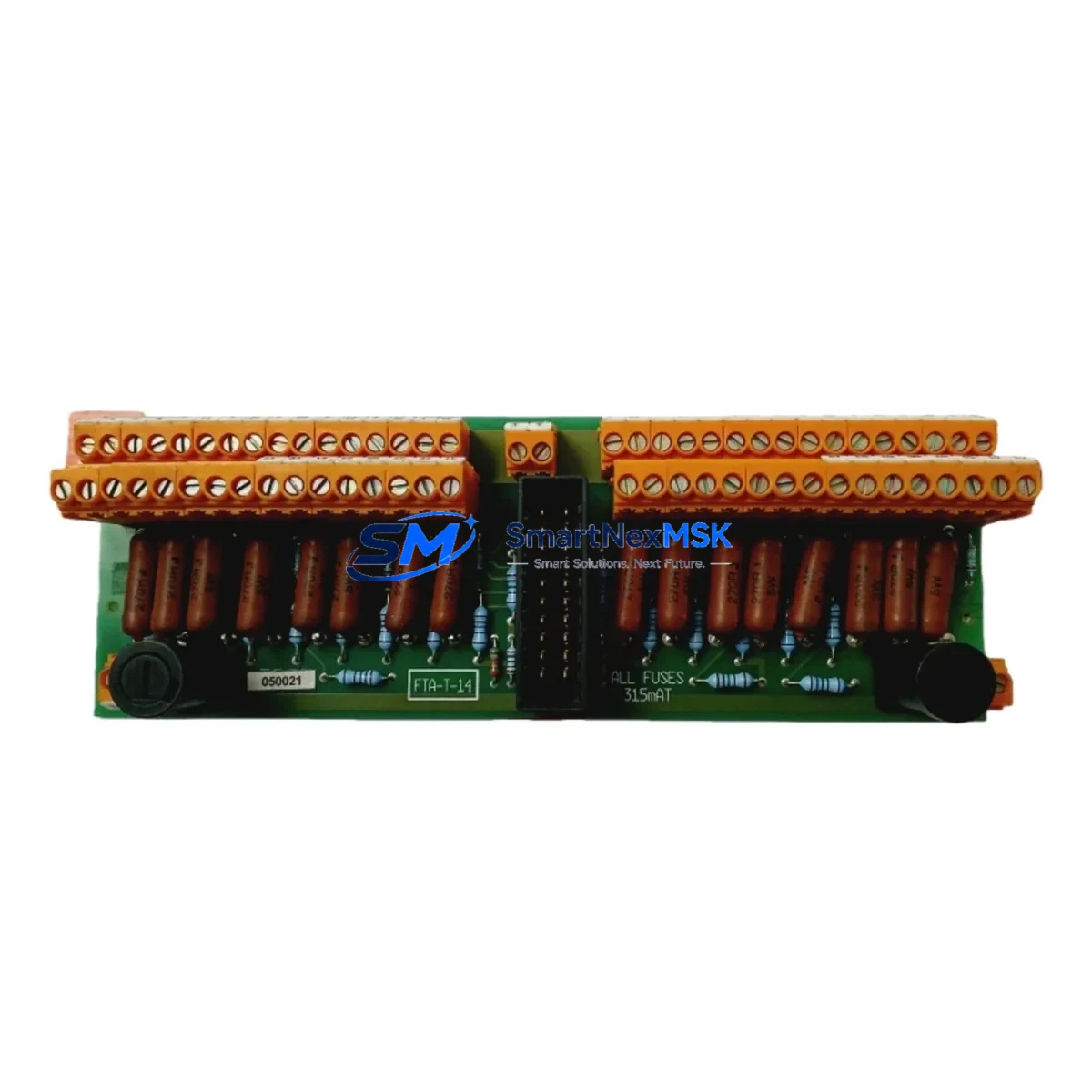
Honeywell FTA-T-14 Maintenance-Ready Spare for HPM Automation
The Honeywell FTA-T-14 is an original Field Termination Assembly (FTA) designed for use within the Honeywell TotalPlant Solution (TPS) and Experion PKS distributed control systems, specifically interfacing with the High-Performance Process Manager (HPM) analog input subsystem. For maintenance engineers managing aging DCS infrastructure, the FTA-T-14 represents a critical junction point between field instrumentation and the control system’s I/O cards — making its availability in the spare parts inventory a non-negotiable element of any serious maintenance strategy.
When an FTA-T-14 fails or degrades, the result is typically a loss of analog input signals across an entire I/O channel group, triggering process alarms, forcing manual override, and — in worst-case scenarios — causing unplanned shutdowns. Sourcing a verified original replacement unit with full functional testing and a 12-month warranty is the fastest path to restoring normal operation and minimizing production loss.
Spare Maintenance Table
| Parameter | Specification |
|---|---|
| Part Number | FTA-T-14 |
| Manufacturer | Honeywell Process Solutions |
| Series / Platform | HPM (High-Performance Process Manager) / Experion PKS / TPS |
| Function | Field Termination Assembly — Analog Input |
| Signal Type | 4–20 mA analog input (LLAI / HLAI compatible) |
| Channel Capacity | Up to 16 analog input channels (per FTA configuration) |
| Mounting | FTA mounting panel / marshalling cabinet rail |
| Compatibility | Honeywell HPM I/O cards, MC-TAIH12, MC-TAIH22, LLAI/HLAI modules |
| Operating Temperature | 0°C to 60°C (32°F to 140°F) |
| Application Environment | Industrial control room, marshalling cabinet, DCS enclosure |
| Condition | Original / New surplus — fully tested before shipment |
| Warranty | 12 Months from date of shipment |
| Lead Time | In stock — ships within 3–5 business days |
| Origin | USA |
Maintenance Planning for Continuous Operation
Replacing the FTA-T-14 in a live HPM system is rarely an isolated task. Experienced maintenance engineers know that when an FTA is pulled for replacement, it is the ideal moment to inspect and verify the condition of all adjacent components in the same I/O loop and marshalling cabinet. A systematic approach prevents repeat failures and reduces the risk of secondary faults going undetected.
Begin by verifying the integrity of the MC-TAIH12 or MC-TAIH22 analog input I/O cards that interface directly with the FTA-T-14. These cards are the logical counterpart to the FTA and should be inspected for corrosion on the backplane connectors, firmware version compatibility, and any latent channel faults. If the FTA has been in service for more than five years, proactive replacement of the paired I/O card is a sound investment.
Next, inspect the HPM I/O Link cable assemblies connecting the FTA panel to the HPM controller chassis. Cable degradation, loose terminations, and shield continuity failures are common root causes of intermittent analog signal errors that are often misdiagnosed as FTA faults. While the cabinet is open, check the 24 VDC field power supply modules — typically Honeywell PS-0024 or equivalent — that provide loop power to the 4–20 mA transmitters wired to this FTA. A sagging or noisy power supply will cause erratic readings even after a new FTA is installed.
For systems with intrinsically safe field devices, verify the condition of the Zener barrier or galvanic isolator modules mounted on the same marshalling rail. Units such as the MTL7706+ or P&F KFD2-STC4-Ex series are frequently overlooked during FTA replacements but are equally subject to aging and thermal stress. Similarly, inspect the terminal blocks and DIN rail assemblies on the FTA panel — loose or oxidized terminals are a leading cause of signal drift in analog input loops.
If the HPM system includes a Redundant Controller Module (RCM) or a Communication Gateway Module (CGM) for Experion PKS integration, confirm that the replacement FTA is recognized correctly by both the primary and redundant controller paths. This is particularly important in systems where the FTA panel serves loops that feed into safety instrumented functions or critical process variables. Finally, check the FTA panel fuse holders and individual channel fuses — a blown fuse on a single channel is often the actual fault, and replacing the FTA without checking fuses wastes both time and parts budget.
Site Replacement Workflow
Step 1 — Pre-Replacement Verification: Before removing the FTA-T-14, document all active channel assignments, loop tag numbers, and current mA readings from the DCS historian or operator station. This baseline data is essential for post-replacement validation and loop checkout.
Step 2 — Safe Isolation: Coordinate with the control room operator to place all affected loops in manual mode or bypass. Follow site-specific LOTO (Lockout/Tagout) procedures for the marshalling cabinet. De-energize field loop power to the affected FTA panel section before disconnecting any wiring.
Step 3 — Physical Replacement: Disconnect the I/O Link cable from the FTA-T-14. Label and photograph all field wiring terminations before removal. Remove the FTA from the mounting panel. Install the replacement FTA-T-14, ensuring correct seating on the mounting rail and secure connection of the I/O Link cable. Re-terminate field wiring per the original documentation.
Step 4 — Loop Checkout and Commissioning: Re-energize field loop power. From the Experion PKS or TPS operator station, verify that all channels return to expected mA readings. Perform a loop check on each channel using a calibrated loop calibrator. Confirm that the DCS historian is logging values correctly and that no channel alarms remain active.
Step 5 — Documentation and Spare Parts Replenishment: Update the maintenance management system (CMMS) with the replacement date, part number, and technician details. Immediately initiate a purchase order for a replacement FTA-T-14 to restore the spare parts inventory to its minimum stocking level. A minimum of one spare FTA per active FTA type in the system is the industry-standard recommendation for HPM-based plants.
Spare Parts Support FAQ
Q1: Is the FTA-T-14 compatible with both TPS and Experion PKS systems?
Yes. The FTA-T-14 is designed for use across Honeywell’s HPM platform, which is deployed in both the legacy TotalPlant Solution (TPS) and the current Experion PKS architecture. Compatibility is determined by the I/O card type (LLAI or HLAI) and the FTA mounting panel configuration. Always verify the I/O card model number before ordering to confirm the correct FTA variant is selected.
Q2: What testing is performed before shipment?
Every FTA-T-14 unit is functionally tested prior to shipment to verify terminal integrity, connector condition, and electrical continuity across all channels. Units are inspected for physical damage, corrosion, and component integrity. A test report is available upon request. All units ship with a 12-month warranty covering manufacturing defects and functional failures under normal operating conditions.
Q3: How should the FTA-T-14 be stored as a long-term spare?
Store in original anti-static packaging in a climate-controlled environment (10°C–40°C, relative humidity below 70%, non-condensing). Avoid storage near strong electromagnetic fields or corrosive atmospheres. Inspect stored units annually for connector oxidation and re-bag with fresh desiccant if necessary. Shelf life under proper storage conditions exceeds five years.
Q4: Can the FTA-T-14 be used as a direct replacement for older FTA variants in the same series?
In most cases, yes — provided the I/O card type and channel count are compatible. However, Honeywell has released multiple FTA revisions over the lifecycle of the HPM platform. Always cross-reference the existing FTA part number and revision level against the replacement unit’s documentation before installation. If you are unsure about compatibility, contact our technical team with your system’s I/O card model number and we will confirm the correct replacement.
© 2026 SMARTNEXMSK. All rights reserved.
Original Source: https://smartnexmsk.com
Contact: [email protected] | +86 18259474341



