
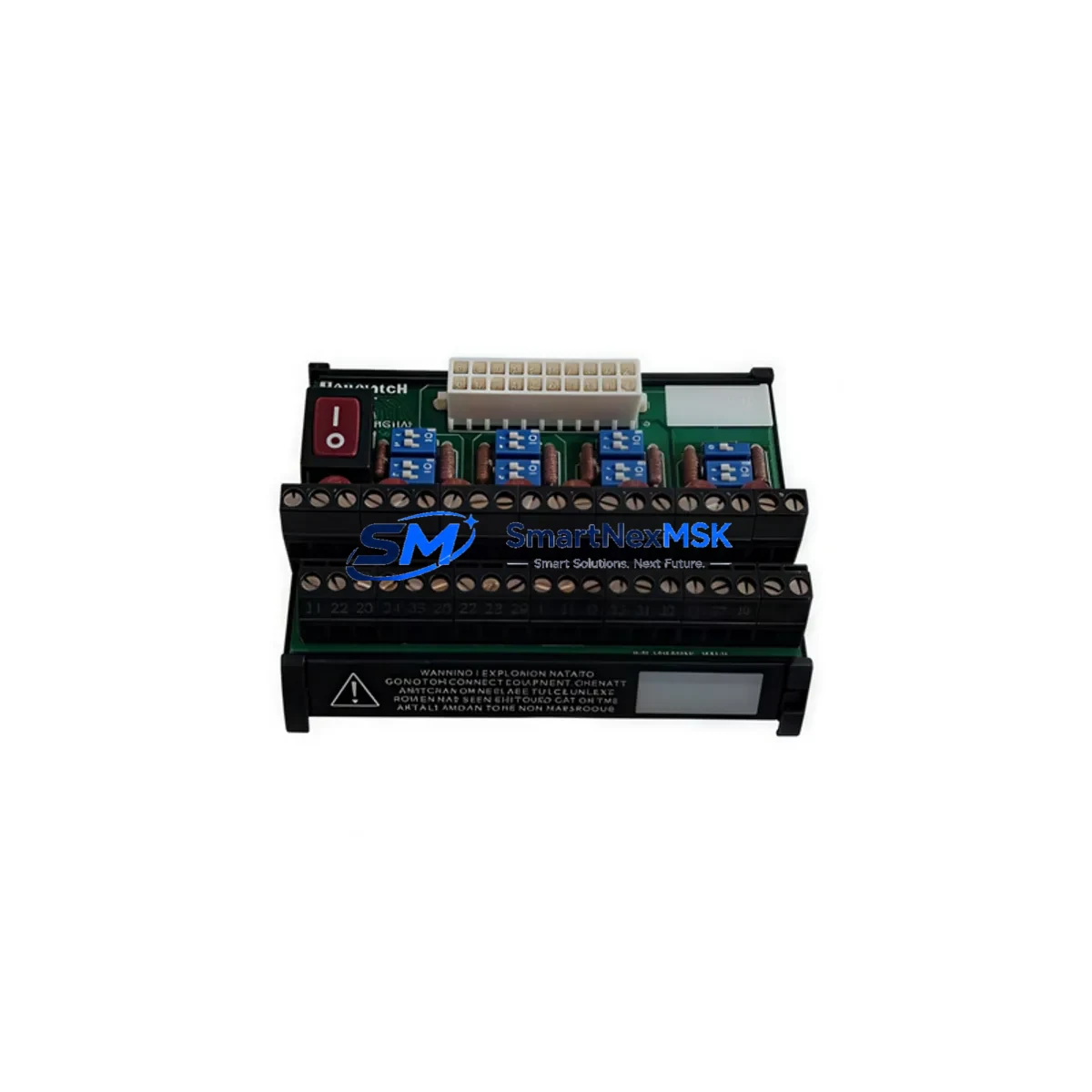
Honeywell HC-EMD730 Spare for HC900 Automation: Spare Replacement & Downtime Risk Control
The Honeywell HC-EMD730 is the official R730 Firmware Media Kit for the ControlEdge HC900 Hybrid Controller series, covering C30, C50, and C70 controller variants. As a maintenance-critical spare, this firmware kit enables field engineers to restore, re-flash, or upgrade HC900 controller firmware following a controller board replacement, memory corruption event, or planned firmware standardization across a multi-unit installation. Holding this spare in your maintenance inventory eliminates the risk of extended downtime caused by firmware unavailability during emergency recovery scenarios.
For maintenance engineers managing aging HC900-based control systems, the HC-EMD730 is not simply a software package — it is a system recovery asset. When a controller module such as the HC900 C50 or C70 CPU board fails and requires replacement, the replacement unit must be loaded with the correct firmware revision to ensure compatibility with existing I/O configurations, communication protocols, and HMI logic. Without the HC-EMD730 on hand, this process can stall for days while procurement locates the correct revision. Stocking this spare as part of your standard controller cabinet spare kit is a recognized best practice in industrial maintenance planning.
Spare Maintenance Table
| Parameter | Details |
|---|---|
| SKU | HC-EMD730 |
| Brand | Honeywell |
| Series | ControlEdge HC900 |
| Product Type | Firmware Media Kit (R730) |
| Compatible Controllers | HC900 C30, C50, C70 |
| Application | Controller firmware restore, upgrade, re-flash |
| Origin | United States |
| Installation Environment | Industrial control cabinets, DCS/hybrid controller panels |
| Maintenance Use Case | Emergency recovery, planned firmware standardization, controller board replacement |
| Warranty | 12 Months |
| Condition | Original, factory-sealed |
| Pre-shipment Testing | Verified before dispatch |
Maintenance Planning for Continuous Operation
When scheduling a firmware restore or controller replacement using the HC-EMD730, maintenance and procurement engineers should treat this task as part of a broader cabinet inspection. The HC900 controller architecture integrates tightly with adjacent hardware, and a firmware event often signals that related components should be inspected or pre-staged as spares.
During a planned or emergency HC900 firmware recovery, engineers should simultaneously verify the condition of the HC900 power supply module, which provides regulated DC power to the controller backplane. A degraded power supply can cause intermittent resets that mimic firmware corruption. The HC900 I/O modules — including analog input, analog output, and digital I/O cards — should be checked for proper seating and communication status after any firmware reload, as firmware updates can reset I/O mapping parameters.
Communication modules such as the HC900 Ethernet communication card and any Modbus or PROFIBUS interface modules should be confirmed for firmware version compatibility after the R730 update is applied. Mismatched firmware between the CPU and communication modules is a known source of post-maintenance communication faults. If the installation includes an Experion PKS or HC Designer HMI workstation, the HMI configuration database should be backed up before and after the firmware update to prevent tag mapping loss.
Signal isolators and loop-powered transmitters connected to HC900 analog input channels should be inspected for drift or calibration shift, particularly in installations where the controller has been offline for an extended period. Terminal blocks and field wiring connections within the controller cabinet should be torque-checked during any planned maintenance window that involves the HC-EMD730 firmware procedure. Fuse holders and circuit protection devices on the 24VDC control power rail should also be inspected, as blown fuses are a common secondary finding during controller recovery events.
For sites running multiple HC900 controllers in a networked configuration, it is advisable to maintain at least one HC-EMD730 kit per controller generation in the site spare parts store. This ensures that any controller in the network can be recovered without waiting for procurement lead times.
Site Replacement Workflow
The HC-EMD730 is designed to replace legacy firmware media kits associated with earlier HC900 firmware revisions. When upgrading from an older firmware version, the replacement workflow involves connecting the media kit to the HC900 controller via the designated service port, initiating the firmware load sequence through HC Designer software, and verifying successful load completion via the controller status LEDs and diagnostic display.
To minimize downtime during a controller firmware recovery, engineers should pre-stage the HC-EMD730 alongside the target controller before initiating any shutdown. The firmware load process on the HC900 C50 or C70 typically completes within minutes under normal conditions, allowing rapid return to automatic control mode. After firmware load, all I/O channel configurations, PID loop parameters, and communication settings should be verified against the last known-good configuration backup before returning the controller to service.
For sites transitioning from older HC900 firmware baselines, the HC-EMD730 R730 kit provides a standardized upgrade path that maintains backward compatibility with existing HC900 hardware generations. This allows maintenance teams to standardize firmware versions across a multi-controller installation without requiring hardware replacement, extending the operational life of existing control system assets.
Spare Parts Support FAQ
Q: What is the shelf life and storage requirement for the HC-EMD730 firmware media kit?
A: The HC-EMD730 should be stored in a clean, dry environment away from direct sunlight and electromagnetic interference sources. When stored correctly, the media kit maintains full functionality for the duration of its 12-month warranty period and beyond. We recommend inspecting the kit annually as part of your spare parts inventory audit.
Q: How do I verify compatibility between the HC-EMD730 R730 firmware and my existing HC900 hardware revision?
A: Compatibility should be confirmed by cross-referencing the HC900 controller model number (C30, C50, or C70) and existing firmware version against the Honeywell HC900 firmware release notes. Our technical team can assist with compatibility verification prior to shipment upon request.
Q: What pre-shipment testing is performed on the HC-EMD730 before dispatch?
A: Each HC-EMD730 unit is verified for physical integrity and media readability before shipment. Units are dispatched only after passing our pre-shipment inspection checklist, and each order is covered by a 12-month warranty from the date of receipt.
Q: Can the HC-EMD730 be used for emergency same-day dispatch to minimize controller downtime?
A: Yes. We maintain stock of the HC-EMD730 to support urgent maintenance requirements. Emergency orders are prioritized for same-day or next-business-day dispatch depending on order confirmation time. Contact our sales team directly for expedited shipping arrangements.
© 2026 SMARTNEXMSK. All rights reserved.
Original Source: https://smartnexmsk.com
Contact: [email protected] | +86 18259474341



