
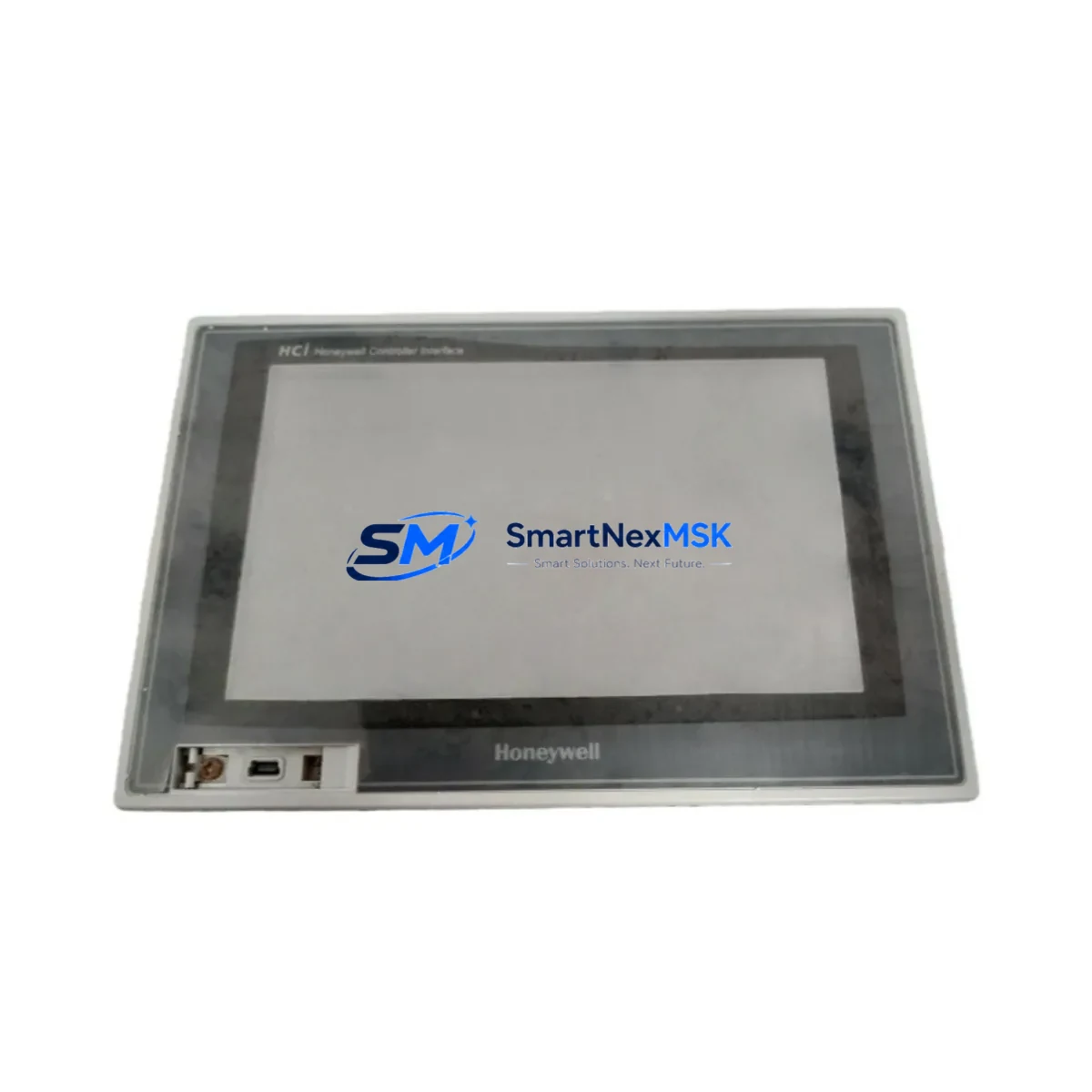
Honeywell HCiW07-TV-FD-NC-C Maintenance-Ready Spare HCiW HMI
The Honeywell HCiW07-TV-FD-NC-C is a 7-inch industrial HMI panel from the HCiW Series, engineered for demanding process control and factory automation environments. As a maintenance-ready spare, this unit is sourced as an original Honeywell component, fully tested prior to shipment, and backed by a 12-month warranty — making it a reliable choice for maintenance engineers managing planned shutdowns, emergency replacements, and long-term spare parts inventory strategies.
HMI failures are among the most disruptive events in a control system. When an operator interface goes dark, production lines halt, alarm acknowledgment is lost, and process visibility disappears. Keeping a verified HCiW07-TV-FD-NC-C spare on the shelf eliminates the lead-time risk associated with sourcing a replacement under pressure. This unit ships with full functional verification, ensuring it is ready for immediate installation upon arrival at your facility.
For maintenance and procurement engineers managing Honeywell-based control architectures, the HCiW07-TV-FD-NC-C integrates directly into existing HCiW Series panel configurations without requiring software reconfiguration, provided the firmware version is matched to the existing system. Compatibility with the broader Honeywell HMI ecosystem — including associated communication modules and power supply units — makes this spare a straightforward drop-in replacement that preserves system integrity and reduces commissioning time during a recovery event.
Spare Maintenance Table
| Parameter | Specification |
|---|---|
| Part Number / SKU | HCiW07-TV-FD-NC-C |
| Brand | Honeywell |
| Series | HCiW Series |
| Display Size | 7-inch TFT LCD |
| Product Type | Industrial HMI Panel |
| Supply Voltage | 24 VDC (nominal) |
| Communication Interface | Ethernet, RS-232/RS-485 (series-dependent) |
| Operating Temperature | 0°C to +50°C |
| Protection Rating | IP65 (front panel) |
| Mounting | Panel cut-out, flush mount |
| Compatibility | HCiW Series control panels; Honeywell automation systems |
| Origin | Original Honeywell component |
| Pre-shipment Testing | Full functional verification |
| Warranty | 12 Months |
| Maintenance Recommendation | Replace on visible display degradation, touch failure, or communication loss; inspect annually during planned shutdown |
Maintenance Planning for Continuous Operation
When scheduling a replacement of the HCiW07-TV-FD-NC-C, experienced maintenance engineers treat the HMI swap as an opportunity to inspect the entire operator station and associated control cabinet components. A systematic approach to this inspection significantly reduces the risk of secondary failures following the HMI restoration.
Begin with the 24 VDC panel power supply feeding the HMI. Aging power supplies with marginal output voltage are a common root cause of HMI instability and premature display failure. Verify output voltage under load and check for ripple before energizing the replacement unit. If the power supply is original to the installation and has not been replaced within the recommended service interval, consider stocking a compatible Honeywell or equivalent 24 VDC DIN-rail power supply as a paired spare.
Inspect the communication wiring and terminal blocks connecting the HMI to the PLC or DCS controller. Loose Ethernet connections, corroded RS-485 terminal screws, and degraded shielded cable are frequent contributors to intermittent HMI communication faults. While the cabinet is open, verify the integrity of all I/O signal cables routed near the HMI, particularly those carrying analog signals susceptible to noise coupling.
For systems using Honeywell C300 or C200 controllers in the same control loop, confirm that the controller firmware and HMI application version are compatible before commissioning the replacement HMI. Mismatched firmware versions can cause tag communication errors that mimic hardware faults. Similarly, if the system includes Honeywell FTEB Ethernet interface modules or FIM field interface modules, verify their status indicators during the HMI restart sequence.
Check all relay output modules and digital I/O modules in the same cabinet for signs of contact wear or blown fuses. An HMI failure event sometimes masks underlying I/O faults that were generating nuisance alarms prior to the display going offline. Inspect fuse holders and miniature circuit breakers on the 24 VDC distribution rail, and replace any fuses showing signs of thermal discoloration.
If the system includes signal isolators or signal conditioners on analog input channels, verify their output signals with a calibrated meter. Drifting isolators can cause process value errors that operators may have been compensating for manually via the HMI — a replacement HMI will display these errors accurately, potentially triggering alarms that were previously suppressed.
For facilities running Honeywell Experion PKS or similar distributed control architectures, coordinate the HMI replacement with the DCS system administrator to ensure the new unit is correctly registered on the control network and that historian data collection resumes without gaps following the swap.
Site Replacement Workflow
The HCiW07-TV-FD-NC-C is designed for efficient field replacement with minimal tooling. Before beginning the swap, document the existing HMI configuration by exporting the project file from the engineering workstation or capturing a backup from the unit if it remains partially functional. This step is critical for preserving screen layouts, tag assignments, alarm setpoints, and communication parameters.
Power down the panel at the main isolator and discharge any residual voltage on the 24 VDC rail before disconnecting the HMI. Label all communication cables and connectors before removal to eliminate reconnection errors. The panel cut-out dimensions of the HCiW07-TV-FD-NC-C are consistent with the HCiW Series standard, allowing direct mechanical replacement without panel modification in most installations.
After mounting the replacement unit, restore communication connections and power. Load the backed-up project file via USB or Ethernet download from the engineering workstation. Perform a full I/O communication check and verify all process values are displaying correctly before returning the system to operator control. Document the replacement in the site maintenance log, including the serial number of the removed unit and the replacement, and update the spare parts inventory accordingly.
This workflow is applicable whether replacing a failed unit during an emergency shutdown or performing a proactive swap during a planned maintenance window. Proactive replacement based on operating hours or display degradation indicators is strongly recommended for systems where unplanned downtime carries significant production cost.
Spare Parts Support FAQ
Q: Is the HCiW07-TV-FD-NC-C an original Honeywell component or a third-party substitute?
A: This unit is sourced as an original Honeywell HCiW Series HMI panel. Each unit undergoes full functional verification prior to shipment to confirm display, touch, and communication performance meet original specifications.
Q: What is the warranty coverage and what does it include?
A: All units are covered by a 12-month warranty from the date of shipment. The warranty covers manufacturing defects and functional failures under normal operating conditions. Units are tested before dispatch to minimize the risk of DOA (dead-on-arrival) incidents.
Q: How do I confirm compatibility with my existing HCiW Series installation before ordering?
A: Provide your existing HMI part number, firmware version, and control system model when contacting our technical team. We will verify compatibility and advise on any firmware alignment steps required before installation. Contact [email protected] for pre-order compatibility confirmation.
Q: Can you support long-term or blanket spare parts orders for ongoing maintenance programs?
A: Yes. We support scheduled spare parts programs for maintenance teams managing multiple sites or aging Honeywell automation systems. Long-term supply agreements, reserved stock arrangements, and priority dispatch for emergency orders are available. Contact our team to discuss your inventory strategy.
© 2026 SMARTNEXMSK. All rights reserved.
Original Source: https://smartnexmsk.com
Contact: [email protected] | +86 18259474341



