
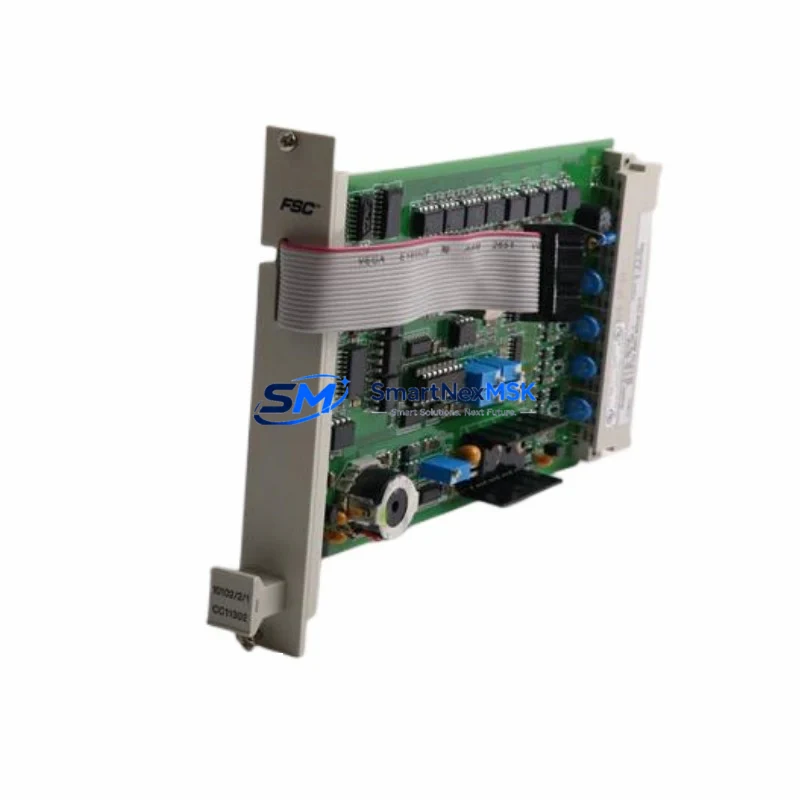
Honeywell IP-PI-OI24 Spare for Experion PKS Automation: Spare Replacement & Downtime Risk Control
The Honeywell IP-PI-OI24 is a 24-channel digital I/O module designed for the Experion PKS and PlantScape distributed control system (DCS) platforms. As a critical field interface component, it handles discrete signal acquisition and output control across process plant environments — including oil & gas, chemical, power generation, and pulp & paper facilities. When this module fails or degrades, the consequences extend beyond a single I/O point: entire process loops, safety interlocks, and alarm systems can be compromised, leading to unplanned shutdowns and costly production losses.
Sourced as an original Honeywell spare, the IP-PI-OI24 available here is fully tested prior to shipment and backed by a 12-month warranty. Whether you are executing a planned turnaround, responding to an emergency fault, or building a strategic spare parts inventory for aging Experion systems, this module is ready for immediate deployment.
Spare Maintenance Table
| Parameter | Specification / Detail |
|---|---|
| SKU / Part Number | IP-PI-OI24 |
| Brand | Honeywell |
| Series / Platform | Experion PKS / PlantScape DCS |
| Module Type | 24-Channel Digital I/O Module |
| Signal Type | Discrete Input / Output (DI/DO) |
| Backplane Interface | Experion PKS I/O Link Bus |
| Operating Voltage | 24 VDC (field side, typical) |
| Isolation | Optical isolation, field-to-backplane |
| Mounting | DIN rail / Experion I/O carrier |
| Operating Temperature | 0°C to 60°C |
| Compatibility | Experion PKS R400+, PlantScape R500+ |
| Condition | Original, pre-shipment tested |
| Warranty | 12 Months |
| Lead Time | In stock — ships within 1–3 business days |
| Application Environment | Process plant, utilities, refinery, power generation |
| Maintenance Recommendation | Replace every 8–12 years or upon first fault indication; inspect carrier and wiring harness simultaneously |
Maintenance Planning for Continuous Operation
Replacing the IP-PI-OI24 in an Experion PKS cabinet is rarely an isolated task. Maintenance engineers and procurement teams should treat this module swap as an opportunity to audit the surrounding electrical and control infrastructure to prevent repeat failures and maximize the value of each planned outage window.
Begin with the I/O carrier or termination assembly that hosts the IP-PI-OI24. Carrier contacts corrode over time, particularly in humid or chemically aggressive environments, and a degraded carrier can cause intermittent faults even after a new module is installed. Inspect and clean or replace the carrier as part of the same work order.
The 24 VDC field power supply feeding the digital output circuits should be load-tested. Honeywell Experion systems typically use dedicated 24 VDC power modules — such as the MC-PDPY22 or equivalent power distribution units — to supply field devices. A supply operating near its rated capacity or showing voltage ripple will stress replacement I/O modules prematurely.
Check all field wiring terminations at the marshalling cabinet. Loose or oxidized terminals on terminal blocks — including Phoenix Contact or equivalent DIN rail terminal strips — are a leading cause of digital I/O faults that are misdiagnosed as module failures. Torque-check all screw terminals and inspect for insulation damage.
Review the status of adjacent Experion I/O modules in the same chassis or I/O link segment. Modules such as the IP-PI-AI16 (analog input) or IP-PI-DO16 (digital output) that share the same backplane segment may exhibit marginal performance if the I/O link communication is degraded. Run a full diagnostic from the Experion Station before closing out the work order.
For systems with relay output modules or interposing relay panels downstream of the IP-PI-OI24, inspect relay coil resistance and contact condition. Relay modules such as the MC-TAIH12 or third-party interposing relay assemblies accumulate switching wear and should be part of the same inspection cycle, especially in high-cycle applications like motor starters or valve actuators.
If the Experion system includes FOUNDATION Fieldbus or HART communication modules — such as the IP-IOLI01 or similar I/O Link Interface modules — verify that the communication health indicators are green after the I/O module replacement. A module swap can occasionally trigger re-initialization of the I/O link segment, requiring a brief re-commissioning step at the Experion Station.
Finally, review the UPS and cabinet environmental controls: battery backup units, cabinet cooling fans, and door seals. Thermal stress is a primary aging factor for Honeywell Experion I/O modules, and a cabinet running above 45°C ambient will shorten the service life of any replacement module regardless of its origin or quality.
Site Replacement Workflow
Step 1 — Pre-replacement verification: Confirm the exact revision level of the installed IP-PI-OI24 using the module label and the Experion Station asset database. Cross-reference against the replacement unit to ensure hardware revision compatibility. Document the current I/O channel assignments and alarm states before de-energizing.
Step 2 — Safe isolation: Follow site LOTO (Lockout/Tagout) procedures. De-energize the field power supply to the affected I/O carrier. Do not rely solely on software inhibit — physically isolate the 24 VDC field supply at the distribution panel.
Step 3 — Module extraction and carrier inspection: Remove the IP-PI-OI24 from its carrier. Inspect the carrier connector pins for corrosion, deformation, or debris. Clean with appropriate contact cleaner if required. If the carrier shows mechanical damage, replace it before installing the new module.
Step 4 — Installation and power-up: Seat the replacement IP-PI-OI24 firmly into the carrier until the locking tab engages. Restore field power. Observe the module status LEDs: a solid green RUN indicator confirms successful initialization. A flashing or red FAULT LED indicates a configuration mismatch or carrier issue requiring further investigation.
Step 5 — Functional verification: From the Experion Station, force-test each digital I/O channel in sequence to confirm correct signal mapping. Verify that all associated alarms and interlocks respond correctly. Remove any inhibits applied during the replacement and restore normal process control.
Step 6 — Documentation: Update the maintenance management system (CMMS) with the replacement date, module serial number, and any observations. Schedule the next inspection interval based on the module’s rated service life and site environmental conditions.
Spare Parts Support FAQ
Q: Is this IP-PI-OI24 an original Honeywell module or a third-party equivalent?
A: This is an original Honeywell IP-PI-OI24 module — not a clone, remanufactured unit, or third-party substitute. Each unit undergoes pre-shipment functional testing to verify channel integrity, backplane communication, and LED status indication before dispatch.
Q: How many IP-PI-OI24 units should I stock as part of a strategic spare parts inventory?
A: For facilities running Experion PKS systems with more than 10 IP-PI-OI24 modules installed, a minimum of 2 units on-hand is recommended. High-criticality applications — such as safety-related discrete I/O or continuous process control loops — warrant a 1:5 spare ratio. Contact our team for volume pricing on multi-unit orders.
Q: Will this module work with both Experion PKS and PlantScape DCS systems?
A: Yes. The IP-PI-OI24 is compatible with Honeywell Experion PKS (R400 and later) and PlantScape (R500 and later) platforms. If your system is running an earlier software revision, please provide your Experion Station version number so we can confirm compatibility before shipment.
Q: What does the 12-month warranty cover, and what is the return process?
A: The 12-month warranty covers manufacturing defects and functional failures under normal operating conditions. It does not cover damage resulting from incorrect installation, overvoltage events, or physical mishandling. To initiate a warranty claim, contact [email protected] with your order number, a description of the fault, and photographic evidence. Replacement or refund will be processed within 5 business days of fault confirmation.
© 2026 SMARTNEXMSK. All rights reserved.
Original Source: https://smartnexmsk.com
Contact: [email protected] | +86 18259474341



