
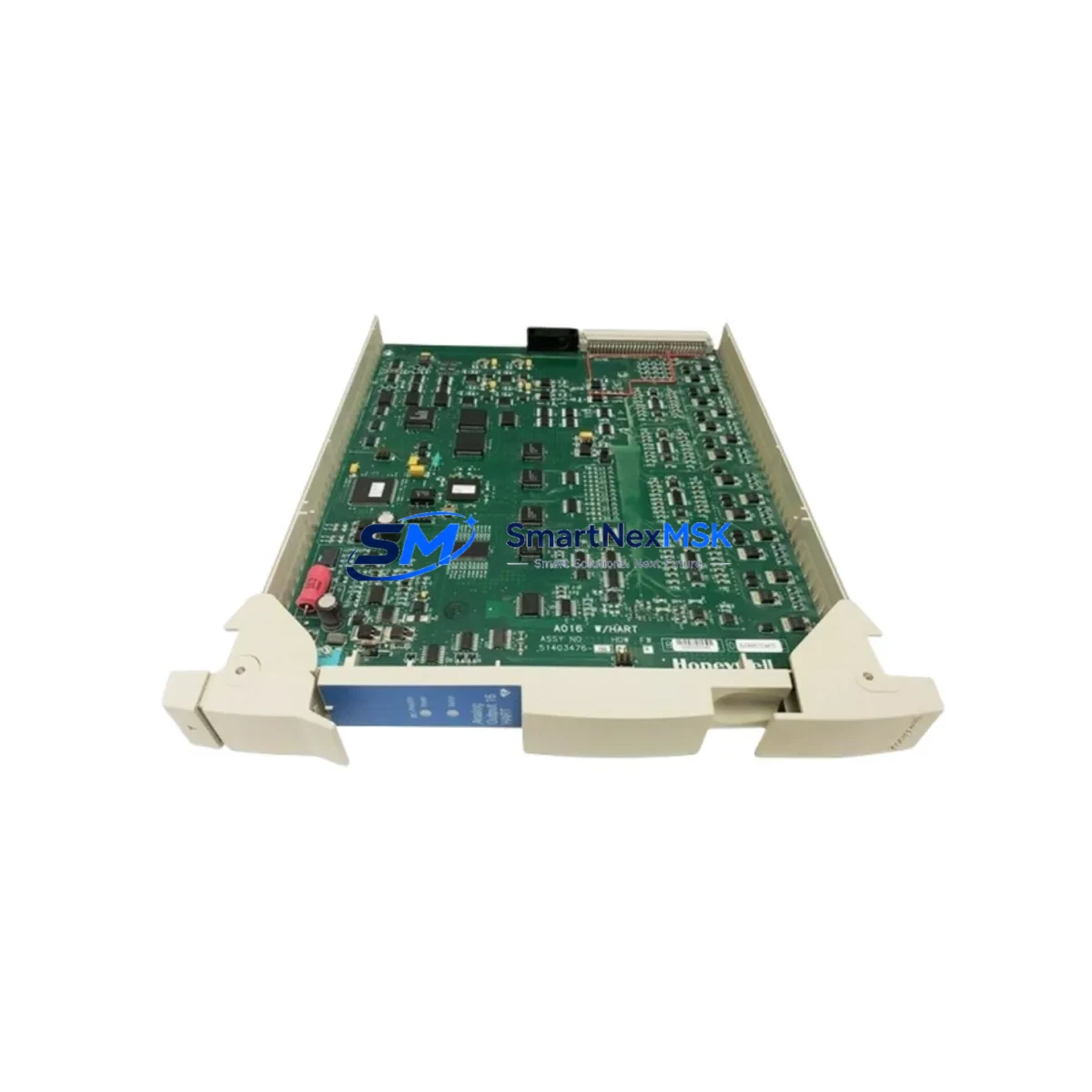
Honeywell MC-PHAO01 51403476-150 Spare Experion PKS: Industrial Spare Replacement & Downtime Risk Control
The Honeywell MC-PHAO01 (Part No. 51403476-150) is an original analog output module designed for the Experion PKS distributed control system platform. In process industries — including refining, petrochemical, power generation, and pharmaceutical manufacturing — this module serves as a critical interface between the DCS controller and field-mounted actuators such as control valves, variable frequency drives, and positioners. When this module fails or degrades, the consequences extend beyond a single loop: entire process trains can be forced into manual operation or emergency shutdown, resulting in significant production losses and safety risks.
Maintaining a verified spare of the MC-PHAO01 51403476-150 in your site inventory is one of the most cost-effective strategies for reducing mean time to repair (MTTR) in Experion PKS environments. This page provides maintenance engineers and procurement engineers with the technical context, replacement workflow, and spare parts planning guidance needed to manage this module throughout its service life.
Spare Maintenance Table
| Parameter | Specification / Details |
|---|---|
| Part Number | MC-PHAO01 / 51403476-150 |
| Manufacturer | Honeywell Process Solutions |
| Series / Platform | Experion PKS (Process Knowledge System) |
| Module Type | DCS Analog Output Module |
| Output Channels | 8-channel, 4–20 mA current output (typical) |
| Output Resolution | 12-bit D/A conversion |
| Loop Power | External loop power supply required (24 VDC typical) |
| Communication | Backplane bus interface — Experion PKS C200/C300 compatible |
| Isolation | Channel-to-channel and channel-to-bus isolation |
| Operating Temperature | 0°C to 60°C (32°F to 140°F) |
| Mounting | Experion PKS I/O chassis / carrier card |
| Certifications | CE, UL listed; suitable for industrial control environments |
| Country of Origin | United States |
| Warranty | 12 Months — tested before shipment |
| Condition | Original spare; new or refurbished-to-spec available |
| Compatibility | Experion PKS C200, C300 controller nodes; IOLINK chassis |
| Maintenance Recommendation | Inspect carrier card contacts, verify loop power rail, confirm channel calibration after installation |
Maintenance Planning for Continuous Operation
Replacing the MC-PHAO01 51403476-150 in a live Experion PKS cabinet is rarely an isolated task. Experienced maintenance engineers know that a failed analog output module is often a symptom of broader electrical stress in the I/O chassis or the 24 VDC loop power distribution network. Before returning the system to automatic control, a thorough inspection of adjacent components is strongly recommended.
Start with the MC-TAOX02 or MC-TAOX04 carrier card (the termination assembly that mates with the MC-PHAO01). Corroded or loose field wiring terminals on the carrier are a common root cause of intermittent output faults that are incorrectly attributed to the module itself. Inspect all terminal screws and verify continuity to field devices.
Next, check the 24 VDC loop power supply feeding the analog output circuits. A sagging or noisy power rail — often caused by an aging MC-PSEM02 or equivalent Experion PKS power supply module — can cause output drift, calibration errors, or premature module failure. Measure the rail voltage under load before commissioning the replacement module.
If the cabinet houses a C200 or C300 controller module, verify that the controller firmware and I/O configuration database correctly reflect the replacement module’s channel assignments. A mismatch between the hardware revision and the configured module type can prevent the new MC-PHAO01 from coming online, even if the hardware itself is fully functional.
For cabinets with mixed I/O, also inspect the MC-PAIH02 analog input modules and any MC-PDIY22 or MC-PDOY22 digital I/O modules sharing the same chassis. Thermal stress, vibration, and power transients affect all modules in the same enclosure simultaneously. A planned replacement of the MC-PHAO01 is an ideal opportunity to perform a full chassis inspection, including backplane connector seating, module LED status review, and chassis ground continuity verification.
Where signal isolators or loop-powered barriers are installed between the DCS output and the field device — common in hazardous area installations — verify that the isolator output range and impedance remain within the module’s drive capability. Degraded isolators can load the output channel and cause calibration drift that persists even after the module is replaced.
Finally, review the Experion PKS alarm and event log for any recurring I/O fault codes, communication timeouts, or power fault events in the weeks preceding the module failure. These logs often reveal whether the failure was sudden (suggesting a transient event such as a lightning strike or power surge) or gradual (suggesting end-of-life degradation), which informs whether additional protective components such as surge suppressors, fuse blocks, or terminal block assemblies should also be replaced as part of the corrective maintenance action.
Site Replacement Workflow
The MC-PHAO01 51403476-150 is a hot-swap-capable module within the Experion PKS architecture, provided the system has been configured for redundant or bumpless transfer operation. However, even in hot-swap scenarios, a structured replacement workflow minimizes the risk of process upsets.
Step 1 — Pre-replacement verification: Confirm the replacement module’s part number and firmware revision against the installed base record. Verify that the 51403476-150 revision is compatible with the chassis and controller firmware version in use at your site. If your site runs an older Experion PKS release, consult the Honeywell compatibility matrix before installing a newer hardware revision.
Step 2 — Loop isolation: Place all output channels served by the module into manual mode at the DCS workstation. Notify the field operator to monitor affected control valves and actuators during the swap. For critical loops, consider placing the downstream process in a safe hold state before proceeding.
Step 3 — Module extraction and installation: Release the module locking lever, extract the MC-PHAO01 from the carrier, and insert the replacement module until the locking lever engages. The module will begin its self-test sequence automatically. Monitor the module status LED — a solid green indicates successful initialization.
Step 4 — Channel verification: From the Experion PKS Station, navigate to the I/O module detail display and verify that all eight output channels report healthy status. Perform a loop check on each channel by commanding a known output value (e.g., 4 mA, 12 mA, 20 mA) and verifying the corresponding field device response.
Step 5 — Return to automatic: Once all channels are verified, return the loops to automatic control mode. Document the replacement in the site maintenance management system (CMMS), including the module serial number, installation date, and loop check results. Update the spare parts inventory to trigger replenishment of the consumed spare.
This workflow applies equally to planned maintenance replacements and emergency corrective actions. Having a pre-tested, shelf-ready MC-PHAO01 51403476-150 on hand reduces the emergency replacement timeline from days (waiting for shipment) to hours (executing the workflow above).
Spare Parts Support FAQ
Q1: What is the recommended spare parts holding strategy for the MC-PHAO01 51403476-150 in an Experion PKS plant?
For plants with more than 10 installed MC-PHAO01 modules, a minimum of one spare per 10 installed units is a widely accepted industry benchmark. Plants in remote locations or with long lead-time supply chains should hold a higher ratio. Given that Honeywell Experion PKS hardware can have extended lead times when ordered through standard channels, maintaining at least one pre-tested spare on the shelf eliminates the risk of extended downtime while waiting for a new unit to arrive.
Q2: How is the MC-PHAO01 51403476-150 tested before shipment?
Each unit supplied by SMARTNEXMSK undergoes functional verification prior to shipment. Testing includes power-on self-test confirmation, output channel continuity checks, and visual inspection for physical damage, corrosion, or component anomalies. A 12-month warranty is provided from the date of shipment, covering defects in materials and workmanship under normal operating conditions.
Q3: Can the MC-PHAO01 51403476-150 replace older Honeywell Experion PKS analog output modules?
The MC-PHAO01 is designed for use within the Experion PKS I/O architecture and is compatible with C200 and C300 controller nodes using the standard IOLINK chassis. Compatibility with specific older hardware revisions depends on the site’s controller firmware version and I/O database configuration. It is recommended to verify the hardware revision compatibility with your site’s Experion PKS version before installation. SMARTNEXMSK can provide technical support to assist with compatibility verification prior to purchase.
Q4: What should I do if the replacement MC-PHAO01 does not come online after installation?
If the module does not initialize (no green LED or fault LED active), first verify that the carrier card is correctly seated and that the 24 VDC loop power supply is within specification. Check the Experion PKS event log for specific fault codes. Confirm that the module hardware revision matches the configured module type in the I/O database. If the issue persists, contact SMARTNEXMSK technical support — our team can assist with fault diagnosis and, if necessary, arrange a rapid replacement under the 12-month warranty.
© 2026 SMARTNEXMSK. All rights reserved.
Original Source: https://smartnexmsk.com
Contact: [email protected] | +86 18259474341



