
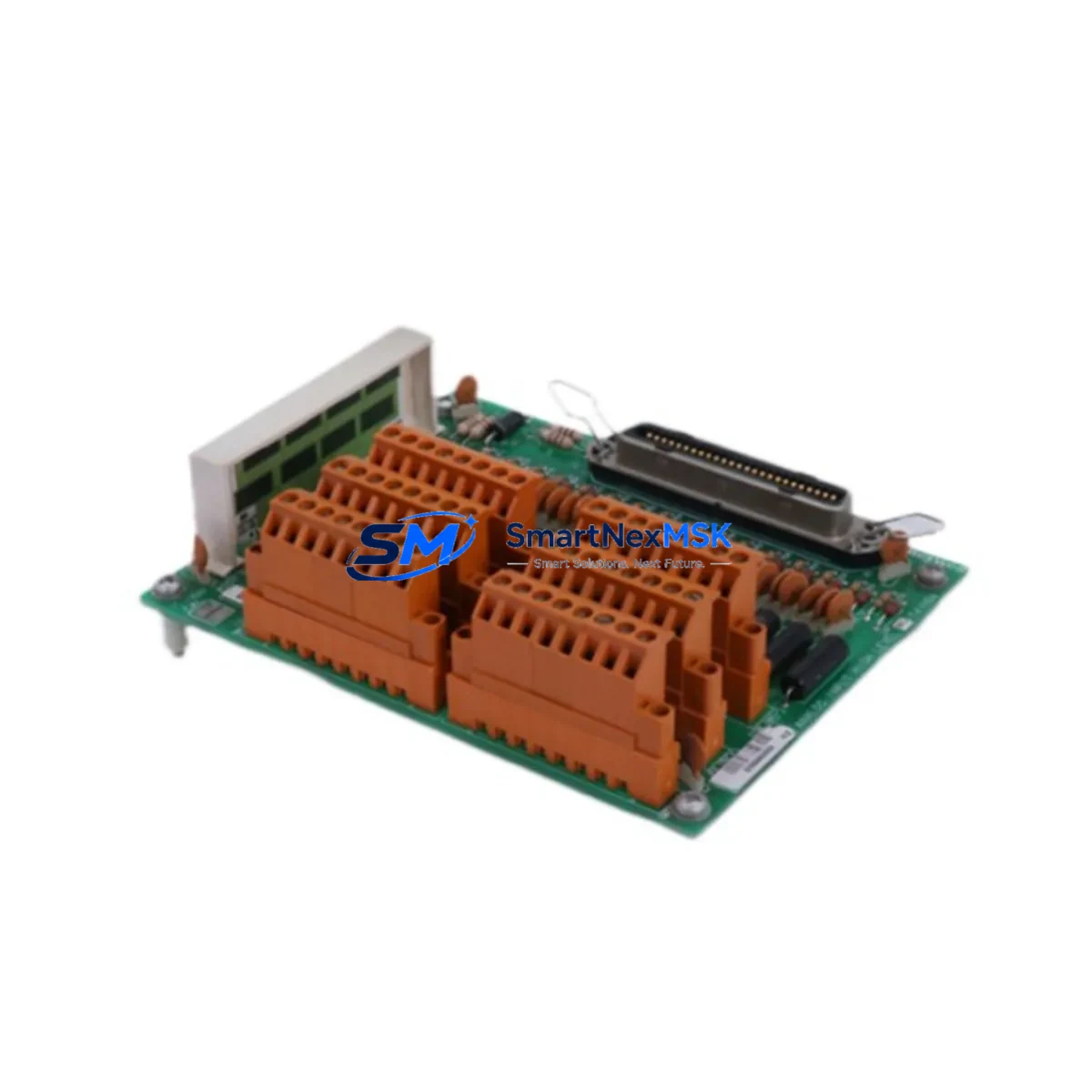
Honeywell MC-TAIH04 51305900-175 Spare Experion PKS: Precision Analog Input Replacement for Industrial Downtime Control
The Honeywell MC-TAIH04 (P/N 51305900-175) is a 4-channel high-level analog input module engineered for the Experion PKS distributed control system. In process industries — refining, petrochemical, power generation, and continuous manufacturing — this module serves as a critical signal acquisition node, converting 4–20 mA or 1–5 V field signals into digital process values consumed by the C300 or C200 controllers. When this module fails or degrades, the consequences extend beyond a single I/O point: entire process loops go blind, safety interlocks may trip, and unplanned shutdowns cascade across interconnected control strategies.
Stocking a verified original spare of the MC-TAIH04 51305900-175 is the single most effective measure a maintenance team can take to compress mean time to repair (MTTR) for Experion PKS analog input faults. Our units are sourced, inspected, and shipped with a 12-month warranty, giving procurement engineers a defensible, auditable spare-parts record.
Spare Maintenance Table
| Parameter | Specification / Value |
|---|---|
| Part Number | MC-TAIH04 / 51305900-175 |
| Manufacturer | Honeywell Process Solutions |
| Module Type | 4-Channel High-Level Analog Input (HLAI) |
| Compatible Platform | Honeywell Experion PKS (C300, C200 series) |
| Input Signal Range | 4–20 mA / 1–5 V DC (field-selectable) |
| Resolution | 16-bit ADC |
| Isolation | Channel-to-channel and channel-to-bus isolation |
| Power Supply | Supplied via IOTA backplane (MC-PAIH02 or equivalent) |
| Operating Temperature | 0 °C to 60 °C |
| Mounting | IOTA-based DIN-rail or panel-mount chassis |
| Firmware Compatibility | Experion PKS R310 and above (verify with site R-level) |
| Condition | Original / New-surplus, fully tested |
| Warranty | 12 Months from date of shipment |
| Lead Time | In-stock — same-day or next-business-day dispatch |
| Maintenance Recommendation | Replace at first sign of channel drift >0.1% FS or diagnostic fault LED |
Maintenance Planning for Continuous Operation
A disciplined maintenance engineer treats the MC-TAIH04 replacement not as an isolated swap but as a trigger for a broader control-cabinet inspection. When pulling this module for replacement, the following associated components should be evaluated concurrently to prevent repeat call-outs:
IOTA Termination Assembly (MC-PAIH02 / 51304485-150): The IOTA carries the field wiring terminals and the backplane connector. Corrosion, loose screw terminals, or a cracked PCB on the IOTA will cause the same channel-fault symptoms as a failed MC-TAIH04. Always inspect and torque-verify all terminal screws during module replacement.
C300 Controller Module (MC-CONT03): The C300 processes the digitized values from all HLAI modules on its I/O Link. If multiple analog input channels across different modules are reporting faults simultaneously, the root cause may be a degraded C300 rather than individual I/O modules. Confirm C300 diagnostic LEDs and Experion Station alarms before condemning the MC-TAIH04.
I/O Link Cable and Connectors: The I/O Link ribbon or fiber cable connecting the C300 to the I/O chassis is a common wear item in high-vibration environments. A marginal I/O Link will produce intermittent channel faults that mimic module failure. Inspect cable routing, bend radii, and connector seating.
24 VDC Power Supply Module (MC-PDOX02 or site-equivalent): Analog input modules are sensitive to power-rail noise and voltage sag. Measure the 24 VDC rail under load at the I/O chassis. A power supply with degraded capacitors will introduce noise floors that corrupt 4–20 mA readings. If ripple exceeds 100 mV p-p, schedule power supply replacement alongside the MC-TAIH04.
Signal Isolators and Barriers (e.g., MTL 787S or P+F KFD2-STC4-Ex1): In hazardous-area installations, Zener barriers or galvanic isolators sit between the field transmitter and the MC-TAIH04 input. A failed isolator will clamp or distort the 4–20 mA signal, producing the same out-of-range reading as a failed module. Test isolator output with a calibrated loop calibrator before replacing the module.
Field Transmitters (pressure, temperature, flow): Before condemning the MC-TAIH04, verify the field transmitter output with a HART communicator or loop calibrator. A failed transmitter driving a fixed 3.6 mA or 21 mA signal will trigger the same under-range or over-range alarm as a module fault.
Fuse Blocks and Terminal Fuses (e.g., Phoenix Contact ST 4-HESI or equivalent): Many Experion PKS cabinets use individual channel fuses on the IOTA or marshalling panel. A blown fuse on a single channel is frequently misdiagnosed as module failure. Check all fuse continuity before initiating a module replacement work order.
Marshalling Cabinet Terminal Strips: Loose or oxidized terminal connections in the marshalling cabinet introduce resistance that shifts the 4–20 mA loop current reading. Thermal imaging of the marshalling cabinet during operation can identify hot spots caused by high-resistance connections before they cause process upsets.
Redundant Module Partner (MC-TAIH04 in redundant pair): Experion PKS supports redundant I/O configurations. If the site uses redundant HLAI modules, inspect the partner module’s health status in Experion Station. A degraded partner will prevent seamless failover and may itself require replacement.
Experion PKS Station and Server: After module replacement, confirm that the Experion Station correctly re-acquires all four channels and that no residual bad-PV alarms persist. A server-side configuration mismatch (wrong module type assigned in Control Builder) will prevent the replacement module from communicating even if it is electrically healthy.
Site Replacement Workflow
Step 1 — Pre-replacement verification: Document all four channel engineering-unit values and alarm states in Experion Station. Confirm with the process engineer that the affected loops can be placed in manual or bypassed for the duration of the replacement. Issue a permit-to-work and lock out the I/O chassis power if required by site safety procedures.
Step 2 — Module extraction: The MC-TAIH04 is a hot-swappable module in most Experion PKS configurations. Confirm hot-swap capability with the site’s Experion R-level documentation. If hot-swap is supported, extract the module by releasing the locking lever and sliding it from the IOTA. If not, de-energize the chassis per site procedure.
Step 3 — Replacement module inspection: Before insertion, visually inspect the replacement MC-TAIH04 for bent backplane connector pins, physical damage, or moisture ingress. Verify the revision label matches the site’s qualified spare list. Our units ship with a test report confirming power-on self-test (POST) pass.
Step 4 — Module insertion and commissioning: Seat the replacement module firmly until the locking lever engages. Observe the module status LED — a solid green indicates successful I/O Link enumeration. In Experion Station, confirm all four channels return to good PV status within 30 seconds. If channels remain in fault, check IOTA terminal wiring and I/O Link integrity before suspecting the replacement module.
Step 5 — Post-replacement documentation: Record the replaced module’s serial number, installation date, and technician ID in the site’s CMMS (e.g., SAP PM or Maximo). Update the spare-parts inventory to trigger reorder of a replacement spare, maintaining minimum stock levels for critical I/O modules.
This workflow applies equally when migrating from an older Honeywell TDC 3000 or PlantScape system to Experion PKS, where legacy analog input modules are being replaced with current-generation MC-TAIH04 units to extend system life without a full DCS migration.
Spare Parts Support FAQ
Q1: Is the MC-TAIH04 51305900-175 compatible with all Experion PKS releases?
The MC-TAIH04 is compatible with Experion PKS R310 and all subsequent releases through the current R51x series. For sites running R210 or earlier, consult Honeywell’s compatibility matrix or contact our technical team. We can confirm firmware revision compatibility before shipment to avoid on-site surprises.
Q2: What testing is performed before shipment?
Each MC-TAIH04 unit undergoes power-on self-test (POST) verification, backplane connector inspection, and channel-level continuity checks prior to dispatch. Units are shipped in anti-static packaging with a test record. Our 12-month warranty covers defects in materials and workmanship from the date of shipment, with advance replacement available for critical-downtime situations.
Q3: Can this module replace an MC-TAIH02 (2-channel) in an existing chassis?
The MC-TAIH04 and MC-TAIH02 use the same IOTA form factor but differ in channel count and IOTA part number. A direct slot-for-slot substitution requires a matching 4-channel IOTA (MC-PAIH02) and a Control Builder configuration update to reflect the new channel count. Our team can advise on the IOTA and configuration requirements before you commit to the replacement.
Q4: What is your long-term supply commitment for this part?
We maintain standing inventory of the MC-TAIH04 51305900-175 and its associated IOTAs to support long-term Experion PKS maintenance programs. For sites with multi-year maintenance contracts or planned turnaround schedules, we offer reserved-stock agreements to guarantee availability. Contact our sales team to discuss annual supply commitments aligned with your planned maintenance intervals.
© 2026 SMARTNEXMSK. All rights reserved.
Original Source: https://smartnexmsk.com
Contact: [email protected] | +86 18259474341



