
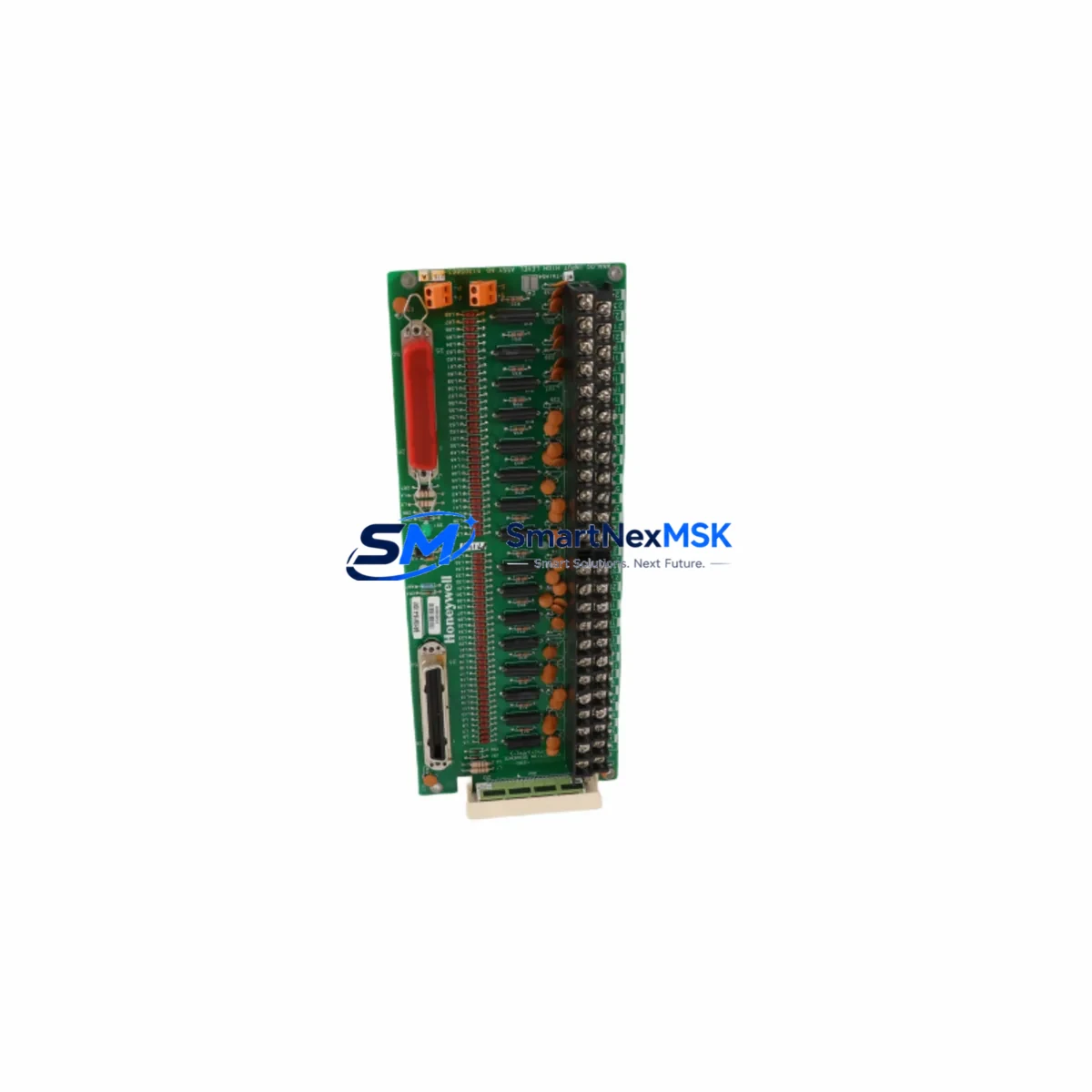
Honeywell MC-TAIH54 51305863-275 Retrofit-Ready Thermocouple Input for Experion PKS Control Systems
The Honeywell MC-TAIH54 (Part No. 51305863-275) is a high-density thermocouple analog input module engineered for the Experion PKS distributed control system platform. Designed to accept direct thermocouple inputs across multiple standard types (J, K, T, E, R, S, B), this module delivers cold-junction compensation, open-circuit detection, and high-resolution A/D conversion within the C300 Controller architecture. For facilities managing aging DCS infrastructure, the MC-TAIH54 represents a proven, inventory-available retrofit solution that eliminates the risk of extended downtime caused by obsolete or discontinued spare parts.
Whether you are replacing a failed module in an active process loop, upgrading a legacy TDC-3000 or PlantScape system to the current Experion PKS platform, or expanding thermocouple I/O capacity in an existing control cabinet, the MC-TAIH54 integrates directly into the standard IOTA (I/O Termination Assembly) backplane without requiring rewiring of field terminals. This plug-and-replace compatibility is critical for minimizing intervention time during scheduled turnarounds or emergency maintenance windows.
Upgrade Compatibility Table
| Parameter | Details |
|---|---|
| Part Number | MC-TAIH54 / 51305863-275 |
| Platform Compatibility | Honeywell Experion PKS (C300 Controller Series) |
| Legacy Replacement Path | TDC-3000, PlantScape, Experion R100–R500 series |
| Input Types Supported | J, K, T, E, R, S, B thermocouple types |
| Channel Count | Up to 54 thermocouple input channels (high-density) |
| Backplane Interface | Standard Experion PKS IOTA backplane — no adapter required |
| Field Wiring | Compatible with existing IOTA terminal blocks; no rewiring needed |
| Communication Protocol | FTE (Fault Tolerant Ethernet) via C300 Controller |
| Cold Junction Compensation | Built-in, automatic |
| Open-Circuit Detection | Yes — per channel |
| Power Supply Requirement | Supplied via backplane from MC-PDIY22 or equivalent Experion PKS power module |
| Mounting | Standard Experion PKS I/O chassis / rack |
| Commissioning Tool | Honeywell Control Builder (Experion PKS Engineering Station) |
| Firmware Compatibility | Compatible with Experion PKS R400 and above; verify R300 with engineering team |
| Warranty | 12 Months from date of shipment |
| Condition | New / Surplus New / Tested Refurbished (specify at order) |
Retrofit Planning for Existing Automation Systems
Successful integration of the MC-TAIH54 into an existing control system begins well before the module arrives on site. Engineers should start by auditing the current I/O chassis configuration to confirm available slot positions and verify that the installed MC-PDIY22 power distribution module can support the additional load of a high-density 54-channel input card. In high-density installations, total backplane current draw must be calculated across all populated slots, particularly when the chassis also houses MC-TAOY22 analog output modules or MC-TDIY22 digital input modules in adjacent positions.
Field wiring verification is the next critical step. The MC-TAIH54 connects to the process via a dedicated IOTA termination assembly — typically the MC-TAIH54-IOTA or a compatible variant. Technicians should confirm that existing thermocouple extension cables are correctly matched to the input type configured in Control Builder, and that shield grounding follows Honeywell’s recommended single-point grounding practice to prevent common-mode noise from corrupting temperature readings in high-EMI environments such as motor control centers or variable-frequency drive cabinets.
For sites migrating from a legacy TDC-3000 HPM (High-Performance Manager) or an older PlantScape Server architecture, the migration path typically involves installing a new C300 Controller alongside the existing system, mapping legacy tag names to new Experion PKS function blocks, and running both systems in parallel during a validation period. During this phase, the MC-TAIH54 can be pre-configured and loop-tested offline using a portable thermocouple simulator before being cut over to live process signals. The Experion PKS Engineering Station running Control Builder software manages all module addressing, channel scaling, and alarm limit configuration — no hardware DIP switches or jumpers are required on the MC-TAIH54 itself.
Where the retrofit also involves upgrading the operator interface, sites commonly replace legacy GUS (Global User Station) consoles with current Experion PKS Flex Station or Experion Station HMI workstations. HMI faceplate templates for thermocouple input points are typically inherited automatically when tag names are preserved during the migration, significantly reducing HMI re-engineering effort. Communication links between the C300 Controller and the Experion Server are carried over FTE (Fault Tolerant Ethernet) using a redundant switched network, replacing the older UCN (Universal Control Network) coaxial bus used in TDC-3000 installations.
All modules supplied by SMARTNEXMSK undergo pre-shipment functional testing including power-on verification, channel continuity checks, and firmware version confirmation. Each MC-TAIH54 ships with a test report and is covered by a 12-month warranty from the date of shipment.
Downtime Control During System Migration
Minimizing process downtime during a DCS module replacement or platform migration requires a structured cutover strategy. For the MC-TAIH54, the recommended approach is a hot-standby slot swap during a planned maintenance window: the replacement module is pre-loaded with the correct configuration file exported from Control Builder, inserted into the target chassis slot, and brought online while the C300 Controller performs automatic module recognition and channel initialization — typically completing within 60–90 seconds without requiring a controller restart.
To protect existing program logic, engineers should export a full Control Builder project backup before any hardware change. This backup preserves all function block configurations, module assignments, alarm limits, and interlock logic. If the replacement module is installed in a different slot position than the original (for example, due to chassis reconfiguration), the module address must be updated in Control Builder and downloaded to the controller before the new module is brought into service. Failure to update the slot address is one of the most common causes of channel mismatch faults during retrofit commissioning.
For critical process loops — such as furnace temperature control, reactor feed monitoring, or boiler drum level — it is strongly recommended to place the affected control loop in manual mode at the operator station before swapping the input module. This prevents the controller from acting on stale or invalid input values during the brief initialization period. Once the MC-TAIH54 is online and all channels are reading correctly, the loop can be returned to automatic control. The entire procedure, when pre-planned, can typically be completed within a single 30-minute maintenance slot, keeping production impact to an absolute minimum.
Retrofit Support FAQ
Q1: Is the MC-TAIH54 (51305863-275) a direct drop-in replacement for older Honeywell thermocouple input modules?
Yes. The MC-TAIH54 is designed for the Experion PKS IOTA backplane and is mechanically and electrically compatible with the standard I/O chassis used across the Experion PKS platform. For sites migrating from TDC-3000 or PlantScape, a C300 Controller and updated IOTA assembly are required as part of the migration kit, but field wiring to the thermocouple terminals can typically be reused without modification.
Q2: What commissioning steps are required after installing the MC-TAIH54?
After physical installation, open Control Builder on the Experion PKS Engineering Station, navigate to the I/O chassis configuration, assign the module to the correct slot, configure each channel’s thermocouple type and engineering unit range, set alarm limits, and download the configuration to the C300 Controller. Perform a loop check using a thermocouple simulator to verify each channel reads correctly before returning the loop to automatic control. No firmware flashing is required for standard Experion PKS R400+ installations.
Q3: Can the MC-TAIH54 be used with both redundant and non-redundant C300 Controller configurations?
Yes. The MC-TAIH54 supports both simplex and redundant C300 Controller configurations. In a redundant setup, the module communicates with both the primary and secondary controllers over the FTE network, enabling bumpless failover without loss of process data. Ensure that the FTE switch infrastructure (typically Honeywell-qualified managed switches) is correctly configured for the redundant topology before commissioning.
Q4: What does the 12-month warranty cover, and what is the return process?
The 12-month warranty covers manufacturing defects, functional failures under normal operating conditions, and any issues identified during pre-shipment testing that were not disclosed at the time of sale. If a module fails within the warranty period, contact SMARTNEXMSK with the original order number and a description of the fault. A replacement or repair will be arranged with priority handling. Warranty does not cover damage caused by incorrect installation, overvoltage, or unauthorized modification.
© 2026 SMARTNEXMSK. All rights reserved.
Original Source: https://smartnexmsk.com
Contact: [email protected] | +86 18259474341



