
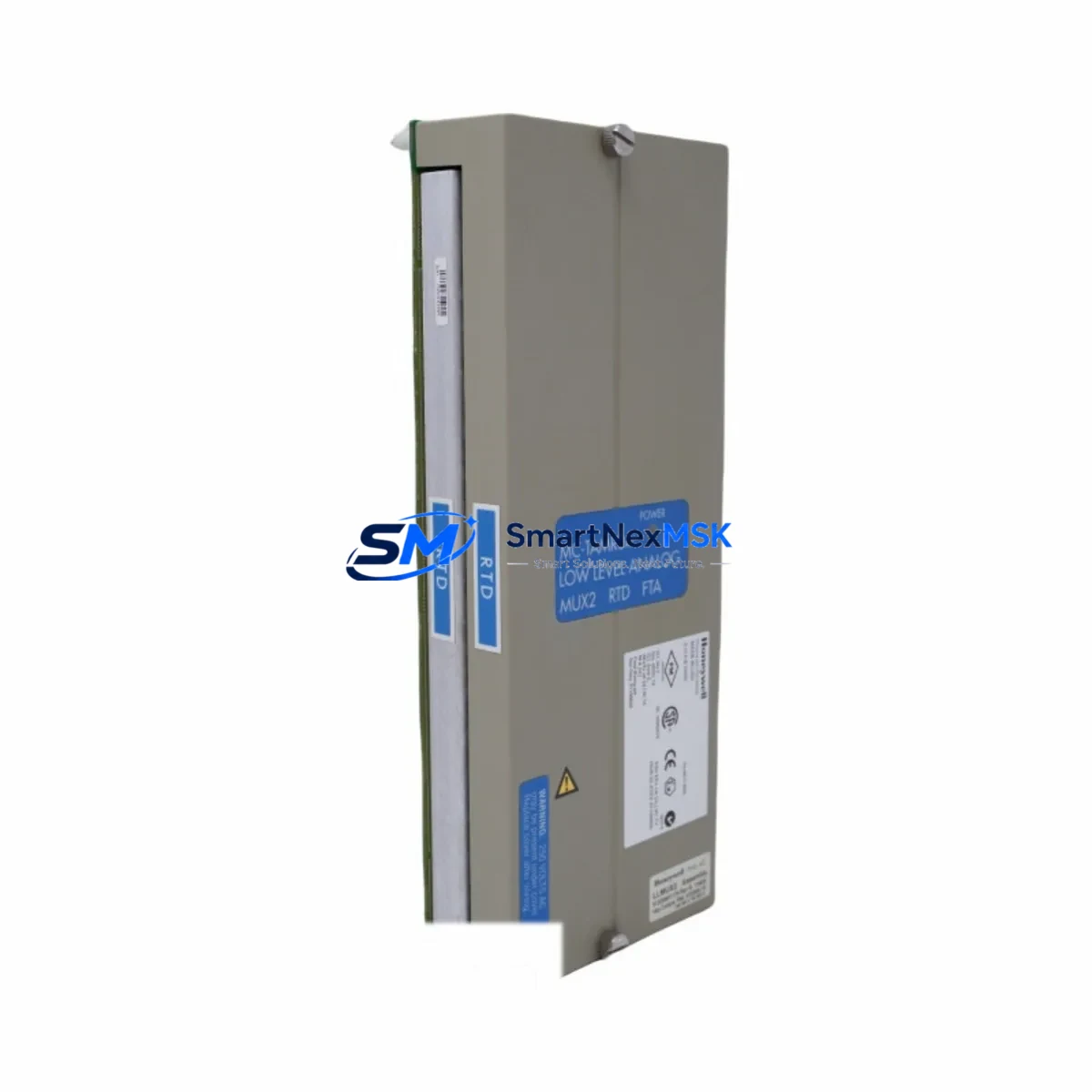
Honeywell MC-TAMR04 51305907-175 Retrofit-Ready Analog Input Multiplexer for TDC 3000 Control Systems
The Honeywell MC-TAMR04 (Part No. 51305907-175) is a low-level analog input multiplexer engineered for the TDC 3000 Distributed Control System platform. As legacy TDC 3000 installations continue to operate across refineries, chemical plants, and power generation facilities worldwide, the MC-TAMR04 remains a critical component for maintaining signal acquisition integrity in aging control architectures. SMARTNEXMSK maintains verified stock of this module to support planned retrofits, emergency replacements, and phased system upgrades — with each unit subject to pre-shipment functional testing and covered by a 12-month warranty.
Whether you are replacing a failed unit on a live process line or executing a structured migration from TDC 3000 to Experion PKS, the MC-TAMR04 is a direct drop-in replacement that preserves existing field wiring, terminal assignments, and backplane slot addressing. This eliminates the need for panel rewiring or I/O remapping during the swap, significantly reducing planned downtime windows and minimizing the risk of configuration errors during cutover.
Upgrade Compatibility Table
| Parameter | Details |
|---|---|
| Module SKU | MC-TAMR04 |
| Part Number | 51305907-175 |
| Platform Compatibility | Honeywell TDC 3000 DCS |
| Migration Path | TDC 3000 → Experion PKS (with I/O termination adapter) |
| Backplane Interface | TDC 3000 Universal Control Network (UCN) backplane |
| Signal Type | Low-level analog input (thermocouple, RTD, mV) |
| Channel Count | 4-channel multiplexed analog input |
| Installation Requirement | Standard TDC 3000 card cage slot; no hardware modification required |
| Wiring Compatibility | Direct terminal-for-terminal replacement; existing field wiring retained |
| Communication Compatibility | Compatible with LCN (Local Control Network) and UCN protocols |
| Replacement Recommendation | Direct drop-in for failed or end-of-life MC-TAMR04 units |
| Commissioning Notes | Verify module address DIP switch settings match original unit before power-up |
| Warranty | 12-Month Warranty — all units pre-shipment tested |
Retrofit Planning for Existing Automation Systems
A successful MC-TAMR04 retrofit begins well before the module arrives on site. Engineers should pull the existing I/O configuration from the TDC 3000 History Module or the Universal Station (US) engineering console to document all channel assignments, engineering unit ranges, and alarm setpoints associated with the affected multiplexer. This data forms the baseline for post-swap verification and ensures that the replacement module is configured identically to the original.
In a typical TDC 3000 control cabinet, the MC-TAMR04 is installed in a card cage alongside companion modules such as the MC-TAIH02 High-Level Analog Input module, the MC-TAOY04 Analog Output module, and the MC-TDID12 Digital Input module. Power distribution within the cabinet is managed by the MC-PSIM01 Power Supply Input Module, and backplane communication is routed through the MC-IOLM03 I/O Link Module. When replacing the MC-TAMR04, it is advisable to inspect the condition of these adjacent modules and the backplane connector pins, as intermittent contact issues in aging backplanes can cause signal anomalies that are incorrectly attributed to the multiplexer itself.
For sites executing a phased migration from TDC 3000 to Experion PKS, the MC-TAMR04 can be retained in service during the transition period using the Experion I/O Link Interface (IOLI) bridge, which allows legacy TDC 3000 I/O modules to communicate with the Experion C300 Controller. This approach preserves the existing field wiring infrastructure and allows engineering teams to migrate control strategies incrementally, loop by loop, without requiring a full I/O cutover. The C300 Controller, Series C I/O modules, and the IOLI bridge are the primary hardware components involved in this hybrid architecture.
Terminal block wiring should be verified against the original as-built drawings before the replacement module is powered. Pay particular attention to shield grounding continuity, especially for thermocouple inputs where ground loops can introduce measurement offsets. If the original module was configured for RTD inputs, confirm that the three-wire or four-wire RTD compensation setting on the replacement unit matches the field device wiring scheme. After installation, use the Universal Station or Experion Engineering Console to perform a channel-by-channel live value comparison against a calibrated reference signal before returning the loop to automatic control.
Downtime Control During System Migration
Minimizing unplanned downtime during a TDC 3000 module replacement requires a structured pre-outage preparation protocol. Before the maintenance window opens, the control strategy for all loops associated with the MC-TAMR04 should be placed in manual mode at the operator station. This prevents the DCS from issuing spurious output commands to final control elements — such as control valves or variable-speed drives — during the period when analog input signals are interrupted.
The replacement procedure itself typically takes 15 to 30 minutes for a trained technician: power down the card cage slot using the local circuit breaker (do not power down the entire cabinet unless required by site safety procedures), extract the failed module, insert the replacement MC-TAMR04, verify the DIP switch address settings, restore power, and confirm that the module status LED indicates normal operation. The TDC 3000 system will automatically re-establish communication with the module on the UCN backplane within seconds of power restoration.
Once the module is online, perform a structured loop check: compare the live process value displayed on the Universal Station against the field instrument reading, verify that the engineering unit scaling is correct, and confirm that high and low alarm limits are active. Only after all channels have been verified should the loops be returned to automatic control. This disciplined approach protects the original program logic, preserves HMI display accuracy, and maintains field control continuity throughout the replacement event. For sites with redundant control paths, the switchover to the backup controller during the replacement window further reduces process impact to near zero.
Retrofit Support FAQ
Q1: Is the MC-TAMR04 (51305907-175) a direct replacement for all TDC 3000 analog input multiplexer variants?
A: The MC-TAMR04 with part number 51305907-175 is the standard low-level analog input multiplexer for TDC 3000 card cage installations. It is compatible with all standard TDC 3000 card cage configurations. If your existing installation uses a different suffix variant, please contact our technical team with your original part number to confirm cross-compatibility before ordering.
Q2: What pre-shipment testing is performed on each MC-TAMR04 unit?
A: Every MC-TAMR04 unit shipped by SMARTNEXMSK undergoes a functional verification test that includes power-on self-test confirmation, channel signal acquisition verification across the full input range, and backplane communication handshake testing. Units that do not pass all test criteria are quarantined and not offered for sale. A test record is available upon request and accompanies each unit covered under the 12-month warranty.
Q3: Can the MC-TAMR04 be used in an Experion PKS system without the TDC 3000 backplane?
A: The MC-TAMR04 is designed specifically for the TDC 3000 card cage and UCN backplane architecture. It cannot be installed directly into an Experion PKS Series C I/O chassis. However, it can be retained in a hybrid TDC 3000 / Experion PKS architecture using the IOLI bridge interface, which allows the module to communicate with the Experion C300 Controller during a phased migration. For a full Experion PKS migration, the equivalent replacement is the Experion Series C Analog Input module.
Q4: What is covered under the 12-month warranty, and how is a warranty claim processed?
A: The 12-month warranty covers manufacturing defects and functional failures under normal operating conditions. It does not cover damage resulting from incorrect installation, overvoltage events, or physical mishandling. To initiate a warranty claim, contact our sales team at [email protected] with your order number, a description of the failure symptom, and any available diagnostic data from the TDC 3000 system log. We will arrange return shipping and provide a replacement or repaired unit within the agreed lead time.
© 2026 SMARTNEXMSK. All rights reserved.
Original Source: https://smartnexmsk.com
Contact: [email protected] | +86 18259474341



