
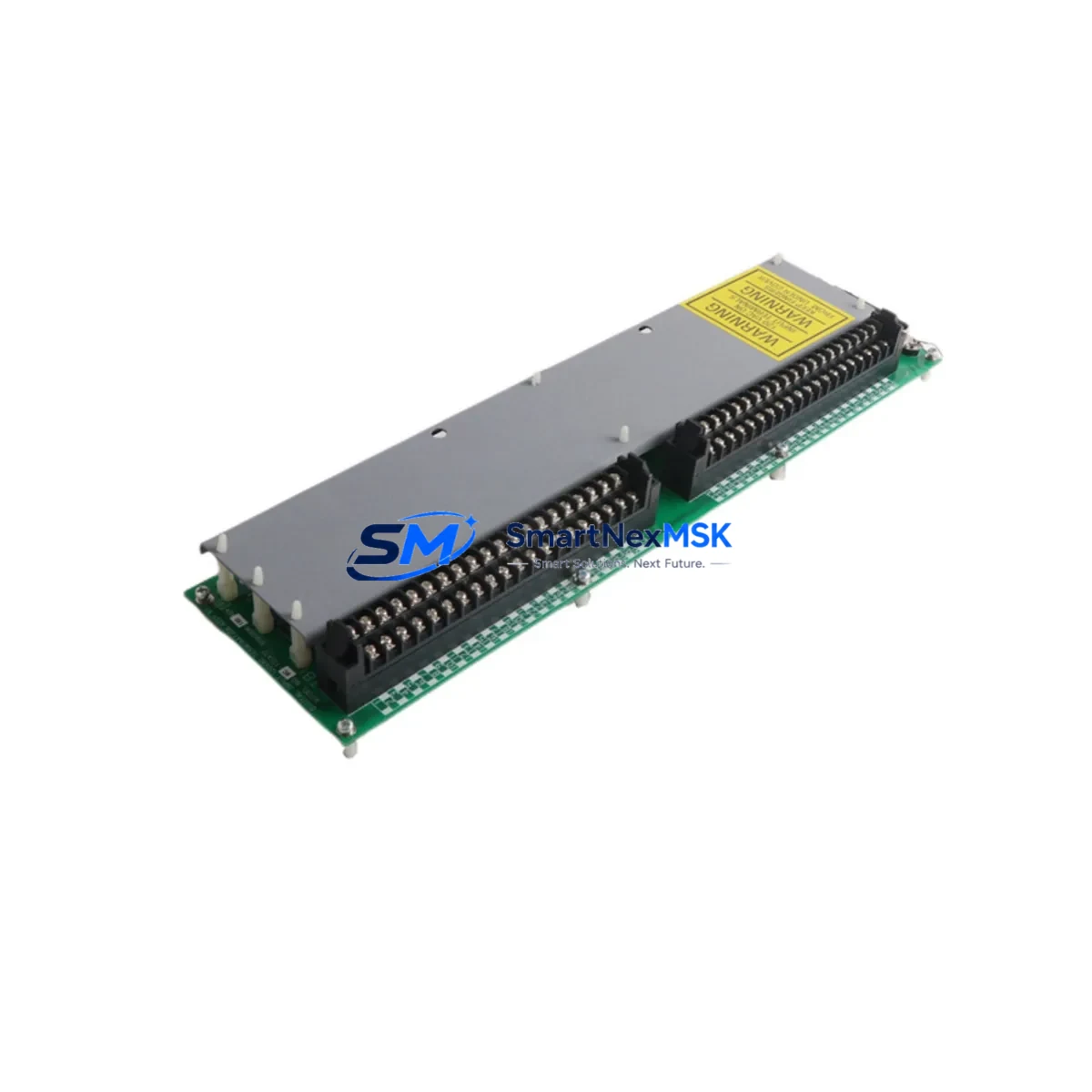
Honeywell MC-TDIA72 51303930-150 Maintenance-Ready Spare Experion PKS
Unplanned downtime in a DCS-controlled process plant can cost thousands of dollars per hour. The Honeywell MC-TDIA72 (P/N 51303930-150) is a 72-channel digital input module engineered for the Experion PKS distributed control system — one of the most widely deployed process automation platforms in refining, petrochemical, power generation, and pharmaceutical manufacturing. Stocking a verified original spare of this module is a foundational element of any credible maintenance strategy for Experion PKS installations.
This module interfaces field-level discrete signals — valve position feedback, motor run/stop status, interlock inputs, and equipment health contacts — directly into the Experion PKS controller network. Its 72-channel density makes it a high-value asset in marshalling cabinets where I/O density is critical. When this module fails or degrades, the impact is immediate: lost visibility into field devices, spurious alarms, and potential process shutdown. Having a tested, shelf-ready replacement eliminates the lead-time risk associated with OEM procurement channels, which can stretch from weeks to months for legacy DCS hardware.
Every unit supplied by SMARTNEXMSK undergoes pre-shipment functional verification and is backed by a 12-month warranty. Units are shipped with protective packaging appropriate for sensitive electronics, and documentation is available upon request to support incoming inspection and maintenance records.
Spare Maintenance Table
| Parameter | Specification |
|---|---|
| Part Number | MC-TDIA72 / 51303930-150 |
| Manufacturer | Honeywell Process Solutions |
| Compatible Platform | Honeywell Experion PKS (C200, C300, ACE) |
| Module Type | DCS Digital Input (DI) Module |
| Channel Count | 72 Channels |
| Input Signal Type | Discrete / Digital (dry contact, wet contact) |
| Backplane Interface | Experion PKS I/O Link / FIM compatible |
| Operating Voltage | 24 VDC nominal (field side) |
| Operating Temperature | 0°C to 60°C (32°F to 140°F) |
| Mounting | Experion PKS I/O chassis / carrier |
| Country of Origin | China (stocked unit) |
| Condition | Original, tested, functional |
| Warranty | 12 Months from date of shipment |
| Lead Time | In stock — ships within 1–3 business days |
| Maintenance Recommendation | Inspect terminal blocks and field wiring annually; replace module if channel fault count exceeds 3 |
Maintenance Planning for Continuous Operation
When a maintenance or reliability engineer schedules replacement of the MC-TDIA72, the scope of inspection should extend well beyond the module itself. The 72-channel digital input architecture means this module sits at the intersection of field wiring, marshalling, and the Experion PKS controller — making it a focal point for a broader cabinet health review.
Begin with the power supply module feeding the I/O chassis. Honeywell Experion PKS installations commonly use dedicated 24 VDC power supplies such as the MC-PDIY22 or equivalent chassis power units; verify output voltage stability and check for capacitor aging if the supply is more than five years old. A marginal power supply is a frequent root cause of intermittent digital input faults that are misdiagnosed as module failures.
Inspect the field termination assembly (FTA) or terminal carrier associated with this module. The MC-TDIY22 and similar FTA assemblies accumulate oxidation on screw terminals over time, particularly in humid or chemically aggressive environments. Clean and re-torque all field wiring terminations during the replacement window.
Review the status of adjacent digital output modules — such as the MC-TDOY22 — in the same I/O chassis. DI and DO modules in the same control loop share common failure modes related to power rail noise and backplane connector wear. A chassis-level inspection during a planned DI module replacement is efficient use of the maintenance window.
Check the Field Interface Module (FIM) or I/O Link Interface Module (IOLI) that aggregates communication from this I/O chassis to the Experion PKS C200 or C300 controller. Communication module firmware should be current, and link error counters should be reviewed in Experion Station before and after the replacement to confirm clean restoration of I/O communication.
For installations with signal isolators or Zener barriers in the field wiring loop — common in hazardous area (Zone 1/Zone 2) installations — inspect barrier condition and verify that isolation resistance has not degraded. Brands such as MTL, Pepperl+Fuchs, and R. Stahl supply compatible barriers for Experion PKS field loops.
Finally, confirm that the Experion PKS HMI station (Operator Station or Engineering Station) correctly reflects the restored I/O points after module hot-swap or cold replacement. Run a point-by-point I/O checkout using the Experion Control Builder to validate all 72 channels before returning the loop to automatic control.
Site Replacement Workflow
Step 1 — Pre-replacement verification: Confirm the replacement unit part number (MC-TDIA72, P/N 51303930-150) matches the installed module label exactly. Cross-reference with the Experion PKS I/O assignment database to confirm channel mapping. Note any active alarms on the module before removal.
Step 2 — Safe isolation: For non-hot-swap capable chassis configurations, coordinate with the control room to place affected loops in manual or bypass mode. For hot-swap capable configurations, verify the chassis supports live insertion for this module type before proceeding.
Step 3 — Physical replacement: Remove the faulty module by releasing the locking lever and sliding it from the carrier. Insert the replacement MC-TDIA72 firmly until the backplane connector is fully seated and the locking lever engages. Do not force the module — misalignment can damage backplane pins.
Step 4 — System restoration: Monitor Experion Station for module online confirmation. Allow 30–60 seconds for the module to initialize and for the FIM to re-establish I/O link communication. Verify all 72 channels report correct status against known field device states.
Step 5 — Documentation: Record the replacement in the plant CMMS (e.g., SAP PM, Maximo) with the new module serial number, date, and technician ID. Retain the faulty module for failure analysis if required by site procedures.
This workflow is compatible with both planned turnaround replacements and emergency breakdown recovery scenarios, minimizing mean time to repair (MTTR) and supporting long-term system reliability for aging Experion PKS installations.
Spare Parts Support FAQ
Q1: Is this MC-TDIA72 unit an original Honeywell part or a third-party replacement?
This is an original Honeywell MC-TDIA72 (P/N 51303930-150) spare part. It is not a clone, aftermarket reproduction, or refurbished unit from an unknown source. Each unit is verified for authenticity and functionality prior to shipment.
Q2: What is the warranty coverage and what does it include?
All units are covered by a 12-month warranty from the date of shipment. The warranty covers functional failure under normal operating conditions. It does not cover damage resulting from incorrect installation, overvoltage, or physical mishandling. Warranty claims are processed with priority turnaround to minimize your downtime exposure.
Q3: How do I confirm compatibility with my specific Experion PKS configuration before ordering?
Provide your Experion PKS system version, controller type (C200/C300/ACE), and chassis model when contacting us. Our technical team will confirm compatibility and advise on any firmware or carrier requirements. We recommend confirming the installed P/N from the module label or the Experion Control Builder I/O assignment report before ordering.
Q4: Can you support long-term or blanket spare parts orders for multi-site maintenance programs?
Yes. SMARTNEXMSK supports long-term supply agreements, blanket purchase orders, and multi-site spare parts programs for Honeywell Experion PKS and other DCS/PLC platforms. Contact our sales team to discuss volume pricing, reserved stock arrangements, and consolidated shipment scheduling.
© 2026 SMARTNEXMSK. All rights reserved.
Original Source: https://smartnexmsk.com
Contact: [email protected] | +86 18259474341



