
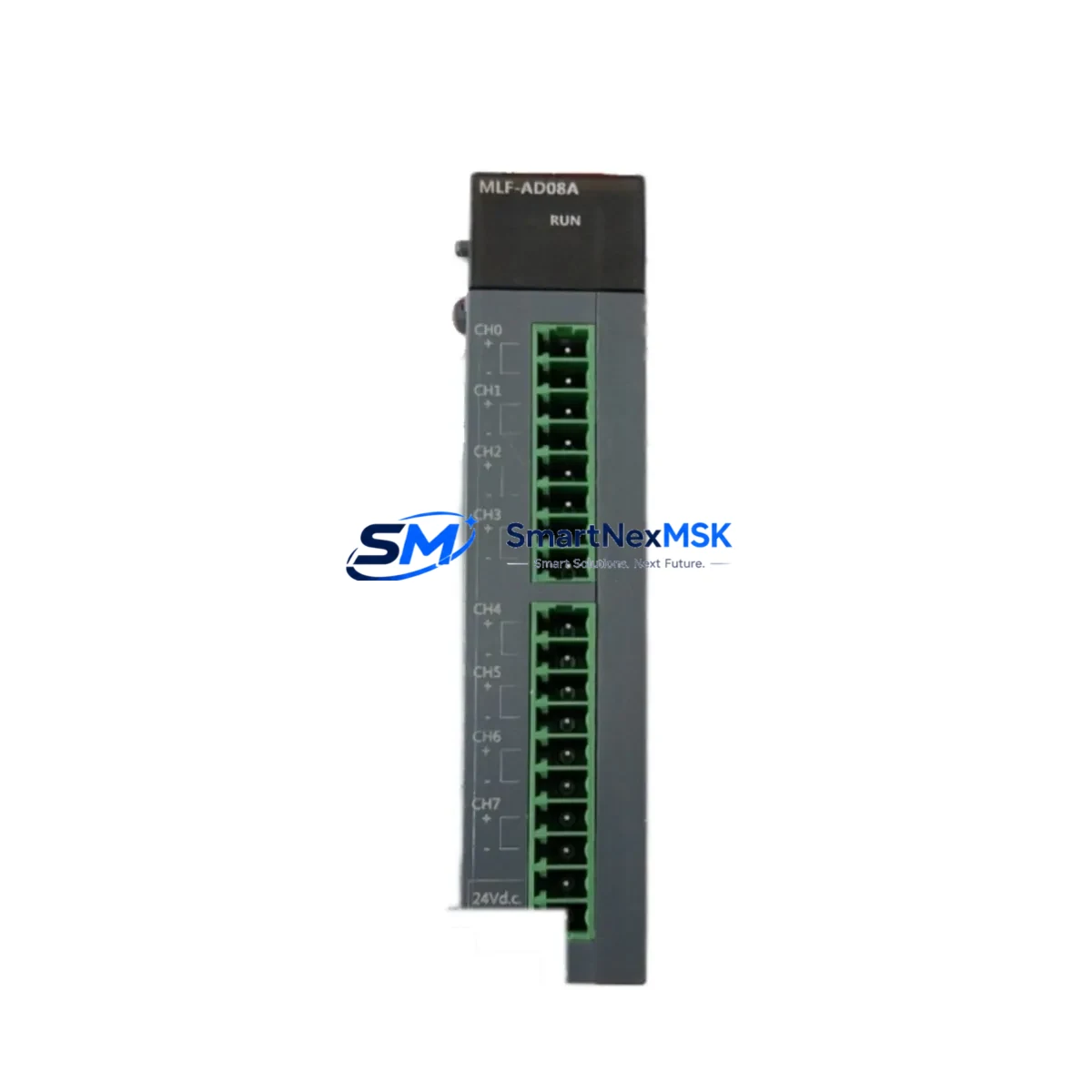
Honeywell MLF-AD08A Spare for Experion PKS Automation
The Honeywell MLF-AD08A is an 8-channel analog input module designed for the Experion PKS distributed control system platform. As a maintenance-ready original spare, it enables rapid slot-for-slot replacement in live control cabinets, minimizing unplanned downtime and restoring process continuity with zero firmware reconfiguration. For maintenance engineers managing aging Experion PKS installations, holding a verified MLF-AD08A in the spare parts inventory is a proven strategy for reducing mean time to repair (MTTR) on analog signal loops.
Whether you are executing a planned turnaround, responding to a field fault alarm, or conducting a routine control cabinet inspection, the MLF-AD08A delivers the signal integrity and channel density required for continuous analog monitoring across temperature, pressure, flow, and level transmitters in process-critical environments.
Spare Maintenance Table
| Parameter | Specification |
|---|---|
| SKU / Part Number | MLF-AD08A |
| Brand | Honeywell |
| Series | Experion PKS (Process Knowledge System) |
| Module Type | 8-Channel Analog Input Module |
| Signal Type | 4–20 mA / 1–5 V (configurable per channel) |
| Resolution | 16-bit ADC |
| Isolation | Channel-to-channel and channel-to-bus isolation |
| Communication Bus | Experion PKS FTE / C200 Controller backplane |
| Operating Temperature | 0°C to 60°C (32°F to 140°F) |
| Mounting | Experion PKS I/O chassis / carrier card |
| Compatibility | C200, C200E, C300 controllers; IOTA carrier MLF-IOTA08A |
| Certifications | CE, UL, FM (Class I Div 2 rated) |
| Warranty | 12 Months — tested and verified before shipment |
| Condition | Original / New Surplus / Refurbished (tested) |
| Lead Time | In stock — ships within 1–3 business days |
Maintenance Planning for Continuous Operation
When replacing the MLF-AD08A in the field, a disciplined maintenance engineer will not stop at the module itself. The analog input chain in an Experion PKS cabinet involves multiple interdependent components, and a failure in any one of them can produce symptoms that mimic a faulty I/O module. Before closing the cabinet, verify the condition of the following associated components:
The MLF-IOTA08A carrier card (IOTA = I/O Termination Assembly) is the direct mounting base for the MLF-AD08A. Inspect the carrier for bent pins, corrosion on the signal terminals, and secure seating. A damaged IOTA will cause intermittent channel faults even with a new module installed. Similarly, the field termination wiring and marshalling terminal blocks should be checked for loose connections, insulation degradation, and correct shielding grounding — particularly in high-vibration or high-humidity environments.
The Honeywell C200 or C300 controller module that communicates with the MLF-AD08A over the backplane should be confirmed as healthy via the Experion Station diagnostic display. If the controller is showing redundancy faults or communication errors, replacing the I/O module alone will not resolve the root cause. Check the FTE (Fault Tolerant Ethernet) network switches and fiber patch cables connecting the controller cabinet to the Experion server, as network instability can cause false analog input alarms.
On the power side, inspect the 24 VDC field power supply feeding the IOTA carrier and the loop-powered transmitters. A sagging supply rail — even within nominal tolerance — can cause ADC offset errors across all 8 channels simultaneously. The power distribution fuse blocks and DIN rail circuit breakers within the I/O cabinet should be tested for continuity and rated current capacity.
For signal quality, consider whether signal isolators or signal conditioners are installed between the field transmitters and the MLF-AD08A inputs. Aging isolators can introduce drift, noise, or offset that appears as a module fault. If the system uses HART-enabled transmitters, verify that the HART multiplexer or pass-through configuration is correctly set for the replacement module’s channel assignments.
Finally, if the Experion PKS system includes an HMI Station or Operator Console displaying analog trends, confirm that the tag database and I/O assignment are correctly mapped after module replacement. A module swap without a controller download or tag re-assignment can result in stale or zero-value readings on the HMI, which may be misinterpreted as a continued fault.
Site Replacement Workflow
Step 1 — Pre-Replacement Verification: Confirm the replacement MLF-AD08A matches the existing module’s firmware revision and hardware revision label. Mismatched hardware revisions between the module and the IOTA carrier can cause initialization failures on the Experion PKS backplane. Cross-reference the module label against the Experion Station asset inventory before proceeding.
Step 2 — Safe Removal: In a live Experion PKS system, the MLF-AD08A supports hot-swap replacement when the carrier is properly configured for online insertion and removal (OIR). Confirm OIR is enabled in the controller configuration before removing the module under power. If OIR is not enabled, coordinate a controlled process hold with the operations team before proceeding.
Step 3 — Module Insertion and Seating: Insert the replacement MLF-AD08A firmly into the IOTA carrier until the locking tab engages. Verify the module status LED transitions from red (fault) to green (healthy) within 30 seconds of insertion. If the LED remains amber or red, check the carrier seating and backplane communication status in Experion Station.
Step 4 — Channel Verification: After module initialization, navigate to the Experion Station I/O diagnostic view and confirm all 8 channels are reporting valid engineering unit values. Compare live readings against field transmitter local indicators to verify signal accuracy. Document the pre- and post-replacement readings in the maintenance log.
Step 5 — Spare Parts Replenishment: After a successful replacement, immediately initiate a replenishment order for the consumed MLF-AD08A spare. Maintaining a minimum of one spare module per Experion PKS cabinet is the recommended inventory posture for facilities with continuous process operations.
Spare Parts Support FAQ
Q1: Is this MLF-AD08A compatible with both C200 and C300 Experion PKS controllers?
Yes. The MLF-AD08A is designed for the Experion PKS I/O subsystem and is compatible with C200, C200E, and C300 controller platforms when mounted on the correct MLF-IOTA08A carrier. Always verify the hardware revision of the module against your system’s qualified spare parts list before installation.
Q2: What testing is performed before shipment?
Each MLF-AD08A unit undergoes functional power-on testing, channel continuity verification, and visual inspection for physical damage prior to shipment. A test report is available upon request. All units are shipped with ESD-protective packaging to prevent electrostatic damage during transit.
Q3: What is the warranty coverage and how are warranty claims handled?
All MLF-AD08A units carry a 12-month warranty from the date of shipment. Warranty coverage includes module failure under normal operating conditions. In the event of a warranty claim, contact our technical support team with the order number and fault description. A replacement unit will be dispatched within 3 business days of claim verification.
Q4: Can you supply MLF-AD08A units for long-term or blanket purchase orders?
Yes. We support long-term supply agreements for facilities requiring ongoing spare parts inventory management. Blanket purchase orders, scheduled delivery programs, and multi-unit pricing are available. Contact our sales team to discuss your facility’s annual consumption requirements and establish a dedicated supply arrangement.
© 2026 SMARTNEXMSK. All rights reserved.
Original Source: https://smartnexmsk.com
Contact: [email protected] | +86 18259474341



