
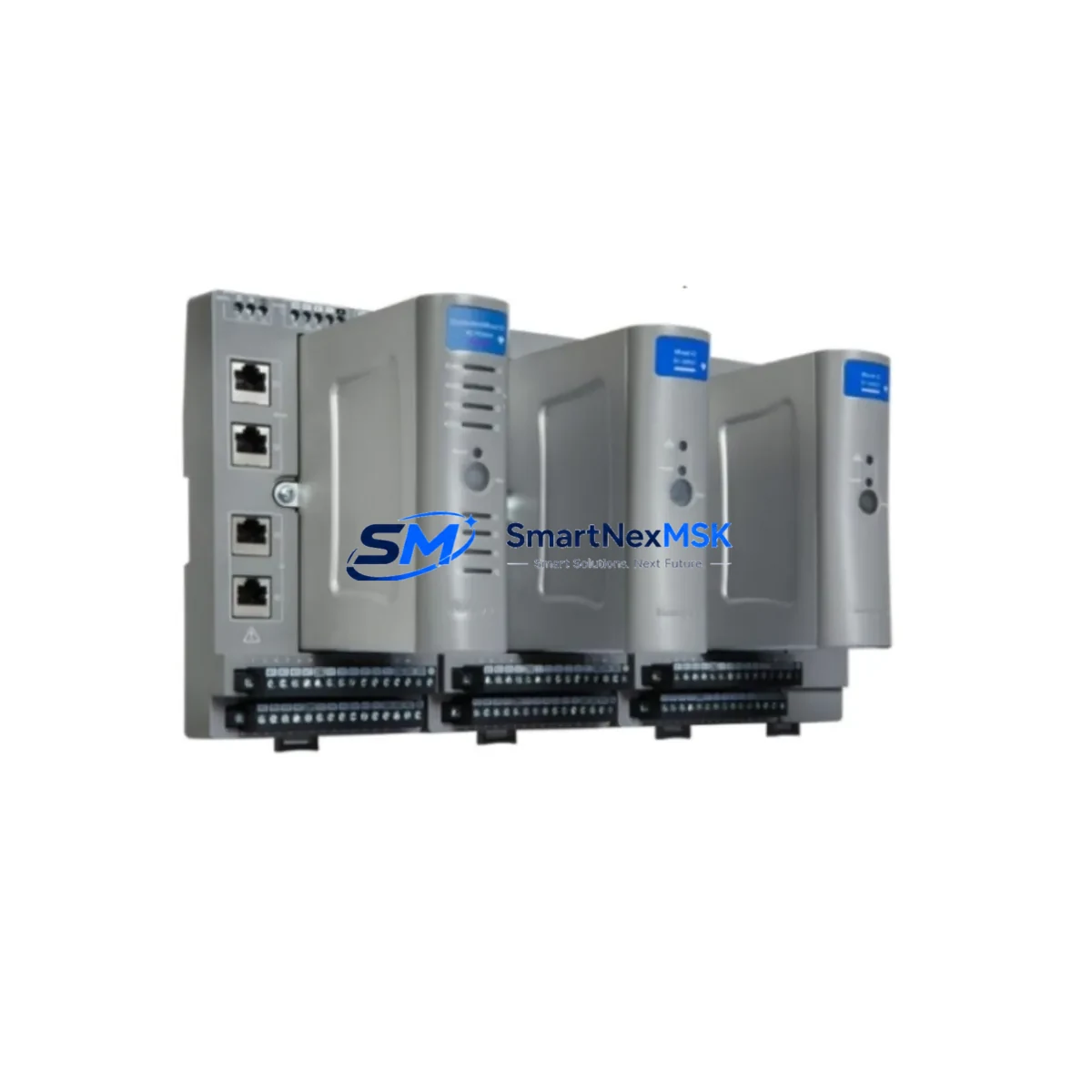
Honeywell SC-UCMX02 Retrofit-Ready Safety Controller for Experion Control Systems
The Honeywell SC-UCMX02 is a non-redundant Universal Controller Module designed for the Experion Safety Manager (SM) platform. As legacy safety systems approach end-of-life or face obsolescence, the SC-UCMX02 serves as a proven retrofit solution for facilities seeking to modernize their safety instrumented systems (SIS) without a full control system overhaul. Whether you are replacing a failed unit, upgrading an aging safety loop, or migrating from an earlier Honeywell FSC (Fail-Safe Controller) architecture, the SC-UCMX02 provides a reliable, wiring-compatible upgrade path that minimizes engineering rework and plant downtime.
Upgrade Compatibility Table
| Parameter | Details |
|---|---|
| Compatible Platform | Honeywell Experion Safety Manager (SM) |
| Module Type | Non-Redundant Universal Controller Module |
| Backplane Interface | Experion SM standard backplane slot (SC-XBAS08 / SC-XBAS16) |
| Communication Protocol | FTE (Fault Tolerant Ethernet), HART pass-through |
| Replacement Compatibility | Direct replacement for SC-UCMX02 in SM chassis; verify firmware revision before swap |
| Installation Requirement | Standard SM rack; no additional hardware adapter required |
| Power Supply Compatibility | SC-MPSU01 / SC-MPSU02 — verify chassis power budget before installation |
| Commissioning Note | Confirm module address and logic download via Safety Builder engineering station |
| Warranty | 12 Months — covers manufacturing defects and functional failure on arrival |
Retrofit Planning for Existing Automation Systems
Successful integration of the SC-UCMX02 into an existing safety system begins well before the module arrives on site. Engineers should start by auditing the current SM chassis configuration, including the SC-XBAS08 or SC-XBAS16 base assembly, to confirm available slot positions and backplane power budget. The SC-UCMX02 draws power from the chassis bus, so the SC-MPSU01 or SC-MPSU02 power supply module must be verified for adequate capacity before installation, particularly in fully populated racks.
Terminal wiring from field instruments — pressure transmitters, temperature elements, and valve positioners — connects through the SC-XMOD series I/O modules rather than directly to the controller. During a retrofit, technicians should document all SC-XMOD02 digital input and SC-XMOD04 analog input channel assignments before removing the legacy controller, as these mappings must be preserved in the replacement module’s configuration. Any mismatch in I/O channel addressing will cause logic faults during the first scan cycle after restart.
Communication continuity is equally critical. The SC-UCMX02 communicates with the Experion PKS server via the FTE network using the SC-FTEB01 Ethernet bridge module. Before swapping the controller, confirm that the FTE switch configuration and IP addressing scheme remain unchanged. If the plant is also migrating from an older Honeywell TDC 3000 or FSC platform, the communication gateway configuration — including any Modbus RTU or PROFIBUS DP links — must be re-mapped in the new Safety Builder project file. Retain the original .SBP project backup before making any changes.
HMI screens connected to the Experion Station should be reviewed for any controller-specific faceplates or custom displays that reference the old module tag names. Renaming or re-addressing the SC-UCMX02 in the Safety Builder database will require corresponding updates in the Experion HMI configuration to avoid broken display links or alarm suppression errors. Coordinate with the DCS team to align the safety system tag database with the process control network before the cutover window.
All units supplied by SMARTNEXMSK are pre-tested prior to shipment. Each SC-UCMX02 undergoes functional verification including power-on self-test, backplane communication check, and I/O channel continuity validation. Units are shipped with original or equivalent packaging and include a 12-month warranty covering manufacturing defects and functional failure on arrival.
Downtime Control During System Migration
Minimizing unplanned downtime during a safety controller replacement requires a structured cutover plan. Begin by scheduling the swap during a planned maintenance window and coordinating with the safety authority to place the affected safety loop in bypass mode per your site’s Management of Change (MOC) procedure. Before removing the SC-UCMX02, perform a full checkpoint save of the running Safety Builder project and export the current logic to a secure backup location.
During the physical swap, label all field wiring at the SC-XMOD terminal blocks before disconnection. The SC-UCMX02 slots into the SM chassis without tools; however, the module must be powered down at the SC-MPSU power supply before insertion to prevent backplane transients. After seating the new module, restore power and allow the self-test sequence to complete before initiating a logic download from the Safety Builder engineering station.
Once the download is confirmed and the module enters RUN mode, verify all I/O channel states against the pre-swap baseline. Check FTE link status on the SC-FTEB01 and confirm that the Experion PKS server has re-established communication with the safety controller. Release the safety loop from bypass only after all diagnostic indicators are clear and the site safety authority has signed off on the restoration checklist. Total cutover time for a single SC-UCMX02 replacement in a prepared environment typically ranges from two to four hours.
Retrofit Support FAQ
Q: Is the SC-UCMX02 a direct drop-in replacement for an existing unit in my SM chassis?
A: Yes, provided the chassis slot type and firmware revision are compatible. We recommend confirming the SM system firmware version with your Honeywell service documentation before ordering. Our technical team can assist with compatibility verification prior to shipment.
Q: What wiring changes are required when replacing the SC-UCMX02?
A: Field wiring connects through the SC-XMOD I/O modules, not directly to the controller, so no field wiring changes are required for a like-for-like replacement. Only the controller module itself is swapped. Verify terminal block labeling and I/O channel assignments in Safety Builder before and after the swap.
Q: Can the SC-UCMX02 be used in a system migrating from Honeywell FSC to Experion Safety Manager?
A: The SC-UCMX02 is native to the Experion SM platform and is not backward-compatible with the FSC hardware bus. For FSC-to-SM migrations, a full chassis and I/O module replacement is required. The SC-UCMX02 is the correct controller module for the target SM architecture after migration.
Q: What does the 12-month warranty cover?
A: The warranty covers manufacturing defects and functional failure on arrival. Each unit is tested prior to shipment. In the event of a warranty claim, we provide advance replacement to minimize your system downtime. Contact [email protected] with your order reference and fault description to initiate a claim.
© 2026 SMARTNEXMSK. All rights reserved.
Original Source: https://smartnexmsk.com
Contact: [email protected] | +86 18259474341



