
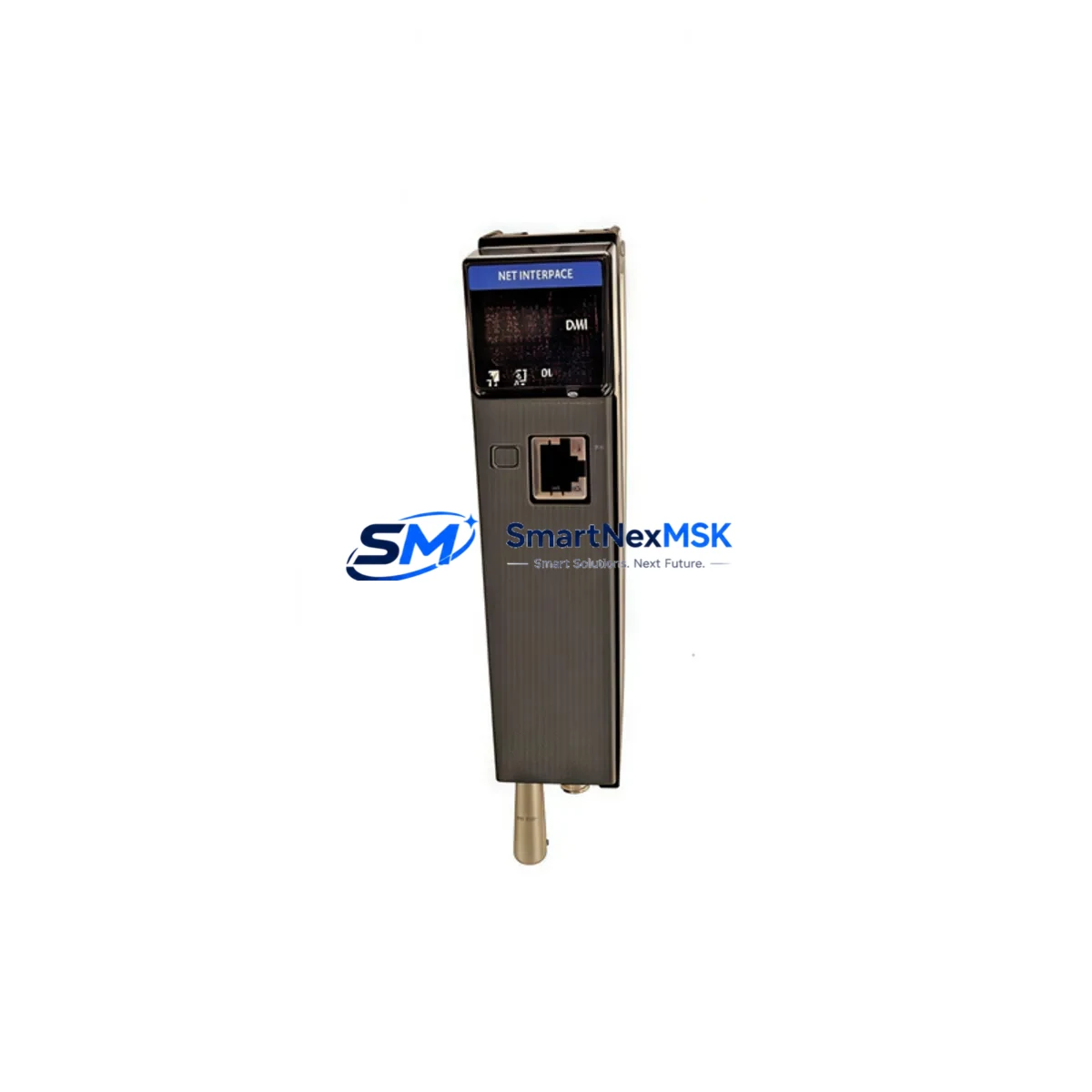
Honeywell TC-CCR011 Retrofit-Ready Net Interface Module for TPS Control Systems
The Honeywell TC-CCR011 is a Net Interface Module (NIM) designed for the TotalPlant Solution (TPS) Distributed Control System platform. As legacy TPS installations approach end-of-support milestones, the TC-CCR011 has become one of the most sought-after components for brownfield retrofit projects, discontinued spare part replacement, and control cabinet modernization programs. Whether you are restoring a failed node on an existing Local Control Network (LCN) or executing a phased migration from an older TDC 3000 architecture, the TC-CCR011 provides the communication backbone that keeps your process running without forcing a full system cutover.
This module serves as the primary interface between the LCN highway and the Universal Control Network (UCN), enabling data exchange between field-level controllers and the operator station layer. In retrofit scenarios, engineers frequently encounter situations where the original TC-CCR011 has failed or is no longer available through the OEM channel. Sourcing a verified replacement with documented test results and a 12-month warranty is critical to maintaining system integrity and minimizing unplanned downtime.
Our inventory of TC-CCR011 modules is drawn from decommissioned but well-maintained TPS systems, fully tested against Honeywell functional specifications before shipment. Each unit undergoes power-on verification, communication link testing, and backplane connector inspection. We supply the module with a 12-month warranty covering hardware defects, giving your maintenance team confidence during the commissioning phase and beyond.
Upgrade Compatibility Table
| Parameter | Details |
|---|---|
| Module Model | Honeywell TC-CCR011 |
| Platform | TotalPlant Solution (TPS) / TDC 3000 |
| Function | Net Interface Module — LCN to UCN Bridge |
| Backplane Interface | Standard TPS card cage slot (compatible with PM/APM/HPM card cages) |
| Communication Protocol | LCN (Local Control Network) highway, UCN (Universal Control Network) |
| Power Requirement | Supplied via TPS card cage backplane (+5 VDC, ±15 VDC) |
| Replacement Compatibility | Direct drop-in for TC-CCR011 in existing TPS card cage positions |
| Installation Requirement | No hardware modification required; verify firmware revision compatibility with system engineer |
| Commissioning Note | Module address must be configured via NIM configuration utility before insertion; verify LCN node address does not conflict with existing network map |
| HMI Compatibility | Compatible with GUS (Global User Station) and Universal Station (US) operator interfaces |
| Warranty | 12 Months — covers hardware defects from date of shipment |
| Condition | Tested, inspected, ships from stock |
Retrofit Planning for Existing Automation Systems
A successful TC-CCR011 retrofit begins well before the module arrives on site. The first step is auditing the existing TPS card cage to confirm available slot positions, backplane power rail condition, and the revision level of adjacent modules. In many aging TPS cabinets, the card cage itself — typically a standard 15-slot or 7-slot TPS chassis — may show signs of backplane connector wear, which should be addressed before inserting a replacement NIM.
Power budget verification is essential. The TC-CCR011 draws regulated power from the card cage power supply, commonly the Honeywell TC-PRS021 or TC-PRS022 redundant power supply pair. Before commissioning, confirm that the combined load of all installed modules — including any recently added Honeywell TC-IAH161 analog input modules or TC-ODJ161 digital output modules — does not exceed the rated output of the power supply. Overloaded backplanes are a leading cause of intermittent NIM faults in retrofit projects.
Terminal wiring on the UCN side requires careful attention. The TC-CCR011 connects to the UCN coaxial highway via BNC termination points. In older installations, the UCN cable may have been routed with non-standard bend radii or may show insulation degradation. Inspect the UCN trunk cable and all T-taps before bringing the replacement module online. If the UCN segment also carries traffic from Honeywell TC-FTE001 Fault Tolerant Ethernet gateways or legacy Honeywell PM (Process Manager) controllers, coordinate the NIM address assignment carefully to avoid node conflicts.
Module address configuration is performed using the Honeywell NIM Configuration Utility, typically run from a maintenance laptop connected to the LCN service port. The node address must match the address previously assigned to the failed module in the system database — changing the address without updating the Honeywell TPS system database will cause the operator station to report the node as unresolved. If the original configuration files are unavailable, the system engineer will need to rebuild the NIM definition within the Honeywell Engineering Workstation (EWS) environment before the replacement module can be recognized.
Program compatibility is generally preserved when replacing a TC-CCR011 with an equivalent revision unit, as the NIM does not store application logic — control strategies reside in the associated PM, APM, or HPM controllers such as the Honeywell TC-CCR014 Advanced Process Manager. However, if the replacement module carries a different firmware revision, verify with the system engineer that the firmware is compatible with the installed TPS software release. Mismatched firmware can cause subtle communication timing issues that are difficult to diagnose under normal operating conditions.
HMI screen updates are typically not required for a like-for-like NIM replacement, as the operator displays reference tag names rather than physical module addresses. However, if the retrofit involves reassigning UCN node numbers or restructuring the LCN network topology, the GUS or Universal Station displays may require point reconfiguration to reflect the new addressing scheme.
Downtime Control During System Migration
Minimizing process downtime during a TC-CCR011 replacement requires a structured hot-swap or planned-outage strategy. In redundant NIM configurations — where a primary and secondary TC-CCR011 are installed in adjacent card cage slots — the replacement can often be performed with the secondary NIM maintaining LCN-UCN communication while the primary is swapped. This approach preserves control continuity for all UCN-connected devices, including field-mounted Honeywell Smart Transmitters and valve positioners communicating over the UCN highway.
For non-redundant NIM installations, the replacement window must be coordinated with the process control team to identify a safe period for a brief communication interruption. During this window, the existing NIM is removed, the replacement TC-CCR011 is inserted and powered up, and the LCN node is re-established. The entire physical swap typically takes under five minutes; the majority of the downtime window is consumed by pre-swap configuration verification and post-swap communication link confirmation.
Before removing the failed module, capture a full snapshot of the current LCN network status from the Honeywell System Status Display. Document all active alarms, controller states, and UCN device statuses. This baseline record allows the commissioning engineer to quickly identify any anomalies after the replacement NIM comes online. Pay particular attention to the status of any Honeywell HPM (High-Performance Process Manager) controllers on the UCN segment, as these units manage the most critical control loops and should be verified first after the NIM replacement is complete.
After the replacement TC-CCR011 is inserted and the LCN node is confirmed active, perform a systematic check of all UCN device communications, verify that all controller tags are resolving correctly on the operator station, and confirm that historian data collection has resumed for all affected points. A structured post-commissioning checklist reduces the risk of overlooking a partially restored communication path before returning the unit to full automatic control.
Retrofit Support FAQ
Q: Is the TC-CCR011 a direct drop-in replacement for a failed NIM in my existing TPS card cage?
A: Yes, provided the replacement unit carries a compatible firmware revision. The TC-CCR011 uses the standard TPS card cage backplane interface and does not require any hardware modification to the chassis. We recommend confirming the firmware revision with your system engineer before installation to ensure compatibility with your installed TPS software release.
Q: What commissioning steps are required after installing the replacement TC-CCR011?
A: The module address must be configured using the Honeywell NIM Configuration Utility before insertion. After the module is seated and powered, verify LCN node recognition on the System Status Display, confirm UCN device communication, and check that all controller tags are resolving correctly on the operator station. The full commissioning sequence typically takes 30–60 minutes for an experienced TPS engineer.
Q: How do I verify that the replacement module is compatible with my existing wiring and backplane?
A: Inspect the card cage backplane connector for pin wear or corrosion before insertion. Verify that the UCN coaxial connections are in good condition and that the card cage power supply — such as the TC-PRS021 or TC-PRS022 — has sufficient capacity for the total module load. Review the TPS system database to confirm the NIM node address assignment before powering the module.
Q: What does the 12-month warranty cover, and what is the shipping lead time?
A: The 12-month warranty covers hardware defects from the date of shipment. Modules are shipped from stock and are available for same-day or next-business-day dispatch depending on your location. Each unit is tested and inspected prior to shipment. For urgent retrofit requirements, contact our team directly to confirm availability and expedited shipping options.
© 2026 SMARTNEXMSK. All rights reserved.
Original Source: https://smartnexmsk.com
Contact: [email protected] | +86 18259474341



