
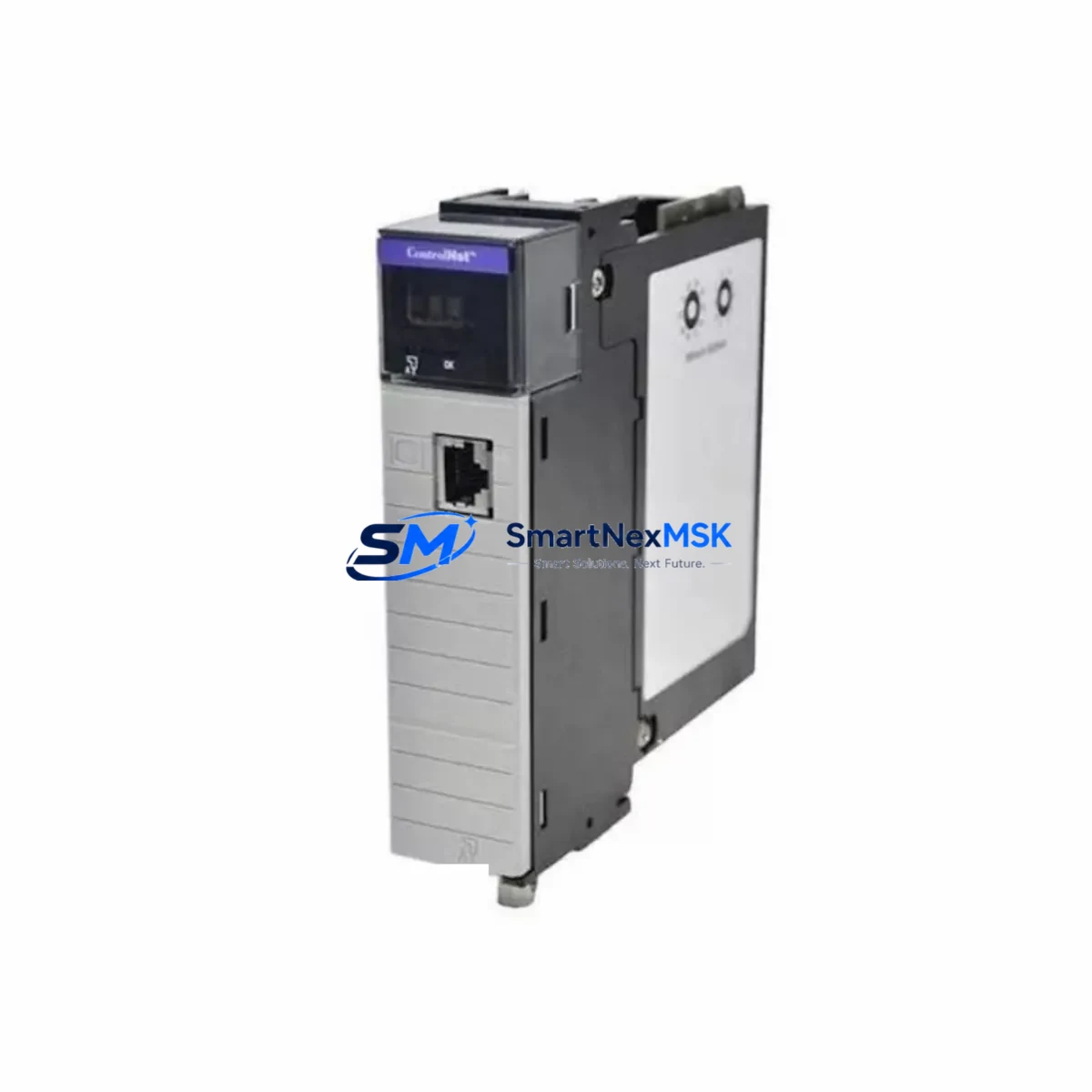
Honeywell TC-CCR013 Retrofit-Ready Redundant Network Interface for C300 Control Systems
The Honeywell TC-CCR013 is a Redundant Network Interface Module (RNIM) engineered for the C300 Controller platform within the Experion PKS Distributed Control System (DCS) architecture. As legacy Honeywell systems approach end-of-life or require capacity expansion, the TC-CCR013 serves as the critical communication backbone that enables seamless migration from older C200 or C200E controller generations to the current C300 platform — without requiring a full system replacement or extended plant shutdown.
For facilities running aging Honeywell TDC 3000, PlantScape, or early Experion R100–R300 environments, the TC-CCR013 provides a validated upgrade path that preserves existing FTE (Fault Tolerant Ethernet) network topology, retains compatibility with existing I/O link cabling, and supports the redundant controller switchover logic that process-critical applications demand. Each unit shipped by SMARTNEXMSK undergoes pre-shipment functional verification, and all modules are covered by a 12-month warranty from the date of delivery.
Upgrade Compatibility Table
| Parameter | TC-CCR013 Specification | Retrofit Notes |
|---|---|---|
| Compatible Controller | C300 Controller (TC-CCR014 / TC-CCR016 chassis) | Not compatible with C200/C200E without chassis upgrade |
| Network Interface | Dual FTE (Fault Tolerant Ethernet) ports | Verify existing FTE switch compatibility (e.g., Cisco IE 2000 series) |
| Backplane Interface | C300 Series backplane slot (dedicated RNIM slot) | Confirm slot assignment in Experion Configuration Studio |
| Power Requirement | Supplied via C300 chassis backplane (no external PSU) | Verify chassis power supply (TC-PRS021 or equivalent) capacity |
| Communication Protocol | FTE / ENIM over standard 100 Mbps Ethernet | Confirm ENIM firmware version matches C300 controller revision |
| Redundancy Mode | Active/Standby with automatic failover | Both primary and secondary RNIM slots must be populated for redundancy |
| Replacement for | TC-CCR013 (same SKU, direct swap) | Confirm module address and node ID before hot-swap |
| Commissioning Tool | Experion PKS Configuration Studio / Control Builder | Download and compare module configuration before replacement |
| Warranty | 12 Months from delivery date | Covered by SMARTNEXMSK warranty policy |
Retrofit Planning for Existing Automation Systems
A successful TC-CCR013 retrofit begins well before the module arrives on-site. Engineers should start by auditing the existing C300 chassis configuration — confirming the chassis model (typically a TC-CCR014 4-slot or TC-CCR016 8-slot chassis), verifying that the power supply module such as the TC-PRS021 has sufficient headroom to support the RNIM alongside populated I/O modules, and documenting the current FTE network topology including switch port assignments and VLAN configurations.
The I/O subsystem connected through the C300 controller must also be reviewed. Series C I/O modules — including the TC-IOM081 (8-channel analog input), TC-IOM082 (8-channel analog output), and TC-IOM161 (16-channel digital input) — communicate with the C300 controller over the I/O Link interface, which is independent of the FTE network handled by the TC-CCR013. However, any disruption to the RNIM during migration can temporarily interrupt the controller’s ability to report I/O status to the Experion server, so coordinating the replacement window with the I/O scan cycle is essential.
For sites migrating from a C200 or C200E platform, the process involves installing a new C300 chassis alongside the existing rack, transferring control logic from the C200 controller using Experion Control Builder’s export/import utilities, and then cutting over FTE connections from the legacy ENIM module to the new TC-CCR013. During this phase, the Experion PKS server — running on a Windows Server platform with the Experion R500 or later software suite — must be updated to recognize the new C300 node address. HMI displays built in Experion Station or third-party SCADA systems connected via OPC DA/UA should be validated against the new tag database to ensure alarm and trend continuity.
Communication links to field devices using HART, FOUNDATION Fieldbus, or PROFIBUS DP are not directly affected by the RNIM replacement, as these protocols terminate at the I/O module level. However, if the retrofit includes upgrading Series C I/O to Series D I/O modules, engineers should verify that the C300 controller firmware supports the new module types and that the TC-CCR013 RNIM firmware is at a compatible revision level. Programming cables such as the MC-TPPR02 are useful for direct module diagnostics during commissioning.
Downtime Control During System Migration
Minimizing unplanned downtime is the primary concern for any live-plant DCS retrofit. The TC-CCR013 supports hot-standby redundancy, meaning that in a properly configured dual-RNIM setup, the standby module can be replaced while the primary remains active — reducing the replacement window to minutes rather than hours. Before initiating any swap, engineers should:
- Export the current C300 controller configuration from Experion Configuration Studio and store it on a secure engineering workstation.
- Verify that the standby RNIM LED status indicates a healthy standby state (solid green on the STATUS indicator).
- Confirm that all FTE network paths are active and that no existing network faults are present on the Experion Alarm Summary.
- Notify the control room operator and place affected loops in manual mode where process safety permits.
- After module insertion, monitor the Experion System Display for RNIM synchronization status before returning loops to automatic.
For non-redundant installations or single-RNIM chassis configurations, a planned maintenance window is required. In these cases, SMARTNEXMSK recommends pre-staging the replacement TC-CCR013, pre-loading the module configuration offline using Control Builder, and preparing a rollback plan using the original module if commissioning issues arise. All modules supplied by SMARTNEXMSK are tested prior to shipment to reduce the risk of DOA failures and support rapid return-to-service.
Retrofit Support FAQ
Q1: Is the TC-CCR013 a direct drop-in replacement for a failed RNIM in my existing C300 chassis?
Yes. The TC-CCR013 is a direct replacement for the same SKU. The module occupies the dedicated RNIM slot in the C300 chassis and uses the same backplane interface. After insertion, the module will automatically synchronize its configuration from the active controller. Confirm the module node address and firmware revision match your system requirements before powering up.
Q2: What wiring or terminal changes are required when replacing the TC-CCR013?
The TC-CCR013 connects to the FTE network via standard RJ-45 Ethernet ports — no field wiring termination is required at the module itself. Ensure that the two FTE cables (primary and secondary network paths) are labeled and reconnected to the correct ports on the replacement module. No changes to I/O terminal blocks or field wiring are needed for an RNIM-only replacement.
Q3: How do I verify compatibility between the TC-CCR013 and my current Experion PKS software version?
Honeywell publishes firmware and software compatibility matrices in the Experion PKS Release Notes for each software revision (R400, R430, R500, R510, etc.). Cross-reference the TC-CCR013 firmware version printed on the module label against the compatibility table for your installed Experion release. SMARTNEXMSK technical support can assist with compatibility verification prior to purchase.
Q4: What does the 12-month warranty cover, and what is the return process?
The 12-month warranty covers manufacturing defects and functional failures under normal operating conditions. It does not cover damage caused by incorrect installation, overvoltage, or physical impact. To initiate a warranty claim, contact SMARTNEXMSK at [email protected] with your order number, a description of the fault, and photos of the module and installation environment. Replacement or repair will be arranged within the warranty period at no additional cost.
© 2026 SMARTNEXMSK. All rights reserved.
Original Source: https://smartnexmsk.com
Contact: [email protected] | +86 18259474341



