
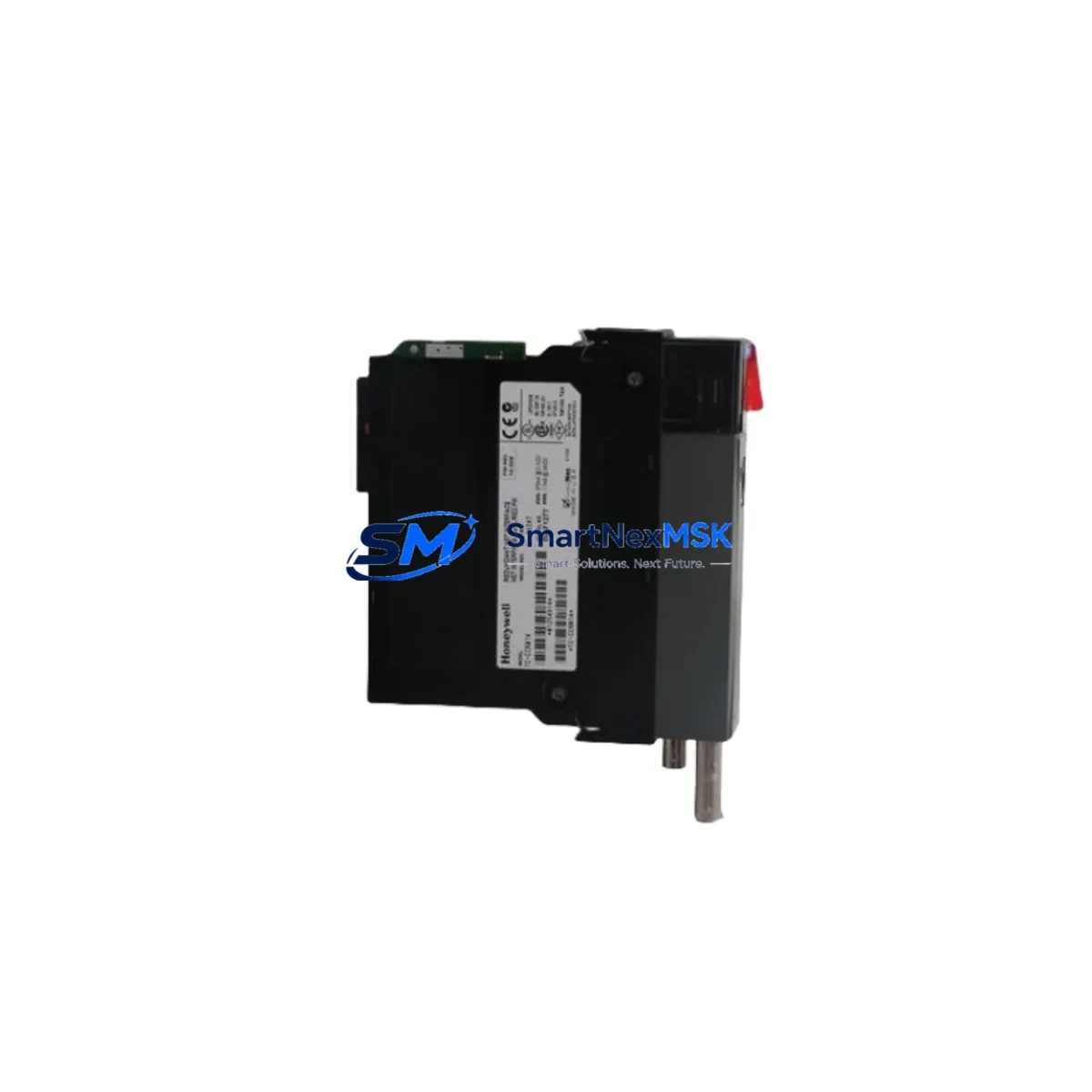
Honeywell TC-CCR014 Spare for Experion PKS C300 Automation
The Honeywell TC-CCR014 is a Redundant Network Interface Module (NIM) engineered for the Experion PKS C300 Distributed Control System. In process-critical environments — refineries, chemical plants, power generation facilities, and pulp & paper mills — the TC-CCR014 serves as the essential communication bridge between the C300 Controller and the FTE (Fault Tolerant Ethernet) network backbone. A failed or degraded NIM can isolate an entire controller node from the supervisory layer, triggering unplanned shutdowns and costly production losses.
Sourced as an original Honeywell spare, each TC-CCR014 unit at SMARTNEXMSK undergoes pre-shipment functional verification to confirm module initialization, redundancy switchover logic, and FTE port integrity. We maintain dedicated buffer stock to support both planned turnaround maintenance and emergency breakdown recovery, with same-day dispatch available for critical downtime situations. All units are covered by a 12-month warranty from the date of shipment.
Spare Maintenance Table
| Part Number | TC-CCR014 |
| Brand | Honeywell |
| Series | Experion PKS — C300 DCS |
| Module Type | Redundant Network Interface Module (NIM) |
| Network Protocol | FTE (Fault Tolerant Ethernet), 100 Mbps |
| Redundancy Support | Primary / Secondary switchover, bumpless transfer |
| Power Supply | Via C300 Controller backplane (3.3 V / 5 V internal) |
| Operating Temperature | 0 °C to 60 °C |
| Humidity | 5% to 95% RH, non-condensing |
| Mounting | Direct plug-in to C300 Controller chassis slot |
| Compatibility | Honeywell C300 Controller, Experion PKS R310 and above |
| Certifications | CE, UL (per Honeywell Experion PKS system certification) |
| Country of Origin | United States |
| Warranty | 12 Months from shipment date |
| Condition | Original new or fully tested refurbished |
| Lead Time | In stock — same-day or next-business-day dispatch |
Maintenance Planning for Continuous Operation
When a maintenance or reliability engineer schedules replacement of the TC-CCR014, the inspection scope must extend beyond the NIM itself. The C300 controller node is an integrated assembly, and degraded ancillary components can cause recurring faults even after a successful NIM swap. A disciplined inspection checklist should cover the following areas:
C300 Controller Module: Verify firmware revision compatibility between the replacement TC-CCR014 NIM and the installed C300 controller. Mismatched firmware can prevent redundancy negotiation. If the C300 controller itself shows intermittent faults, consider stocking the TC-CCR014 alongside a spare C300 Controller Module as a paired replacement set — a common practice in high-availability process units.
FTE Network Switch and Patch Cables: Inspect FTE switch port link status, duplex settings, and VLAN configuration on the Honeywell-qualified managed switch (e.g., Cisco IE 2000 series). A degraded switch port can mimic NIM failure symptoms. Clean or replace Cat5e/Cat6 or fiber patch cords connecting the TC-CCR014 to the FTE switch — cable faults are a leading cause of intermittent NIM alarms misdiagnosed as module failures.
Chassis Backplane and Power Supply Module: The C300 chassis backplane distributes both power and inter-module communication. Inspect backplane connector pins for oxidation or mechanical damage. Verify that the chassis power supply — such as the TC-PSA024 24 VDC supply module — is within voltage tolerance before inserting a replacement NIM. Undervoltage conditions during initialization can damage module electronics and void warranty coverage.
CHARM I/O Modules and Baseplates: In CHARM-based Experion PKS architectures, the TC-CCR014 NIM supports controller communication to CHARM I/O assemblies. During a NIM replacement, verify that CHARM I/O modules — including analog input CHARMs, analog output CHARMs, and digital I/O CHARMs — are reporting correctly post-switchover. Faulty CHARM baseplates or loose field wiring can generate spurious alarms that complicate post-maintenance validation.
Redundant NIM Pair Health: The TC-CCR014 operates in a redundant NIM pair. Before replacing the primary NIM, confirm the secondary NIM is healthy and capable of assuming control. A simultaneous failure of both NIMs results in complete controller communication loss. Stocking one spare TC-CCR014 per redundant controller pair is the minimum recommended inventory posture for critical process units.
Signal Isolation and Surge Protection: Verify that the control cabinet grounding bus is intact and that surge protection devices on FTE network ports are functional. Transient overvoltage events are a common cause of NIM port damage in facilities with inadequate grounding. Where applicable, inspect signal isolators on analog I/O loops connected to the C300 system to rule out ground loop interference as a contributing fault factor.
Terminal Blocks and Field Wiring: Loose or corroded terminal block connections on I/O modules associated with the C300 node can generate diagnostic alarms that appear as controller communication faults. Include a torque check of terminal block connections and inspection of fuse holders on 24 VDC field power circuits as part of every planned NIM replacement outage.
Site Replacement Workflow
Step 1 — Pre-replacement verification: Confirm the secondary TC-CCR014 NIM is active and synchronized via Experion Station. Navigate to the C300 controller faceplate in Control Builder and verify redundancy status shows “Secondary — Synchronized.” Do not proceed if the secondary is faulted — address the secondary NIM first to avoid a single-point-of-failure condition during the swap.
Step 2 — Initiate controlled switchover: Use Experion Control Builder to perform a manual switchover, promoting the secondary NIM to primary. Confirm bumpless transfer with no process upsets before proceeding. This step eliminates process disruption during the physical module exchange.
Step 3 — Remove the faulted NIM: With the replacement TC-CCR014 ESD-bagged and ready at the cabinet, remove the faulted module from the C300 chassis slot. Inspect the backplane connector for bent pins or contamination before inserting the replacement. For legacy Experion PKS systems running older firmware, consult Honeywell’s hardware revision compatibility matrix to confirm the replacement unit’s hardware revision is supported.
Step 4 — Insert and initialize the replacement: Insert the new TC-CCR014 into the chassis slot. The module will auto-negotiate with the primary NIM and synchronize. Monitor Experion Station for “Secondary — Synchronized” status confirmation, typically achieved within 60–120 seconds under normal network conditions.
Step 5 — Post-replacement validation: Verify all I/O points, CHARM modules, and controller tags are reporting correctly. Confirm FTE network redundancy is restored. Document the replacement in the site CMMS with the new module serial number, hardware revision, and warranty start date. Update the spare parts inventory record and reorder a replacement spare to restore buffer stock.
This workflow minimizes process disruption, ensures the replaced module is properly commissioned before the maintenance window closes, and maintains the redundancy posture required for continuous operation in safety-critical process environments.
Spare Parts Support FAQ
Q1: Is the TC-CCR014 compatible with all Experion PKS C300 controller revisions?
The TC-CCR014 is designed for the Honeywell Experion PKS C300 platform from R310 onwards. Compatibility with specific hardware and firmware revisions should be verified against Honeywell’s release notes. SMARTNEXMSK can assist with compatibility confirmation prior to order placement — contact [email protected] with your current system firmware version and C300 hardware revision.
Q2: What pre-shipment testing is performed on each TC-CCR014 unit?
Each unit undergoes power-on initialization testing, FTE port link verification, and redundancy logic checks before dispatch. A test report is available upon request. Units are shipped in anti-static packaging with physical protection to prevent transit damage. Serial numbers are recorded for full traceability.
Q3: How should the TC-CCR014 be stored as a long-term spare?
Store in a climate-controlled environment at 15–25 °C with relative humidity below 60%, in the original anti-static bag inside a sealed carton. Avoid storage near strong electromagnetic fields or corrosive atmospheres. Inspect stored units annually for connector oxidation. Properly stored units maintain full functionality for 5+ years, making the TC-CCR014 a cost-effective long-term inventory investment for aging Experion PKS installations.
Q4: What does the 12-month warranty cover and how is a claim initiated?
The 12-month warranty covers manufacturing defects and functional failures under normal operating conditions. It does not cover damage caused by incorrect installation, overvoltage events, or physical mishandling. In the event of a warranty claim, SMARTNEXMSK provides advance replacement to minimize downtime, subject to fault verification. Contact [email protected] or +86 18259474341 to initiate a claim — response within one business day is standard.
© 2026 SMARTNEXMSK. All rights reserved.
Original Source: https://smartnexmsk.com
Contact: [email protected] | +86 18259474341



