
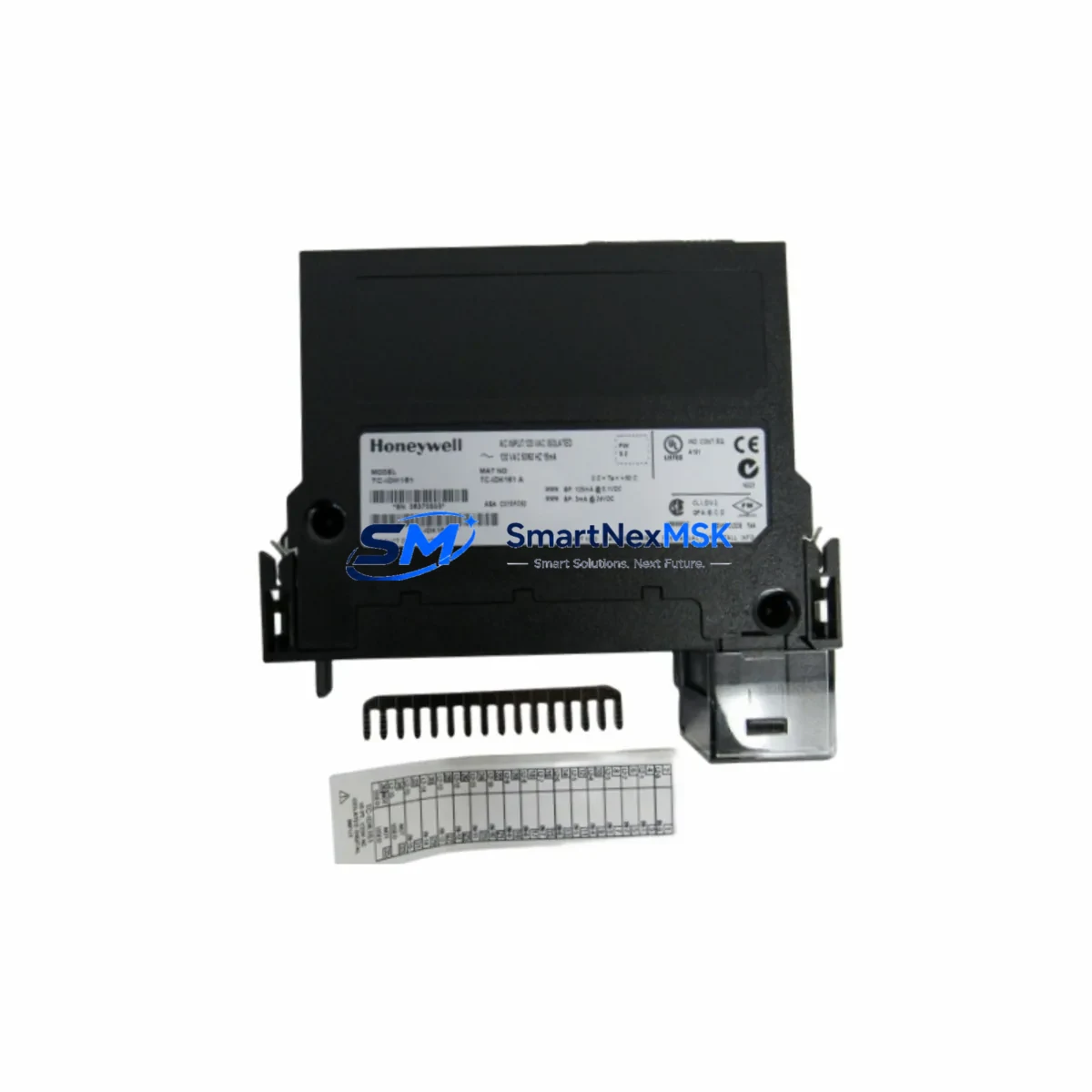
Honeywell TC-IDK161 Retrofit-Ready Digital Input for Experion PKS Control Systems
The Honeywell TC-IDK161 is a 16-channel isolated digital input module engineered for the Honeywell Experion PKS Distributed Control System platform. As legacy DCS installations age and OEM support windows close, the TC-IDK161 has become one of the most sought-after retrofit components for plants operating C300 Controller-based architectures. Whether you are replacing a failed module on an active production line, upgrading a control cabinet to extend service life, or migrating I/O capacity from an older TDC 3000 or PlantScape system, the TC-IDK161 delivers verified drop-in compatibility with minimal engineering intervention.
Our inventory is sourced from controlled environments, fully tested against Honeywell factory specifications, and backed by a 12-month warranty. Each unit undergoes pre-shipment functional verification covering channel isolation integrity, input threshold response, and backplane communication handshake with the IOTA termination assembly.
Upgrade Compatibility Table
| Parameter | TC-IDK161 Specification | Retrofit Notes |
|---|---|---|
| Channel Count | 16 Channels, Isolated DI | Direct replacement for same-slot 16-ch DI modules |
| Input Voltage Range | 24 VDC nominal | Verify field wiring voltage before swap |
| Backplane Interface | Experion PKS Series C IOTA | Confirm IOTA model TC-IOLI01 or TC-IOLI02 compatibility |
| Installation | Slide-in module, no tools required | Power down chassis or use hot-swap procedure per SOP |
| Communication | FTE (Fault Tolerant Ethernet) via C300 | No protocol reconfiguration required for like-for-like swap |
| Replacement Path | Replaces TC-IDK161 (same SKU), compatible with TC-IDK161E | Confirm firmware revision with site engineer if mixing revisions |
| Commissioning | Module auto-detected by C300 Controller | Force download of I/O configuration after insertion |
| Warranty | 12-Month Warranty — functional test report available on request | |
Retrofit Planning for Existing Automation Systems
Successful integration of the TC-IDK161 into an aging Experion PKS installation requires a structured pre-retrofit assessment. Begin by auditing the existing IOTA termination assembly — the TC-IDK161 mates with the Series C IOTA baseplate, and mismatched IOTA models are the most common source of field wiring errors during module replacement. Confirm that the termination block wiring matches the channel-to-terminal mapping documented in the original loop drawings before removing the failed module.
Power budget verification is the next critical step. The Experion PKS chassis — typically a 4-slot or 8-slot Series C rack — draws regulated 24 VDC from the TC-PSA011 or TC-PSA021 power supply module. Adding or replacing digital input modules changes the aggregate current draw on the backplane bus. Confirm that the installed power supply has sufficient headroom before commissioning the replacement TC-IDK161, particularly in fully populated racks where TC-OAK081 analog output modules or TC-IAH081 analog input modules share the same power rail.
For plants that have been running legacy TDC 3000 or early PlantScape hardware, the migration path to Experion PKS often involves a phased I/O cutover. In these scenarios, the TC-IDK161 is frequently deployed as part of a broader I/O expansion strategy alongside TC-CCR014 C300 Controller modules and TC-FTE001 Fault Tolerant Ethernet interface cards. The FTE network topology must be validated before the new module is brought online — a misconfigured FTE switch port can prevent the C300 from recognizing the replacement module even when the hardware is correctly seated.
Address assignment is handled automatically by the Experion PKS system through the module’s physical slot position on the backplane. However, if the replacement TC-IDK161 is installed in a different slot than the original — due to chassis reconfiguration or rack expansion — the I/O point addresses in the Control Builder engineering environment must be updated accordingly. Failure to realign module addresses will cause point mismatch alarms and may suppress field signals at the HMI level.
HMI screen validation is often overlooked during fast-turnaround replacements. After the TC-IDK161 is online and the C300 has completed its I/O scan, verify that all 16 digital input points are correctly reflected in the Experion Station operator displays. Pay particular attention to any custom faceplates or group displays that reference the replaced module’s point tags — tag renaming during address correction can break HMI bindings silently. A full point-by-point field signal injection test, using a portable signal generator connected to the IOTA terminal block, is the recommended commissioning standard before returning the loop to automatic control.
For sites using Modbus RTU or PROFIBUS DP gateways alongside the Experion PKS FTE backbone, confirm that the gateway configuration does not reference the replaced module’s legacy address map. Communication modules such as the TC-PRS021 serial interface card may require a configuration reload if the I/O map was modified during the retrofit.
Downtime Control During System Migration
Minimizing unplanned downtime is the primary operational constraint in any live-plant DCS module replacement. The TC-IDK161 supports Honeywell’s standard hot-swap procedure when the host C300 Controller is configured for redundant I/O operation — however, this capability must be confirmed in the site’s specific Control Builder project before relying on it during a live swap. If hot-swap is not enabled, schedule the replacement during a planned maintenance window and coordinate with the control room operator to place all affected loops in manual mode before extraction.
Before pulling the failed module, export a backup of the current C300 Controller configuration from Control Builder. This preserves the original I/O point definitions, alarm limits, and engineering unit scaling parameters. If the replacement TC-IDK161 requires a firmware update to match the site’s baseline revision, perform the update on the bench using the Honeywell FTE programming cable and a laptop running the appropriate Experion PKS software version — never attempt a firmware update on a module that is seated in a live chassis.
Once the replacement module is inserted and the C300 has completed its initialization scan — typically within 30 to 90 seconds — perform a forced download of the I/O configuration from Control Builder to confirm that all 16 channels are mapped correctly. Monitor the system event log in Experion Station for any module fault or communication error messages during the first 10 minutes of operation. Return loops to automatic control only after all field signals have been verified against the pre-retrofit baseline readings.
Maintaining a spare TC-IDK161 in the site’s critical spare parts inventory is strongly recommended for plants with no redundant I/O path. Our team can supply pre-tested units with same-week dispatch to minimize exposure in the event of an unplanned failure.
Retrofit Support FAQ
Q: Is the TC-IDK161 a direct drop-in replacement for a failed unit of the same model?
A: Yes. The TC-IDK161 is a like-for-like replacement for any unit carrying the same SKU. Confirm the IOTA termination assembly model and firmware revision with your site engineer before installation. No wiring changes are required for a same-slot, same-IOTA replacement.
Q: What pre-shipment testing is performed on each unit?
A: Every TC-IDK161 in our inventory is tested for channel isolation integrity, input threshold response across all 16 channels, and backplane communication handshake. A functional test report is available on request. All units ship with a 12-month warranty covering manufacturing defects and functional failures under normal operating conditions.
Q: Can the TC-IDK161 be used in a chassis that also contains analog I/O modules?
A: Yes. The TC-IDK161 coexists with analog input and output modules in the same Experion PKS Series C chassis. Verify the total power budget of the chassis power supply — particularly in fully populated racks — to ensure sufficient current headroom for all installed modules.
Q: What should I do if the C300 Controller does not recognize the replacement module after installation?
A: First, confirm the module is fully seated in the IOTA baseplate and the chassis power is stable. Then perform a forced I/O configuration download from Control Builder. If the module still does not appear, check the FTE network connection and verify that the slot address in the Control Builder project matches the physical installation position. Contact our technical support team if the issue persists — we provide commissioning guidance for all units sold.
© 2026 SMARTNEXMSK. All rights reserved.
Original Source: https://smartnexmsk.com
Contact: [email protected] | +86 18259474341



