
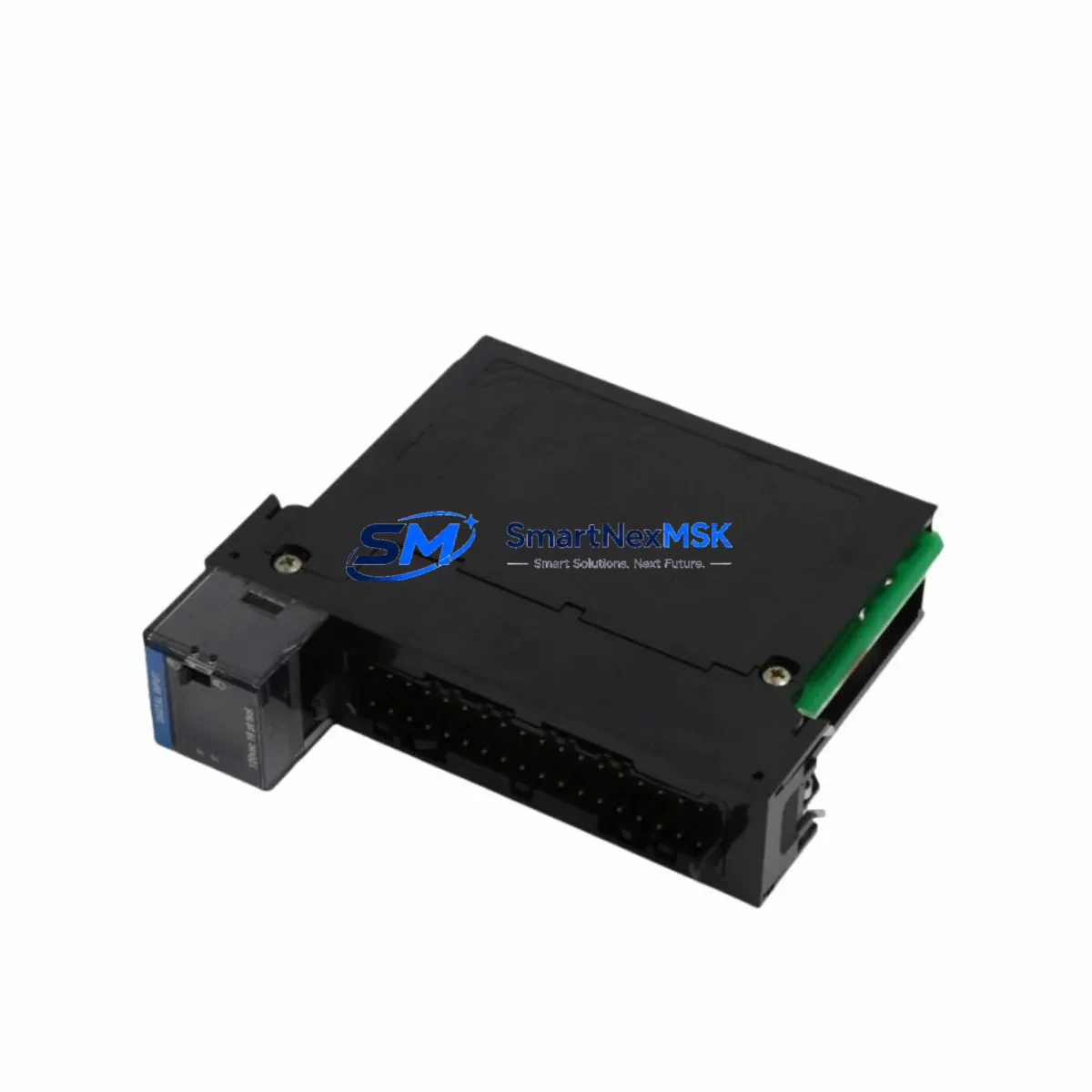
Honeywell TC-IOLI01 Spare for Experion PKS Automation: Spare Parts Replacement & Industrial Downtime Risk Control
The Honeywell TC-IOLI01 I/O Link Interface Module is a critical communication bridge within the Experion PKS C300 distributed control system architecture. Designed for high-reliability industrial environments — including refining, petrochemical, power generation, and advanced manufacturing — this module manages the I/O Link bus that connects the C300 Controller to remote I/O chassis and field termination assemblies. When this component fails or degrades, the consequences extend beyond a single loop: entire I/O subsystems can go offline, triggering unplanned shutdowns and costly production losses. Maintaining a verified, tested spare of the TC-IOLI01 is a fundamental element of any responsible DCS maintenance strategy.
This listing provides an original Honeywell TC-IOLI01 spare module, sourced from authorized supply channels, individually tested prior to shipment, and backed by a 12-month warranty. Each unit is verified for firmware compatibility and physical integrity before dispatch, ensuring that your maintenance team can execute a rapid, confident replacement without extended commissioning delays.
Spare Maintenance Table
| Parameter | Specification / Detail |
|---|---|
| Part Number / SKU | TC-IOLI01 |
| Manufacturer | Honeywell Process Solutions |
| Product Series | Experion PKS — C300 Controller Series |
| Module Function | I/O Link Interface — bridges C300 Controller to remote I/O chassis via I/O Link bus |
| Compatible Controllers | C300 Process Controller (TC-CCR01, TC-CCR02 series) |
| Compatible I/O Chassis | Experion PKS I/O Link chassis; CIOM-A, CIOM-B series |
| Communication Protocol | Honeywell I/O Link (proprietary high-speed serial bus) |
| Power Supply Requirement | Supplied via C300 controller backplane; no external power required |
| Operating Temperature | 0°C to 60°C (32°F to 140°F) |
| Humidity | 5% to 95% RH, non-condensing |
| Mounting | Direct insertion into C300 controller chassis slot |
| Installation Environment | Control room / marshalling cabinet; IEC 61010-1 compliant enclosure recommended |
| Condition | Original / Genuine — tested before shipment |
| Warranty | 12 Months from date of shipment |
| Origin | United States (Honeywell Process Solutions) |
| Delivery | Global express shipping; lead time confirmed at order |
Maintenance Planning for Continuous Operation
When a TC-IOLI01 failure is identified — whether through a diagnostic alarm on the Experion PKS Station, a loss of I/O Link communication, or a physical inspection during a scheduled outage — the replacement workflow must be coordinated carefully to minimize downtime. Maintenance engineers should treat this event as an opportunity to audit the broader C300 subsystem, not just swap the failed module.
Begin by verifying the health of the C300 Controller module (TC-CCR01 or TC-CCR02) itself. A degraded controller can cause repeated I/O Link interface failures and should be ruled out before the TC-IOLI01 is replaced. Simultaneously, inspect the C300 chassis backplane for signs of corrosion, connector damage, or thermal stress — backplane faults are a common root cause of interface module failures in aging DCS installations.
Next, check the I/O Link cable assemblies connecting the C300 chassis to remote I/O chassis. Cable degradation, loose connectors, or excessive cable runs beyond specification can cause intermittent I/O Link errors that mimic module failure. Inspect and, where necessary, replace these cables as part of the same maintenance window.
At the remote I/O end, verify the condition of the CIOM-A or CIOM-B I/O chassis interface modules. These modules terminate the I/O Link bus at the field side and are subject to the same environmental stresses as the TC-IOLI01. A spare CIOM module should be held alongside the TC-IOLI01 in any well-managed DCS spare parts inventory.
Within the I/O chassis, inspect the installed AI, AO, DI, and DO I/O modules (such as TC-IAH161, TC-OAH163, TC-IDJ161, or TC-ODJ161 series). While the TC-IOLI01 handles bus communication, individual I/O modules can develop faults that generate misleading diagnostic data. Confirm that all I/O modules report healthy status after the TC-IOLI01 is replaced.
For systems using FOUNDATION Fieldbus or HART communication through the Experion PKS architecture, also verify the associated FIM (Fieldbus Interface Module) and Series C FIM cards. These modules share the same control network infrastructure and can be affected by power disturbances that also damage the TC-IOLI01.
Do not overlook the 24 VDC power supply modules feeding the I/O chassis. Voltage sags, ripple, or transient spikes are a leading cause of premature I/O Link interface module failure. Measure supply voltage at the chassis terminals and replace any power supply showing output deviation beyond ±2% of nominal. Redundant power supply configurations should be verified for proper load-sharing.
Finally, review the terminal blocks and field wiring terminations within the marshalling cabinet. Loose terminations, corroded terminals, or improperly torqued connections can introduce ground loops and signal noise that stress communication interfaces. A torque check and visual inspection of all terminal blocks in the affected I/O loop is recommended as part of any TC-IOLI01 replacement event.
Site Replacement Workflow
Step 1 — Pre-Replacement Preparation: Download and archive the current Experion PKS configuration backup from the Engineering Station before any hardware change. Confirm the replacement TC-IOLI01 part number matches the installed revision. Check Honeywell’s compatibility matrix for any firmware dependencies between the TC-IOLI01 and the installed C300 controller firmware version.
Step 2 — Safe State & Isolation: Place affected control loops in manual mode at the DCS operator station. Notify operations personnel of the planned maintenance window. Follow site-specific LOTO (Lockout/Tagout) procedures for the control cabinet. The TC-IOLI01 supports hot-swap in some configurations — verify with your site’s Honeywell support documentation before attempting live replacement.
Step 3 — Module Removal & Installation: Remove the failed TC-IOLI01 by releasing the module latch and sliding it from the chassis slot. Insert the replacement module firmly until the latch engages. The Experion PKS system will automatically detect the new module and begin initialization. Monitor the Experion Station for I/O Link status recovery — full communication restoration typically occurs within 60–120 seconds.
Step 4 — Post-Replacement Verification: Confirm all I/O points in the affected chassis report correct values. Perform a loop check on critical analog inputs and outputs. Review the Experion PKS System Event Log for any residual alarms. Return control loops to automatic mode only after all I/O points are verified healthy.
Step 5 — Documentation & Spare Replenishment: Record the replacement event in the site maintenance management system (CMMS). Immediately initiate a purchase order for a replacement TC-IOLI01 spare to restore your inventory buffer. A minimum of one spare TC-IOLI01 per C300 controller cluster is the recommended inventory posture for continuous-process facilities.
Spare Parts Support FAQ
Q1: Is this TC-IOLI01 an original Honeywell part or a third-party replacement?
This is an original Honeywell TC-IOLI01 module sourced from authorized supply channels. It is not a third-party clone or remanufactured substitute. Each unit carries the original Honeywell part markings and is individually tested for electrical and communication functionality before shipment. Compatibility with Experion PKS C300 systems is confirmed prior to dispatch.
Q2: What does the 12-month warranty cover, and what is the claims process?
The 12-month warranty covers manufacturing defects, functional failures under normal operating conditions, and DOA (Dead on Arrival) units. The warranty period begins from the date of shipment. To initiate a warranty claim, contact [email protected] with your order number, a description of the fault, and photographic evidence of the defect. Replacement or refund will be processed within 5 business days of claim approval.
Q3: How do I verify compatibility between the TC-IOLI01 and my installed C300 controller firmware?
Compatibility is determined by the C300 controller firmware revision and the Experion PKS release version installed at your site. Provide your C300 controller part number (TC-CCR01 or TC-CCR02), the installed firmware version (visible in the Experion Engineering Studio hardware tree), and the Experion PKS release number when placing your order. Our technical team will confirm compatibility before shipment at no additional charge.
Q4: Can you supply TC-IOLI01 modules on an ongoing basis for long-term maintenance contracts?
Yes. We maintain standing inventory of TC-IOLI01 and related Experion PKS C300 series spare parts to support long-term maintenance agreements, annual shutdown planning, and emergency call-out requirements. Volume pricing and reserved inventory arrangements are available for facilities requiring guaranteed spare availability. Contact [email protected] to discuss a tailored spare parts supply agreement.
© 2026 SMARTNEXMSK. All rights reserved.
Original Source: https://smartnexmsk.com
Contact: [email protected] | +86 18259474341



