
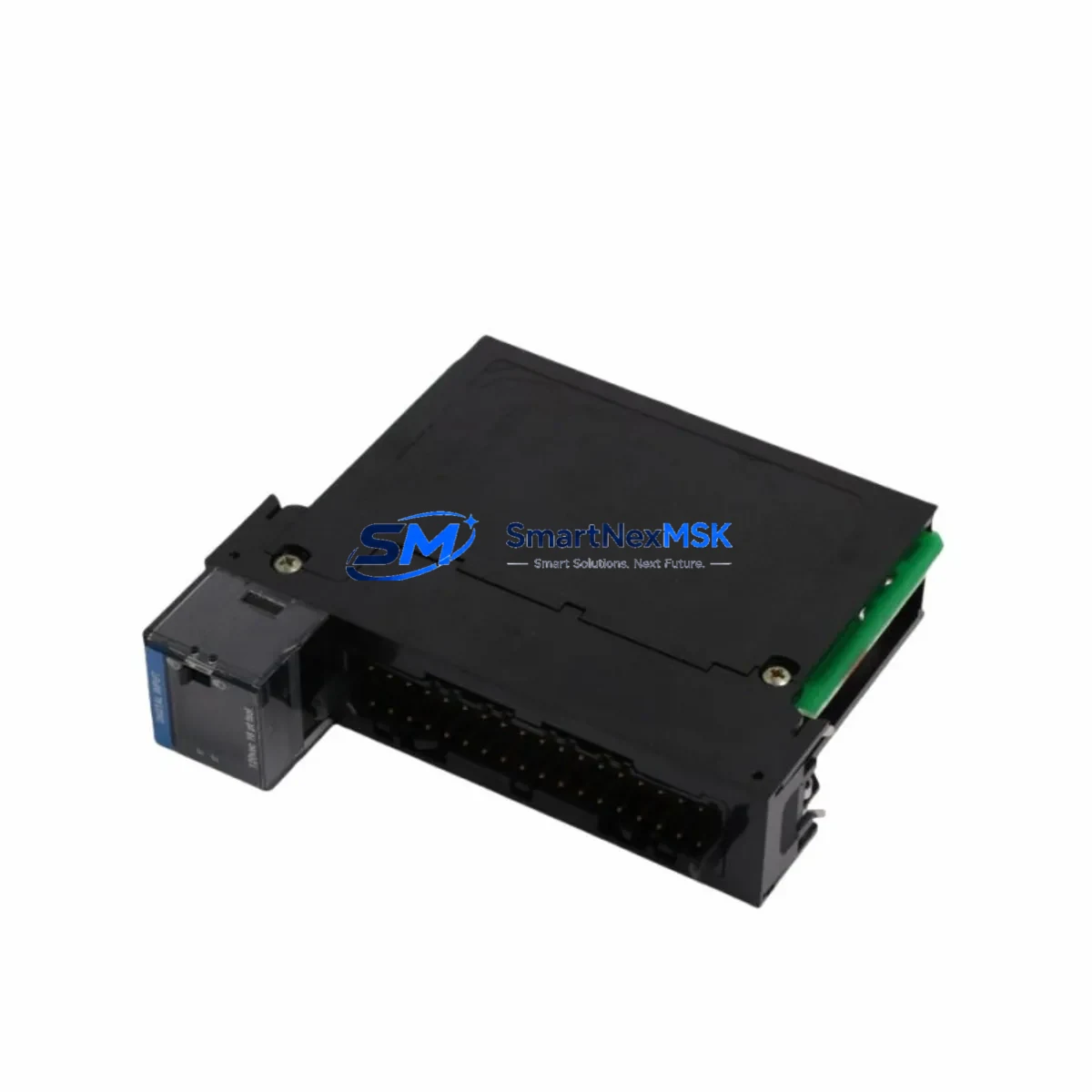
Honeywell TC-MDP081 Retrofit-Ready Pulse Input Module for Experion C200 PKS Control Systems
The Honeywell TC-MDP081 is an 8-channel pulse input module designed for the Experion PKS and C200 distributed control system platform. As legacy DCS installations approach end-of-life or face discontinued spare parts availability, the TC-MDP081 serves as a verified drop-in replacement and upgrade path for aging pulse input hardware within the same C200 controller chassis. Whether your facility is managing a planned turnaround, responding to an unplanned module failure, or executing a phased control system modernization, the TC-MDP081 provides a reliable, wiring-compatible solution that minimizes engineering rework and commissioning time.
This module is engineered to accept high-frequency pulse signals from flow meters, turbine meters, and rotating machinery encoders, making it a critical component in process industries including oil and gas, refining, chemical, and power generation. Its compatibility with the standard C200 backplane and IOTA termination assemblies means that field wiring, terminal assignments, and I/O addresses can be preserved during replacement, significantly reducing the risk of wiring errors and loop checkout time during system restoration.
Before proceeding with a TC-MDP081 replacement, engineers should verify several key parameters. Power budget on the C200 controller chassis must be confirmed, as adding or swapping I/O modules affects the total backplane power draw. The existing IOTA termination board — typically the TC-FPCXX series — must be inspected for compatibility with the replacement module’s connector footprint. Module slot addressing within the Experion Builder configuration database must be reviewed to ensure the replacement module occupies the same logical address as the original, avoiding the need for a full controller download. If the original module address has been reassigned or the configuration database has drifted from the as-built state, a partial download targeting only the affected controller node may be required.
Upgrade Compatibility Table
| Parameter | Details |
|---|---|
| Module SKU | TC-MDP081 |
| Platform Compatibility | Honeywell Experion PKS, C200, C200E Controller Series |
| Backplane Interface | Standard C200 I/O Backplane (compatible with TC-CCR014, TC-CCR016 racks) |
| Termination Assembly | Compatible with TC-FPCXX IOTA series; field wiring preserved |
| Channel Count | 8 Channels, Pulse / Frequency Input |
| Communication Protocol | FTE (Fault Tolerant Ethernet) via C200 controller node |
| Replaces / Upgrades | Discontinued or degraded TC-MDP081 units in existing C200 cabinets |
| Installation Requirement | Hot-swap capable with controller in run mode (verify site procedure) |
| Commissioning Focus | Module address verification, I/O force check, loop calibration confirmation |
| Warranty | 12 Months from date of shipment |
Retrofit Planning for Existing Automation Systems
A successful TC-MDP081 retrofit begins well before the module arrives on site. The engineering team should pull the current Experion Builder project file and cross-reference the module’s slot assignment, channel configuration, and engineering unit scaling against the original loop documentation. In many aging C200 installations, the as-built configuration has diverged from the live database due to years of incremental changes, making a pre-replacement audit essential.
The TC-MDP081 is typically installed in a C200 I/O rack alongside other signal conditioning modules. Common co-located hardware in the same cabinet includes the TC-MDI081 digital input module, TC-MDO081 digital output module, TC-MAI081 analog input module, and TC-MAO081 analog output module. These modules share the same backplane power supply — often a TC-PRS023 or TC-PRS028 redundant power supply unit — and any replacement activity should include a power budget recalculation to confirm headroom remains within specification.
For facilities running redundant C200 controller pairs, the TC-CCR014 or TC-CCR016 controller rack houses the primary and secondary C200 controllers along with the associated I/O modules. During a module swap, the redundant controller pair should be verified to be in synchronized state before proceeding. The Experion Station HMI display — typically running on an Experion server connected via FTE switch — should be monitored throughout the replacement to confirm that the controller remains in primary/secondary synchronized status and that no spurious alarms are generated from the affected I/O channels.
Communication continuity is maintained through the FTE network, which connects the C200 controller to the Experion server via redundant Ethernet paths. The TC-MDP081 does not communicate independently on the network; all data passes through the C200 controller node. This means that as long as the controller remains operational during the module swap, upstream SCADA, historian, and HMI systems continue to receive data from unaffected channels without interruption. Engineers should place the affected pulse input channels in manual or hold mode in the Experion control strategy prior to removing the module to prevent false flow totalization or interlock trips.
Where the retrofit involves migrating from an older Honeywell TDC 3000 or PlantScape system to Experion PKS, additional planning is required for I/O marshalling, junction box rewiring, and control strategy conversion. In these cases, the TC-MDP081 may be introduced as part of a broader I/O migration that also involves TC-FPCXX IOTA termination panels, new C200 racks, and updated FTE network infrastructure including managed Ethernet switches configured for PROFINET or standard TCP/IP operation.
Downtime Control During System Migration
Minimizing unplanned downtime is the primary operational concern during any DCS module replacement. For the TC-MDP081, the recommended approach is to pre-stage the replacement module in the control room, verify its firmware revision against the current Experion system version, and confirm that the Experion Builder configuration is synchronized with the live controller before initiating the swap.
Where process conditions permit, the affected pulse input channels should be placed in a defined safe state — typically manual hold at the last good value — using the Experion operator station. This prevents downstream control loops, totalizers, or safety interlocks from responding to the loss of input signal during the module removal and reinsertion window. For critical flow measurement loops feeding custody transfer or safety instrumented systems, coordination with the SIS engineer and operations team is required before any module work begins.
Once the replacement TC-MDP081 is seated in the rack and the backplane connection is confirmed, the Experion system will automatically detect the module and begin the initialization sequence. The operator should monitor the module status in the Experion Station display and confirm that all eight channels return to normal status before releasing the channels from manual hold. A channel-by-channel loop check — comparing the pulse input reading against a portable reference counter or the upstream flow transmitter local indicator — should be completed before returning the loop to automatic control.
Original program logic, control strategy function blocks, and HMI faceplates do not require modification when replacing a like-for-like TC-MDP081 unit, provided the module slot address and channel assignments are preserved. This is one of the key advantages of sourcing a verified replacement module: the engineering effort is limited to physical installation and loop verification, not control strategy redesign.
Retrofit Support FAQ
Q: Is the TC-MDP081 a direct drop-in replacement for the existing module in my C200 rack?
A: Yes, provided the replacement module carries the same part number (TC-MDP081) and is installed in the same backplane slot. The IOTA termination assembly and field wiring remain unchanged. Verify the Experion Builder configuration reflects the correct module type in the target slot before proceeding.
Q: What commissioning steps are required after installing the replacement module?
A: After seating the module, confirm the Experion Station shows the module in normal status. Release each channel from manual hold one at a time and verify the pulse input reading matches the expected process value. Perform a loop check against a reference instrument for any channel used in custody transfer, safety, or critical control applications.
Q: Can the TC-MDP081 be used in a mixed-revision C200 rack alongside older I/O modules?
A: In most cases, yes. The C200 backplane supports mixed I/O module types within the same rack. However, firmware compatibility between the replacement module and the current Experion system version should be confirmed against the Honeywell compatibility matrix for your specific Experion release. Contact our technical team with your Experion version number for confirmation.
Q: What does the 12-month warranty cover, and how is the module tested before shipment?
A: Each TC-MDP081 unit undergoes functional verification prior to shipment, including power-on self-test and channel continuity checks. The 12-month warranty covers manufacturing defects and functional failures under normal operating conditions. Units are shipped with anti-static packaging and include a test report upon request. Contact [email protected] for warranty claims or pre-shipment test documentation.
© 2026 SMARTNEXMSK. All rights reserved.
Original Source: https://smartnexmsk.com
Contact: [email protected] | +86 18259474341



